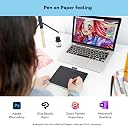
Einleitung --------------------------------------------------------------- Vorab möchte ich sagen, dass ich, was digitales Zeichnen und Bearbeitung von Fotos kein Profi bin. In meiner Freizeit beschäftige ich mich jedoch viel damit und habe mir daher überlegt, ein Grafiktablet anzuschaffen, da man mit der Maus nie so präziese arbeiten kann. Besonders bei der Fotobearbeitung benötige ich diese Genauigkeit, die ich mit einer Maus nie hinbekommen habe. Nach 4 Fehlbestellungen anderer bekannten Firmen, habe ich mir zum Schluss das "Wacom Intous S mit Bluetooth"-Tablett bestellt und bin endlich fündig geworden. Das Beste kommt eben doch zum Schluss... Ich will auf die ganzen Punkte auch nicht sehr tief eingehen, aber die wichtigsten Punkte in meiner Bewertung erwähnen. Verpackung, Versand --------------------------------------------------------------- Da ich nicht so viel auf die Verpackung wert lege (außer das es sicher ankommt), will ich mich kurz halten: Das Gerät kommt in einer stabilen, optisch schicken, Verpackung. Mitgeliefert wird das Kabel, der Stift und das Tablett. Größe --------------------------------------------------------------- Ich habe das Tablett in Größe S gekauft und das reicht vollkommen aus. Um sich eine ungefähre Vorstellung der Größe S zu machen, habe ich ein Foto hochgeladen. Es ist etwas kleiner als ein "Standard" Mauspad. Zuerst hatte ich bedenken, dass dies zu klein sein könnte, aber am Ende hat sich herausgestellt, dass ich sogar mit dem kleineren besser klar komme, als mit einem größeren Tablett. Ich finde die Arbeitsgrößer sehr angenehem. Außerdem nimmt es nicht viel Platz auf dem Schreibtisch weg, was mir auch wichtig war. Das Tablett --------------------------------------------------------------- Das Tablett wird mit einem batterielosen Stift geliefert. Der Stift hat zwei programmierbare Tasten. Er liegt angenehm, wie einer normaler Kulli, in der Hand. Das Gewicht empfinde ich als genau richtig. Nicht zu leicht, nicht zu schwer. Das Druckgefühl des Tabletts (oder des Stifts?) ist sehr gut. Es macht das, was es soll. Ich als Laie kann hier nichts bemängeln. Es reagiert so, wie es soll. Was ich etwas als "gewöhnungsbedürftig" empfand, war das kratzige Gefühl beim Zeichnen mit dem Stift. Ich habe mir aber einfach mit einer Schutzfolie (siehe Foto) abgeholfen. Das Zeichnen und die Reaktion auf Druck funktionieren auch mit Folie noch einwandfrei. Da es noch keine passende Folie zum heutigen Zeitpunkt (02/2019) gibt, habe ich mir eine Folie, welches auf das Huion H640P passt, einfach zugeschnitten und auf die Fläche gelegt. Zur Bluetooth-Verbindung kann ich nicht sagen, da ich dies nicht ausprobiert habe. Treiber und Programme, die ich nutze (Krita, AF und AD) --------------------------------------------------------------- Zuerst muss man auf der Seite von Wacom den Treiber runterladen bzw. das Programm. Hier kann man noch div. Einstellungen vornehmen z. B. wie stark das Tablett auf Druck reagieren soll. Außerdem kann man hier die 4 Tasten (die am oberen Teil des Tabletts) belegen. Nachdem ich mich etwas damit beschäftigt hatte, habe ich alles recht zügig eingestellt bekommen. Für jedes Programm könnte man die Tastenbelegung noch individuell einstellen, wenn man das möchte. Die Programme die ich derzeit nutze sind: Krita, Affinitiy Photo und Affintiy Designer. In diesen Programmen funktioniert das Tablett einwandfrei. Am Anfang hat es bei Krita etwas "gelaggt" aber das kann man mit einigen Einstellungen - in Krita selbst - beheben. Mit AF und AD funktioniert das Tablett suuuuper flüssig. Zusätzlich hat man bei Registration des Gerätes noch die Möglichkeit, zwei kostenlose Programme auszusuchen (Fotobearbeitung + Zeichenprogamm). Dazu kann ich aber nichts sagen, da ich diese nicht brauche. Fazit --------------------------------------------------------------- Für Einsteiger und Hobbyfotografen kann ich das Wacom Intous S bedenkenlos weiterempfehlen. Wer damit zwischendurch mal Fotos bearbeiten will oder einfach nur zeichnen, wird hier ein tolles Grafiktablett bekommen. Insgesamt macht es einen guten qualitativen Eindruck. Die Handhabung ist nach einer kurzen Einarbeitungszeit recht einfach und Bediener-Freundlich. Und zum Schluss: Bilder sagen mehr als 1000 Worte. Beigefügt habe ich noch Screenshots (Krita) und Bilder des Tabletts mit Folie, Stift und auch ohne Folie.