
DOWNLOAD THE APP


Customer Services
Copyright © 2025 Desertcart Holdings Limited
DOWNLOAD THE APP
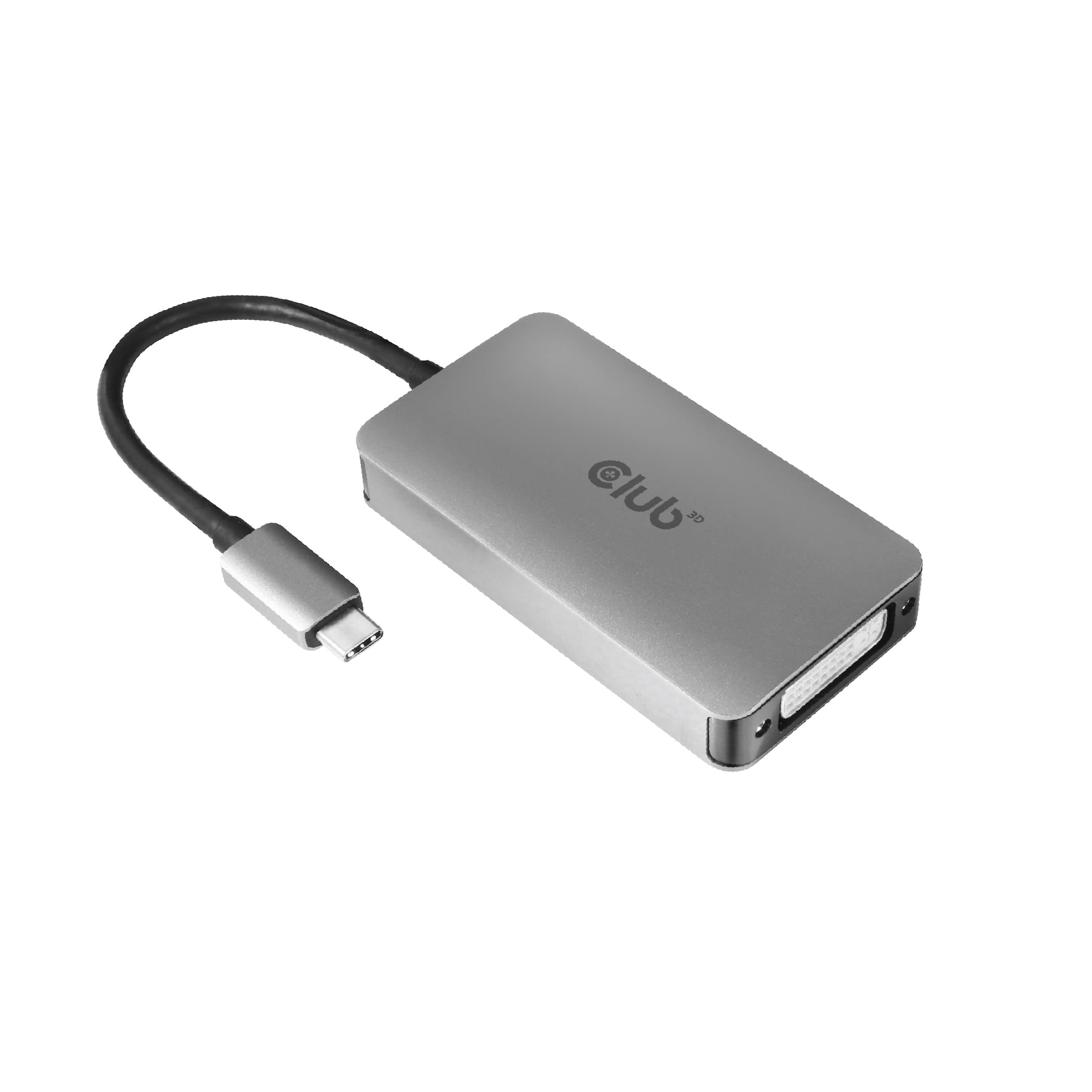
🔌 Connect Like a Pro, See Like a Visionary
The Club3D CAC-1510-A USB-C to Dual Link DVI-D adapter delivers superior image quality up to 2560x1600 at 60Hz and supports 4K UHD at 30Hz. Designed for seamless compatibility with Apple Cinema Displays and other DVI dual-link monitors, it requires no drivers for instant plug-and-play use. Its lightweight, USB-C powered design makes it the ideal portable solution for professionals needing crisp, reliable video connections on legacy displays.


| ASIN | B08B7FSVTL |
| Best Sellers Rank | 98,070 in Computers & Accessories ( See Top 100 in Computers & Accessories ) 411 in DVI to HDMI Adapters |
| Brand | Club 3D |
| Colour | silver |
| Customer Reviews | 4.4 4.4 out of 5 stars (471) |
| Date First Available | 16 Jun. 2020 |
| Guaranteed software updates until | unknown |
| Item Weight | 2.3 Ounces |
| Item model number | CAC-1510-A |
| Package Dimensions L x W x H | 27 x 6.1 x 3.6 centimetres |
| Package Weight | 0.09 Kilograms |
| Part number | CAC-1510-A |
| Product Dimensions L x W x H | 24.5 x 4.4 x 1.4 centimetres |
| Style | HDCP OFF |
L**H
Delivery perfectly what it supposed to do.
It just works like a charm with an older Apple Cinema Display HD (30in) tested with with MacBook Air M1, Macbook Pro M3 and iPad Pro
R**S
It works
I have written this review twice. I don't really know why I have been asked again.... but here I go. I bought this to connect my Apple MacBook Air M3 to an old Apple Cinema Display... and it works perfectly. For the third time, I am very happy...ecstatic.....even! Very happy!!!
P**N
It works well
It took a while to reach me and it was quite expensive but it does the job very well and is simple to add to the system. So, it was worth the wait and worth the money.
D**H
Works with Apple 20 inch LCD Cinema Display (2004)
Added two old Apple 20 inch LCD Cinema Displays to my iMac and it all works perfectly
J**S
Works
All works ok But there is a little screen interference on the black colourising a apple 30” Cinema Display But other than that it works fine
L**Y
Works great with M2 MacBook Pro and my 2004 Apple Cinema Display 20-Inch
Title says it all, very pleased to bring life back to my ageing monitor.
M**S
M1 Mac Mini to 30” Cinema Display DVI
After 2 months of getting nowhere with Apple’s senior tech advisors, I could not get my new M1 Mac Mini to work with an old 30” LCD Apple Cinema Display with DVI connection. Nearly gave up in despair after trying numerous adapters & combinations thereof. Until I found this adapter! It was my last hope before making a very reluctant purchase of a new monitor & it works perfectly. I saw comments & advice about manually having to adjust the resolution & it not being recognised as an Apple display - had none of this, all picked up automatically.
D**S
No good for an Apple Cinema Display 30" with M1 Mac Studio
Purchased so I could continue using my aged ACD 30", but the poor colours and flickering made it impossible to use. Found the StarTech.com USB 3.1 Type-C to Dual Link DVI-I Adapter - Digital Only - 2560 x 1600 to work perfectly. If you have the same setup as me go for the StarTech, not the Club3D.
J**N
Works perfectly as described.
D**C
Bought two adapters based on recommendations from others. I have an Apple Legacy 30" Cinema display. I also have an Apple Legacy 23" Cinema display. Both monitors work great with good color and no dead pixels. I retired my old Mac Pro (circa 2009) but I wanted to keep using my two monitors. These monitors require Dual-Link-DVI. My Mac Mini is an M2 model from 2023 with 8GB of RAM and 256GB SSD. My Macbook Air M3 is from 2024 with the same amount of RAM and SSD. The Macbook Air required that I use the adapter and plug it in directly into USB-C port. The Cinema display screen would then extend the desktop. I plugged in the mag safe adapter to AC power and used a bluetooth keyboard/mouse then plugged the second monitor into the second USB-C port. Close the laptop lid and VOILA! Two monitors worked perfectly. I simply arranged the displays in the settings and I was off and running. The down side here is that you will use up both of the USB-C ports so no other USB ports are available on the Macbook Air for other peripherals. I tried several USB-C hubs for Macbook Air and they don't seem to work with this USB-C to Dual Link DVI adapter and won't transmit video signals. Lesson here is that many hubs will not work with this adapter. Some of the more pricey hubs will support video signals but I was not willing to spend another $100. Mac Mini was super easy to set up. It has two USB-A ports so I can use a wired keyboard and other peripherals via USB-A hub. Simply your plug two Club3D adapters into the USB-C ports and you can have two Cinema displays up and running in no time. Others have complained about lines and speckles on their screens but I did not have any problems at all. I think the color and resolution is top notch. It actually looks better than my old Mac Pro (with two dedicated Nvidia graphic cards)! My computers are running Ventura. Your mileage may vary but I am happy to save my two Cinema displays. Thank you Club3D.
A**A
Un poco caro, pero vale totalmente la pena. Mi Cinema display volvió a la vida sin mayor problema. Valió la pena cada centavo de lo que pagué.
W**Y
On first plugging in the adapter and my Cinema HD 30" I had some low resolution. Found the little paper in the box that sort of explains how to get the proper resolution for the Cinema display. Basically the monitor starts up as "separate spaces" with Mission control so you need to work on the Cinema display to bring up the System Preferences --> Display and then hold the option key down and select "Scaled". When you do that you'll see all the hidden resolutions. At that point you'll have a menu bar on both the main and the extra display. If you don't want that, System Preferences --> Mission Control and disable "Displays have separate spaces"... Once done, the whole thing works flawlessly and it's super nice to be able to use the Cinema display again!
J**H
Works perfectly to pair my 30” Apple Cinema Display to my Mac Mini M4 over the thunderbolt port.
Trustpilot
2 weeks ago
2 months ago