Desertcart purchases this item on your behalf and handles shipping, customs, and support to Netherlands.
๐ Elevate your security game with crystal-clear vision and smart alertsโbecause your peace of mind deserves the best.
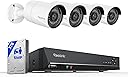
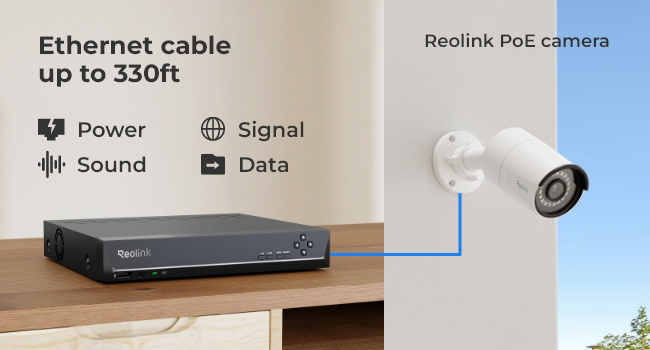
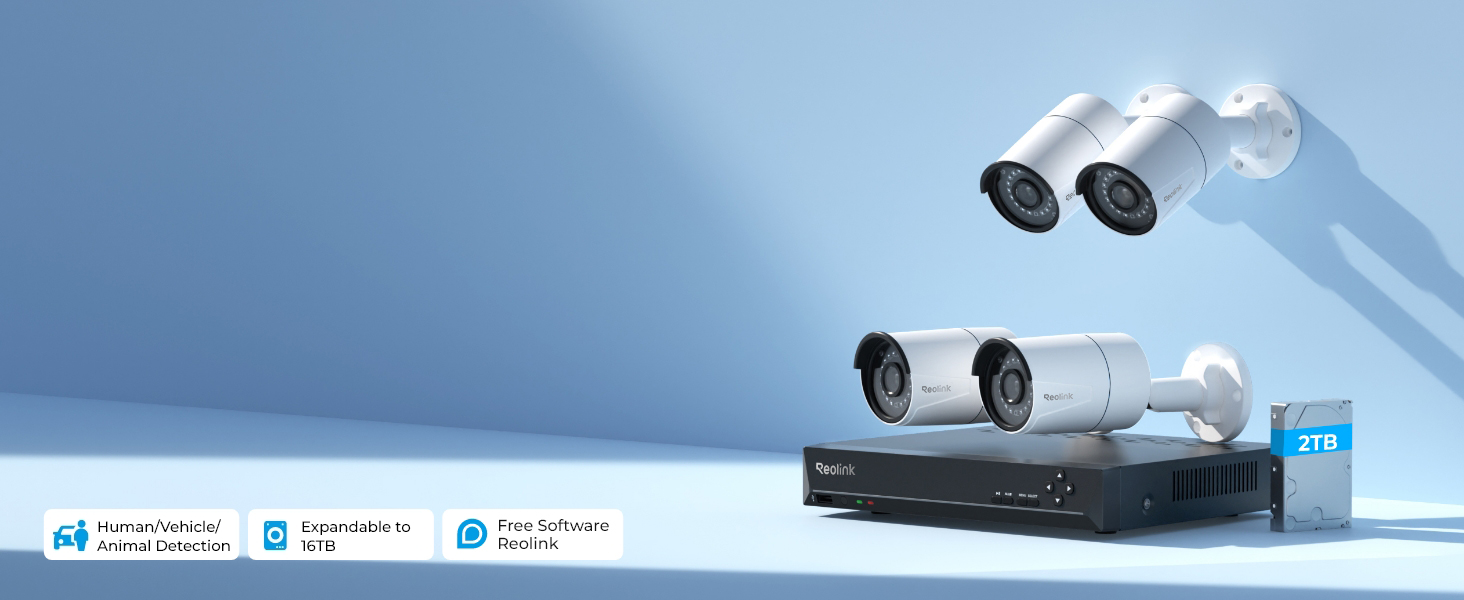
The REOLINK 8CH 5MP PoE Security Camera System combines high-resolution 5MP cameras with 100ft night vision and smart person/animal/vehicle detection. Featuring a user-friendly plug & play PoE setup, it includes a pre-installed 2TB HDD for continuous 24/7 recording and expandable storage. Compatible with iOS, Android, Windows, and Mac OS, it offers remote monitoring through the Reolink app, making it an ideal security solution for modern homes and businesses.


| ASIN | B016UCNP3A |
| Antenna Location | Indoor/Outdoor |
| Best Sellers Rank | #9 in Surveillance NVR Kits |
| Brand | REOLINK |
| Built-In Media | RLN8-410*1, B500*4, NVR Power Adapter*1, HDMI Cable*1, USB Mouse*1, 1m Network Cable*1, 18m Network Cable*4 |
| Camera Description | Front, Rear |
| Color | White |
| Compatible Devices | Cameras, Laptops, Personal Computers, Smartphones, Tablets |
| Connectivity Technology | Wired |
| Customer Reviews | 4.4 out of 5 stars 2,891 Reviews |
| Focal Length Description | 4.0 millimeters |
| Frame Rate | 25fps |
| Hardware Interface | Ethernet, HDMI, USB, VGA, eSATA |
| Item Dimensions | 11.4 x 14.8 x 7.7 inches |
| Item Type Name | security camera |
| Item Weight | 6.5 kg |
| Lens Type | Fixed |
| Manufacturer | Reolink Digital |
| Manufacturer Warranty Description | customer service (support@reolink dot com); 30-day money back guarantee; 2 years quality warranty; |
| Memory Storage Capacity | 2 TB |
| Mfr Part Number | RLK8-410B4-5MP |
| Model Number | RLK8-410B4-5MP |
| Night Vision | Night Vision |
| Night Vision Range | 100 feet |
| Number of Channels | 8 |
| Number of Items | 1 |
| Operating System | iOS, Android, Windows, Mac OS |
| Optical Sensor Technology | CMOS |
| Other Special Features of the Product | Adjustable, Easy to Install, Motion Sensor, Vehicle Detection, Waterproof |
| Power Source | DC |
| Recording Mode | Motion Recording; schedule recording; 24/7 recording |
| Set Name | REOLINK 8CH 5MP Security Camera System |
| Signal Format | Digital |
| Special Feature | Adjustable, Easy to Install, Motion Sensor, Vehicle Detection , Waterproof |
| Total Usb Ports | 2 |
| UPC | 703194071428 |
| Unit Count | 1 Count |
| Video Capture Resolution | 1920p, 5MP |
| Video Input | IP |
| Viewing Angle | 80 degrees |
J**H
Great plug and play camera
We constructed a new house and had them pre-wire the house with ethernet cables so that we could install our own security system. Found Reolink at a third of the price of what other companies charge to do for you. All I had to do was mount the cameras to the external wall and then plug them in. If you know how to plug in a computer to a monitor...then you know how to set this up. Cameras have been up for several months in Florida weather and still work great, so seem pretty durable. Picture clarity is great, and love that I can watch it through their app. I live in a pretty busy area, so it's very simple to just open the app on the phone and do a quick check if anything is going on. Also, I had some user errors on my side and reached out to technical support and they responded in less than 6 hours in the evening! Figured out that one of my ethernet wires was crimped incorrectly, and had to fix it. But that's a problem with the people that laid the cable and not Reolink. Would recommend to anyone looking for a PoE camera system EDIT: 11/26/2020 - one of the cameras stopped working and I reached out to customer service. They were able to process a replacement for free in less than 24 hours. On top of being a great product they also have great customer service. Would rate 5 stars twice if I could!
P**H
Simple and Excellent
Simple and Excellent. Works great and as expected. Really easy to install and setup. Easy to view live and recordings on phone. So, you can disconnect monitor and mouse after its setup. I had some power delivery issue to the NVR and replacement was really easy. Took some pictures, shipped the NVR to Reolink and they sent me a new one within a week. Highly recommend this NVR package and Reolink.
C**S
Perfect but often loses internet connection and must be restarted manually
Great product, camera pictures are clear day and night. Works well attached to TV. App works very well. Only downside is the main unit is hardwired to the internet router and still loses connection maybe once every couple weeks. Why does it lose connection? Two reasons. If the power goes out it may have a problem reconnecting, so I will put a UPS battery on it to make it stay on through minor power interruptions. Second, sometimes it just loses connection, which is random. You must manually turn the unit on and off or it will never reconnect to the internet. VERY annoying. I can remotely restart my Cox router from my phone but the DVR never reconnects by itself. This is annoying if you are away on vacation. I played with the AI features and the sensitivity and person, dog, car detector and it works okay but the only problem is that headlights from cars turning down the street always set this off. The doorbell goes off all night no matter what settings or sensitivity or view masking that I use. I found that turning off the front doorbell IR light stops bugs from being attracted to fly towards it all night and setting off the doorbell as much as it did before. All that being said it is a great deal! You really don't need to pay monthly fees for security camera and doorbell with this product. The hardest part about this product is wiring up through the attic and out the soffit vents and down the walls for the doorbell. But it is worth it because the connection is 100% solid between the cameras and the DVR unit. Wifi cannot compete.
A**3
Great cameras, confusing install and UI
The cameras are great and produce a good picture, also capture sound pretty well. Mounting the cameras was easy. My complaint was with the setup. When you first plug everything in and power it on it prompts you to enter a username and password, it doesn't tell you that you're creating a username and password. Long story short I wanted to change the password after I had mistakenly created it to be something else which required me to take the cover off the NVR and press the reset button. After all of that was finally done I couldn't get camera feeds to appear through the desktop app, only through my phone app. One camera of the three I installed finally appeared on the desktop app, I have no idea what caused it to finally work, but the other 2 never would despite the fact that they worked on my phone app. You go to the website and it tells you to look up the UID of the camera and shows a picture of a sticker on the camera and where to find the UID. I go to my cameras and there is no UID on the sticker. Many minutes of research later I realize that the POE cams do not have a UID and are supposed to connect by LAN or IP address. Well LAN wasn't working (remember only 1 of my 3 cameras were showing a live feed on the desktop app) and trying to find the IP address for a camera was another nightmare and waste of time. Eventually I threw my hands up and decided as long as I can access live feeds and recordings through my phone app I'll be content with that, the desktop app will have to live with 1 of 3 cameras showing. The 50 foot Cat5e cables provided also feel thin and flimsy, although they do work, I am worried about their durability. I'd recommend going with better cables if you don't mind dropping a few extra dollars. Lastly there was no clear way of knowing where the videos would be stored. When going through the settings on the desktop app the default file path says it was going to store videos on my desktop's hard drive (not internal 2TB HDD included). Couldn't figure out how to point to the path to the internal HDD through the desktop app, and the phone app didn't provide an option either. The next day I opened the phone app and saw that videos had been stored on the internal HDD as they should be, which is good, but why not make it clear where the videos can be stored at? All in all I'm mostly pleased with the system for doing the job it's meant to do, I just wish the setup had been more clear, and I chose this brand over cheaper brands primarily because setup was supposed to be easy.
W**R
**UPDATE #2** Two years later; its GREAT!
I have had this system for over two years now. Other than the initial camera failure (which was replaced at no charge); this system has been great. Therefore, I am updating my rating to five stars. If I need to purchase another system, it will MOST CERTAINLY be a REOLINK. This is the final update to my previous comments. I found out through trial and error that Reolink CANNOT receive emails unless they are formatted/sent out as text. After I resolved that problem; Reolink customer service immediately sent me a replacement camera....thank you Reolink. After operating this camera system for a while I can say that I am completely satisfied. Aside from the one camera that went bad, the system has been flawless. I still LOVE the software for both PC and IPhone; it works quite well and is easy to use. Honestly, I almost changed my review to 5 stars because I actually like this system a lot and Reolink customer service took care of me. I wish there was a 4.5 start rating. I'm only holding back from 5 stars because I want to see how it does long term. I did buy a couple extra cameras from Reolink to expand my system and they work great as well. I think that overall this is a "5 star" system when you consider the design and quality in relation to the price of the system. Ok, so I need to make an edit here. Quite literally, the day after I wrote this review; one of my cameras died. I contacted customer support via email and they responded quickly. They sent me a email requesting that I perform troubleshooting steps and respond. They even sent a follow-up email to me reminding me to respond. This is where the problem lies: I CAN"T RESPOND! I have sent 3 emails and they have all been rejected by their server. Nobody is answering the 1-800 number; so I can't talk to anyone. The chat-bot on their site won't connect me to anyone either. So, for now I am dropping my rating to 3 stars (even thinking about 2 stars). It's all good when everything works; but customer support is a failure right now. Buyer beware that you may be on your own for Warranty support. A replacement camera is about $50 after the coupon and adding taxes; so, this value system may not have been what it appeared. I have no idea how to get through to customer service now. Let me start with a background first. I had an expensive Lorex system for the last four years. The Lorex worked find for about 2 or 3 years then started giving me problems. I had two cameras, a power supply, and finally the NVR fail in my Lorex system after 4 years of use. I started to replace components and found that you have to match Lorex NVRs with specific cameras designed for them; this made for very expensive repairs. Other things I didn't like about the Lorex were that the fans on the NVR were very loud and the APP was outdated and not very user friendly. After reading reviews and specifications for the Reolink system; I decided to switch from Lorex to Reolink. There were two important factors that made me select Reolink: the first factor was the relatively low price; the second was that the NVR is compatible with multiple cameras (which makes upgrading or repairs simpler and less expensive). Aside from those two factors and reviews, my purchase of a Reolink was a "leap of faith". After operating the system for a short time now, here are my impressions of the Reolink system: 1. Setup was quite simple. The NVR automatically recognized the cameras and was up and running. APP installation on both my computer and my phone went very smooth. Overall, the software of the NVR system and the APPS is far superior and much more user friendly than the Lorex system. I am VERY satisfied with the supporting software. 2. The Reolink NVR is silent; no more noisy fan like the old Lorex. 3. Software again; moving the camera images around on the display and renaming cameras is very easy. The menus are very well designed and intuitive. 4. Picture quality of the cameras both night and day is superb. I only bough a 5MP system; but it has very fine details in the imagery. 5. So far, the NVR records and plays back flawlessly. I still think it records too much and I am still trying to figure out the proper sensitivity settings; but that is probably me and not the system. 6. When recording, the red HDD light blinks. At first this makes you think something is wrong, but that is just how its designed. Blinking red HDD means its recording. Hopefully this review is helpful for those who are researching like I did. I can't speak for longevity of the system since I haven't had it very long; but my initial impression is that it's a great system. If you consider the price of replacement Reolink camera, parts, etc. as compared to other systems; then even if something breaks prematurely this system may still be a good buy. We'll see how it does long term. I can absolutely recommend this system to anyone who is looking for a good system at a reasonable price. I hope that I don't have to replace this system anytime soon; but if I did, I would probably replace it with another Reolink.
P**A
Great Upgrade From Battery Cameras
I installed this system in my yoga studio and have been very happy with it. The picture quality is excellent, and the PoE setup is much more reliable than the battery-powered cameras I used before. Installation took some effort, and I had to spend a little time figuring out the app, but once everything was set up, it worked great. The video is clear, the system is dependable, and I donโt have to worry about constantly charging batteries. Definitely worth it if youโre looking for a solid security camera system.
A**R
An Amazing camera system!
I've spent months trying to decide on a replacement camera system for my house to replace a 5 year old Zmodo coax system. Whilst the Zmodo has proven reliable, the system has many shortcomings and annoyances which Iโve taken into consideration when choosing a new system. If you are like me and research everything to death before making a decision you'll know that sometimes trying to balance all the good reviews vs the bad ones can leave you more messed up and confused than when you started. So for people wanting to know the pro's and con's of this system I have shared some of my own observations below and I hope they will help you in making informed and educated decisions on your own future system. Likes: - The supplied camera's are 4MP and have built in Microphones. They are POE and only require an Ethernet cable from the NVR to each camera. The audio is also transmitted through the Ethernet cable so no additional cables needed for audio. The cables supplied are 59ft long, if you need longer cables and plan to make your own, the cabling pinout is standard Ethernet wiring - same as any patch cord. - The NVR will record all 8 camera's at 4MP at 30fps, all with audio too. I should warn that this recording method will consume a tremendous amount of HDD space. The 2TB drive in the NVR will begin looping after about 4 days but from what I understand the system is capable of both larger capacity HDD and will support an external E-SATA in tandem. - The NVR's software is very well thought out and easy to navigate. You will initially need a TV or a monitor with an HDMI or VGA to setup a few basic parameters like camera names, network settings etc.. but a wizard guides you through all this and makes it super easy. Once connected to the internet, you can download the Reolink app to your phone and to your desktop mac/pc. If your desktop/phone are connected to the same home network that the NVR is plugged into, the system will automatically be found and will configure itself for live viewing. If for whatever reason this doesn't work you can scan a QR code on the NVR lid. Once you have setup remote access you can unplug your monitor/tv, every setting that you might want to change on the NVR can be done on your phone or desktop. - You do not need to port forward any ports on your router. You can close them all and it will not effect remote capabilities. - The live audio will stream to mobile devices, meaning that whenever you are viewing a particular camera on your phone or desktop, you can hear the live audio. - This feature is what makes this system perfect to me. Like many other camera systems, this system has motion detection and will snap a picture and send it via email. The problem i've found with most systems (Particularly at night) is the number of false alarm events, whenever a fly buzzes by or high humidity, this in turn causes you to be getting emails all night long and in my case waking up to 700 emails, not knowing if any were important without going through all of them. This system however has 4 sensitivity settings that allow you to configure sensitivity based on blocks of time. so for example, between 6am and 12pm you can set a desired sensitivity level, from 12pm to 6pm another.. etc.. the sensitivity scale ranges from 1 to 50 with 1 being the most sensitive and 50 the lowest. It does take a few days to get the sensitivity just right but once you've figured it out you can virtually eliminate all false motion alerts. I have mine set at 25 through the daylight hours and 35 at night, since doing so I get no false alarms from insects or car lights and only pictures and emails when someone is actually there. The motion alert feature supports PUSH notifications in addition to the email alerts. - The phone app and desktop app are very well designed. The app for the phone can be configured with a pin/password lock as an extra security measure. - The bullet camera's have amazing night vision without any IR glare. I've had several dome camera's where the IR glare made the image cloudy and hard to see. Dislikes: - This is really only a minor complaint. I cannot find a way to make it easier to pinpoint motion events on the scrollable time scale during playback. My older Zmodo used to flag a motion event on the time bar irrespective of whether the system was setup to record continuously or motion record. I can just simply look at my phone and note the motion event date and time and then search the time bar to that specific time, I guess it would be nice if it placed a marker indicating an event. - The NVR has a small fan for evacuating heat from inside the case. This little fan is quite noisy and very noticeable if you had an older DVR that had no fan. I have ordered a NOCTUA fan to replace it with to see if it makes a difference. Conclusion: I am very picky when it comes to buying expensive electronic goods. I understand the value of laying out money for decent equipment, particularly when it's something to protect my home and my family. Looking for camera systems can be a pain and wading through the offerings to see which ones are legit and work well can be very frustrating. I took a shot in the dark when I ordered this Reolink system and I can say with certainty that not only did it meet my very stringent requirements, it exceeded them. I might add that I was so pleased with it that I ordered 4 more bullet cams to bring the total to 8. A bit of a long winded review but hopefully it will help people who are still on the fence about buying this system!
J**A
ONGOING update 3/23/2019, original NVR replaced, STILL ISSUES!
Update 9/16/2019 Around 3 weeks ago the second/replacement NVR died. Spent a few days back and forth with CS and they agreed to send yet another one. This 3rd NVR seems to work as it's supposed to!!!! It doesn't have the glitches the first 2 had and actually allowed me to update the software and the firmware on the cameras (somthing the previous NVRs never did). I now have a system that is working as advertised after only 1 year of living with a crappy system and going through 2 NVRs and having to pay to ship them back for replacement. I'm leaving my review at 1 star do to my horrible experiences with their barely existent customer service. Update 3/23/2019: Having gone 3 months plus now on the new NVR none of the issues have been resolved. The software has glitches that come and go all of their own despite not changing any settings. Sometimes the motion detection works and sometimes it doesn't. Reolink can't give any answers (They remote accessed my system and they couldn't figure out the issues) and their CS is absolutely horrible. After 9 months of nothing but headaches I'm going to try and get a refund and replace the entire system. ****THIS SYSTEM IS GARBAGE AND THERE'S NO CUSTOMER SUPPORT FOR IT**** Update as of 12/29/2018: In my dealing with tech support they agreed to replace my original NVR. The replacement process I chose is to buy a new NVR off amazon and I'll return the old NVR next week for a refund. The issues I was having (mostly focused around the motion sensing settings) appear to be still happening with the new NVR as well but to a lesser degree. I cannot have more than 2 cameras set on motion sensing or it seems to send my whole system into a seizure and I end up losing the motion events being recorded. Reolink has remote accessed my original system and they couldn't figure it out either but did agree to finally replace the unit. The new unit seems to have the same issue but it also seems to be a little less "glitchy" than the original unit. The new unit isn't letting me update the firmware for the NVRs or the cameras but they work so at least there''s that. My overall opinion of the system is "meh" considering all of the issues and dealings with CS I've had. The system works for what I need it to do but hindsight 20/20 I wish I'd gone with another system. Customer service has been receptive to my issues but contact is through emails (since it's based in China) and they couldn't solve the issue through remote access. It seems that the negative reviews have been focused on CS or glitchy software. If they could get those 2 things (US based CS and fix the software glitches) they'd have a home run. The image quality is very good. UPDATE 11/29/2018: Tech support is absolutely HORRIBLE. Numerous issues with my system and they've remote accessed it and even they cannot get it working correctly. They told me that they'd be getting back to me days ago after their techs brainstorm the issues I've had, and then closed out my service request. WTF!!!!!!! Today I experienced a new issue and I cannot even log into the system (but it's still sending me motion detection emails so it is working, I just cannot access it). I emailed them tonight saying I want a new NVR or a complete refund and they can have this steaming pile of crap back. Pros: Price. The video/images are very good and clear and I was impressed with the night vision. The system is fairly straightforward to figure out as far as installation of the hardware goes, Numerous issues with the NVR software The phone app was very simple to set up. MAJOR CON: Tech/customer support is all but nonexistent. There are flow charts for troubleshooting but if those don't help the only option for support is to email CS. 1-2 days later you'll get a reply stating to follow the flow charts on the site. In other words you're SOL if you need to talk to someone. Also user manuals aren't shown on their site, just the "quick setup" guides which cover just the basics. To really get into the settings you need to find and download manuals. Summary: The hardware was easy to install but I've had a number of issues with my system in the months I've had it. I've emailed them pictures and videos showing them what's wrong and they don't have any answers even after remote accessing the system. They keep telling me do this and do that (in back and forth emails that take a day+ to respond to). Today it started with a new problem..... I can't even log into the system from any device (computer/phone/tablet). I'll either get an NVR that works correctly or I'll be returning this entire system and go with another brand. ETA: I see that Reolink has responded to a few critical reviews here. Here is my constructive criticism.... My gripes with CS are the same I've listed and others have experienced as well apparently. Email CS with no reply for 1-2 days isn't realistic CS, it's horrible. You should have a toll free number with tech support (the same as any other electronics manufacturer). You should also have owner/user manuals clearly provided on your site which I wasn't able to easily find (and I used the search feature on your site).
D**D
Imagen
Excelente calidad de imagen
Trustpilot
1 month ago
2 weeks ago