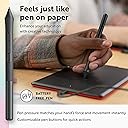
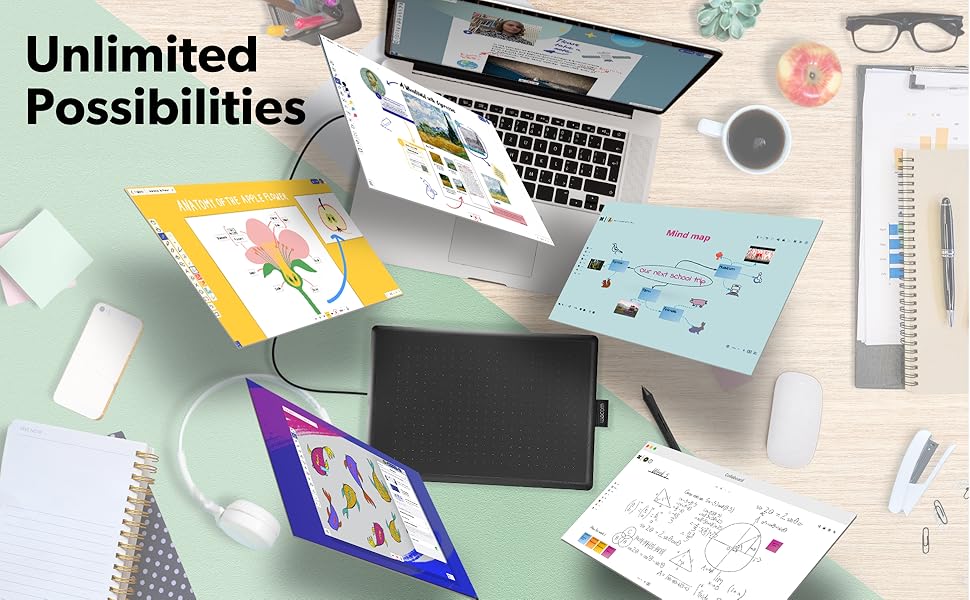
🖌️ Elevate your ideas—draw, design, and dominate anywhere!
The Wacom One by Wacom is a medium-sized, portable graphic drawing tablet featuring a 10.9-inch full HD LCD display and a battery-free, pressure-sensitive pen. Compatible with Windows, Mac, and Chromebook via USB, it offers seamless plug-and-play functionality for beginners and professionals alike, backed by Wacom’s 35+ years of digital pen innovation.


| Brand | Wacom |
| Model | CTL672K1A |
| Model Name | CTL672K |
| Product Dimensions | 18.8 x 27.69 x 0.25 cm; 430.91 g |
| Batteries | 1 Lithium Polymer batteries required. |
| Item model number | CTL672K1A |
| Operating System | OS X 10.10 Yosemite, Windows 10 Education, Windows 7 Starter, Windows 8 |
| Hardware Interface | USB |
| Compatible Devices | Personal Computer |
| Special Features | Portable |
| Mounting Hardware | Medium Pen Tablet, Pen, 1 meter USB-A cable, 3 standard replacement pen nibs, nib removal tool, Quick start guide, regulation sheet |
| Display Technology | Electromagnetic Resonance (EMR) |
| Standing screen display size | 10.9 Inches |
| Display Type | LCD |
| Screen Resolution | 1920x1080 |
| Batteries Included | No |
| Batteries Required | No |
| Connector Type | USB |
| Device interface - primary | Buttons, Keyboard, Mouse |
| Does it contain liquid? | No |
| Item Weight | 431 g |
E**Z
Para iniciarte en el diseño es más que suficiente. Para aquellos que ya tienen experiencia, también es una gran herramienta, compacta y lista para llevar a cualquier lado.
A**S
Nice product
J**G
Most of my classmates in uni use iPads. I didn't wanna spend a lot of money on an iPad. So, I decided to get this. This costs only a fraction of an iPad and gets the job done. COMPATIBILITY - It works on my MacBook Pro. I'm confident that it will work with any computer or laptop. TABLET - No latency issues. Just calibrate it when you get it and you're set to go. PENCIL - No charging needed at all. It just works like a regular pen. The Apple Pencil needs to be constantly charged, but not this one. That's one of the best features. The packaging comes with extra nibs for the pencil, but I haven't had to replace the nib at all even after more than a year. CABLE - The cable is USB type-A on the computer end. So, if your computer/laptop does not have type-A port, just connect it using a converter. DURABILITY - I've had this more than a year, and it never gave me any issues. It's the best product I invested in for Uni. CUSTOMIZABILITY - The pencil has 2 buttons that can be assigned for various tasks. I like to have it set such that one of the buttons is a right click, and the other one is the "undo" button. SIZE - I got the medium-sized one. My laptop is 14". So, you can see the size on my photos to better visualize it. VALUE FOR MONEY - 100% worth it. I'm so glad that I bought this and not an iPad or another Tablet. OVERALL - Solid pick if you're an artist or a uni student who would want to annotate notes on lecture slides, or even write stuff down digitally. CRITIQUE - The back has 4 black stoppers-kinda looking thing to prevent it from sliding on the desk a lot. They all came out after around 9-12 months of use. But I just push my tablet against my laptop anyway, so that doesn't affect me a lot. I wish that part would've stayed on a bit longer. However, it is not that big of a deal and all the positives overshadow that one negative. Just sharing my honest experience. Hope this review helps!
C**S
Hooray! My ordeal with finding a graphics tablet to work with Linux is over. Success! After wasting time and money on Huion US610 (Linux functionality severely limited to nonexistent), I decided to bite the bullet and spend a bunch more on Wacom, which I knew would work with Linux. Also, my first order of the Huion tablet went missing in shipment, and I am STILL waiting on my refund. It was the second one, which I actually got, that failed to work completely, even with the Huion driver. Apparently, it needs the Linux 6.5 or higher kernal to work. Nice if that had been mentioned before I wasted time and money. Much to my surprise, Wacom had a similarly priced tablet to the Huion. I immediately ordered one. I don't really need all the fancy extras, as I am not a hotshot graphics artist. I just want to edit photos and maybe draw a little in Krita and Blender Grease Pencil (2D images in a 3D workspace environment - Yes, please!). The Wacom got here quickly (no missing tablet in shipping) and I anxiously plugged it in and tried it out in Krita. It worked! Right out of the box, no issues so far at all. Pressure works quite nicely as well, which made me really happy. That is really all I need for now. Oh, sure, I would love one of the 24 inch hi res monitor touch screen tablets, but that doesn't fit my budget or real needs for now. The system I tried it on is a refurb dell 9020 with Mint 21.1 Mate. I have another computer, on which I just installed 22.1, and I will report back if there are any issues with that version, which I do not expect, as I read that 22.1 has fewer such issues, being based on a newer Linux kernal (6.8, I believe). The Wacom came nicely packaged, in great shape, and installation was literally plug and play. It is extremely easy to use, although I will admit I only have a couple hours on it so far. Pen is configured out of the box with buttons as left and right mouse buttons, which I doubt I will use, as I prefer my wireless trackball for navigation. It is small, thin, quite protable, and seems solid. Don't know how durable it is, as that will have to be tested over time. Bottom line, I you are a Linux user and need a basic graphics tablet, look here first. It is inexpensive, easy to use, and it works out of the box on reasonably new Linux Mint versions (should also work on Ubuntu, which Mint is based upon).
M**A
Excellent mesa, ótima de trabalhar e bem intuitiva. A entrada de USB é bem frágil, então tenho que deixar já encaixado para usar. Entrega no prazo! Parabéns!
Trustpilot
2 months ago
4 days ago