


🚀 Power meets portability — Flex your productivity anywhere!
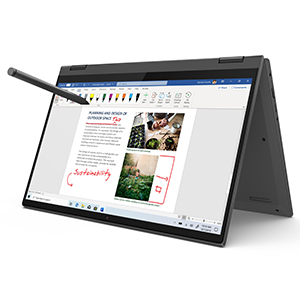
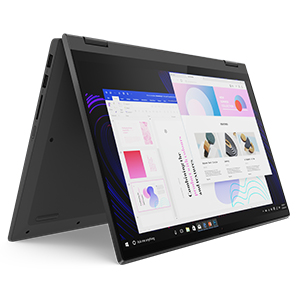
The Lenovo Flex 5 14" 2-in-1 laptop combines a vibrant 14-inch FHD touchscreen with AMD Ryzen 5 4500U processing and Radeon graphics, delivering robust performance in a slim, lightweight chassis. Featuring 16GB RAM, 256GB SSD, and a versatile 360° hinge, it adapts to your workflow with modes for work, creativity, and entertainment. The included digital pen enhances productivity, while up to 10 hours of battery life and quick charge keep you unplugged longer. Ideal for professionals and creatives seeking a stylish, flexible device that balances power and portability.



| ASIN | B086226DDB |
| Audio Output Type | Speakers |
| Audio Recording | Yes |
| Battery Average Life Standby | 10 Hours |
| Battery Cell Type | Lithium Polymer |
| Battery Life | 10 Hours |
| Best Sellers Rank | #44,191 in Computers & Accessories ( See Top 100 in Computers & Accessories ) #619 in 2 in 1 Laptop Computers |
| Biometric Security Feature | Fingerprint Recognition |
| Bluetooth Version | 4.2 |
| Bluetooth support? | Yes |
| Brand | Lenovo |
| Built-In Media | AC Adapter, User Guide |
| CPU Model Generation | 12th Generation |
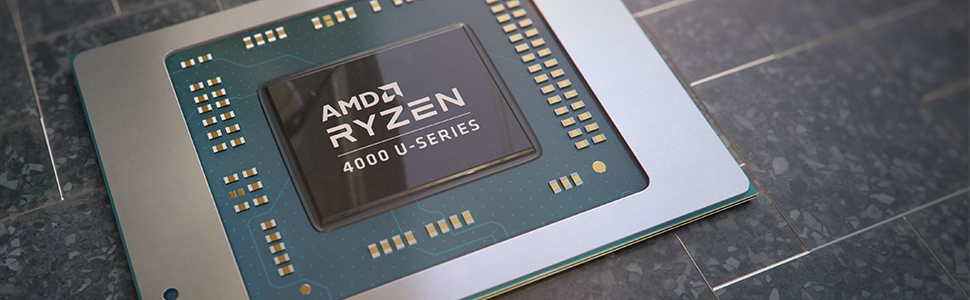
| CPU Model Number | Ryzen 5 4500U |
| Cache Memory Installed Size | 8 |
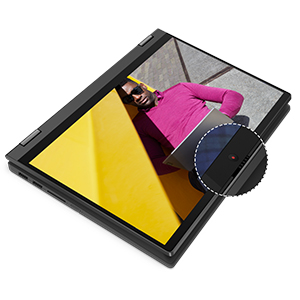
| Camera Description | Front |
| Color | Graphite Grey |
| Compatible Devices | External displays, mice, keyboards, storage devices, printers, wireless mice, keyboards, and headsets |
| Connectivity Technology | wired, wireless |
| Control Method | Touch |
| Customer Reviews | 4.4 out of 5 stars 7,042 Reviews |
| Display Resolution Maximum | 1920x1080 Pixels |
| Display Technology | LED |
| Display Type | LED |
| Form Factor | Convertible |
| Graphics Coprocessor | AMD Integrated Graphics |
| Graphics Description | Integrated |
| Graphics Ram Type | Shared |
| Hard Disk Description | SSD |
| Hard Disk Interface | Solid State |
| Hard-Drive Size | 256 GB |
| Hardware Interface | HDMI |
| Has Color Screen | Yes |
| Human-Interface Input | Touchscreen |
| Is Electric | Yes |
| Item Dimensions L x W x Thickness | 12.66"L x 0.67"W x 8.34"Th |
| Item Height | 8.34 inches |
| Item Type Name | 2 in 1 Laptop |
| Item Weight | 3.6 Pounds |
| Keyboard Description | Gaming |
| Lithium-Battery Energy Content | 52.5 Watt Hours |
| Manufacturer | Lenovo |
| Memory Speed | 3200 MHz |
| Model Name | Flex 5 |
| Model Number | 81X20005US |
| Model Year | 2020 |
| Native Resolution | 1920 x 1080 pixels |
| Number of Ports | 2 |
| Operating System | Windows 10 |
| Optical Storage Device | No Optical Drive |
| Other Special Features of the Product | Fingerprint Reader |
| Processor Brand | AMD |
| Processor Count | 1 |
| Processor Series | Ryzen 5 4500U |
| Processor Speed | 2.1 GHz |
| RAM Memory Installed | 16 GB |
| RAM Memory Technology | DDR4 |
| RAM Type | DDR4 SDRAM |
| Ram Memory Maximum Size | 16 GB |
| Refresh Rate | 60 |
| Resolution | 1080p |
| Screen Size | 14 Inches |
| Specific Uses For Product | Business, Personal |
| Total Number of HDMI Ports | 1 |
| Total Usb Ports | 3 |
| Touch Screen Type | Capacitive |
| UPC | 194632976342 |
| Video Output | HDMI |
| Video Processor | AMD |
| Voltage | 5 Volts |
| Warranty Description | 1 Year Limited Manufacturer |
| Warranty Type | Limited |
| Webcam Capability | Yes |
| Wireless Compability | 802.11ac |
| Wireless Technology | Bluetooth, Wi-Fi |
L**1
Very good laptop for $600
TL;DR Overall a very nice laptop, would recommend <$700 I've had this laptop for about 6 months, and I wanted to share my thoughts on it. CPU: The CPU in this laptop is excellent. For daily web browsing honestly this CPU is a bit overkill. Unlike on some laptops, this laptop has built in power profiles that let you increase the processor's TDP in order to get better performance, which allows it to overtake some of the cheaper 4700U based laptops (albeit with more power usage). Using the "Extreme Performance" power profile, the CPU will use about 30-35W continuously and has a max burst power usage of 45W. Max temps in Extreme Performance mode are generally around 95C, and in "Intelligent Cooling" mode (basically Balanced Power:Performance) they are around 75C. GPU: The iGPU does fine. It's enough to let you play some older games at decent framerates, and maybe some new titles with some convincing. Performance is pretty standard for a 4500U based laptop. RAM: This laptop features dual channel 3200MHz DDR4 RAM, which the Ryzen CPU is quite happy with. However, the RAM is soldered and there is no way to expand it. SSD: Mine came with a 256GB NVMe SSD (Union Memory 8SSSS0W761B1Z1CH05X0XH0). While this isn't going to win any awards, its decently fast and gets the job done. If you want to, the SSD in this laptop is replaceable with a 2280 or shorter, but unless you want to either buy or 3D print a SSD extension, this laptop will take 2280 and 2242 drives out of the box. WiFi/BT: The internet wasn't very helpful in identifying what WiFi/BT card this comes with, but it is either a RTL8822BE or RTL8822CE, the only noticeable difference between these 2 cards is one supports BT 4.2, while the other supports BT 5. Based off of the description on this Amazon listing, its probably the RTL8822BE. While I kinda wish this laptop came with a WiFi 6 card, it is swappable and an AX210 only costs about $20. I do not believe there is a WiFi adapter whitelist in the BIOS either so any wireless adapter should work fine as long as it is an M.2 E key card. Screen: It's okay. With only 250 nits of brightness, I wouldn't recommend it if you plan on using this outside often. The hinges are just about stiff enough to not have the screen violently shake while typing, but also soft enough to be able to open with just a single hand. Touch: The touchscreen is probably my favorite part of this laptop. Although it only has 4096 pressure levels, it is plenty to write on and is probably enough to sketch. The touchscreen feels decent to use and this laptop comes with a pen that takes 1 AAAA battery (1 is included), which also feels decent to use. The laptop also feels quite nice to use in tablet mode. Battery: I usually end up getting around 8 hours or so under typical usage. There probably is some room for improvement but 8 hours is already enough for me and I don't want to sacrifice features. Keyboard: The keyboard feels okay. As far as I know it uses the standard scissor mechanism with rubber domes. The keyboard also has a backlight with multiple brightness levels. Touchpad: The touchpad is decent. It supports gestures, and has a left, middle and right click. The middle click is something I quite enjoy. Chassis: The chassis feels very nice for ABS plastic. It has a nice finish to it that makes it feel surprisingly premium. IO: This laptop has a DC barrel jack, type C PD, HDMI port, 3.5mm combo jack, 2 USB 3 ports and a half length SD card slot. This laptop comes with a USB Type C charger (very nice). The type C port can act both to charge and as a standard USB 3 port with an adapter. I am not sure if this port supports video out, as I don't have anything to test it with and Google gives me mixed results. The laptop seems to be able to charge off of basically any PD capable adapter, however lower power adapters will make the CPU throttle down to 400MHz. Audio Out: The speakers are upwards firing and sound okay for laptop speakers. The built in DAC definitely won't replace an external DAC, but for a laptop its pretty good. It sounds decent and provides up to 32 bit audio at 48khz sampling rate. It's output power is a little weak, but it can still drive 50 ohm headphones without a problem. The HDMI audio out supports 32 bit 192 khz audio. Audio In: The internal microphone sounds okay but picks up a lot of noise, both in the electrical sense and in the background sense. Typing and clicking on the trackpad are about 2/3 as loud as my voice is. Serviceability: Pop the back panel off and you have access to basically everything. A screen replacement seems to be pretty standard in terms of difficulty. Included OS: My memory isn't too great for this part since uninstalling the included OS was the 2nd thing I did. However from what I remember it was Windows 10 Home, and the bloatware was okay. It mostly came with Lenovo stuff for the laptop. Other OS Support: Linux support on this laptop is amazing, as long as you are running kernel 5.9 or newer. The laptop does not work properly at all in kernels 5.6 or older. Distros that I know include a new enough kernel and are for normal desktop usage are Ubuntu 21.04 (no stable release as of this review), Debian Bullseye (also not released yet), and basically all Arch Linux derivatives (Manjaro Linux is highly recommended by me, especially for this laptop). If you are going to boot Linux, make sure you are on the newest BIOS as older BIOSs have issues suspending. I highly recommend checking out this page if you want to tinker with this laptop on Linux (I did not have any of the mentioned issues that are on this page). https://wiki.archlinux.org/index.php/Lenovo_IdeaPad_5_14are05#Tips_and_tricks FreeBSD based OSs boot, however are currently missing drivers in 12.x such as for the touchscreen, touchpad and WiFi/BT. Other Notes: The AMD PSP is disableable on this laptop, which is a bit nice. There also exists a patch that you can apply to the BIOS for this laptop to unlock a bunch of stuff, including some base clock overclocking (this of course voids your warranty). Check out CodeHusky's video for more information on that. This BIOS mod does require a SOIC8 clip as the stock firmware flashing utility does not accept the modded BIOS file.
K**H
POWERHOUSE LAPTOP FOR THE PRICE
I recently bought this laptop (a week ago) and it is truly a dream! Editing pictures on Photo shop and Affinity Photo has been an absolute breeze! No lagging, no glitching, no super long load times. This little laptop has been able to handle just about every task I've thrown at it so far. I was able to edit a small clip through Adobe Premiere Rush with no problems at all. I then went on to see how well FL Studio would operate on it, and I was not disappointed in the slightest. I was able to seamlessly add tracks and play with the drum kits and synths with no issues in performance. Now granted, I haven't done anything too intensive on any of these apps just yet, I've really just been doing small test runs... but so far so good! DaVinci Resolve also loaded well and the playback was smooth. However, it did freeze up twice after having the application up for about 40 minutes to an hour.. I was adding a few visual effects such as color correction and trimming down a few clips. I don't know what to think of this just yet, because these were really all simple quick tests but I will be back to update this review after it's been a few more weeks and I've actually made real attempts to utilize each program on a more in depth level. The download speeds are fast and the battery life is long lasting as well. This laptop is sleek and the keyboard is easy to type on. The laptop's track pad has a stiff click, which I admire very much. It's not mushy like my Google Chromebook. The touch screen is responsive and I've even managed to draw a few illustrations on Windows Paint 3D. The fingerprint scanner reads my finger well too, which inevitably makes logging into my computer a fairly quick process. I am EXTREMELY satisfied and thankful that Lenovo released such a well rounded laptop with modern tech features for such a reasonable price. Not too mention is has a premium and durable feel to it as well. This is easily a rival to the 2020 Macbook Air... and I say that loosely because there's really no competition at all when you compare the performance to price ratio in contrast to the Air 2020. I love it!
N**3
Great laptop for price with a few compromises.
There's already 200+ reviews about how good this laptop is, so I'll tell you what isn't so great about this laptop. I've had the Lenovo for a little over a month and have noticed a few things: 1. Saying the keyboard is a fingerprint magnet is an understatement. I would say my hands are just as oily as everyone else, but the keyboard gets DIRTY after a couple of hours of use. I always keep a little cloth around to wipe it once in a while. 2. The backlight bleed is horrible. If you're going to watch movies on this thing in a dark room, I hope you get used to yellow splotches of light at the top of the screen real quick, or you're going to have a bad time. 3. The fingerprint reader isn't as reliable as you'd hope. Yes, it's extremely fast when it works, but once in a while, mine will stop working altogether. To fix this, I have to go to the device manager and disable then re-enable the fingerprint reader drivers. 4. If you don't use a stand while doing intensive tasks, the laptop gets hot enough to boil water. If you're going to be gaming on the Flex (btw the gaming performance is superb, 50-60 frames on Forza Horizon 5 with med settings at 720p) be sure you use something to elevate the laptop a bit or else the CPU can reach 100+ degrees Celsius. 5. The screen does not get bright enough. Even in brightly lit rooms, I sometimes reach for the brightness up button before I realize it's already maxed. I haven't used it outside yet, but if you ever do be sure you're under an umbrella or something. 6. When watching videos, there's a slight stutter once in a while. Many people have found different ways to fix this problem online, but they don't seem to work for me. 7. The USB ports are extremely tight but will loosen up overtime. 8. The AMD Radeon stickers on the deck of the device aren't straight. Even with all these little nitpicks, this is still the best value $600 laptop available at the moment. I just wished they included a thunderbolt port.
K**E
Does it's job
I had bought this anticipating that I would be using the touch screen function a lot. Needless to say that was definitely not the case. I'm an art major, and so deciding between this and an Ipad was a big decision for me (spoiler alert: get the ipad). Cons: My biggest issue with the laptop would be battery life, and the fact that when you switch into touchscreen mode then the program I use (Adobe Illustrator) will force you into a weird mode that made it impossible to work in. I've also found it difficult to find batteries for the provided stylus and have since lost it (not to mention the attachment given for the stylus isn't the greatest). If you have a drawing tablet like Huion and are a broke art major then this could work out perfectly for you, but for me I found it difficult to even want to draw on the screen (I like big screens). Oh, also I had to use my warranty because the charger for my laptop decided to stop working randomly which left me doing assignments from my phone (I would NOT recommend). Lenovo ended up just sending me a new charger and it's worked well so far. Pros: I can bring this to my classes and get work done easily, plus it's fun to do electronic signatures with a touchscreen haha. I think this would be a good starter laptop and then upgrade when you can. Personally, I think (as an art major) that a laptop like this one is more beneficial than an Ipad due to the file capability and if you have access to things like the Adobe Suite, then you don't totally need an Ipad. TLDR: Battery isn't horrible but my cord did die and Lenovo had to send me a new one. If you're an art major looking at this versus an Ipad, be warned that the batteries for the stylus are tough to find (also lost my stylus lol) but you have more accessibility to certain file types (also USBs and the Adobe Suite). If you solely plan on using this for drawing then I'd recommend just getting an Ipad (cause of Procreate).
M**V
I love this laptop
I was in need of a new laptop because my Macbook Pro was on its last legs. I couldn't justify the expense of a new Mac so I started browsing around and when I read the specs on this laptop, I knew I had to have it. Six hundred bucks for 16 gig of memory, a good keyboard, a touch screen, and a decent amount of processing power? I'm in. I had to wait for a new shipment of these to arrive at Amazon's warehouse. These made the 50 most popular items list in November here on Amazon, so I guess some companies have been buying them at 600 and selling them at 700 or more. (Or they got their own shipments from Lenovo. Who knows?) But when that next shipment came in, I pounced and had my new laptop in a few days. I put the $100 savings toward a 1TB SSD. I cloned the 256G to the new SSD, opened up the case, and swapped the drives. Wasn't too much work and when it powered up, I had four times the disk space that the thing originally came with. (It would be nice if this shipped with some different disk space offerings.) I partitioned the disk into two and put Ubuntu 20 on the second partition. Now it boots into a menu where I can choose between Ubuntu or Windows. Ubuntu does everything I want it to on this laptop (though I haven't found a good solution for implementing the track pad gestures like pinch or stretch.) I don't think the fingerprint reader works, either. But the touchscreen works well on Ubuntu, and I love the keyboard. I switch back and forth. Ubuntu for work and other tasks where Linux is more suitable. Windows is good for some of the games I like. It's a good size, not as small as I expected. One drawback is the screen. Having been used to big bright monitors on my desktop and that Macbook Pro and its retina screen, this laptops screen is comparatively dim. But after a month or more of using it, I no longer see the dimness. So one gets used to it. I guess that and the small SSD size helped get Lenovo to the $700 price point. In the end, I'm okay with that. I'd give it 4.5 stars if possible for the dim screen, but other than that, I love this thing. Runs Windows well, runs Ubuntu well, it's a nice, elegant looking package that's not heavy. And it's a bargain at $700.
L**P
Great, highly recommend- Compact 2-1 laptop
I switched from my 9 year old macbook Pro as majority of my time on personal computer is Photography software, Creative Suite and Lightroom. I found Lenovo's have caught up w/ processing & processing for Adobe products. I should have switched sooner. So far, so good. I was worried having read the one or two star reviews that their computer didn't work out of the box. It took me 5 mins to setup once I logged into windows the first time. all windows items are working, easy to connect my many gmail accounts in 365 email already loaded onto laptop. Also, was very easy to use the laptop, then switch to tablet mode. Tablet is great too. I have an ipad for movies, tv apps, etc. So I don't use this for those. re: laptop graphics and screen resolution, etc. Any pro photographer, or serious amateur photographer/designer knows that using the correct color balance, pixels needs, etc come from a monitor. I don't know of any photographer that relies upon their laptop for pro quality screen. I've never used any laptop including Macpro for editing or finishing prints for photography. I didn't expect this from the laptop nor others. If I were to use this laptop for basic editing, it does the trick. not worse than my macbook pro. Processing speed - impressed. I had a macbook w/ i5 processor, and 4gb ram. this was one is fast, Amd. I hesitated because I'm used to Intel quality of i5 and i7 - but this is truly just as fast. I use creative suite - new version, and is very quick. Part of it may be the fact, you no longer use Adobe CS in software download version. I highly recommend, and not sure I agree with any of the complaints, except if the user received a dud and the laptop didn't turn on.
J**3
Specs look good, but camera was broken, Lenovo Support is nonexistent
I really wanted to like this laptop. It has great specs at an attractive price point. I set it up and shortly thereafter I noticed the camera wasn't detected. Also noticed that laptop wouldn't respond from sleep and the fan was going crazy about half the time. Went though troubleshooting steps, then contacted Lenovo, Microsoft and Amazon for support. Microsoft gave me some things to try - all to no avail. Lenovo support was a joke. The number listed on the support site didn't support this model. I input a web ticket and they indicated 30 minutes callback. Four days later...not a peep from them. Finally contacted Amazon support. They did troubleshooting and planned to connect me to Lenovo support, until they figured out that Lenovo doesn't have a support number for this model. Ended up processing a return. I would pause before purchasing a product from Lenovo. I have a Thinkpad for work which is falling apart and my support experience on a consumer device makes me think twice about replacing it with a Lenovo. UPDATE: After putting in a support ticket I did finally receive a call back from Lenovo after FOUR days (not 30 minutes). The woman spoke barely decipherable English and told me that there was a slide to open the shutter over the camera (really?). I told her I was aware of that and she searched for another "solution." Realizing that this was going to go nowhere fast, I told her I had returned the laptop to the seller and she said she would close the ticket. I still had the laptop in my possession and decided to follow through with the return. Got a new laptop and within a year the camera and microphone stopped working. System reboots randomly with no rhyme or reason. I have attempted to troubleshoot though driver updates, review of the event logs, but the system doesn't recognize the camera or microphone hardware, and the rebooting is still unexplained. Occasionally the screen will go black when using it, and a Win+CTRL+B grahpics card reset only sometimes fixes it. I read that there's possibly an issue with Lenovo and the AMD chipset, but I would avoid purchasing this laptop. My ThinkPads are rock solid, but this Ideapad is a POS and I want to get rid of it.
P**A
No better deal to be had for a 2- in -1
Let me just start by saying I love this laptop! The build quality is great. They use plastic, but it is good quality plastic on the body. The one I have is in a mate grey finish- Graphite Grey. I like how it does not attract so many fingerprint smudges. The hinges are aluminum, and very sturdy and stiff. Overall, I find the device to be aesthetically pleasing, compact and high quality. The keyboard has backlit tactile keys with spaces in- between. They are clicky and are quite satisfying to press. I also appreciate the great looking screen, which I have been consuming a lot of content on; think movies, You Tube videos, books... The speakers also sound good. They are top firing and get pretty loud for all my video and music consumption. Even in tablet mode they sound good. The bezels on either side of the device are slim, but there is a thick one on top and an ever thicker one on the bottom, which eats into the screen real estate. The battery life on this thing I find to be really impressive, lasting me 6-7 hours in normal use, surfing the web, watching a movie, writing on the screen, etc... And also impressive is the fast 65 W charger which comes in the box, which charges the battery from flat to full in just over an hour. On the software front, the laptop ships with Windows 10 Home, and I quite enjoy this software. Although by the time it reaches you, this machine will be ready to update to Windows 11. The Lenovo Flex 5 14 (AMD Ryzen 5 4500U) ships with the Lenovo Base Pen II bundled in at no extra cost. I applaud Lenovo for this decision. Base Pen II has two barrel buttons. It has no top Bluetooth button. It also does not support tilt. Out of the box, the bottom barrel button works as an eraser, while the top one is programmed to right click, pretty much as a mouse would do. You can always change this in the Lenovo Pen Settings app, but I kept them as is. The pen looks and works amazing. I am not sure what levels of pressure sensitivity it has, but it is plenty sensitive for what I use it for, which is taking handwritten notes in OneNote and Journal, selecting, annotating PDF's and so forth. I haven't tried drawing with it, but if you are interested in its drawing capabilities, Shogmaster has a detailed video of that on You Tube. The pen is made of aluminum. It takes one AAAA battery, which is included. There is no pairing necessary. As soon as you insert the battery, it is ready to use. The battery lasts quite a while; mine has been going now for five months. The top screw on part of the pen is not completely cylindrical like the rest of the body. It juts out ever so slightly, with some subtle Lenovo branding which is only visible if it catches the light. This slight protrusion on the pen is handy in making sure that it does not roll around on a flat surface, potentially falling from a height. While I love this pen, I wish Lenovo had put some sort of coating around the austere metal finish to make it more comfortable in hand like Dell did with their pens, such as the PN350M Dell Active Pen which has a rubbery coating. As it is, the Lenovo pen is quite slippery in the hand. The writing experience is good, once you get used to it. At first, it felt really slippery writing on glass, but the feeling of control came back in measure once I embraced the slippery. Just know that using this pen is never going to feel like pen and paper, because glass is slippery, always will be. But overall, a great accessory to a great device. Good on Lenovo for including this pen with the purchase. Saved me the hassle of finding a compatible pen, and a few bucks to boot. I later saw the pen listed here on Amazon as 'Active Pen for Lenovo GX80U45010' . It has 4096 levels of pressure sensitivity and was retailing for $43. AMD's Ryzen 5 4500U processor is quite impressive. It feels quick and snappy. I have not experienced much (if any) lag at all. Although it does get warm on the underside of the keyboard, especially when using the pen to take notes. I imagine there is quite a fair bit of processing going on when you write on the screen in OneNote or something like that. The Flex 5 form factor is phenomenal. I will never go back to a traditional clam shell design ever again. The 2- in - 1 design just allows me to do more with my laptop. No more multiple notebooks or lost notes; all of my ideas in one place. I tend to go for apps which are touch optimised such as ACG Media Player, Xodo PDF Reader and Microsoft Journal to take advantage of the touch interface. It really is very useful to execute commands with your fingers, or digital pen, instead of always having to jump on the track pad or mouse. The placement of the power button is one caveat I have to point out. Its placement is awkward, at best. It is located on the right side of the keyboard, as opposed to its traditional placement on the top right part of the keyboard, which in my opinion, makes better sense. In its actual location, it is fairly easy to turn off the computer screen while performing a multiplicity of routine actions such as lifting the laptop, or switching to tablet \ tent mode. But that aside, this really is stunning value (16GB/ 256GB SSD) for the asking price ( I got this from Amazon for just over $ 600). And Amazon also has great service, just great. A really pleasant company to deal with.
Trustpilot
4 days ago
1 week ago



