We remain fully operational. Our teams are working around the clock to ensure your deliveries continue safely.

DOWNLOAD THE APP


Customer Services
Copyright © 2025 Desertcart Holdings Limited
DOWNLOAD THE APP

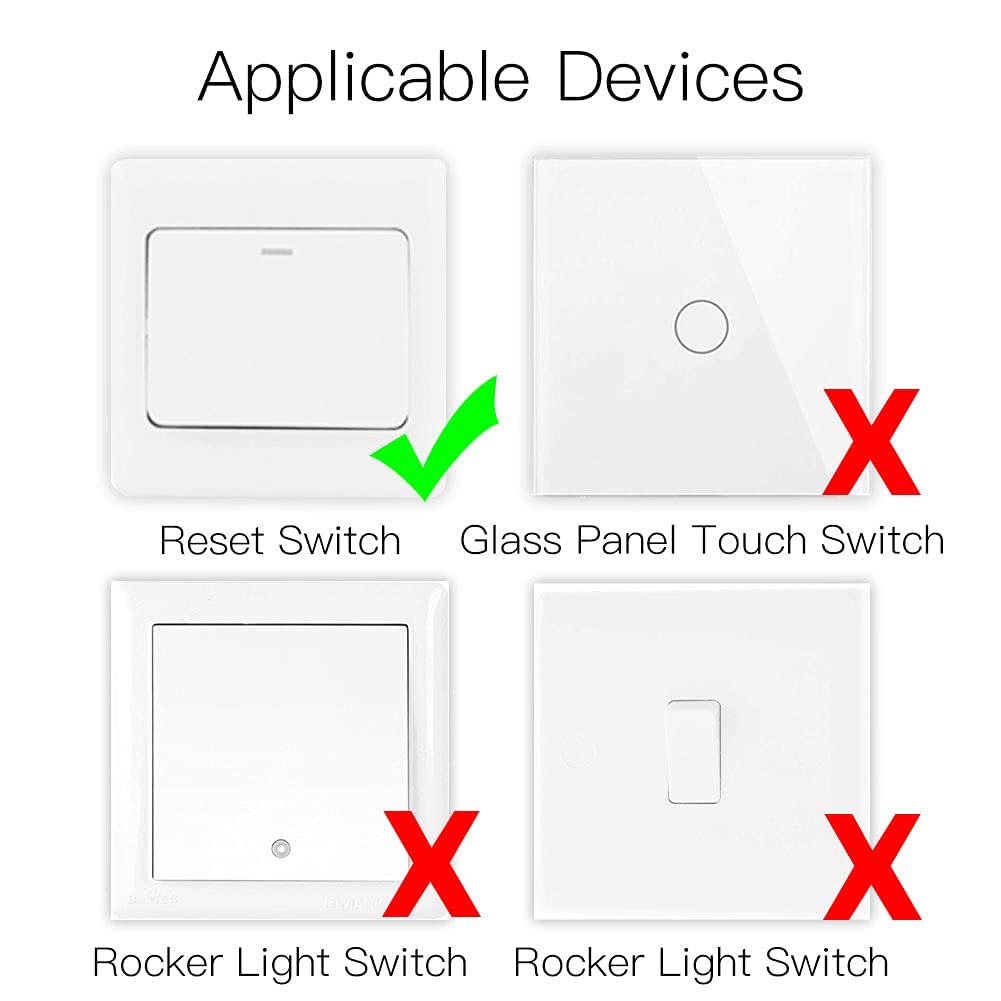


⚡ Upgrade your switch game — smart, sleek, and always connected!
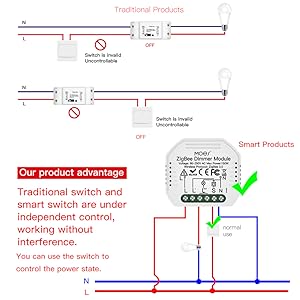
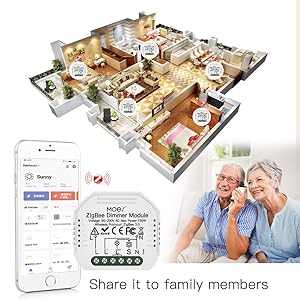
The MOES Mini DIY Tuya ZigBee Smart Dimmer Switch Module is a compact, 1-gang smart switch designed for EU/UK wall boxes requiring a neutral line. It supports 2-way circuit control, integrates seamlessly with Alexa and Google Home via the Tuya ZigBee Hub, and offers wireless remote control plus customizable timers through the Smart Life app. Ideal for professionals seeking discreet, reliable smart home upgrades with easy DIY installation.






| ASIN | B094Z5TF6D |
| Actuator Type | Push Button |
| Best Sellers Rank | 55,108 in DIY & Tools ( See Top 100 in DIY & Tools ) 606 in Switches & Dimmers |
| Brand | MOES |
| Circuit Type | 2-way |
| Colour | White |
| Connectivity Protocol | ZigBee |
| Connector Type | Screw |
| Connector type | Screw |
| Contact Material | Plastic |
| Contact Type | Normally Open |
| Contact type | Normally Open |
| Control Method | Touch |
| Controller Type | Amazon Alexa, Google Assistant |
| Country Of Origin | China |
| Current Rating | 1 Amps |
| Current rating | 1 Amps |
| Customer Reviews | 4.0 out of 5 stars 339 Reviews |
| EU Spare Part Availability Duration | 2 Years |
| Included Components | Smart Dimmer Module |
| International Protection Rating | IP20 |
| Item Dimensions | 5.1 x 4.6 x 1.7 centimetres |
| Manufacturer | MOES |
| Material | Plastic |
| Model Number | ZM-105-MS |
| Mounting Type | Wall Mount |
| Number of Items | 1 |
| Number of Positions | 2 |
| Operating Voltage | 230 Volts |
| Operating voltage | 230 Volts |
| Operation Mode | ON-OFF |
| Operation mode | ON-OFF |
| Product Warranty | 2 Years. |
| Specification Met | CE |
| Switch Type | Toggle |
| Terminal | Screw |
| Unit Count | 1.0 count |
| Upper Temperature Rating | 40 Degrees Celsius |
| Wattage | 230 watts |
K**9
Easy to install BUT...
I purchased this as a light switch to go with a home automation set up. I note that other reviewers found the set up difficult and at first, so did I. Pressing the button on the device for about 5 seconds resulted in two 'beeps' but no connection. The instructions didn't particularly help, even after downloading the pdf and enlarging the text. However, I then decided to press and hold the button for longer and after it emitting a longer 'beep', it was picked up immediately and has since been working perfectly. It was not clear, at least to me, that you had to hold the button down for a lot longer than expected. Apart from the initial difficulties, it does exactly what I wanted so I am happy with it and will be buying more.
M**T
Works Well
Replaced some LightwaveRF switches with these and some dimmer equivalents of these along with a tuya scene controller and the system is much better. Signal reaches further and the app offers a lot more. I did have a problem with these that pairing was a nightmare. The instructions were poorly translated and involved pressing buttons 10 times to activate pairing mode. That didn’t work with the reset button on the module itself. However when I connected a reset style light switch in front and pressed that 10 times pairing mode started straight away. Pairing other modules I bought at the same time were a lot easier.
C**M
A tight fit... works with Home Assistant and Alexas built in Zigbee hub
I got this to make a light smart and to act as a range extender for my zigbee network. Fitting is a doddle if you have the knowledge of electrics. To get it into pairing mode its hold the reset button until it beeps continuously not just the 2 beeps (it had me for a while). I connected it to the Alexa directly without q TUYA hub or app. Connects as a switch. Works great! Also repeats the zigbee signals I need. Its a tight fit into the backbox mind, especially like my house that has the neutral ring as well as the live ring running through the backbox. Had to get creative a shorten cables to be able to have the lot sit in. UPDATE: Switch has started to switch itself on at random times. Turns out my new electric window blinds that have an RF remote is making the light switch on and off. The switch has a built in RF reciever to use RF remotes with as well as ZIGBEE. I need to open the switch and snip the RF antenna.
M**L
Setup is a nightmare
Firstly the instruction book is so small thus the text is also, it's impossible to read without magnifying glass and no link to download one for viewing on PC/phone, etc. In testing general use is good, this is why I gave 3 stars, but the setup is a nightmare. The instructions are not clear and takes a lot of effort to enter it into pairing mode. I nearly packed it up and sent it back if it were not for Angus in another review. When you first switch it on it stars rapidly beeping... this I mistook for pairing...Oh no its not... spent an hour or more in the app trying everything only by attaching a switch and switch on/off cycles about one every 2 seconds did I eventually get this into pairing. Kudos to Angus for spotting this, it will work but for me they need to do something about the manual, both clarity and size and the pairing process, this is not for the impatient. Even when I got it in pairing it would not pair via the app, and I have already separated the 2.4 from 5ghz, and in the first hour had rebooted my router, I still had to pair this via the second method of access point.!! I have a new build project that I want to use this or another make throughout so I need 20 or more of these, but not if they are unreliable....Its early days and will be testing over the next few months see if it is robust, hope this helps others.
P**H
Works well with Home Assistant and Zigbee2MQTT (WITHOUT Tuya Cloud)
As anyone who has tried to use their own home automation system (eg Home Assistant) rather than standard phone apps will know, the Tuya Cloud infrastructure is not the easiest to integrate because of their subscription model aimed at huge businesses. Fortunately, since these switch modules use Zigbee, rather than Wifi, Tuya Cloud is not required if you don't use the Tuya Zigbee Hub. I linked these to my Home Assistant using Zigbee2MQTT and a Sonoff Zigbee Hub, and they work perfectly. The switch modules are a bit large, so only just fit in my standard single UK backboxes (a 54mm deep one) because they only just fit between the front-panel screw pillars, but with a bit of persuasion they fit OK in the end. Wiring them up was easy. I have it wired to a double switch, but only one load. The second switch just controls an automation in Home Assistant (first switch is secondary hot water circulation, the second triggers an automation telling the boiler to do a '1 hour boost' to the hot water)
W**L
Painful
I bought this thinking how difficult could it be to set these up having previously bought a more expensive version by another manufacturer. I was very wrong. Instructions don’t fully make sense and whilst some reviews on here hint at an easier setup process o wish they would set it out in full. I ended up giving up and buying a more expensive alternative as I could not get this to work.
P**.
It is, actually, a dry relay
Some Q&A and reviews got this wrong: This unit's relay is not connected to live or neutral - they are dry, so you can use this as a boiler control. L & N power the unit, and the relay opens or closes between L1 and Lout. As a light switch, the manual says you need to bridge L and L1. For dry contact mode, omit this bridge. Like all 433MHz ZB devices, pairing and integration was painless.
A**E
Not directly supported by Smartthings
If you are using Smartthings, this one is not supported directly. Need to Google to find the right driver and settings. After configuring it properly, it works as it should be.
Trustpilot
2 months ago
1 month ago