📹 Elevate your presentations with clarity and smoothness that commands attention!
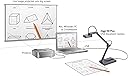
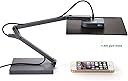
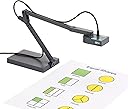
The IPEVO Ziggi-HD Plus is a high-definition USB document camera featuring an 8MP CMOS sensor capable of capturing images up to 3264 x 2448 pixels. It supports smooth live video streaming at 30fps in full HD, equipped with a multi-jointed swivel stand and autofocus lens for versatile, professional-grade presentations. Compatible with Windows, Mac, and Chromebook via USB 2.0, it offers plug-and-play convenience for educators and professionals seeking affordable, high-quality document capture.


| ASIN | B01530XGMA |
| Aperture Modes | Automatic |
| Aspect Ratio | 16:9 |
| Best Sellers Rank | #396,737 in Office Products ( See Top 100 in Office Products ) #76 in Document Cameras |
| Brand | IPEVO |
| Built-In Media | QSG |
| Camera Flash | Built-In |
| Color | Black |
| Connectivity Technology | USB |
| Continuous shooting speed | 30 frames_per_second |
| Customer Reviews | 4.3 out of 5 stars 488 Reviews |
| Effective Still Resolution | 8 |
| Exposure Control Type | Automatic |
| File Format | MP4 |
| Flash Modes Description | Automatic |
| Flash Type | Internal |
| Focal Length Description | 13.46 inches |
| Focus Type | Autofocus |
| Global Trade Identification Number | 04712098410369 |
| Hardware Interface | USB 2.0 |
| ISO Range | 100-3200 |
| Image stabilization | Digital |
| Item Weight | 0.74 kg |
| Light Sensitivity | 100-3200 |
| Manufacturer | Ipevo |
| Maximum Aperture | 2.8 f_stop |
| Maximum Focal Length | 0.01 |
| Maximum Shutter Speed | 1/30 Sekunde |
| Media Type | JPEG |
| Mfr Part Number | CDVU-06IP |
| Model Name | Ziggi-HD Plus |
| Model Number | 5-868-3-08-00 |
| Number of Items | 1 |
| Optical Zoom | 12 x |
| Photo Sensor Resolution | 8 mp |
| Sensor Type | CMOS |
| Shooting Modes | Automatic |
| Video Capture Format | MP4 |
| Video Capture Resolution | 2448p |
| Viewfinder Type | LCD screen |
| Warranty Description | All IPEVO products come with a one-year warranty from the date of purchase. For more warranty information. |
| Water Resistance Level | Not Water Resistant |
| Zoom Type | Digital Zoom |
S**M
Amazing camera but there's a flaw in the "Presenter" software when used with Windows 7 on some computers.
Update: Removed about half a star - read on. I was desperate to find a camera solution for a large online engineering class. Took a chance in the huge morass of cheapo webcams and stacked reviews and this little camera is completely awesome (I'm using it with a Windows 7 PC). Fast, sharp - excellent camera controls and the Ivepo "Presenter" software works perfectly with BlackBoard Collaborate sharing and allows image rotation, focus/zoom all the good stuff. This is very well designed, functions perfectly so far and is a complete pleasure to use - their design team has a lot to be proud of. I've bonded with it already. Oh, did I mention that it folds up to about the size of a stack of 3 x 5 cards? Update: So here's the bad news. The "Presenter" software which is otherwise a pretty good program includes an "auto crop" feature, ostensibly designed for document scanning. I can't get it to work (and I can get many things to work). It locks up the program on the several Windows 7 machines and has to stopped with the Windows Task Manager, which is inexcusable. The rolling menu selector in Presenter requires that you scroll past "Auto Crop" to get to other functions and that kills the program on W7 machines, which is fatal when you've got 47 students online. A bunch of trial and error gave me the result that it was particular to a series of computers we use (HP windows 7 machines) - others would work okay, the point being that there may not be a guarantee of good performance from the software. The software should be better than this... So what do you do? If you're stuck with W7...there's a chrome app that runs the camera in snapshot mode (only). Faster, cleaner and has all the camera controls. For bulletproof online work, do this. Also VLC will display it from the "capture device" menu (it's just a web cam, after all) but no camera controls. If you're running W10 then don't worry about it - you just won't be doing any scanning. This kind of workaround shouldn't be necessary, but for a great camera (which this is) it's worth it.
A**L
A must-have for teachers, incredible display, amazing zoom, so many features!!!
I have used an older model of this document camera for the past few years in my kindergarten classroom for everything from showing illustrations in books larger so that the kids can see the details to dissecting owl pellets (again, so the kids can see the details) to demonstrating hands-on math activities. I recently moved to a new school where they didn't have these document cameras, or any for that matter. I thought I could do without one but within the first week I realized that I've become completely dependent on using a document camera in my everyday instruction...so I bought my own. I didn't really want to spend $100 on one (at my previous school the corporation had purchased them for teachers to use...it was fabulous) but it came down to the quality of my instruction and of course it's worth the money. The only thing I would change about this item is that the cord can be somewhat cumbersome (I plug it into the USB port on my desktop computer and then use it on top of my kidney shaped table where I work with the kids) when it's stretched across a few feet to get where I need it to be but I wasn't under the impression that it would be wireless or anything so that's not a defect with the product, just a wish if I could have the perfect document camera that would fit into my budget lol. I am able to zoom in on size 12 font on a page and enlarge it on my SMART board (similar to a Promethean board...basically an interactive whiteboard) to letters that are over a foot tall. I usually keep it at a distance that allows me to display the entire page on which we are working so that the kids can follow along with me. The flexible arm allows it to move into unlimited positions. I also love the auto focus feature for when the display is blurry. Finally, just today I used the screen capture feature when I needed to keep something displayed on the screen for the kids but also needed that space for something else. I was basically able to screen shot the page that was being displayed and then proceed to move the document camera to clear the space (but the kids could still see the image which I had screen captured). Obviously I would recommend this document camera to anyone who is in the market for one. I have now owned two and loved them both. I tried to get by without one but as a teacher this is one of my MUST HAVES!!!
A**R
Simple, Solid
The Ipevo Ziggi-HD is definitely the best value / most minimal presenter camera I've used. It's lightweight, carry-able, and really simple to use. It has almost no extraneous features, and in general just works well. Pros: Really good visual quality. Very few things to fiddle with or set. It just works. Cons: For presenting in darker rooms, a light would be nice. It's portable, but the shipping cardboard box takes up more space than, say, a more expensive compact presenter might. The one thing you may have to set is contrast, as the dynamic range isn't particularly great. This is a totally solid presenter. It's a good USB camera that hooks up to your computer, and does what it should. There are a few things that could be a little better (low light performance, dynamic range, a light for low-light situations), but all of that pales in comparison to the raw value the low price provides.
R**R
Best buy for a presentation camera on the market
This is a great camers that plugs in and takes pics of your documents (or whatever). You must doenload and learn the Ipevo software, but it is intuitive and not dificult (at least easy on Mac so yes it does work on Mac guys). The box keeps it nice when you're not using it, and the joints are tight, so it has a sturdy and hefty feel to it (good thing IMHO). If you need to present items and don't have to move it much it is great. I also tried the wireless camera cersion but the picture quality is not as good and did not feel that other camera was practical for a person moving about. This one here has a much better camera, picture quality, and doesn't have the lithium battery concern (after it gets old its wireless function won't work too well). I'd recommend this but jsut make sure that you really need it because at $100 it is worth it but not cheap.
A**N
I LOVE this! I use it every day in the ...
As a teacher, I LOVE this! I use it every day in the classroom for so many things: showing students how to cut/glue interactive notebooks, how to read informational texts and take notes from it, worked examples, etc. I was also able to take pictures of my worked examples and upload them online for parents to see what their work should look like. A couple things to consider: (1) it doesn't always go high enough for me to project an entire page, so I would just place it on a coffee cup or something similar to get the entire page. (2) When using the highest resolution, it lags terribly. It's not a big deal if I want students to just check their answers or to take notes, but if I'm writing on the page, it becomes a problem. My students would laugh when I'm taking a sip of water while my hand on the screen is still writing. I have to switch to a lower resolution to prevent the lag when movement is being used with it.. Overall though, for general classroom use, I would recommend this product. I noticed a pretty big difference in student work after I used this because students could see exactly what was being asked of them.
O**K
Good-but-cheap document camera, and the serious quirks can be overcome.
The unit I received is quite an effective document camera. It has some very-real quirks, which I'll list below, but overall it gets the job done... and it's very inexpensive. The first that I noticed was that the camera refocuses every time the input resolution is changed, this makes most of the common linux cheese/photobooth/selfie/uvc programs always take OUT OF FOCUS images (because it switches from the preview resolution to the capture resolution, and throws the camera out of focus). I was able to overcome this with a program on github called docsnap. The second is that the auto focus is REALLY finicky; it fact, it usually does not work the first time (I have to place a text document under it to focus at all). Third, it has a definite bright spot in the middle of its capture field (which is very regular, so I might be able to attenuate if I find the time).
R**D
Ipevo Overhead Book / Document / Instructional cam at a reasonable price.
Multi-use overhead scanner for books, videos, 3d objects, copying at a reasonable price. The company provides various models to meet your needs. This one has an 8-megapixel camera. Free Software for both Apple OS and Windows that is easy to use and you can control the camera many features from the computer. The weighted base keeps it from falling over and the arm allows for adjustments when using. Taking photos or pdfs are a breeze with the auto focus feature allowing for sharp images. The ability to record video with sound for training videos is a plus. Live use with an overhead projector makes it must have in a classroom, and at very reasonable price. Power for use is supplied thru the USB connector so easy to setup. Even though the camera is very sensitive under dim lights I do wish that there were built-in LEDS in this model for use when needed. Ipevo does offer one but only at 5-megapixel model, check their website for the various models and features.
L**E
Light, simple, and easy to connect: the Ziggi-HD is instantly an essential teaching tool.
I'm a high school history teacher and I saw an ELMO document camera being used at another school to share paragraphs, essays, text from books, and instant discussion observations. I thought it was a terrific idea, so I looked up the product. The ELMOs I found were big and too expensive. I bought the Ipevo Ziggi-HD instead after reading a few reviews. Setup took a minute and learning the software took two minutes. It's inexpensive and very lightweight. The Ziggi cam works perfectly producing a clear bright picture projected overhead. I hooked it up vis USB to a Mac OS 10.11.5 that was connected to an Epson projector. The Ziggi draws its power from the computer through the USB port. The simple OSX connection software was easy to download and install. The Ziggi immediately became an essential teaching tool in my class. I haven't been using it long enough to comment about longevity, but I suits my needs perfectly.
A**I
Einfach genial!
Ich habe diese Kamera für den Einsatz in meiner Schule gekauft - einfach mal zum Testen, ob man für so etwas wirklich über 600,-- ausgeben muss (wie bei anderen Herstellern). Sie macht einen recht stabilen Eindruck und hat einen festen Stand. Ich würde allerdings nicht unbedingt die Schüler damit unbeaufsichtigt lassen.Stromversorgung über USB, kein zusätzliches Netzteil. Macht gute Fotos und HD-Videoaufnahmen. Ist auch als Webcam zu gebrauchen. Die kostenlose Presenter-Software, die von der supportsite downgeloadet werden kann, ist einfach zu bedienen und eröffnet einige Möglichkeiten, wie z.B. das Spiegeln der Aufnahmen (auch im live-Betrieb). Die kostenfreie Lieferung kam direkt aus England innerhalb vier Tagen. Werde ich wieder kaufen.
L**E
Très bonne qualité
Superbe qualité d'image même en faible lumière. Mise au point jusqu'à quelques centimètres très bien pour les petits objets. Logiciel à télécharger mais très simple d'utilisation (allume la caméra quand on démarre le logiciel et l'éteint à la fermeture). Adaptable au vieux PC puisqu'ils proposent encore une version windows XP (avec moins d'options cependant)
J**O
Lo recomiendo 100%
Muy practico oara presentaciones y muy facil de configurar
M**N
Ligera, bastante alta, buena calidad de imágen
La cámara funciona muy bien, se conecta a la primera, es ligera pero a pesar de eso estable y saca una imagen clara.
B**D
Very good scanner
I had have 2 HP scanners. Both with auto feeders, one can do duplex scanning the other only single sided scanning. I wanted to scan some old accounts. The problem was lots of pages were tiny receipts or had staples. Many of the pages were dog-eared. Not really great for scanning. I bought this because I was getting tired of the documents jamming or miss-scanning. It works! Good resolution, very fast, auto focusing, good adjustment of colour etc. It is also much much faster than a flat bed scanner with auto feeder. Good software with twain support if you want it. Base is nice and weighty The only downside is it takes a few moments to get the arm in the right place. I was able to scan a thick binder just by turning a page and touching the space bar (then repeating).
Trustpilot
2 days ago
2 weeks ago