


🎬 Elevate your stream game with crystal-clear clarity and effortless control!
The Logitech StreamCam is a premium webcam designed for professional-quality streaming and content creation. It captures smooth, vibrant Full HD 1080p video at 60 fps using a premium glass lens with smart autofocus and auto-framing. Compatible with major streaming platforms and software, it offers versatile mounting options and a fast USB-C connection, enhanced by Logitech Capture software for advanced control.


| Standing screen display size | 2.7 Inches |
| Brand | Logitech |
| Series | StreamCam |
| Item model number | 960-001289 |
| Hardware Platform | PC, Mac |
| Item Weight | 10.2 ounces |
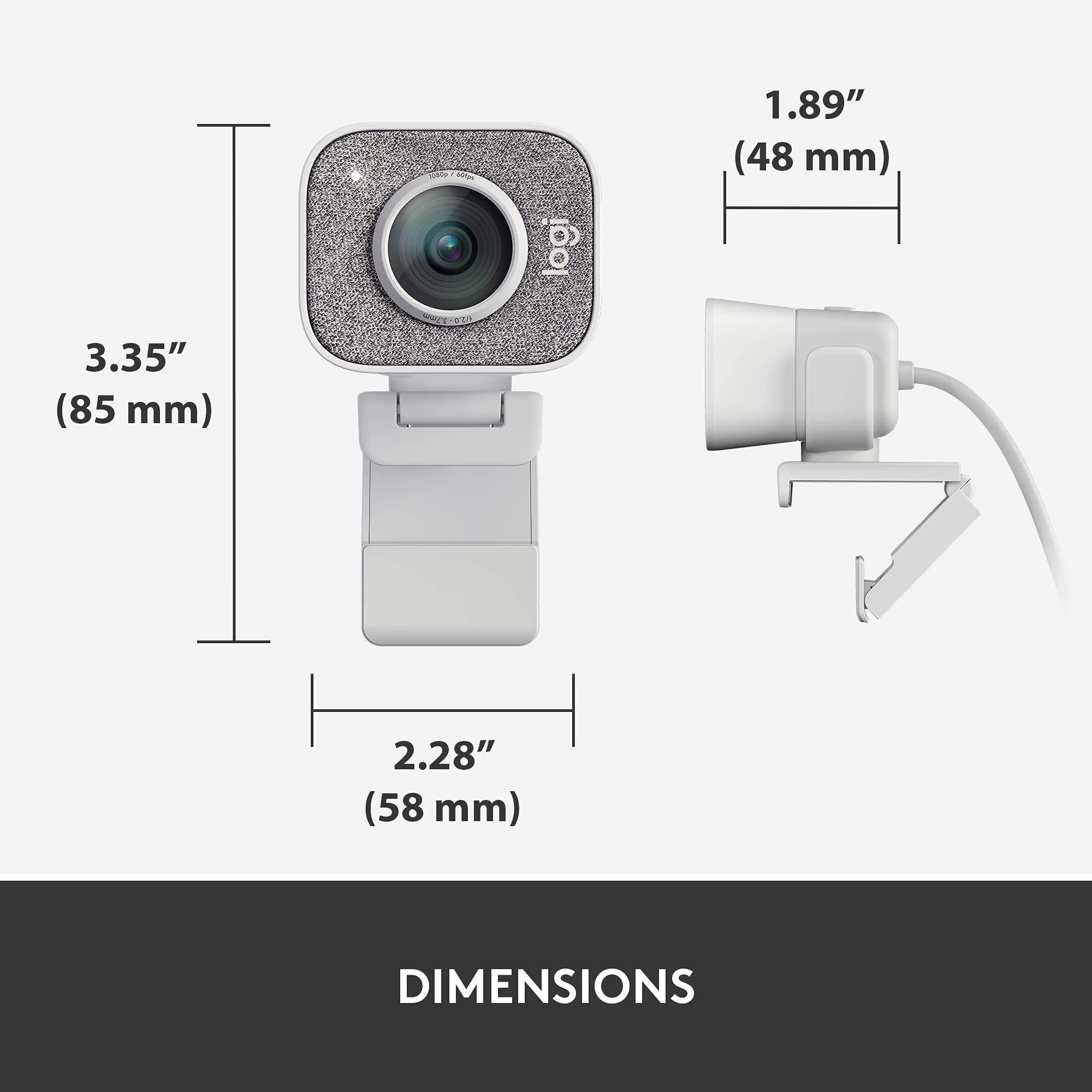
| Product Dimensions | 5.4 x 5.4 x 3.1 inches |
| Item Dimensions LxWxH | 5.4 x 5.4 x 3.1 inches |
| Color | White |
| Manufacturer | Logitech |
| ASIN | B07TYWPM67 |
| Date First Available | February 11, 2020 |
A**”
Easiest Streamer Cam to Use!
The Logitech StreamCam feels solid and dependable, with a sturdy mount that holds well in various positions. Built to last, this webcam handles frequent adjustments and setups without any issues.The Logitech StreamCam features a clean, minimalist design that feels both functional and stylish. Its neutral color and smooth contours complement any workspace, adding a modern touch without drawing too much attention. The StreamCam’s look is professional yet understated, making it a perfect fit for both personal and professional setups.Setting up the StreamCam is a breeze. It connects easily to a range of devices, and the Full HD 1080p resolution delivers clear, vibrant visuals right out of the box. The software offers useful customization options for focus and exposure, making adjustments simple.The Logitech StreamCam is an excellent investment for creators seeking reliability, high-quality visuals, and easy setup. It’s a standout webcam that meets the demands of both streaming and content creation with ease.
S**)
Only downside is a wired-in USB cable
If you need a high-quality webcam--and who doesn't these days?--that's also good for streaming (streaming resolution for webcams is about half what the recording or photo resolution is, and not many cameras stream 1080p at 60fps), this is a great choice.I have mine mounted on an arm above my computer using the included universal tripod mount, but you can also attach it to the top of your monitor with the universal monitor mount.Image quality and detail is good enough to be a bit frightening. (Every freckle and wrinkle shows up, even in low light.) I haven't tested the microphone quality because I already use a studio mic in my office.The USB-C cable is great because that means that I could connect it to my smartphone or my traveling laptop if I wanted to, and those only have USB-C ports. And the USB-C cable is annoying because it's wired in, which means that you can't use a longer or shorter cable.Unlike a more typical webcam, you can't easily attach a privacy cover to it. But since it's an external camera, all you have to do is disconnect it. It does have a pretty obvious light on it that shows you when the camera is activated.I haven't quite wrapped my head around the Logitech Capture virtual camera software, specifically how to get it to work with my green screen. But if I use the camera directly with Zoom, the virtual green screen still works perfectly. (And Zoom still touches up my appearance so I don't see every freckle and wrinkle.)Windows did not actually recognize this as a camera until I'd installed the software, which was kind of annoying, but since then it's worked perfectly. Eventually I may manage to exploit some of the more sophisticated features, but even if I never use them, I'll still consider this camera well worth the money.
S**B
Clarifying Product Information
I never write reviews, but wanted to clarify some misconceptions and help other folks.There are some negative reviews about this camera, so I wanted to set the record straight. I only use this camera for work meetings (Zoom, Microsoft Teams etc) and so was content to plug it in and let it run. The quality of the image was terrible. People even told me the coloring was overly white and it looked like a cheap camera. I was debating whether to go back to my laptop camera. However, I took the advice of other comments on the logitech website, and downloaded the free software - on my personal laptop and work laptop. The software controls the image quality. I saw an IMMEDIATE difference in the image quality. I no longer looked washed out, but the quality improved dramatically. You can also control if the camera follows your face etc. There is also a free streaming. program for this camera, to further control the image quality.The Apps to download for FREE from logitech are:Logitech CaptureLogitech Camera SettingsLogitech Camera Settings is for any logitech camera, and you can control every details - lighting, brightening, camera width etc. Logitech Capture is for for this camera - and its a streaming app.With the app downloads, it is 100% beyond worth the value of the money. I have Microsoft Surface computers, so this could be part of the reason why I needed the apps - maybe other types of computers do not.
B**Y
Good camera does not work with biometrics
Good camera but does not work with biometric facial recognition on computer
A**R
Apple Product Quality !!!!!
I purchased the Logitech Brio and the Streamcam in one order. Tried both on a Windows PC and Mac OS 12. I messed around with both for a couple of days with various webcam apps. And in my final decision the Logitech Streamcam won the contest. Reason being it perform all over better than the brio. Folks disappointed with the brio relative to the 4k output. 90 percent of PC users don't have the hardware to use 4k. The brio is ok but the Streamcam performs much better all around. Note one one the main reasons I sent the brio back to Amazon was the USB connection at the webcam itself. Over time the weight of the USB cable will keep pulling from the webcam female connection causing connectivity problems and later ultimate failure. Everyone has had problems with the power adapter connection to a laptop or heard of the subject relative to pulling over time causing the female connection at the laptop to fail later to be replaced. This is an exact example of what one will face if they purchase the brio. The streamcam will never have that problem. The logitech streamcam is the way to go if you can shell out a 150.00 plus dollars. Lastly even though the 920 series is a good budget webcam. One can't even compare the over all quality of the streamcam to any of the 900 series webcams. [ End of Story ]
K**I
Great for podcasting
My husband bought this to use for his podcast as the built in one on the computer was a great quality. He says this camera does a great job!
Trustpilot
2 days ago
1 week ago



