Buy anything from 5,000+ international stores. One checkout price. No surprise fees. Join 2M+ shoppers on Desertcart.
Desertcart purchases this item on your behalf and handles shipping, customs, and support to Netherlands.
⚡ Flex your GPU’s potential with ASUS ROG Strix – where performance meets sleek innovation!
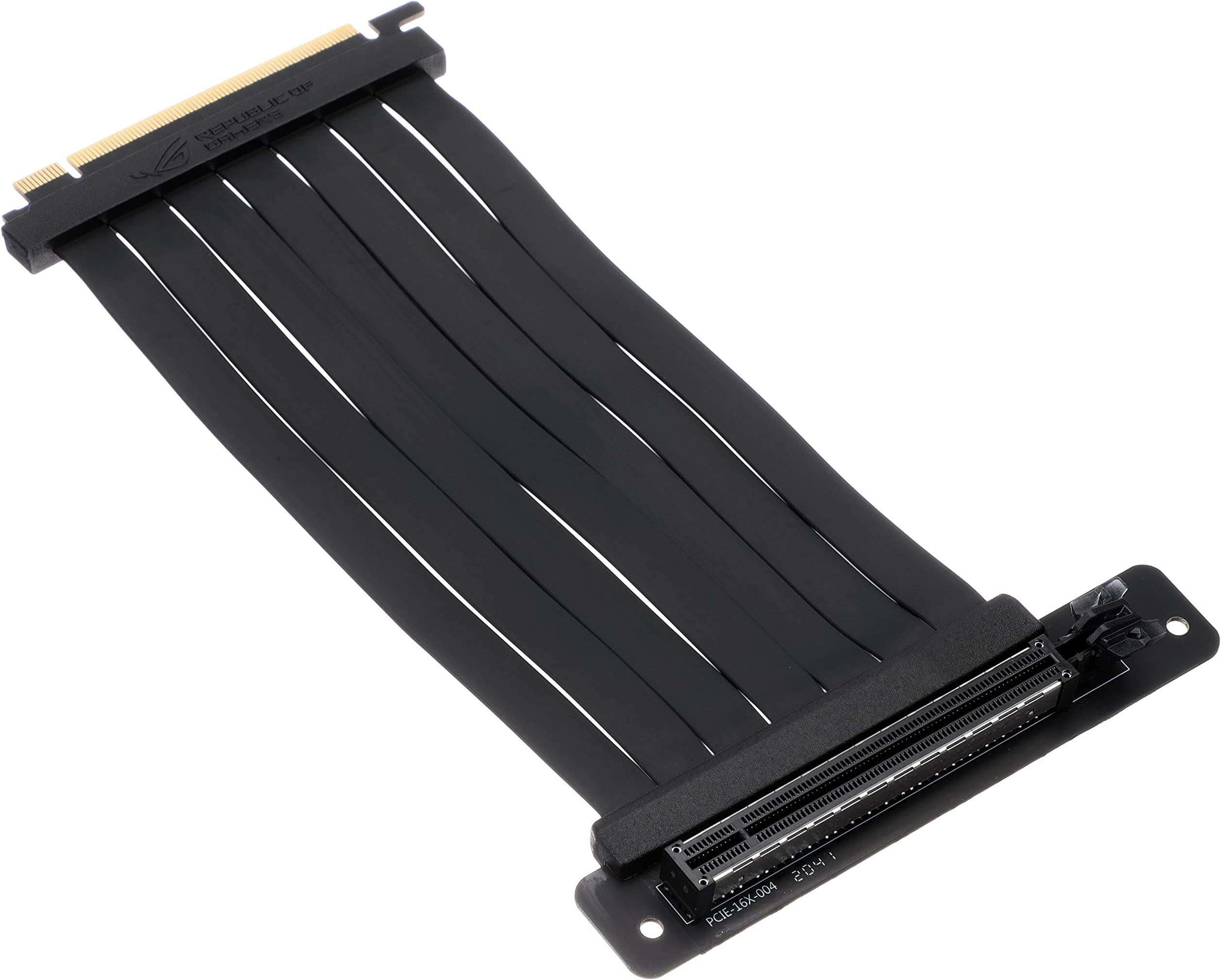
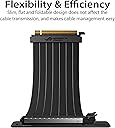
The ASUS ROG Strix Riser Cable is a 240mm PCI-E 3.0 x16 flexible extender designed for vertical GPU mounting. Featuring a slim, foldable design with EMI shielding and ASUS SafeSlot technology, it ensures stable, interference-free connections and optimized airflow. Its high-frequency, low-resistance PCB maximizes graphics card performance, making it a premium choice for gamers and professionals seeking both style and reliability.


| ASIN | B082G52H1L |
| Best Sellers Rank | #7,750 in Audio & Video Connectors & Adapters |
| Brand | ASUS |
| Built-In Media | M3 Screw(2), Riser Cable 240 mm, Standoff(2) |
| Compatible Devices | PCI-E x 16 3.0 |
| Customer Reviews | 4.4 4.4 out of 5 stars (1,150) |
| Global Trade Identification Number | 00192876352748 |
| Hardware Interface | PCI Express x16 |
| Item Type Name | ASUS ROG STRIX Riser Cable PCI-E 3.0 x16 High Speed Flexible Extender Card Extension Port, 90 Degree Adapter (240 mm) |
| Item Weight | 0.46 Pounds |
| Manufacturer | ASUS |
| Model Number | RS200 ROG STRIX RISER CABLE |
| Operating System | Windows, macOS, Linux |
| Style Name | ROG STRIX GPU Riser Cable |
| UPC | 192876352748 |
| Warranty Description | 1 Year Warranty |
A**L
works great
works great love it
S**.
Perfect fit. Great quality
I purchased this for my ROG build even though the price is higher then competitors I knew it would fit and the quality would be great coming from Asus. It fit perfect in the Helios case in either position. I would say you definitely get what you pay for its very sturdy. Totally Recommend!
J**L
Does not work with the 3070
Update: however the seller offered to send me another and even replace the screws. So in the end i would reccomend this Riser Cable. Upon installation I was met with No display I tried all 3 of my monitors and all 4 of our TVs to no avail. I even installed in normal and checked all the drivers. I rolled back drivers to see if that would fix the issue, sadly it did not. I tried update to the most recent drivers and still nothing, I do not know if the one I got was defective or not. I would have made a return for a refund or replacement but sadly when I went to pack everything up and make sure everything that came with the Riser was there my babies did something with my screws… so… I may have to buy another to see if it will work with the Sapphire 7900xtx.
N**S
Good quality ASUS ROG Strix Riser Cable
Appears to be very high quality, and it worked effortlessly. Prefect for vertical mounting a GPU in my Corsair 680X case. I guess the adage "you get what you pay for" is true here. Of course there are significantly cheaper riser cables available, but they may work out more expensive in the long run if they don't last long.
D**N
Meh
Too much lag for demanding programs, but cute for aesthetics.
R**G
Does not fit Corsair 5000D Airflow
The riser does not fit into my 5000D airflow. Purchased over a month ago, finally had the time and case come in, and I'm out of the return window. Now I'm stuck with a riser that doesnt work and am out a significant amount of money.
J**N
it's nice and clean, Great for my last GPU but it has a compatibllity issue with my 7900 xtx GPU
it worked and looked amazing on my 2080ti that i ordered around the same time as it but once i upgraded to a recent 7900 xtx it wouldn't recognize my Gpu no mater how many times i tried to reseat it all
K**N
If your motherboard/GPU is not PCI-E 3.0, READ THIS
As of now, when the 4090 is the newest GPU on the market, PCI-E 3.0 is still a very relevant slot generation. GPU's can barely utilize 3.0 so you do not have to worry about bottlenecking your gpu if your motherboard is 4.0 or higher. THE ISSUE you will run into comes with using this on a mobo or gpu that is 4.0 or higher. You will get a blue screen error (BSOD) from windows called, 'video scheduler internal error' that will not let your computer boot at all. To fix this, you must go into your motherboard BIOS and adjust the PCI-E channel from either [Auto], [GEN4], or [GEN5] and manually change it to [GEN3] This error caused me loads of trouble when finding the solution. Hope this helps
M**N
Permet de positionner un périphérique dans un emplacement différent. Par exemple, une carte graphique qui serait trop grande pour un boîtier.
N**)
The product the best cos its rog but,on its way they dont handle the item with much care as it got smashed . I dont test it yet . If it defects ill return
A**O
Perfeito, quem comprar não irá se arrepender pois funciona bem atendeu perfeitamente as minhas necessidades.
H**L
teniéndolo en uso es una maravilla no notas nada algún tipo de problemas de rendimiento por el uso de la misma la calidad es impresionante se siente súper genial en la mano y se ve súper premium y no sólo se ve, lo es. lo único que en lo que deben de tener cuidado es de que esta extensión solamente es compatible con el gabinete ASUS así que ojo con las compras para otro tipo de gabinetes.
ト**ア
他のものに比べて少し価格は高いですが、その分しっかりとした作りで高級感もあります。 僕は使っていて最高の製品だと感じました。
Trustpilot
2 weeks ago
1 week ago