🖊️ Elevate your touchscreen game with precision and style—because your ideas deserve the best!
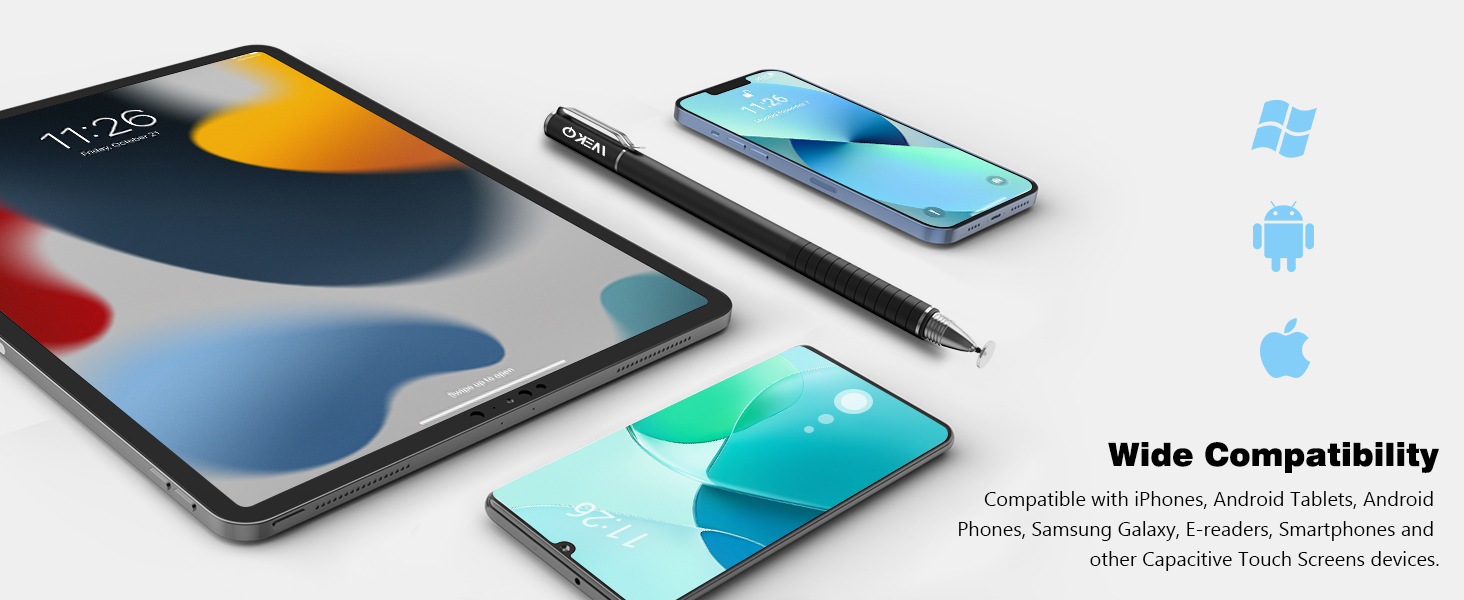
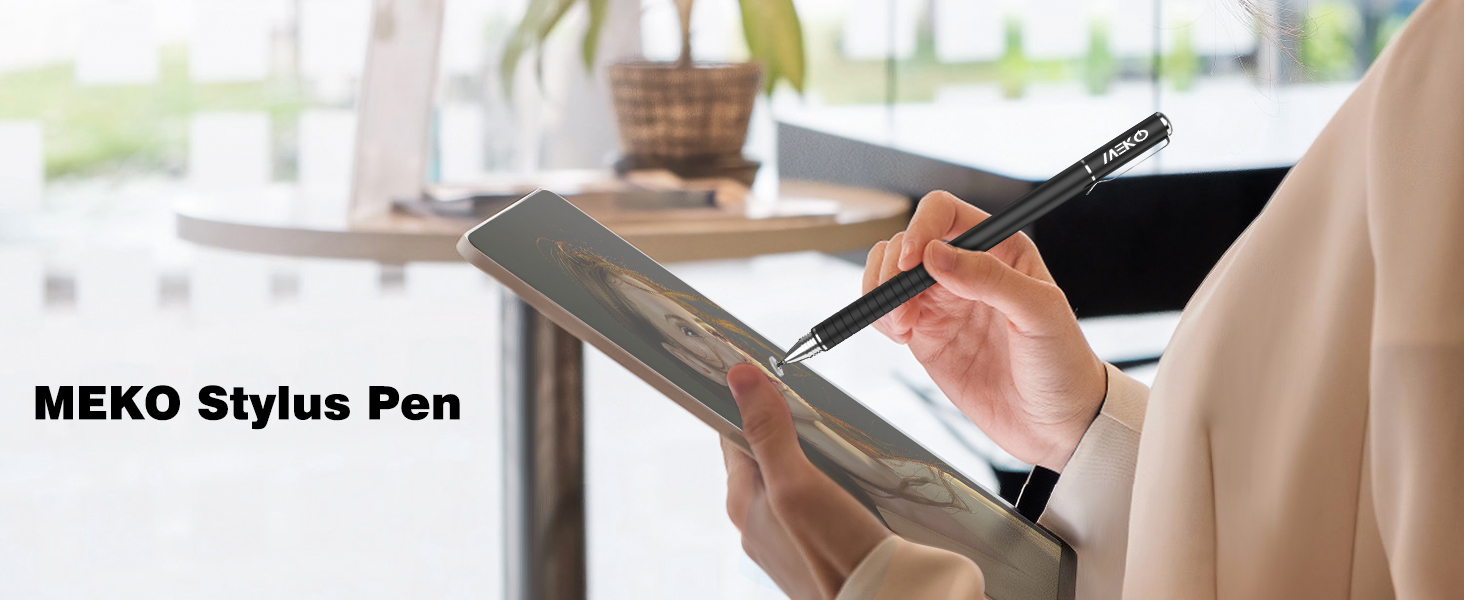
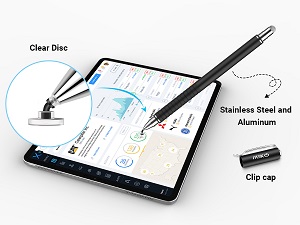
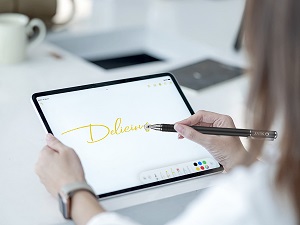
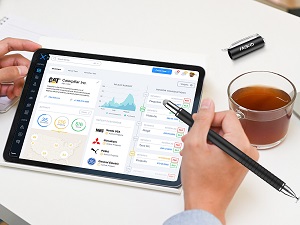
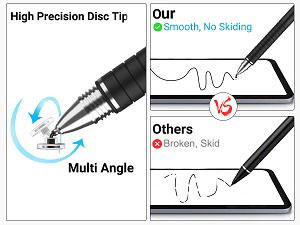
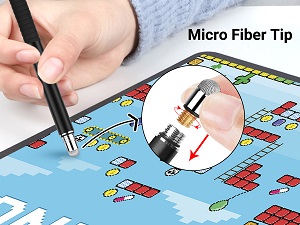
The MEKO 2-in-1 Stylus features a precision clear disc tip for ultra-accurate input and a fiber tip for smooth navigation, compatible across all major capacitive touchscreen devices. Its ergonomic rubber grip and replaceable tips make it a durable, versatile tool designed for professionals and creatives who demand precision and comfort in one sleek, portable pen.


| ASIN | B07WP3LZM5 |
| Are Batteries Included | No |
| Battery description | Lithium |
| Best Sellers Rank | 92 in Stylus Pens |
| Brand | MEKO |
| Colour | Black |
| Customer Reviews | 4.4 4.4 out of 5 stars (23,167) |
| Date First Available | 20 Aug. 2019 |
| Guaranteed software updates until | unknown |
| Item Weight | 60 g |
| Item model number | MX-XP-P |
| Manufacturer | MEKO |
| Package Dimensions | 16.3 x 6.7 x 1.7 cm; 60 g |
J**E
Precision and Versatility in a Stylus
The MEKO 2-in-1 Stylus has been an absolute game-changer for my touchscreen devices, and it's quickly become an essential tool in my daily routine. The precision disc stylus is the star of the show here. It offers a level of accuracy and control that surpasses traditional rubber-tipped styluses. Whether I'm taking notes, drawing, or navigating my device, the precision is spot on. The replaceable tips are a brilliant touch, ensuring long-lasting usability without the need to purchase a new stylus each time the tip wears down. I've used this stylus on a range of devices, including iPads, tablets, iPhones, and Samsung Galaxy devices, and it performs flawlessly on all of them. The compatibility is a big plus, and it's a versatile tool for anyone who uses touchscreen technology regularly. The 2-in-1 design is also convenient. The stylus has a built-in ballpoint pen on the other end, so I can easily switch between digital and analog tasks without needing a separate pen. It's great for taking notes in a meeting or on paper and then seamlessly switching back to my tablet for digital work. The build quality is excellent, and the stylus has a comfortable weight and feel. The black color adds a touch of elegance to the design. In summary, the MEKO 2-in-1 Stylus has exceeded my expectations in terms of precision, versatility, and build quality. If you use touchscreen devices for work, creativity, or leisure, this stylus is a must-have accessory. It's made a significant difference in my productivity and ease of use, and I can't recommend it enough.
S**G
Great for drawing on iphone.
I purchased this stylus to use for drawing my iphone 11 pro max,primarily using Clip Studio Paint drawing app. It works great for what I need, the precision disc stylus gives me the accuracy that you don't get from other rubber headed stylus. Easy to use, no charging required,good price and comes in well presented box with spare nibs. Excellent product,very happy with my purchase. Recommended.
H**E
It does what it claims, and well.
I've been using these for years but every 2-3 years a tip breaks (normal wear and tear) so I had no hesitation in re-ordering simply for new tips. Pity they aren't available separately.
M**N
Great value of money
Great value for money, and it's convenient having the cloth to wipe my device before the pen contacts the screen.
N**Y
Its good pen
This pen is really good . Work perfectly on my pro16. Looks good to me.
I**O
Not quite as good as I expected
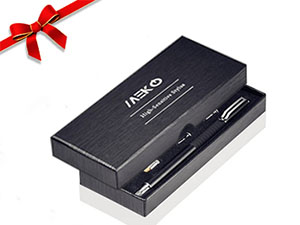
After reading the reviews for this stylus I was sold on this being the best alternative stylus to the Apple Pencil, which apparently only works with the iPad Pro, and I certainly don't have one of those! Although I agree with some of the previous reviewers' comments, I have also had better styluses in the past. Here are my pros and cons, based on the fact that I'm using them with an iPad Air 2 and an iPhone 6s: Pros: You get two in a box so there's a backup if you lose one, and there are plenty of spare heads for the pen in case they break The box is very attractive so would make for a lovely gift There's a different type of stylus head at each end of the pen, depending on what you're using it for. I find the disc works well with colouring apps There's a clip on the lid of the stylus that allows me to pin it to my iPad case so that I don't lose it The heads are very easy to remove and replace There's a rubberised grip on one end of the pen, making gripping easy and comfortable Cons: I don't find it particularly responsive. It works okay on the iPad Air 2 but I often have to swipe something twice for it to register - it doesn't seem to matter which type of head I'm using either. On the iPhone 6s I can barely get it to register at all so I've just given up using it. The rubberised grip is only on one end of the pen, which is a shame because if you're using the other end there's no real grip. It's quite a heavy stylus, which although suggests durability and quality, can actually make your wrist quite tired if you're using it for long periods of time. I wouldn't discount it, especially for such a good price, and perhaps it has a lot to do with device compatibility, but I wouldn't personally purchase it again.
A**E
Ergonomic & useful
Brilliant tool, made such a difference to the way I use my phone, especially for gaming. It is quicker and so much better for my hands and fingers.
R**M
worked well for signing a document
My key use case was to be able to sign PDF forms on my iPhone, and this stylus worked well to do that. I think now that for a signature the stubby end would be perfectly fine, but I am happy to be able to get visual accuracy connecting dots when drawing (but it is definitely not as good as writing on paper). I remain tempted to try an active stylus to see if I can get away from the silicone rubber thing on the pointy end, however my current experience suggests the best choice might be a nice pen for normal use with an appropriate stubby phone stylus (with cap) on the back end when needed. It also seems like an all-metal 'space pen' (the cap, pulled off and stuck on the back) would also work well for phone signatures though probably more prone to scratching. Minus one star for some usability issues: ideally each stylus would have 2 caps, as the stubby end seems likely to get dirty in one's pocket and this will lead to scratching; and I know the screw on cap will be better for staying on and keeping the pointy end clean, but I can't get used to it and keep trying to pull it off instead of unscrewing. The balance seems a bit wrong in my hand, but did not count off for that. I bought the 2-stylus version, so effectively I do have two caps - but nowhere to stash one while in use of course.
J**S
Kostengünstiger Tablet-Stift, der trotzdem gut verarbeitet und wunderbar funktioniert.
V**U
This is without a doubt the most accurate and responsive capacitive stylus I've ever had the pleasure of using with my Galaxy S8. And that's saying a lot, considering that, from what I've noticed, the screen of the S8 doesn't usually work very well with styli compared to other phones. Where should I start? For comparison, I also have one of those cheap pens that have a microfiber mesh stylus tip (before moving on, I'd like to point out that some people think the soft tip is made of some kind of metal, but it's microfiber, so there's no risk of it leaving any scratches on the screen). Even when comparing just the meshes on the two, the Meko one is better in every way: it's smaller, meaning you get more precision, and it's more malleable, which means it has an easier time warping in order to produce the required contact surface. A capacitive touchscreen only registers touch input then the contact surface is wide enough. If a stylus mesh is too stiff, you need to press down hard for it to warp enough and for the touch to register. But this is not a problem with the Meko stylus. It works with very little pressure, allowing for natural movements, even with the S8 (which, as I've said before, requires a wider contact surface than many other capacitive touchscreen devices). Where the Meko truly shines, though, is the disc tip. Because the disc is transparent except for the very middle, you can see exactly what happens underneath it when writing or drawing. I sideloaded the S Note app on my phone and I use it in conjunction with this stylus to take notes in faculty. Basically, I turned my phone into an improvised Galaxy Note. And this is no exaggeration. With the disc tip, I can accurately write very small text, similar to what others can write with the S Pen on a Galaxy Note phone. It's obvious that the people who designed the stylus thought of everything. The main disadvantage of a disc stylus is the risk of losing the disc. But fear not, because this stylus has an unscrewable cap covering it. And when using the disc tip, you can put the cap on the other end to make sure you won't lose that either.
N**O
Es muy agradable de sostener y manejar, con una sensación muy "premium". Me funciona muy bien en todas las pantallas táctiles que lo uso. La punta de precisión hace muy poco ruido sobre el cristal de pantalla a diferencia de otros que tengo más antiguos que usaban un material más rígido y más duro. Además vienen dos, lo que deja un precio fantástico.
A**C
Ich wollte eine günstige Lösung zum zeichnen auf dem Handy. Ich habe mir verschiedene Stifte angeschaut und habe mich dann für diesen hier entschieden. Ich bereue meinen Kauf nicht. Der Stift ist für diesen Preis spitze, sehr gut verarbeitet, und macht einen höherwertigeren Eindruck als der Preis ist. Zum zeichnen auf dem Handy oder Tablet und schnelle Skizzen oder zum Schreiben sehr gut geeignet. Natürlich gibts für den Preis keinen Drucksensitiven Stift und man sollte mit dem Handballen nicht den Bildschirm berühren wenn man zeichnet. Aber sonst ist dieser Stift super. Für den Preis unschlagbar.
P**D
La marque Meko est à féliciter de produire des produits de réelle qualité et durable👌.Celà fait plaisir 🤗. Le rapport qualité prix est exemplaire👍. Je recommande vivement 🥳
Trustpilot
2 months ago
4 days ago