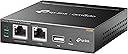
Desertcart purchases this item on your behalf and handles shipping, customs, and support to Netherlands.
☁️ Power your network, empower your business — anytime, anywhere.
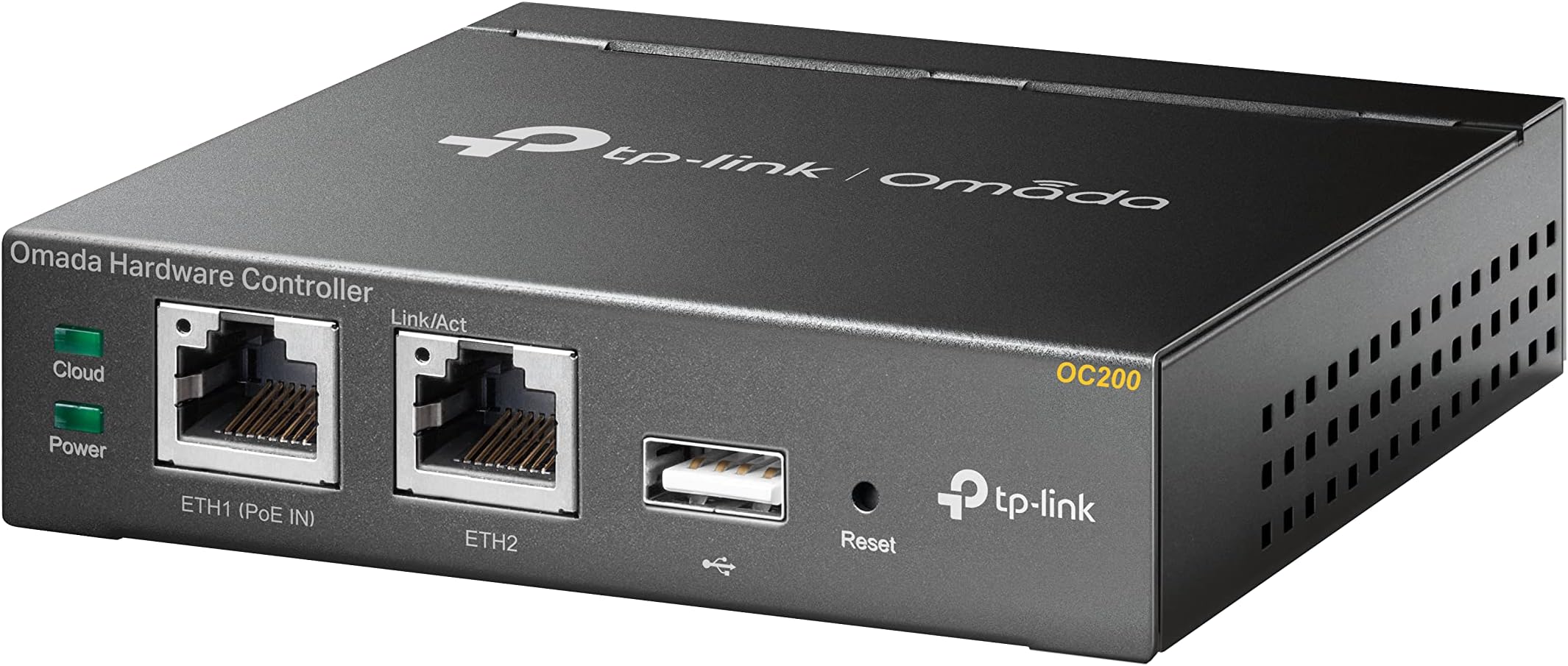
The TP-Link OC200 Hybrid Cloud PoE Controller offers centralized, license-free Wi-Fi network management with real-time monitoring and secure guest access. Featuring PoE support for easy installation, a durable metal enclosure, and free cloud connectivity, it empowers professionals to control their network remotely with powerful chipset performance and versatile login options.


| Antenna Location | Business |
| Antenna Type | Internal |
| Asin | B07GVRJTXP |
| Best Sellers Rank | 130,417 in Computers & Accessories (See Top 100 in Computers & Accessories) 265 in Wireless Access Points |
| Box Contents | LAN (RJ-45) |
| Brand Name | TP-Link |
| Colour | black |
| Compatible Devices | Smartphone |
| Connectivity Protocol | Wi-Fi |
| Connectivity Technology | USB, Wi-Fi |
| Control Method | App |
| Controller Type | Hardware |
| Coverage | GOOD |
| Customer Reviews | 4.6 4.6 out of 5 stars (747) 4.6 out of 5 stars |
| Frequency Band Class | Dual-Band |
| Global Trade Identification Number | 06935364084233 |
| Has Internet Connectivity | Yes |
| Has Security Updates | Yes |
| Is Modem Compatible | No |
| Item Dimensions L X W X H | 10L x 9.8W x 2.5H centimetres |
| Item Type Name | Hybrid Cloud PoE controller (metal housing, real-time monitoring, plug and play, USB for automatic backups) |
| Item Weight | 0.43 Kilograms |
| Lan Port Bandwidth | 100 Mbps |
| Manufacturer | TP-Link |
| Manufacturer Part Number | OC200 |
| Maximum Upstream Data Transfer Rate | 1300 Megabits Per Second |
| Model Name | OC200 |
| Model Number | OC200 |
| Number Of Items | 40 |
| Number Of Ports | 10 |
| Operating System | Windows10, 8, 7,Vista, XP, MAC OS, NetWare, UNIX, Linux |
| Other Special Features Of The Product | Durable |
| Product Warranty | 1 Year Manufacturer |
| Router Network Type | hybrid |
| Security Protocol | WPA2-PSK |
| Unit Count | 1.0 count |
| Wireless Compability | 802.11ac |
User
Great for remote access to WiFi systems
Great product. I can remotely monitor and change settings on my WiFi system with over 12 TP link access points. I have it plugged into my POE switch.
User
Flawed Product? Or is it just me....
Purchased this to begin an upgrade to my existing home network. I already have a TP Link AP (EAP245), Netgear smart managed switch, Synology NAS and BT Home Hub router / modem (with FTTP). I set all of this up myself including installation of the wiring throughout the house. It all works just fine, as you would hope.The OC200 requires at least 10 mins of power up before the cloud light starts to flash continuously. Initially I thought I had a power problem - but it just takes a lot longer than I expected to come on line. Eventually I managed to get Omada set up, the EAP connected - and everything worked....However I made the fatal mistake of powering the unit down (in order to re-arrange it in my network rack). After that - impossible to get things working again. In short - I had to factory reset the OC200 and re-do the set up. It then refused to adopt the EAP. I factory reset the EAP and (short version here) re-established a connection to the OC200. However from this point on it has been impossible to connect any device to the EAP. It's on, has a steady green light, is connected to the network (confirmed on the router) etc. 'Forget' the EAP device in the Omada OC200 and the EAP then connects as it should to all of my wireless devices.Trawled the forums - nothing. TP-Link help - useless.It may be me - I'm not technically trained so I'm clearly missing something. But IMO it should not be this frustrating. The OC200 has been disconnected & dumped in a cupboard in sheer frustration. For now at least my intended purchases of other Omada hardware is on hold.
User
Comodo e utile se si devono amministrare parecchi AP
Non è un accessorio indispensabile per gestire degli AP TP-Link ( e non tutti, controllare sempre la lista dei devices supportati) . Nel senso che si può usare tranquillamente l'Omada software controller e fare a meno dell'OC200.Ci sono però delle differenze notevoli tra l'usare il software (che, a mio avviso, fa pure un po' schifo) o l'OC200, il quale è pensato per un uso professionale. In primo luogo il software va installato su di un pc all'interno della rete locale, dove verranno usati gli AP. Quindi bisogna essere fisicamente dal cliente ed avere a disposizione un pc sul quale è installato il software di gestione. Poi c'è pure chi monta l'Omada Software controller su di una vm, ma non è una passeggiata, e se non conoscete bene Linux lasciate perdere. Quindi se non volete perdere tempo e volete una soluzione affidabile, l'oc200 fa per voi.Io l'ho utilizzato con degli EAP225 V3 con firmware 2.20.1 Build 20200630. E il firmware dell'OC200 V1 è un 1.7.0 Build 20200703, ovvero la versione 4.1.5. Gli aggiornamenti fateli prima, altrimenti rischiate di perdere la configurazione.La cosa interessante di questo OC200 è che è sia raggiungibile da rete locale, sia da cloud (https://omada.tplinkcloud.com/). La configurazione è piuttosto intuitiva e permette di gestire contemporaneamente tutti gli AP ad esso associati. Quindi si possono aggiungere vari SSID e relative configurazioni con un'unica operazione, sarà poi l'OC200 a propagare i parametri a tutti gli AP associati (adopted). Si può gestire ogni aspetto della configurazione e, almeno con gli EAP225, si possono anche configurare vlan diverse per ogni relativo ssid. Mi sembra fino ad 8, ma non ne sono sicuro: controllate le specifiche.Oltre alla gestione, l'Oc200 permette di controllare a colpo d'occhio lo stato degli AP, effettuare diagnostiche, fare upgrade dei firmware, accedere alle statistiche. Si può aggiungere anche una mappa sulla quale posizionare gli AP. Dal cloud però non sono riuscita a caricarla, ho dovuta farlo in locale. Quindi più o meno le stesse caratteristiche della versione software installata su pc, ma con il vantaggio di essere sempre raggiungibile, anche da remoto.
User
Sinnvolle Ergänzung für ein kleines Omada-Netzwerk
Ich habe den OC200 erst etwas nach meinen ersten Omada-Geräten gekauft. Gestört hatte mich, dass ich die Controller-Software immer über meinen PC laufen lassen musste. Daher habe ich mich für den OC200 entschieden.Mit dem OC200 läuft die Verwaltung meines Omada-Netzwerks unabhängig vom Rechner. Dadurch habe ich jederzeit Zugriff auf die Oberfläche und muss keinen PC eingeschaltet lassen. Genau dafür habe ich ihn gekauft und er erfüllt diesen Zweck zuverlässig.Die Einrichtung war unkompliziert und seitdem läuft der Controller bei mir stabil. Für mein privates Netzwerk mit einigen Omada-Geräten bietet der OC200 genug Leistung.Da ich den OC200 nicht per PoE betreibe, nutze ich die Stromversorgung über Micro-USB. Ein entsprechendes Kabel sollte daher vorhanden sein oder zusätzlich eingeplant werden.Wer sehr viele Geräte verwalten möchte, kann sich zusätzlich den leistungsstärkeren OC220 ansehen. Für meinen Anwendungsfall war der OC200 aufgrund des günstigeren Preises jedoch die bessere Wahl.Auch nach mehreren Monaten Nutzung bin ich weiterhin zufrieden und würde mich wieder für den OC200 entscheiden.
User
Handig voor het management van WiFi en Router van TP-Link
Software downgrade is onmogelijk, Bedenk of de unit na een software update alle oudere Hardware nog wel ondersteunt . Als een update geen gewenste functionaliteit toevoegt , niet bijwerken.
User
Très bon produit.
Bon j'ai hésité un petit temps à acheter la petite bête, la conclusion est que j'ai su configurer assez facilement un routeur omada et 2 switches omada, 3 cameras et 3 bornes wifi, avec des réseaux/vlans ayant chacun leurs configs/fonctions propres aussi bien privé que professionnel en un seul endroit. Cet outil est pour cette raison vraiment indispensable. C'est bien plus simple et efficace que de configurer tous les appareils séparément. Le tout centralisé et configurable depuis le pc (où est connecté le controlleur) mais on peut aussi tout paramétrer via le smartphone avec l'app Omada tant que le controlleur est allumé. Seul bémol, le controlleur est un peu lent au démarrage quand on le rallume après par example un temps d'absence, je suppose que ceci sera résolu avec de futures mises à jour.
User
Does what it is supposed to do
It is doing exactly what it is supposed to do. I have 3 APs at home and it will do all the settings that I setup once on all of them.
Trustpilot
1 week ago
3 weeks ago