We remain fully operational. Our teams are working around the clock to ensure your deliveries continue safely.

DOWNLOAD THE APP


Customer Services
Copyright © 2025 Desertcart Holdings Limited
DOWNLOAD THE APP
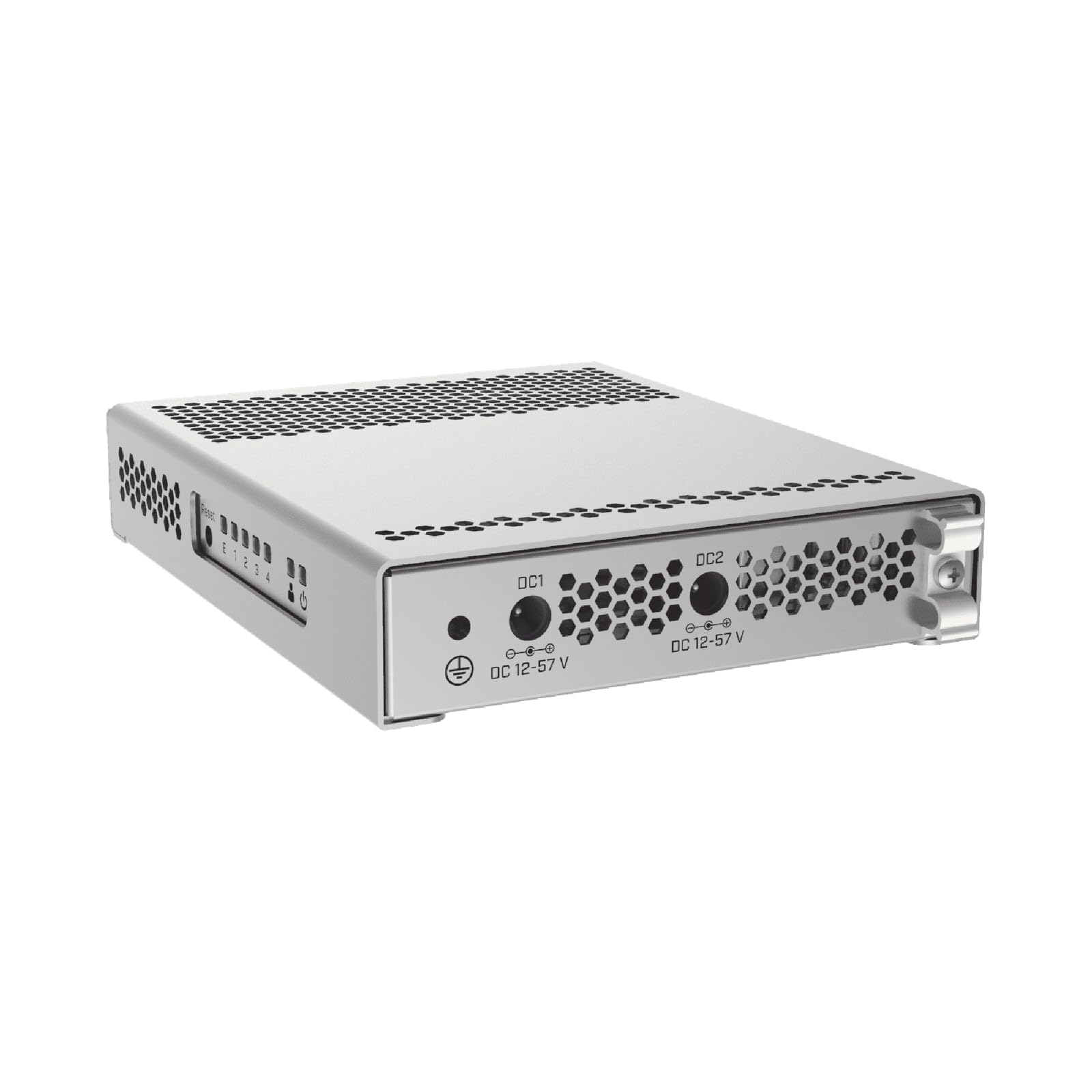
🚀 Elevate your network game with silent, scalable 10G power!
The MikroTik CRS305-1G-4S+in is a compact, fanless managed switch featuring four 10 Gbps SFP+ ports and a 1 Gbps Ethernet management port. Its dual-boot system lets professionals choose between RouterOS for advanced routing or SwOS for streamlined switching. Housed in a sleek metal case with dual DC power inputs for redundancy, it delivers enterprise-grade performance and silent operation in a minimalist design—perfect for millennial managers demanding speed, reliability, and style at a disruptive price.
| ASIN | B07LFKGP1L |
| Best Sellers Rank | #117 in Computer Networking Switches |
| Case Material | Metal |
| Customer Reviews | 4.6 4.6 out of 5 stars (1,115) |
| Data Transfer Rate | 1000 Megabits Per Second |
| Date First Available | October 3, 2018 |
| Global Trade Identification Number | 00680392660855, 05903148914527 |
| Interface Type | SFP+, RJ45 |
| Is Discontinued By Manufacturer | No |
| Item Weight | 1 pounds |
| Item model number | CRS305-1G-4S+IN |
| Manufacturer | Mikrotik |
| Product Dimensions | 5.55"L x 4.53"W x 1.1"H |
| UPC | 680392660855 |
| Voltage | 57 Volts |
J**E
Great Value!
The MikroTik 5-Port Desktop Switch is a compact yet highly effective addition to any network setup, especially when integrated into a Ubiquiti network environment. Despite its small size, this switch offers reliable performance with five Gigabit Ethernet ports, ensuring fast and efficient data transfer for connected devices. Its straightforward design makes it easy to deploy in various settings, from home offices to small businesses. The switch operates quietly and delivers stable connectivity, complementing Ubiquiti's robust network equipment seamlessly. While it lacks advanced features like VLAN support or PoE, it serves its purpose well by providing reliable network expansion with minimal fuss. For users already invested in a Ubiquiti ecosystem, the MikroTik switch is a practical and cost-effective choice for expanding network ports.
A**R
Wonderful little powerhouse of a switch
First off, if you are looking for a router: look elsewhere. While this can run routerOS, consider it an in-extremis stopgap solution. The CPU on this thing is a little single core clocked at 800mhz. for a small 100M router, it would be fine, but you will redline it and get well below 1G speeds. If your actual router gets struck by lightning and blows up, this will make do in a pinch, but its not what it's designed for. As a switch however, this thing is fantastic, and the cpu is more than plenty to give you a management interface to configure all the bells and whistles you might expect from a smart switch. For the price(~$150), it can't be beat. Its so cheap, that it is competitive with simple media converters for the speed (and gives extra ports on either end as well). I had one running as a switch for a while, and recently figured out you can split the ports with the port isolation to turn it into a 2 channel media converter with an extra gigabit side tap. Its just a remarkably versatile and useful little device.
M**X
Simply blown away. Unbelievable product.
I don';t really know where to start, but if I had a way to be the main sales guy for this company in the US, I'd be in good shape/happy! There simply isn't anything even close to this available on the US market right now when you are on a tight budget but still want to have the best 10GBit LAN setup at home or in your small office. I work in a rather large company and have dealt with high level products for many, many years. Switching over to 10Gbe is still quite the undertaking/hurdle for companies (or home network nerds like me) due to price. This device enabled me to create the perfect, load balanced, 10GBe backbone between my NAS, my ESXi development server as well as my gaming rig. - The initial setup is working fine and easy to set up right out of the box, but to get all the features, there is a, still manageable, learning curve. - The RouterOS ROM that comes with the router is amazing ! You'll have a COMPLETELY managed switch/router/bridge with this device, where you can configure everything just how you';d like it. Incl. Firewall, routes, VLANs, OpenVPN Server, NAT, ACL and much more.. whatever you might reasonably want really. - And all of this with a superb GUI as well as SSH enabled command line. I can't really express enough how impressed I am with this device... really keeping in mind how much I paid for it. For the 10GBe PCIe NICs (dual port) I actually went to ebay and bought some used HP cards, which worked perfectly with my NAS vendor as well as my VMware DEV server. Cost me about $30 each. Could not be happier, which I'd have bought the 6/8 port version.
C**N
Cheapest home SFP+ 10Gb switch on the market
This switch is nice and compact with two power ports for failover if you need it. Extremely easy to connect, everything just works. Download Winbox from their website (if on windows) for any easy GUI to manage the switch. You can change the username/password and IP easily. You're also able to set the 4 SFP+ lights to off, if you prefer. Really disappointed you aren't able to turn off Ethernet and Power LEDs as, living in an apartment, I have to keep this in my bedroom. Especially since the case is entirely grates so the light comes out everywhere. It does get pretty hot as others have mentioned but you get a great switch with a lot of functionality for the price. Just make sure to have some electrical tape handy if the lights bother you.
C**N
Speed and cost effective
Needed a switch that could handle multiple fiber connections to other switches. Good price and runs cool. Easy switch-over to SWOS and easy to configure through the web interface.
O**7
4 years and still running
I got this 4 years ago to connect to one port on a NAS. Now 4 years later I have 4 10GB fiber connections plus 1 GB cable connection. It was a pain in the neck to setup as I remember, for one I didn't understand the device but at the end of the day it was running and hasn't failed. It's connected to other fiber ports from 1 ft away, a switch, then a PC 6 feet away, a NAS 10 feet away and another NAS about 150 feet away. No problems, nice and fast. Just make sure you have AIR space around it for cooling. Good device. It's a winner so far. Would be nice to see one with more SFP+ ports. Update: It's still running good 5 yrs later. Still runs hotter then I care for.
D**W
Bought two of these, using one as a router and the other as a simple switch for in-home 10G runs over fibre. The switch was simple to setup, essentially upgrade to the latest firmware and take the defaults as a bridge. Configuring one as a router on the other hand was anything but simple. Finding answers without having to trawl through YouTube was driving me crazy. This little box is a powerhouse, but needs someone with more patience and time to learn than I do. To get my router setup, I followed the example found on GoWifi's website, which was a godsend (I obviously ignored the wifi parts as they were unnecessary here). If you're in the same boat, Google the following: gowifi beginners guide Mikrotik router I don't own a PC, only Mac's so had no choice but to install Wine, and run Winbox.exe to get this done (at one point, you'll have to connect to the device using the MAC address and not the IP address, which is why you need to use Winbox). Other than not understanding where my backups got saved, it now works. Performance wise, as a switch it works great. A router on the other hand isn't recommended for anything except light (real world 330Mbps max throughput) workloads or for temporary use. If it's a router you need, I'd suggest connecting this to the RB5009UG+S+IN instead.
M**S
Switching made fast on 10Gbs. Very complete control
F**O
Arrivato e montato, bisogna collegare il cavo di rete e colllegarlo a un pc su rete 192.168.88.x , con il browser si accede alla pagina di configurazione 192.168.88.1, per iniziare basta assegnare all'interfaccia di gestione un IP della propria rete o usare il DHCP passo successivo update firmware, fa il download installa e riavvia con nuovo IP. Provato con SFP+ 10Gtek AXS85-192-M3-Cisco2 sul MkroTik e Scheda 10G Intel X520 e SFP+ Ipolex AXS85-192-M3-Intel, collegamento 10G senza problemi. Temperatura in funzionamento 38° (scalda come Cisco)
C**.
It really is a tiny little box that makes it easy to get started with 10GBe at home. If you have a small network or Homelab and wish to get them all networked at speeds you will be grateful for if you do a lot of data transfers. NIC's and SFP+ copper is affordable on eBay or other online shopping places. Doing it for an entire home would be a lot more work but not impossible. Just depends on if you like exposed cabling or your place has false ceilings or places to route hidden away.
A**N
I liked the product. For this price there is no other 10g switch in market
Trustpilot
1 month ago
2 weeks ago