We remain fully operational. Our teams are working around the clock to ensure your deliveries continue safely.

DOWNLOAD DE APP


Klantenservice
Copyright © 2025 Desertcart Holdings Limited
DOWNLOAD DE APP

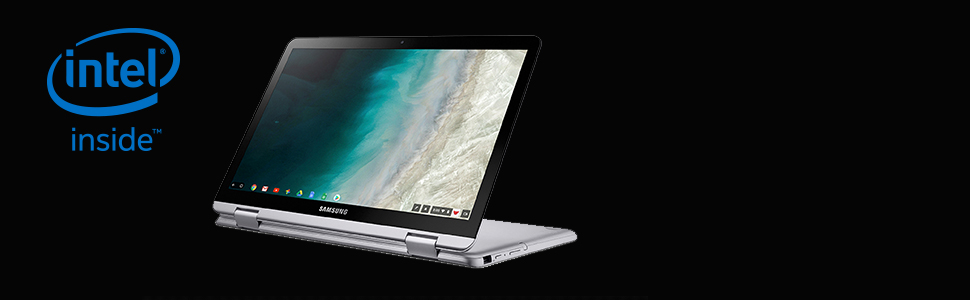
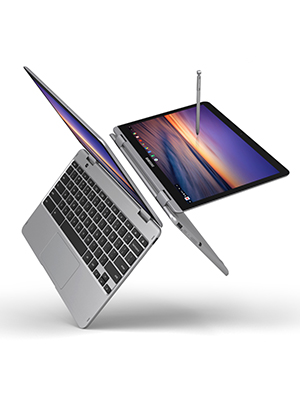
🚀 Elevate your workflow with the Samsung Chromebook Plus V2 — where versatility meets power!
The Samsung Chromebook Plus V2 is a lightweight 2-in-1 laptop featuring a vibrant 12.2-inch 16:10 display, a built-in rechargeable-free pen, and a 13MP autofocus world-facing camera. Powered by an Intel Celeron processor with 4GB RAM and 32GB eMMC storage, it runs Chrome OS with full Google Play Store access. Its 360° hinge design and over 10 hours of battery life make it ideal for professionals seeking portability, creativity, and productivity in one sleek device.





| ASIN | B07J1SY5QQ |
| Audio Output Type | Speakers |
| Automatic Backup Software Included | Google Play |
| Battery Cell Type | Lithium Ion |
| Best Sellers Rank | #39,933 in Computers & Accessories ( See Top 100 in Computers & Accessories ) #584 in 2 in 1 Laptop Computers |
| Biometric Security Feature | Face Recognition |
| Bluetooth support? | Yes |
| Brand | Samsung |
| Built-In Media | Adapter, Pen Tip/Tweezer, Paper Sheets - Quick Strart, Warranty Card |
| CPU Codename | Kaby Lake |
| CPU L3 Cache | 2 MB |
| CPU Model | Celeron |
| CPU Model Number | intel celeron |
| Cache Memory Installed Size | 2 |
| Camera Description | Front |
| Cellular Technology | 4G |
| Color | Light Titan |
| Connectivity Technology | USB |
| Control Method | Touch |
| Customer Reviews | 4.3 out of 5 stars 1,184 Reviews |
| Display Resolution Maximum | 1900x1200 Pixels |
| Display Type | LED |
| Form Factor | Netbook |
| Global Trade Identification Number | 00887276290478 |
| Graphics Card Ram | 4 GB |
| Graphics Coprocessor | Intel HD Graphics 615 |
| Graphics Description | Integrated |
| Graphics Ram Type | DIMM |
| Hard Disk Description | Emmc, SSD |
| Hard Disk Interface | Solid State |
| Hard Disk Size | 32 GB |
| Hard-Drive Size | 32 GB |
| Hardware Interface | MicroSD |
| Human-Interface Input | Touch Pad |
| Item Dimensions L x W x Thickness | 11.34"L x 0.67"W x 8.2"Th |
| Item Type Name | Samsung Chromebook Plus, 12.2", 2-in-1, 4GB RAM, 32GB eMMC, 13MP Camera, Chrome OS (XE520QAB-K01US) |
| Item Weight | 3 Pounds |
| Keyboard Description | multimedia |
| Lithium-Battery Energy Content | 4.9 Watt Hours |
| Manufacturer | Samsung IT |
| Memory Speed | 1866 Microhertz |
| Microphone Form Factor | Built-In |
| Model Name | Samsung Chromebook |
| Model Number | XE520QAB-K01US |
| Model Year | 2018 |
| Native Resolution | 1600 x 600 pixels |
| Number of Ports | 3 |
| Operating System | Chrome OS |
| Other Special Features of the Product | Spill Resistant |
| Processor Brand | Samsung |
| Processor Count | 1 |
| Processor Series | Celeron |
| Processor Speed | 1.5 GHz |
| RAM Memory Installed | 4 GB |
| RAM Memory Technology | LPDDR3 |
| RAM Type | DDR3 SDRAM |
| Ram Memory Maximum Size | 4 GB |
| Resolution | 1920 x 1200 |
| Screen Size | 12.2 Inches |
| Specific Uses For Product | Business |
| Total Usb Ports | 3 |
| UPC | 887276290478 |
| Unit Count | 1.0 Count |
| Video Processor | Intel |
| Voltage | 1.5 Volts |
| Warranty Description | 1 Year |
| Webcam Capability | Yes |
| Wireless Compability | 802.11ac |
| Wireless Technology | Wi-Fi |
S**H
Worth every penny!
After spending alot of time researching many different chromebooks, tablets and laptops in the $200-500 that would best suit my needs I found myself getting frustrated and overwhelmed by the process and was about 30 seconds from giving up and settling on one that was not ideal just to get the process over with. That is when this beauty miraculously appeared! Not only did it check 9 out of 10 of the boxes I needed it to, it was also 1/2 the price compared to others I researched in this category. I love the design and versatility of having a laptop and tablet in one option. I also like that unlike some of the other 2 in 1 chromebooks it is not flimsy and they clearly took into consideration the lifestyle needs of a 2 in 1 chromebook keeping it lightweight yet very sturdy. The battery life is wonderful, it charges quickly and a full charged has lasted me over a full day at work as I used it continuously for a total of 10.45hrs before it got down to the red at 15%. And that was without turning on the battery saver option! The display is clean, crisp & vivid. Whether it's used for streaming a movie or creating a new document, you will be satisfied with the visuals for sure. Set up was a breeze as was learning the ins and outs of all this chromebook offers. The only "complaint" I have in regards to this specific model is the lack of protective cases designed to fit it. I understand this is not a issue about the product itself but I did want to make people aware of it as there is only 1 brand of hard cover cases that fit it and do not have to be removed for use(mCover hard shell case for 12.2in Samsung v2 chromebook). I highly recommend also using a padded waterproof shock absorbent carry case as well for travel, as the hard case is mainly to protect from scratches and dings and WILL NOT protect it in the event it is dropped, banged or similar. The other recommendation is a 9H screen protector, especially if you plan to use the touch screen and stylist pen options. If I could give it 10stars I would. Hands down this is the best purchase I have made this year, I only wish I found it sooner!
D**S
It's more like "2/3 laptop, 1/3 tablet" rather than a 2-in-1.
I've been in the market for a cheap laptop for work for a while. I have a hefty gaming PC at home but I wanted something completely separate and portable for non-gaming needs like using the internet and word processing. Additionally I've been trying to read more and sometimes this leads to me using the Kindle app on my phone. I was drawn to the Chromebook Plus (V2) because of the attempts to make it more like a tablet and utilize Android apps. Overall the product works exactly as described. The screen is good, though the default settings make the things like the app shelf, window borders, and pointer size a little too large in comparison to the parts of the screen in use. This is variable once you poke around the settings, though, and I have no complaints. The keyboard is fantastic and responsive. The touchscreen is pretty good, though it's not quite on par with the perfection that is an iPad touch screen. Sometimes I miss when I try to click on things with my finger or perhaps it doesn't register at all. That happens so infrequently that it's still entirely usable. The pen is also nice, though I've only used it so far to doodle in the Google Keep notes app as it was not a main selling point for me. The battery life is about on par with what is advertised; I used it lightly from 7:30-2:30 yesterday, for example, and it only got to about 50%. The foldability for tent and tablet mode is a little bit awkward considering the size and the fact that the keyboard is always attached, but it works. It just makes me prefer it as a laptop more than a tablet most of the time. The performance is acceptable considering the hardware. With my other machine having a much more powerful processor and more RAM, I actually do notice a bit of delay in navigation online and when using multiple apps. With that said, it's not bad at all, and the comparison is actually rather unfair. My main complaint is really only the quality of the touchpad for using the cursor. It works well, but it's a little bit choppy and doesn't respond to light and subtle movements when trying to be precise. Again, this might be unfair because the only recent laptops I've used have been MacBooks and those touchpads are incredibly smooth, but it's still worth pointing out. Overall I'm highly satisfied with my purchase. The problems I've described really aren't even problems but rather little quirks that I've already gotten used to. It works for everything you'd want a Chromebook to work for and it does it well.
P**N
Awesome battery life, heavier than expected, pen is fine
I like this computer. I received it yesterday and spent the entire evening getting used to it. The laptop comes with a stylus, and a power cable. I think it's made of plastic but it feels pretty solid, and it's way heavier than I expected. I fear I may drop it because of it's weight. Out of the box it has no power, you must plug it in to the wall with your provided cable. Some issues are that there is one dead pixel that has been present ever since I turned on the device. I don't really care for it as it's so tiny, but I know that some may not be okay with it for it appears to be an irremovable speck of dirt. Another issue is that the stylus has a bit of delay. Another is that the scrolling is a bit wonky in Android apps, I can not use two fingers on the mouse pad to scroll in the Discord app for example, but I can use the pen/my finger to operate it from the screen as I would on my phone. This makes sense since it is an Android app after all, but it'd be nice to not have to switch back and forth from laptop to pen abilities. The app drawer is only properly functionable when using the pen or your finger. I fell asleep with it the laptop on, and woke several hours later. My battery did not empty in my absence of activity, and none of my progress was lost. Though it did not lock my screen, but I am pretty sure I can fix that in the settings. I am just amazed that it did not die and nothing was lost even though I left it for several hours. The laptop is also extremely quiet I now realize, I have not heard a single mechanical noise coming from it and I am typing this from a silent room. Also, Chrome OS isn't that bad, I had planned to attempt to download Ubuntu on it, I am still going to get it to have more useful software available, but I will also use Chrome OS since it's not as bad as I thought it would be. Overall the computer is pretty epic
B**K
Good Chromebook well worth the money
I bought this chromebook plus v2 used, it was supposed to have blemishes on the back. But so far I haven't found any. It looks and acts like new. I needed to replace my old acer chromebook that was starting to freeze up. So far I'm very happy with this Samsung chromebook. It's still under warrenty, the keyboard is very responsive and clicky. I use it mainly for work, editing videos, photos then uploading them to my website. Granted I've only had it for a few days but it's been very fast without any lag. I typically have about 8-10 tabs open at a time, this hasn't caused any slow downs. It got about 3 updates when I got it up and running. It's now on chrome 93.0.4577.95. Having the s-pen is also a bonus since I do some journaling. So far I'm happy with my purchase. It is a bit heavy so keep that in mind. Battery life is about average nothing great. I do wish that each side had a usb C port instead of them both on the left side. But the charging cord is long so I'm making due.
C**E
Delightfully happy!
I purchased this on PRIME day and got a really great deal. :) I've only ever used Apple products.... and the last laptop I purchased in 2010 was a Macbook Air. Needlesstoday, it's now super outdated and, given that my email, photos and browsing is always on Google, it made sense to move to a Chromebook. Sorry Apple. But I'm still loyal to your iPhone. WHAT I LIKE about my NEW CHROMEBOOK! >> I like the keyboard! Unlike a mac where I felt like I could barely feel the keys, I can 'feel 'the keys on this pc and typing seems easier. >> Ease of use: Charge and GO! Upon receipt, just charge your Chromebook right away. Then, open 'er up, put in your google credentials and you're on your way. >>Screen: well lit, colors are great. >>Sound: EXCELLENT. Clear, sharp, great stereo sound. (ha, stereo! I needed to call that out? I'm a 70s girl so, yeah.) >> Consider getting yourself a wireless mouse with a beanbag wrist rest, and, pick up a microSD card to give your little machine more storage. I'm not big on touch pads so, call me old school but I like using a mouse :) >> FUN FACTOR: It's just a fun machine. I like it! And I haven't even tried the stylus or other cool features yet! WHAT I DIDN'T LIKE: >> so far - there's nothing that I don't like about this Chromebook. Happy customer right here! And this was after (seriously people) agonizing over 3+ hours over WHICH brand to buy. I'm glad I went with Samsung! >> Oh, there is this one thing. AMAZON: why would you package this sleek, cool Samsung Chromebook in a GIGANTIC, over-sized box that looked like it could have held about 8 Chromebooks? The machine (which was packed in its own box) was 100% jostling around in transit. There's no doubt. There was the thought of a small, crumpled amount of brown paper packing material that was in there for... show? Because you would have needed about 25 pieces of crumpled brown packing material to have secured the Chromebook.
M**Y
Lemons.
UPDATE: My daughters (17 & 14) and I have had these for 3mo, and they suck. I honestly wish I'd returned them when we discovered the battery issue with mine. Neither girl can watch a streaming show without it being plugged in because after 1hr of streaming unplugged, the battery will drain from 97% to dead; sometimes, they shut down unexpectedly without warning. 14 can't play Roblox on it without it lagging slowly, getting hung up and freezing, or shutting down. I'm having the same problems. I play Merge Mansion and Homescapes, and I have not been able to get either game to open for 2wks. They load partially and get stuck. I get repeated "this app is not responding" message even when the app opens and appears to be working. The same happens with Kindle and Libby. There are days when I have to shut it down and re-start it 3 or 4 times to even get Chrome to run. On top of the above problems, they're simply slow. Even typing a Google Doc is slow and there will be a delay in words showing up on the screen. I have a work Macbook that I use at home, and my girls have school Chromebooks, and none of those have these problems, nor do our phones, so I know it's not a wifi issue. These just suck. **************************************** I bought 3 of these a month ago to replace 2-in-1 Lenovo Chromebooks that I'd gotten in 2019 for my daughters & me & that had all died some way or other in the last couple of months. I knew what I was looking for in a Chromebook; I wanted to convertible tablet; I wanted something lightweight and somewhat speedy. My teens and I use these for sitting around the house and doing lightweight stuff with Google drive or playing app-.based games or watching things. We all have high powered PC gaming laptops; this is meant to be the lightweight travel companion. These are lightweight, they are great as Chromebooks, no problems with flipping them open, touch screen is great. Pretty decent low cost Chromebook tablet. The only problem is battery life, and only for one of three - box I picked. My girls will charge theirs up and they will last several days for lightweight use, I charge mine up and I'm lucky if it lasts 3-4 hours. I'm not doing anything more complex than what the girls are doing so I'm at a loss as to explain this. It's only a big deal in that I need to be near a charger.
O**R
Price and quality
The best one
B**N
Great for home, work, school, and hobbies
I researched for a long time because I wanted both a tablet and a computer. I love that you can download apps and use them for both the computer and the tablet form. The stylus makes using Lightroom and other creative apps a breeze. Being able to use the cloud is a must because the storage would fill up pretty quickly. My only "complaint" is that as a tablet, the screen is pretty big. It's kinda awkward to read on because the screen is quite large, but the large screen is also a good thing for activities like editing photos, drawing, and taking notes. Start up, web browsing, and apps are quick. The battery life is really great for everyday use. Would absolutely recommend.
Trustpilot
5 dagen geleden
1 maand geleden