We remain fully operational. Our teams are working around the clock to ensure your deliveries continue safely.

DOWNLOAD DE APP


Klantenservice
Copyright © 2025 Desertcart Holdings Limited
DOWNLOAD DE APP
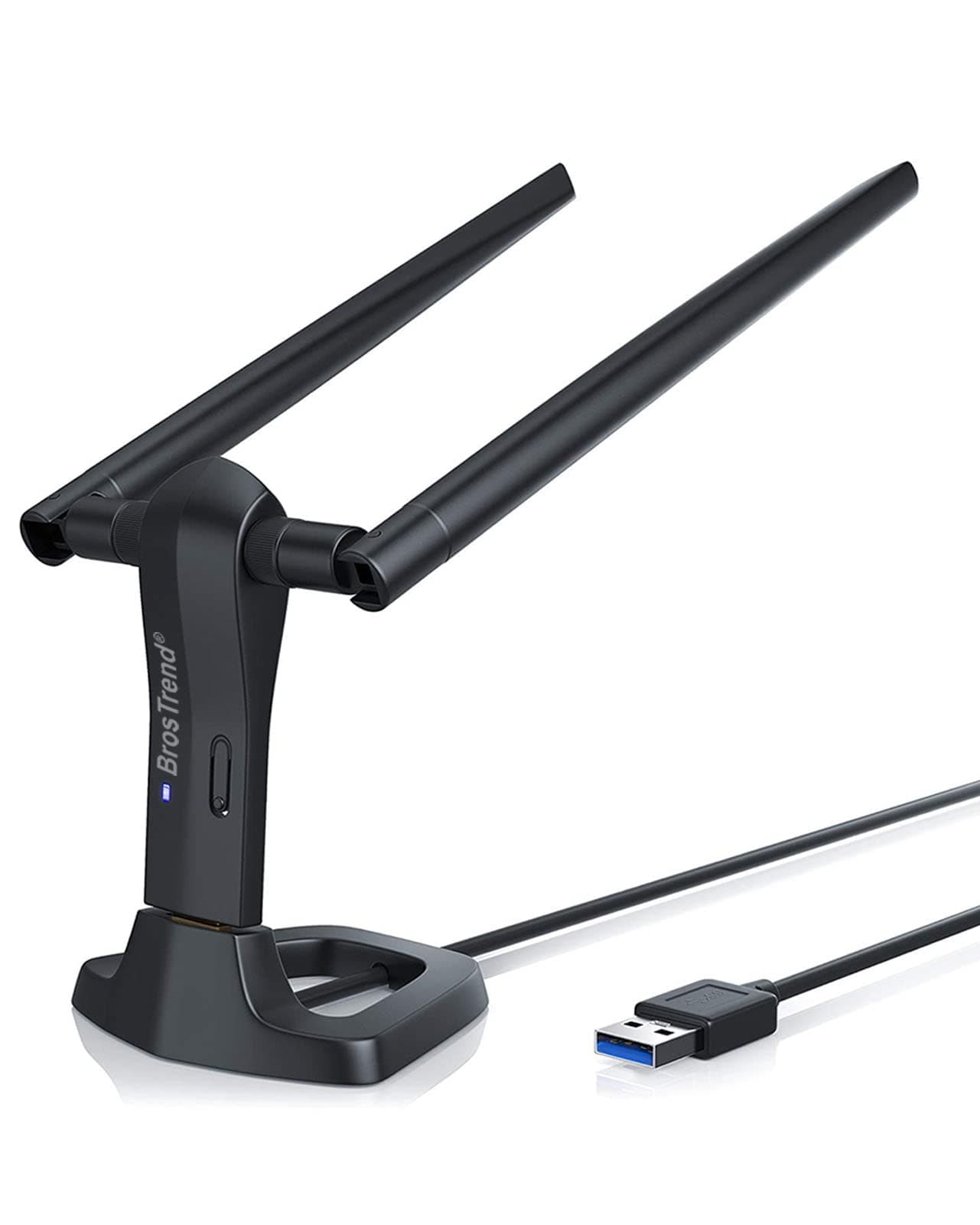
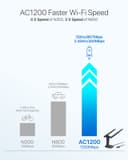

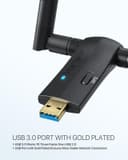
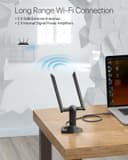
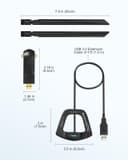
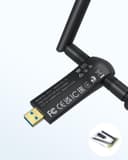
🌐 Unlock Linux WiFi Freedom with Speed & Range That Impress
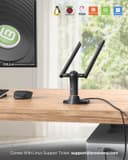
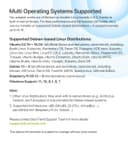
The BrosTrend Linux WiFi Adapter AC1200 delivers ultra-fast dual-band WiFi (up to 1200Mbps) with broad compatibility across 30+ Linux distros and Windows 11. Featuring dual 5dBi external antennas and USB 3.0, it ensures extended range, stable connections, and advanced WPA3 security. Ideal for professionals demanding hassle-free, high-performance wireless connectivity on desktops, laptops, and Raspberry Pi devices.





| ASIN | B07FCN6WGX |
| Best Sellers Rank | 19,368 in Computers & Accessories ( See Top 100 in Computers & Accessories ) 172 in USB Computer Network Adapters |
| Box Contents | 1 X 1200Mbps Long Range Linux USB WiFi Adapter, 1 X 5-Feet USB 3.0 Extension Cradle, 2 X External High Gain Antennas |
| Brand Name | BrosTrend |
| Color | Black |
| Compatible Devices | Desktop, laptop, computer, PC, notebook |
| Compatible Operating System Family | Linux, MacOS, Windows |
| Country of Origin | China |
| Customer Reviews | 4.4 4.4 out of 5 stars (1,739) |
| Data Link Protocol | IEEE 802.11ac/n/a 5GHz, IEEE 802.11n/g/b 2.4GHz |
| Data Transfer Rate | 1200 Megabits Per Second |
| Hardware Interface | USB 3.0 |
| Item Dimensions L x W x H | 9.5L x 10W x 17.7H centimetres |
| Item Type Name | Linux USB WiFi Adapter for Long Range, Kali Linux USB WiFi Adapter, USB WiFi Adapter Linux, Linux USB WiFi Adapter, Linux Compatible WiFi Adapter |
| Item Weight | 60 Grams |
| Manufacturer | BrosTrend Technology LLC |
| Manufacturer Part Number | AC3L Kali Linux Wi-Fi Adapter |
| Minimum Required Operating System Version | Ubuntu 16.04 Xenial Xerus |
| Model Number | AC3L Linux WiFi Adapter |
| Product Warranty | Register for 2-Year Warranty |
| UPC | 742186982243 |
G**T
Linux performance
Brilliant. I've had issues with wifi adaptors in the past with Linux compatibility. This worked straight away on a debian set up very happy. Also worked on windows 11 as a test.
P**P
Excellent Linux compatibility and range
So .. I bought a Brostrend wifi6 adapter which said it is linux compatible and it did eventually work, but i had to download drivers and go through hassle. This one is TRULY linux compatible!, every distro i tried it with found it and made it jump into life. Raspberry Pi also got it straight away ... and LibreELEC ... No messing about, works out of the box. ALSO ... REALLY good range (impressive actually) I'd buy this again without thinking.
P**N
V2 dongle working nicely with Raspberry Pi OS Buster and Bullseye (32bit)
I received my device recently (~Feb 2022) and first installed it on a Raspberry Pi 4 (because they have USB3 ports) which was running the Buster (Lite) release. I did research installation prior to doing anything, and I find a few posts on the Raspberry Pi forums about some issues people had, and an alternative installer script I could use. However, I simply followed the instructions that came with the device, downloaded the installer script and that ran perfectly! I did add "dtoverlay=disable-wifi" to my /boot/config.txt file in order to disable the internal Raspberry Pi Wifi, although it should be possible to use both simultaneously. I have since re-imaged the same Pi with Raspberry Pi OS Bullseye Lite (32 bit) and again the installation was perfect. In this case I had already manually downloaded the .deb file and was able to use dpkg to install the package. It dealt with dependencies (e.g. kernel headers) automatically, and the .deb only contains source code (so it's architecture neutral... which is useful given that the Pi is ARM based) and is automatically compiled. I think installation took (very approximately) 10 minutes on my Pi 4, but mileage may vary! Also of note; the .deb installation adds an entry in apt sources so it should update itself should a newer driver appear. I've had this setup running 24x7 for about 3 days now and it's been great! I am a good distance from the router I've connected it to, so I'm not sure I actually get faster through-put, but it is certainly a very stable connection. Also, previous wifi dongles I've used have gone into a low-power mode after a period of inactivity which I've had to work-around... thus far, I've not experienced this with the BrosTrend device. Overall - I'm really happy with this!! :D
M**K
Perfect customer service. Strong WiFi signal after installing dongle.
Had some problems with this at first, but perfect customer service solved it immediately. I wish my future experiences with customer services would be like this one, bravo guys! WiFi dongle itself boosting signal perfectly, I'm using it on single board pc running Linux. From weak signal checked on speed test which was about 3 to 5Mbps jump to 130! Wow! Definitely recommend this dongle. Top notch.
K**S
*
Plug and play , works as it should with no issues so far .
R**)
This is a v2 dongle based on the realtek 8812bu not 8812au chipset
This is a review for the third of these USB dongles I have purchased over the past two years or so. This one, purchased in September 2021 is a V2 dongle. It loses a star for the lack of clarity on chipset change, and for badging the thing as the same product as its predecessor. Linux The new V2 dongle is based on the Realtek 8812bu chipset, not the 8812au chipset as were the previous ones. This caused a bit of a hiccough in my setup. I used the driver based on the github user "morrownr" repository morrownr/88x2bu. This compiled fine using gcc 11.2.0 (with a few warnings). It worked well with a 5.14.x kernel. If you edit your wpa_supplicant.conf file, don't use a -Dwext driver. Just remove the -Dxxxx switch completely (the default is nl80211 but it's not needed on the command line). My feeling is that the stick is a few percent slower in downloads than the v1 device, but this test was done in a very ad hoc manner. It's v2 dongle definitely still in the same ball park for speed. Windows The dongle worked out of the box under Windows with speeds comparable to the V1 dongle over the same distance. It's plug and play. Mac I have not tested the Mac driver, but the dongle is definitely not plug and play on the Mac (at least not under Catalina). You'd have to download a driver. I don't know if Apple approve this driver.
P**R
A good product with excellent technical support
A good product, backed up with exceptional support. Works well with raspberry pi boards, both model 3 and model 4 boards I tested this with both of my raspberry pi boards. I followed the instructions posted on their web page Installation - linux.brostrend.com I used the alternate download instructions, as stated on that page The driver downloaded and installed first time. It took over 30 minutes, I just had to be patient. The results are impressive. The distance that the adapter can Tx and Rx to my router with good results is greatly increased. Note;- The standard wifi settings on the raspberry pi have to be changed in order for the board to stop using the built-in wifi on wlan0 and to get the board to switch over to its wlan1 ,when the USB-wifi adapter is working. I just had to add the following 1 line to the end of the file named “ dhcpcd.conf” , located in the “etc” folder ;- Type denyinterfaces wlan0 and save the file. It seems that the above command causes the raspberry pi board to stop using its default wlan0 and to automatically switch to using its wlan1 interface, which is where the adapter is working. What I found remarkable is the exceptional technical support that comes with this product. I sent request for support and ( to my great surprise ) I got an informative and helpful reply within 24 hours ! How often you get that level of support.
C**O
Produit efficace avec un câble de rallonge pratique, qui aurait cependant gagné à être souple et tressé, il est un peu raide et déstabilise le support. Cette clé est détectée et marche automatiquement avec les noyaux linux 6.5 et plus récents, avec le driver standard rtw88_8822bu. Par contre pour les distributions plus anciennes (par ex Debian 12) il faut installer le driver fourni par le constructeur sur son site deb.trendtechcn.com mais il fournit un script automatique pour cela. Aussi, la clé marche parfaitement avec "network-manager", l'interface graphique standard des bureaux linux. Mais en mode serveur sans écran, il faut aussi l'utiliser, via la commande "nmcli", en évitant que "network-manager" ne vienne perturber votre config réseau existante. En effet, je n'ai pas réussi à me servir des autres commandes non graphiques telles que iwconfig, iw, wpa_supplicant, ... qui ne retournent pas d'erreur mais n'établissent pas la connection. Bref, aucun souci si vous l'utilisez sur un desktop linux moderne. Sur des serveurs, cela demande d'un peu plus se pencher sur la configuration si vous n'utilisez pas "network-manager".
N**E
Works great.
C**A
Con esta antena si funciona el WiFi. Fácil de configurar en Linux mint y en Windows funciona directamente.
N**.
Fué muy fácil de instalar, no tuve necesidad de hablar con soporte las mismas instrucciones, me funciona en Debian 11
D**R
I recently purchased the BrosTrend Linux WiFi Adapter, and I must say I am thoroughly impressed with its performance. This little device has made a significant difference in my overall computing experience, and I couldn't be happier. First and foremost, the installation was an absolute breeze. As someone who has struggled with setting up other WiFi adapters in the past, I was pleasantly surprised at how straightforward the process was. It seamlessly integrated with my Linux system, and within a matter of minutes, I was up and running with a stable and reliable internet connection. The signal strength and speed of this adapter are exceptional. I live in a large house with multiple walls and floors, and I was worried about the range and signal quality. However, the BrosTrend Linux WiFi Adapter has exceeded my expectations. It provides a strong and consistent connection throughout my home, and I no longer experience any lag or buffering when streaming or gaming. What's also worth noting is the compact and sleek design of this adapter. It's small enough to remain inconspicuous when plugged into my laptop, and it doesn't obstruct other USB ports. Plus, it doesn't get in the way when I'm on the move, making it perfect for both home and on-the-go use. I also appreciate the driver support for Linux. BrosTrend has done an excellent job ensuring that their product is compatible with a wide range of Linux distributions, which is a big plus for users like me who prefer open-source operating systems. Overall, the BrosTrend Linux WiFi Adapter has made a significant difference in my daily computing activities. It's reliable, fast, and hassle-free. If you're a Linux user looking to improve your wireless connectivity, I wholeheartedly recommend giving this adapter a try. It's a fantastic investment that will undoubtedly enhance your online experience.
Trustpilot
1 week geleden
5 dagen geleden