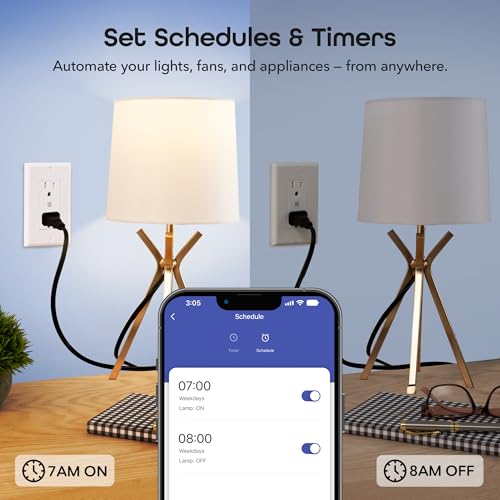
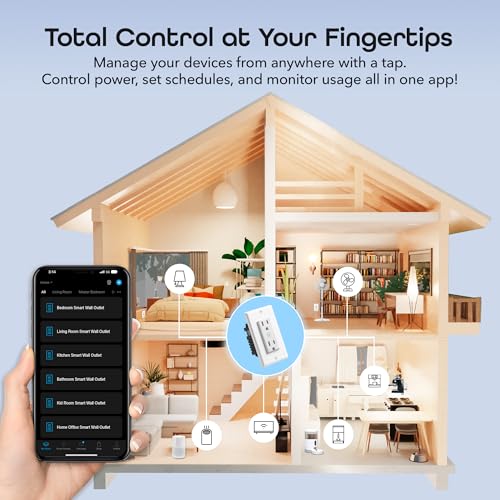


⚡ Power up your smart home game with effortless control and safety!
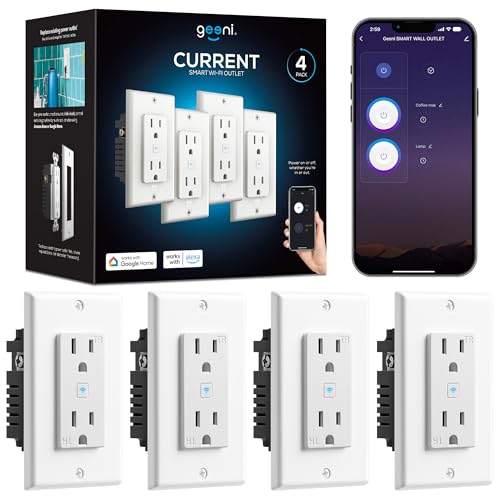
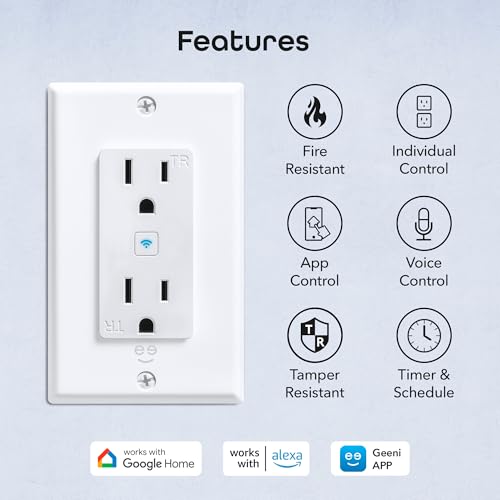
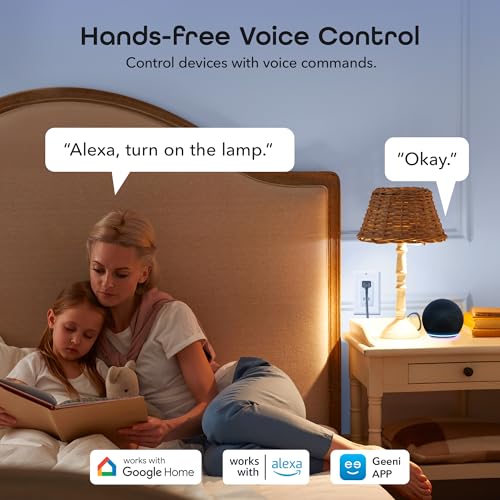
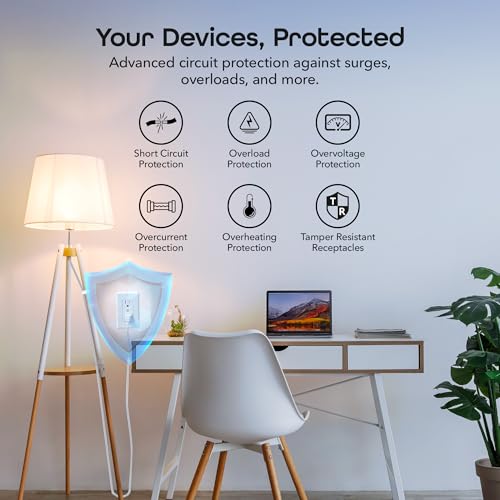
The Geeni Smart WiFi In-Wall Outlet 4-pack offers dual tamper-resistant smart outlets per unit, compatible with Alexa and Google Home for voice and app control. Featuring fire-resistant housing and advanced safety protections, it supports custom scheduling and automation via 2.4GHz WiFi without requiring a hub. Designed for quick DIY installation, it empowers professionals to seamlessly integrate smart control into their home or office environment.


| ASIN | B0FCZJ48JV |
| Best Sellers Rank | #142,409 in Tools & Home Improvement ( See Top 100 in Tools & Home Improvement ) #265 in Electrical Outlet Switches |
| Date First Available | June 5, 2025 |
| Item Weight | 1.5 pounds |
| Item model number | GN-WW415-199 |
| Manufacturer | Geeni |
| Product Dimensions | 2.5 x 2.75 x 4.5 inches |
B**E
It turns off the router and turns it back on as scheduled!
First off yes this will shut down your router overnight and automatically restart it in the morning based on your schedule. Could not find that answer anywhere!! Installation: 3 stars because first one we received a screw top just broke off where the wires insert. Got the second one quickly and was a bit of a challenge to loosen wire screws enough to get them in but finally got it. Then it was too big for the current box because of the ground wire screw. Trip to the hardware store for a new outlet wall box and a handy husband later and it was installed. Use: Minus some user error setting the schedule to on instead of off, set up was easy. Did have to plug the Wi-Fi into a different outlet to set up. Set up the switch in the app then moved the router to this plug. Set the schedule and it works. And if an adult wakes up in the middle of the night an wants Wi-Fi the schedule can be overridden via the app with the Wi-Fi off and it recognizes it. Nice feature is that both plugs are timed and can be schedule separately. And we got the two outlets with two USB ports for right at $20. Some non smart plugs with USB ports are > $20! This outlet is a win win for us as we help teenagers learn to value sleep and help protect them from late night mistakes by simply shutting down the Wi-Fi to all devices in the home. Sure I could take all devices at my bedtime but they are up later and want to help them learn to be responsible with some limits to help guide them.
J**E
Works very well
Used these to add two exterior outlets for lighting (Christmas and other lights). The smart function is easy to use and set up. I especially like that you can turn on/off each plug either together or one at a time giving you two switched outlets per unit. It nice to not have to go out and plug/unplug the lights. These can easily be installed into an existing outlet (please turn off the breaker to the outlet before installing). For my install I was piggybacking off of existing electrical which requires more work but it still went quickly with excellent results.
B**R
Worth it
Had one minor issue, but so far these have been very worth it. (GN-WW116-199) We had some worries about installing these in places where we'd need to use a vacuum or steam mop, but I could find no legitimate reason not to simply try it, because both appliances claim to be well below 15 amps. I decided to just go ahead and try it and thankfully, both appliances function fine (separately) and the outlet didn't shut off or catch fire. They will never be used at that level for extended periods of time, so I'm not too worried and I feel like this is useful information for anyone considering the outlets. You have 3 virtual switches, one for each outlet, and one for both USB plugs together. You can turn them on, off manually with the app, with the button, or with scheduled triggers. I have not messed with the more complex stuff, but it sounds like you can do things like have it turn off after a certain period has elapsed after turning it on. I plan to play around with this for charging things without overcharging them, as I like to avoid overcharging most of my batteries. The switch is audible when it turns on. It's not super loud, but has a good solid sounding "thunk" to it. I assume this is a good thing, at least it makes me feel like it is going to be able to handle the amps that it says it can. Someone said the USBs are not a fast charger, I don't think this is true. I plugged my phone in, and checked the charge rate with Ampere and it appeared to be the same as my 3 amp fast charger. Obviously if you plug two devices at the same time, this will likely be halved. Don't be turned off, the USBs appear to have plenty of amps. We did run into one issue. Today, we had the 3 that were on schedules fail to turn on. When I checked them in the app, all 4 outlets showed as disconnected. They could still be turned on manually with the button, but were disconnected to the app. The wifi was on and working and nothing had changed. I rebooted the router to no avail. When this happens you are supposed to be able to hold the button for 3 seconds to reset the device. This didn't work for me on any of the outlets. Nothing I did with the button would reset the outlet. Perhaps a firmware update messed up the functionality or the documentation is wrong. So if you have this happen and are in the same boat, DO NOT remove the device in the app as I've seen suggested. Instead, simply turn off the breaker, wait 30 seconds to a minute and turn it back on. For me, this reconnected the devices. I figured this out after removing two. Those ones had to be added back and the schedules recreated. Save yourself the extra steps and just turn off the breaker first. Obviously wait for a good time, when you aren't going to be turning off someone's desktop computer or something. UPDATE: Things that you need to be aware of. - 15 amp limit on the whole outlet, but 10 amp limit per plug. So you will never get more than 10 amps on a device. - If you burn out an outlet, there is no easy to access way to fix it. Consider the outlet ready to be replaced if that happens. I did start to disassemble it but once I decided I'd gone far enough and hadn't found a fuse yet, I wrote it off at that point. We burned a single plug out of ours with a steam mop in tandem with a 1' extension that afterwards I noticed did not fit tightly like it should. So it would have had higher than normal resistance, but I also didn't realize the 10 amp limit at the time and probably would never have tried the steam mop had I known that. - If you have the issue where they disconnect and don't reconnect (this happens once every week or two for us), there is no easy way to reset them. You are "supposed" to be able to reset them using the button, but I assure you that on the current firmware there does not seem to be any way to do this. The ONLY solution I have found is to turn off the breaker and this is actually the action you should take, because it does work very well to make them reconnect, but as you can guess this can be very inconvenient. My personal conclusion: I'm taking them all out. I took off one star mainly due to the disconnect issue and it not being easy to reset. I'd take off more, but I'm not an electrician and have no way to back up my current worries with actual knowledge. I opted to remove them for the following reasons. - My partner needs to plug in a higher amperage device to multiple of the places where I had these, so using a standard outlet with a single smart plug instead, just makes a lot more sense, because you have the flexibility of maintaining a full amperage outlet. - If they break or you decide to move them (or you need to reset them), these are much more work and hassle. - The "hole" hookups in the back are required if you need to hook up more than one set of wires (which presumably would be most of the time). This seemed fine, but when I took one of these out, I found the ends of the copper wires to be blackened. That same loop has a 1500 watt heater on it, on a separate outlet mind you, and the blackened ends just leads me to believe the "hole" hookups in the back don't provide a good enough connection. This led to a lack of trust in these outlets "for me" and I'm opting to not use them mainly for this reason.
J**N
I can finally get rid of smart plugs
I needed a smart plug but did not have room behind a dresser. In searching for a plug that would plug in from either the side top or bottom I came across this plug. I thought I would try it. Well first it is so easy to install, it installs just like a normal receptacle. After loading the geenie app I tied it into my network and the plugs just worked. All I had to do was to link it to my Alexa app which was very straightforward and presto the thing worked. You can actually control each plug individually. Super but I need to see if there is a way to just have a way to control both at the same time.
J**G
great
great
V**B
Limited durability
Great product, at the beginning. After a little over a year, it started making a popping sound and I couldn’t get it to reset. Replaced it. Two months later another outlet started making the same sound (see video). Same issue. I contacted customer service and, guess what, warranty is just for 12 months. Besides, customer service is horrible. They kept pretending I was talking about a camera device. I mean, can’t you at least have someone in customer service that knows the difference between an outlet and a camera? That’s it. I am stuck with it now. Multiple devices installed waiting for the next one to pop. Have you planned to replace your smart outlets every other year? What a waste!
R**N
Integrated flawlessly with Google Home and other Mercury/Geeni products
Pretty much plug and play, once you have it all wired in, which, if you do not know how to do it, I would not start off here, a smart man, learn from his mistakes, but a wise man will learn from the mistakes of another. If you don’t know what the hell you’re doing, don’t let yourself. I would also look into the the neighborhoods municipalities rules and building codes, if your unsure. It’s 3 wires, cut the hole, add junction box, feed wires, screw tight, push back, screw faceplate, push Wi-Fi, and your in there like swim wear.
O**R
Excelente producto, de fácil configuración y cien por ciento estable, recomendable al 100.
B**E
Fantastic item, works great. What I like about it is that I don't have to plug a timer into my outlet to control my under counter lighting, my other outlet of the two is controlled separately. I can think of so many other things to control with this timer without having to plug a Wi-Fi controller into each of my outlets first then plug my other items into it, this Geeni Smart Wi-Fi outlet gets rid of all that bulk for a nice clean look with the added feature of the two outlets being independent of each other. Well worth the money.
J**Z
Para automatizar la casa
R**S
I have a Geeni smart bulb and smart outdoor duo, both with no issues so it made sense to stick with Geeni. Needed a smart plug for the Christmas tree and was going to buy their dots to plug into an outlet. Then I saw this and it made even more sense to replace the 50 year old outlet in the wall and not a dot sticking out as a bonus. This outlet was incredibly easy to install. Love how you can push in your existing bare wires without any trimming and no copper was showing once tightened up. Leviton and Hubble should take notice of this great design. Setting up to Wifi and the Geeni app was a breeze! I'm loving Geeni and will continue to buy their products going forward!
A**R
... no se conecta con Homekit, por lo que es el único que en casa requiere de su propia app para controlarlos. Afortunadamente los uso en un horario específico y son fáciles de programar, por lo que me olvido de encenderlos y apagarlos. Si en algún momento los actualizan para ser compatibles con Homekit no dudaría en usar esta marca en todos mis contactos y apagadores.
Trustpilot
5 dagen geleden
1 maand geleden



