
DOWNLOAD DE APP


Klantenservice
Copyright © 2025 Desertcart Holdings Limited
DOWNLOAD DE APP
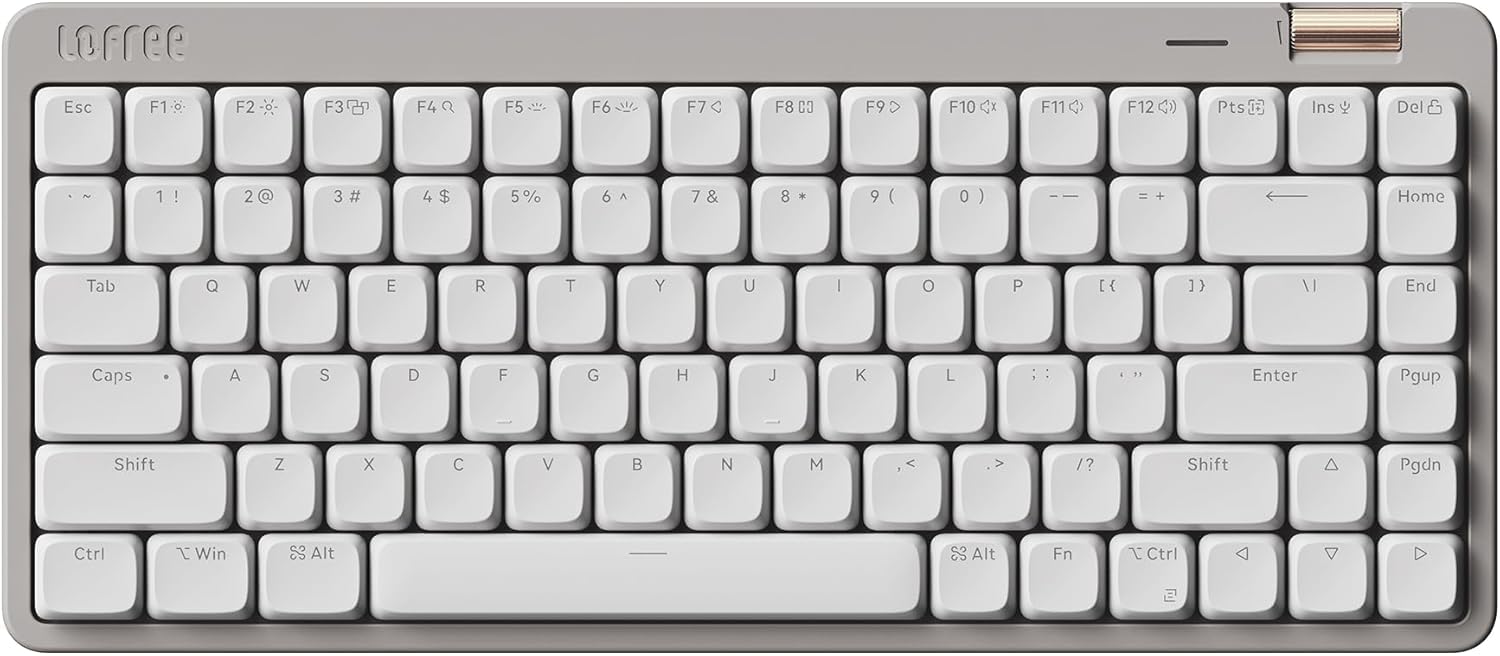
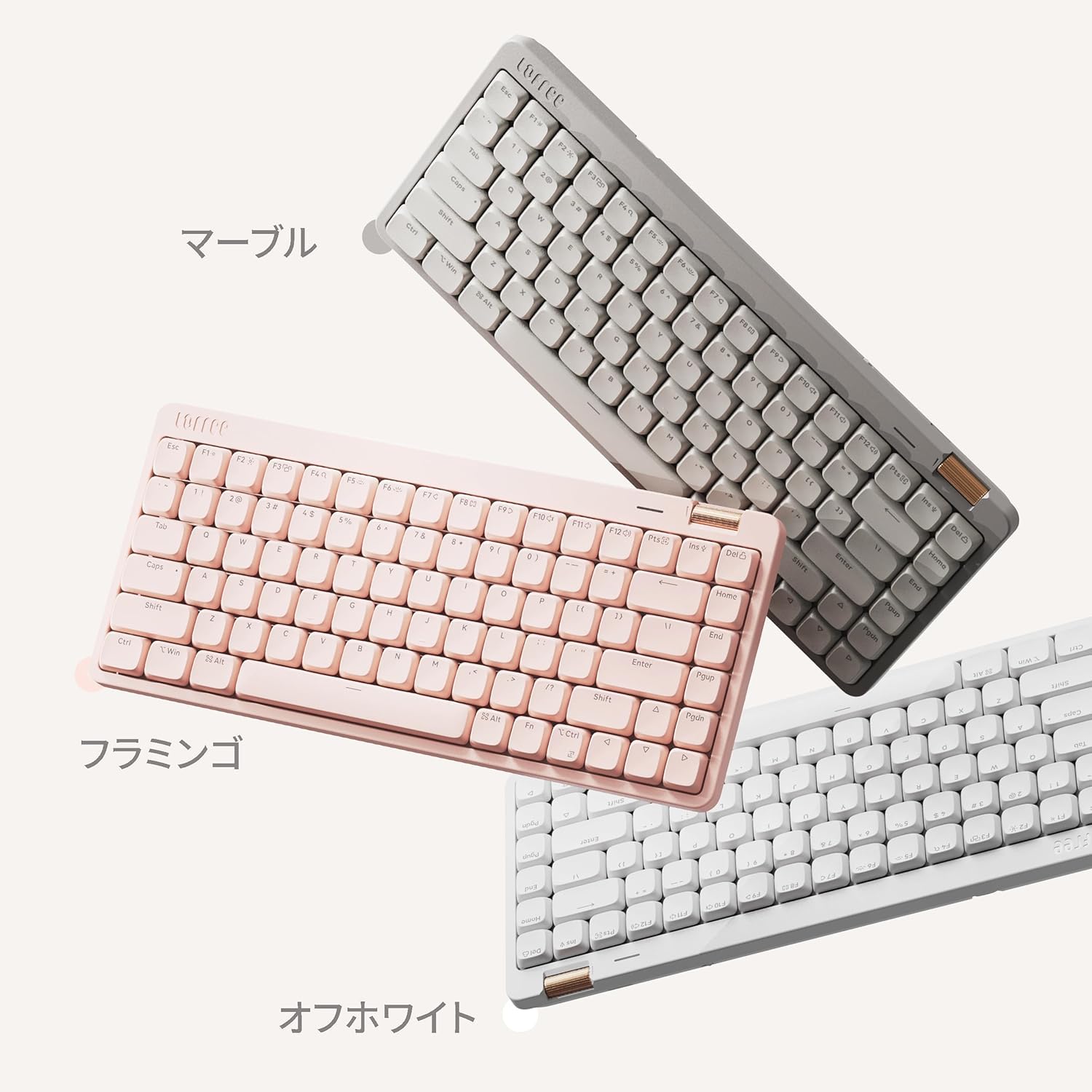
⌨️ Elevate your workspace with Flow Lite — where sleek design meets powerhouse performance!
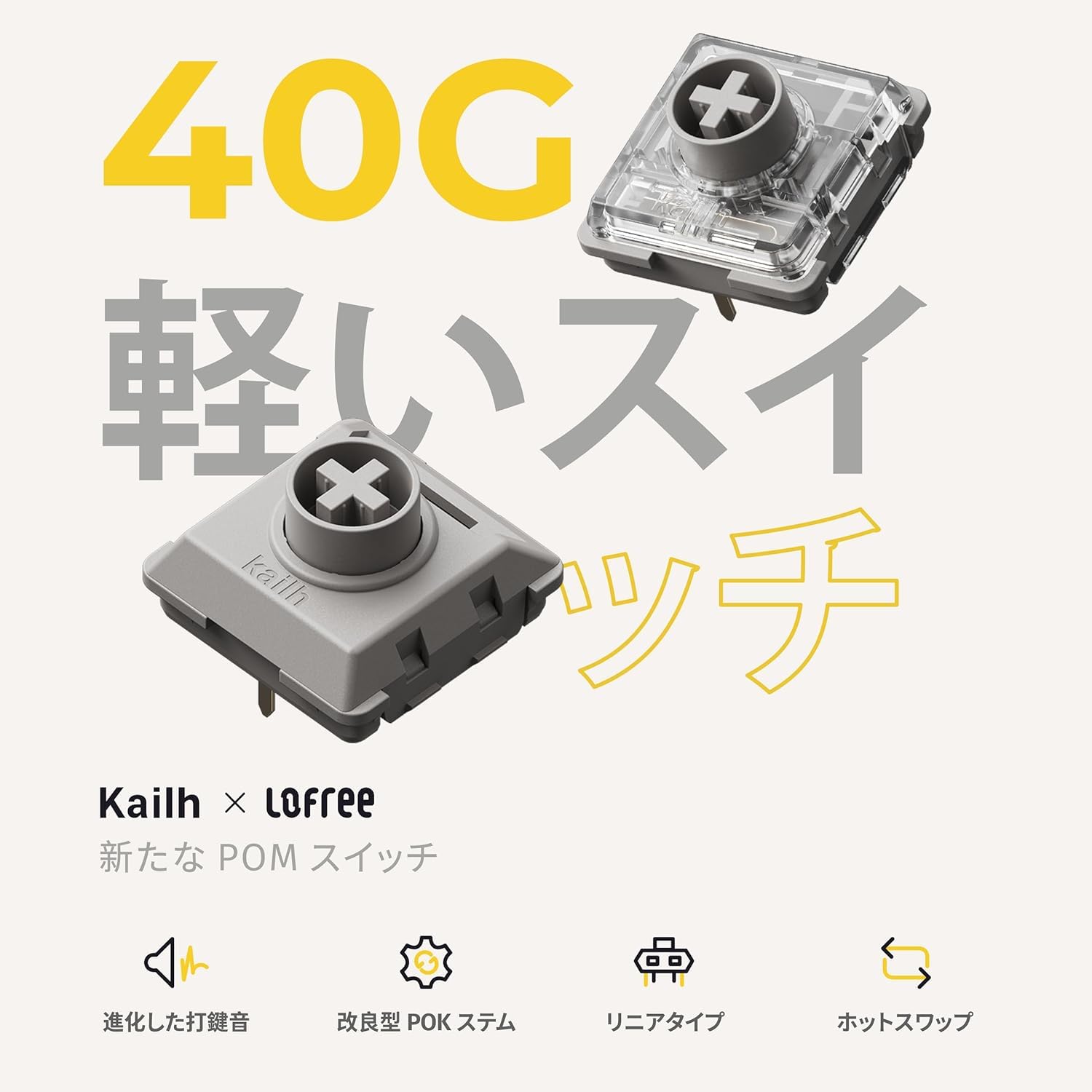
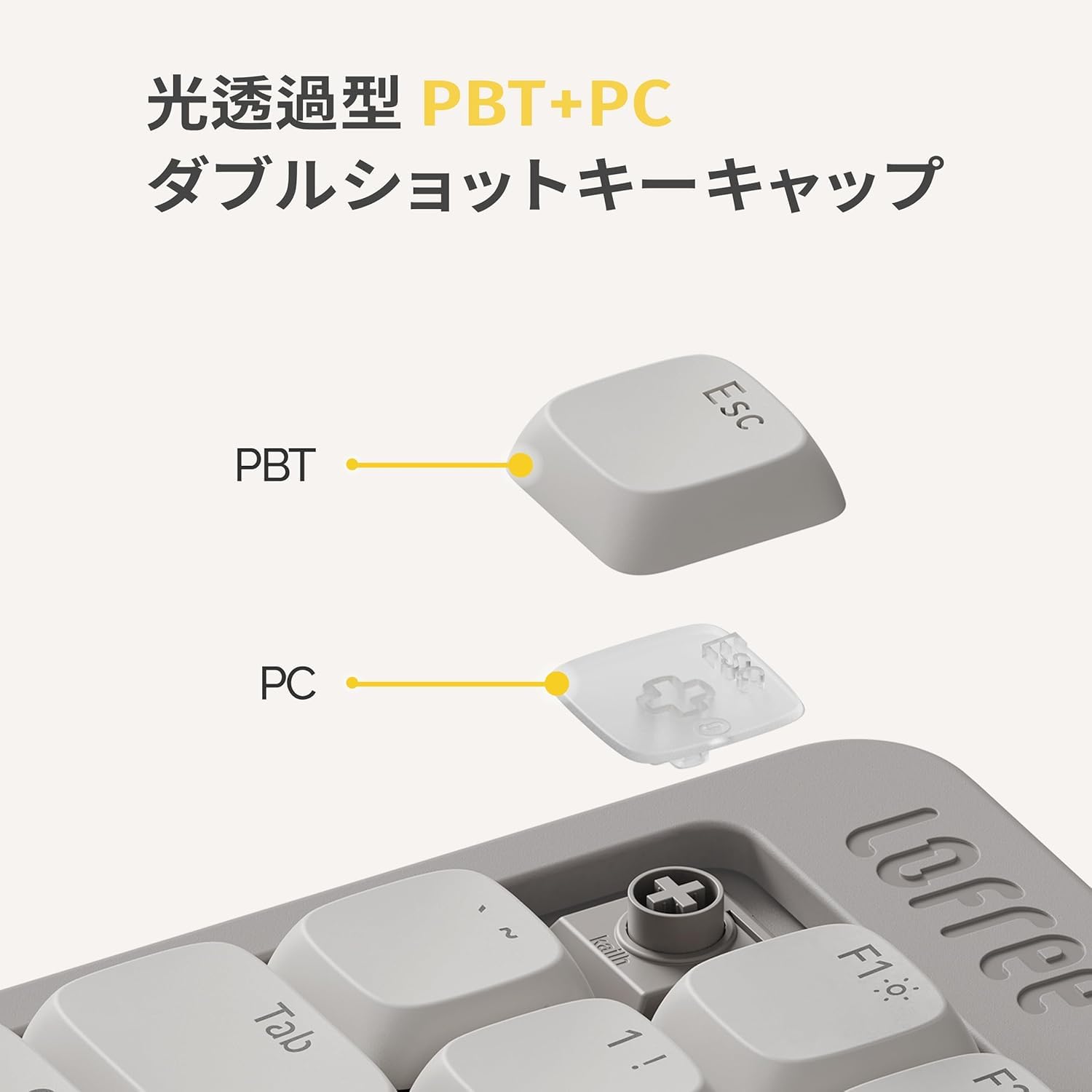
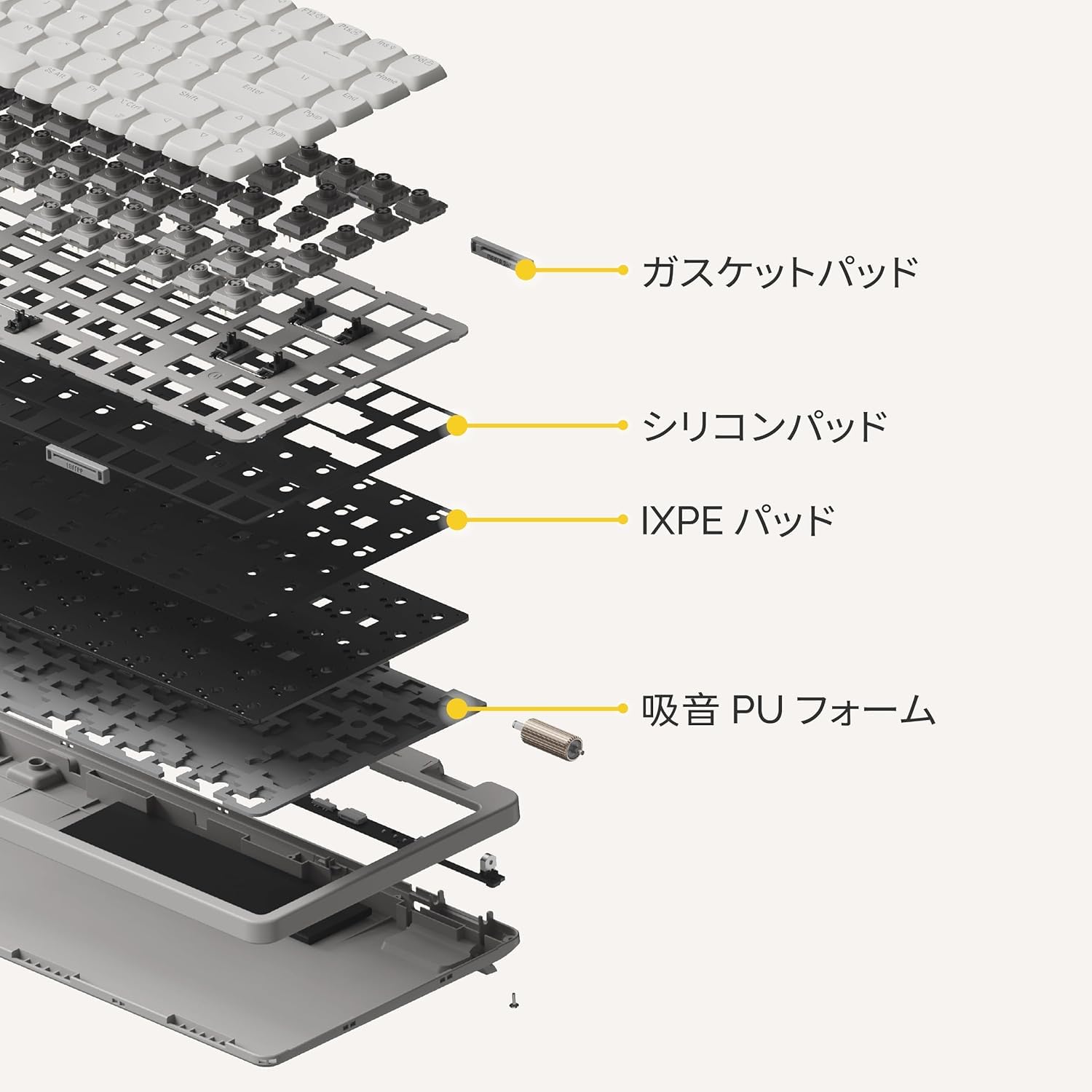
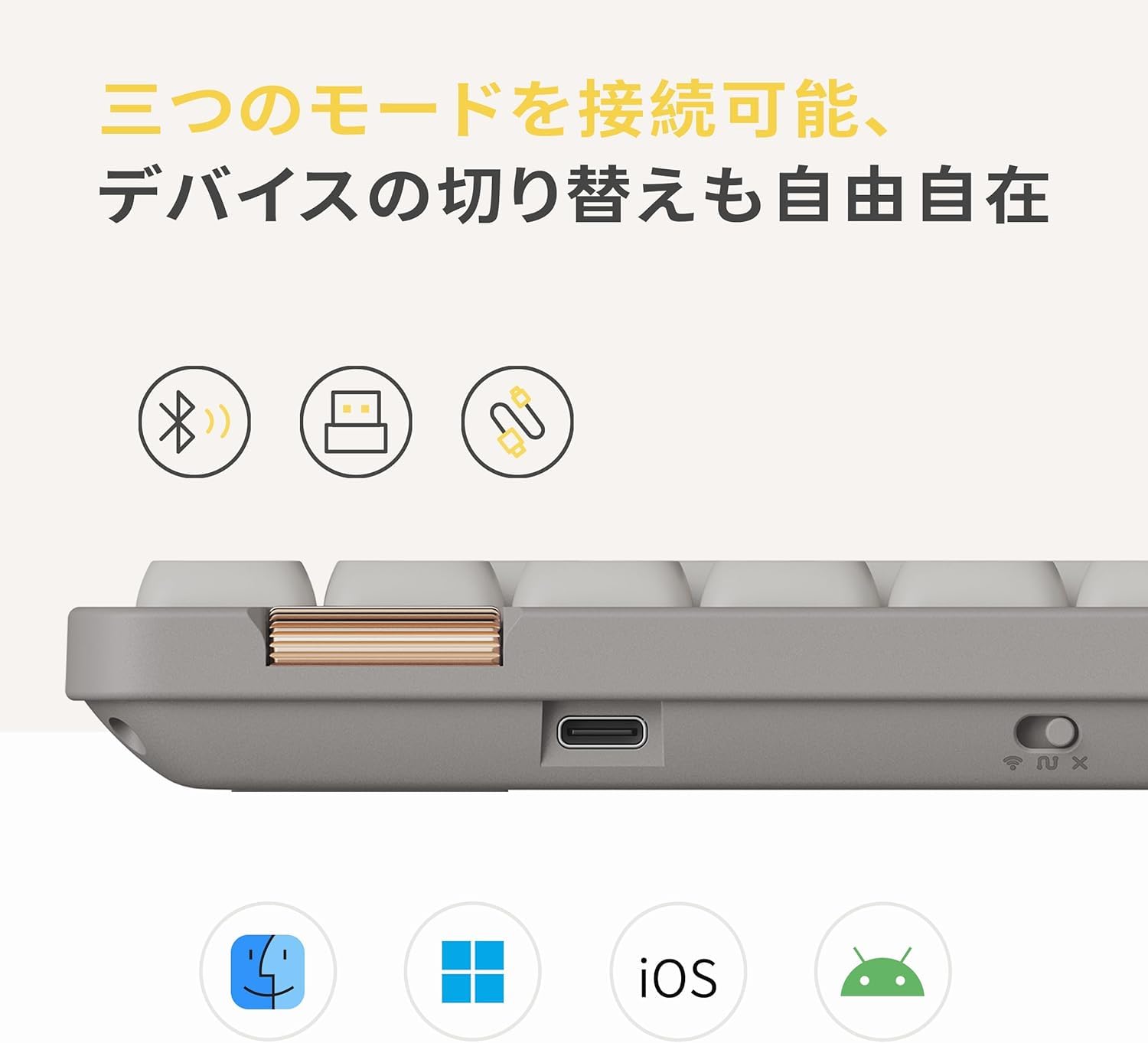
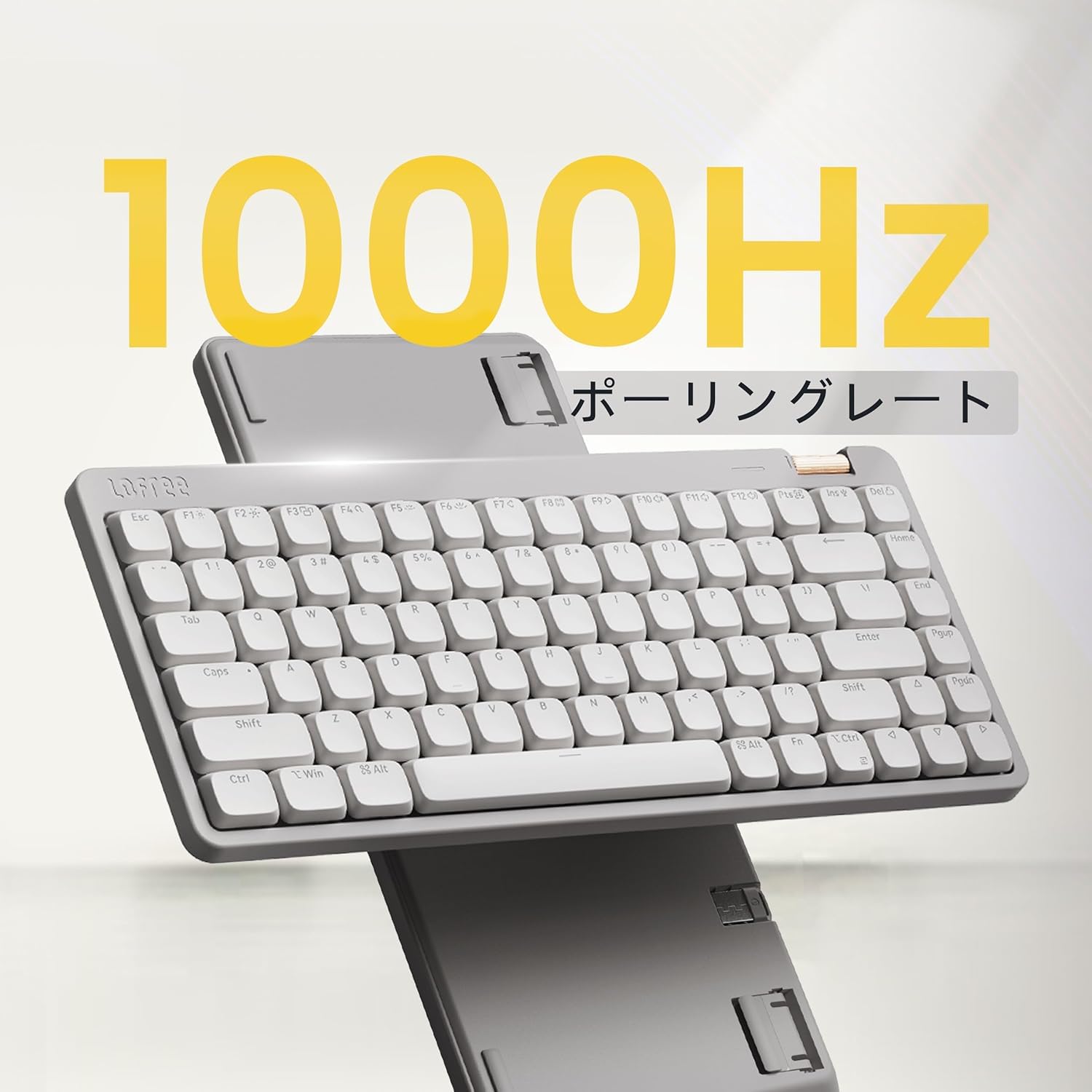
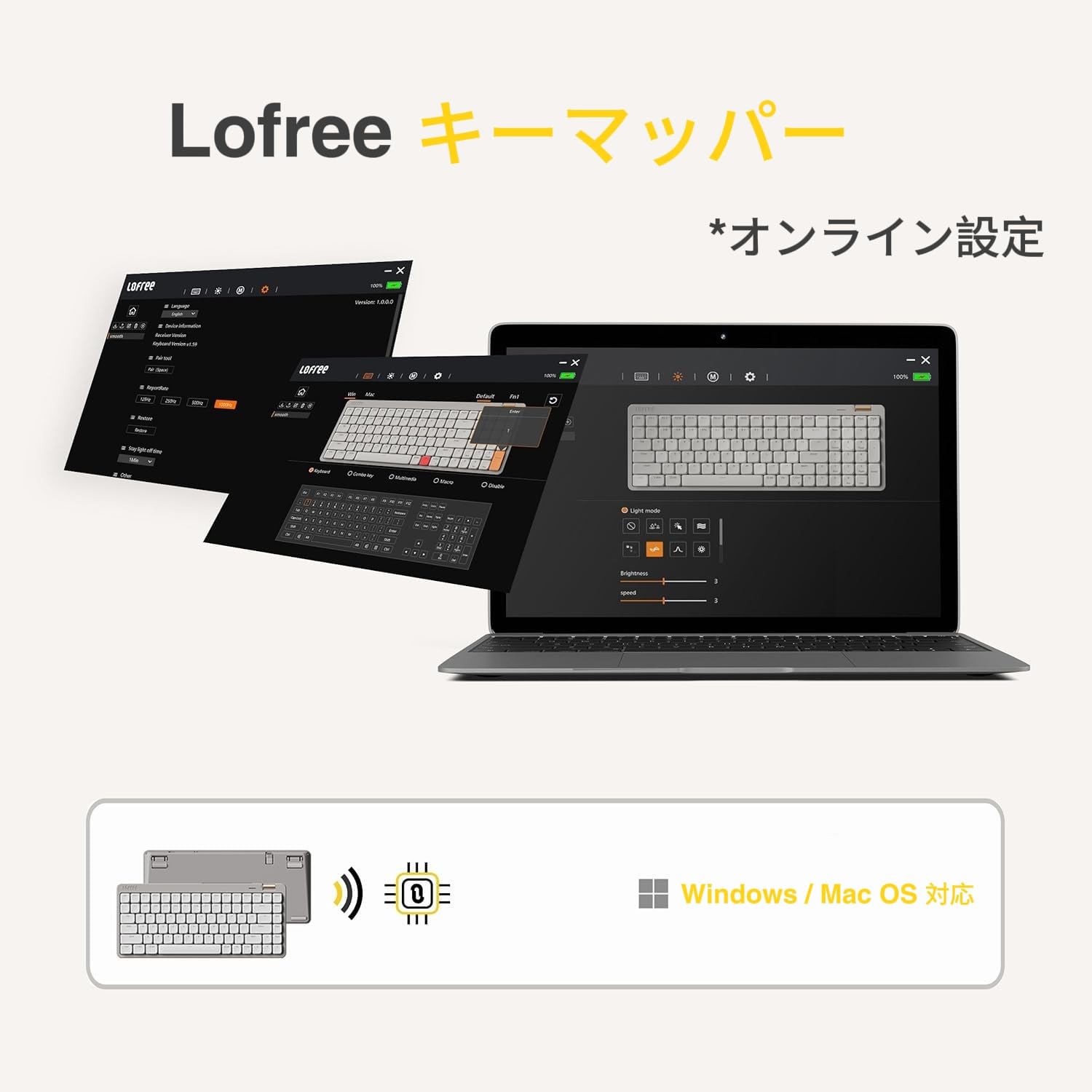
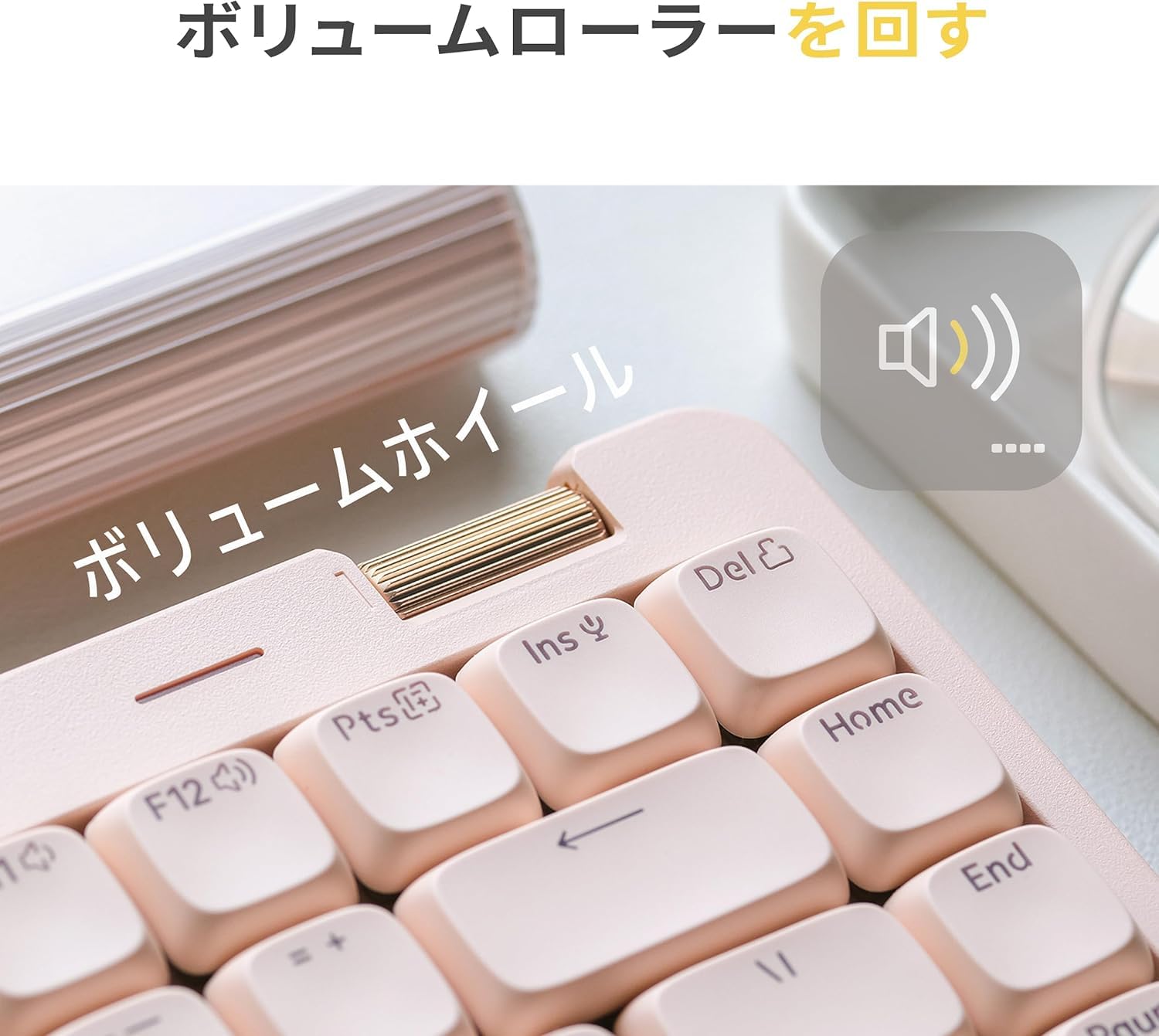
The LOFREE Flow Lite is a compact 84-key low profile mechanical keyboard featuring Kailh Spectre Linear switches designed for ergonomic comfort and reduced finger fatigue. It offers durable PBT double-shot keycaps, a flexible 3-mode connection (2.4GHz wireless, Bluetooth, and wired USB-C), and a robust 2000mAh battery providing up to 80 hours of use. Additional perks include a customizable key mapper, built-in adjustable kickstand, and an aluminum volume roller, making it a versatile and stylish choice for professionals on the go.


| ASIN | B0DP2ZJVKF |
| Amazon Bestseller | #5,484 in Computers ( See Top 100 in Computers ) #113 in Computer Keyboards |
| Are Batteries Included | Yes |
| Batteries | 1 Lithium Polymer batteries required. (included) |
| Brand | LOFREE |
| Color | marble |
| Customer Reviews | 4.4 4.4 out of 5 stars (845) |
| Date First Available | January 18, 2025 |
| Item Weight | 798 g |
| Item dimensions W x H | 31.6 x 13.8 x 2.4 cm |
| Item model number | OE921 |
| Lithium Battery Energy Content | 10 Watt Hours |
| Lithium Battery Packaging | Batteries contained in equipment |
| Manufacturer | LOFREE |
| Number Of Lithium Ion Cells | 1 |
| Power Source | Battery Powered |
| Product Dimensions | 31.62 x 13.79 x 2.36 cm; 798 g |
| Series | FLOW LITE |
| Wireless Type | 2.4 GHz Radio Frequency |
楠**玲
打鍵感覚はコトコト。そして浅い。ちょっと触れただけで反応するくらいです。 打鍵音は静かなので、オフィスで使用しても苦情の元になることはないでしょう。 接続方法による打鍵感覚の差異はないので、お好みの方法で接続すれば良いかと思います。 私は本機種を2台持っていて、1台はデスクトップPCに有線で、もう1台はリビング用ミニPCにドングルで接続しています。 専用ソフトを入れれば複数種類の中から光らせ方を選べたり、キーの有効無効を選べたりします。 私にとってはお値段以上な製品です。
は**と
コトコト感が好きな方は試す価値あり。ロープロファイルはストロークが短いので好き嫌い分かれます。私もメカニカルの方がタイピングはスムーズで仕事の効率は良いのですが、見た目とコトコト感が欲しくなり、交代で使ってます。
O**B
Lofree Flow Lite 84キー(マーブル/グレージュ)のレビューです☻ 仕事とプライベート両方で使えるキーボードを探していて購入しました。 オフィスでも使いたかったのですが、標準搭載スイッチの打鍵音は静かめとはいえ超静音とまではいかなかったため、現在は自宅で愛用中✨ ✦ 見た目・デザイン 全体的に角が丸く、キーキャップもキーボード本体もやさしい印象。 落ち着いたカラーに、音量ダイヤルはゴールド。全体的に温かみのある癒し系のデザインです。 指に吸い付くしっとり系のキーキャップは角が丸められておりタッチも柔らか。 グレージュは本体とキーキャップの色に若干の差があるためキーが少し浮き上がって見え、黒系・白系どちらのデスクにも馴染むカラーだと思います◎ なお、室内が明るい場合はライトONだとやや見づらいですが、OFFにすると印字が黒くなり見やすくなります。 (黒印字×ライトオフも見た目◎) ✦ 打鍵音・打鍵感 とにかく打鍵感が最高です! コトコト、コツコツとしたしっとり系で打鍵音ともに癒し効果高め。 薄型ならではの軽快さもあり、底打ち感も心地よく気持ち良いです。 力強く叩きつける雑なタイピングにはなりにくく、そういった意味でも音量が控えめなことが多いため、夜間も安心です。 薄型で非常にタイピングしやすく疲れにくいため、長時間のタイピングにもオススメです✨️ ✦ キー操作 US配列キーボードですが、PCの設定がJIS配列のままでも違和感少なめに使用できるため、タッチタイピング/ブラインドタッチができる方ならすぐに慣れると思います◎ (2025.8月にJIS配列版も出るようですので、気になる方はチェックしてみるといいかも) また、Fnキーとの組み合わせで接続切り替えやライト変更なども可能です。 Fn+1〜3:Bluetooth切替 Fn+4:2.4GHz接続 Fn+左右:バックライト変更 Fn+N/M:Windows/Android・Mac/iOS切り替え ✦ 気になるポイント ・キーキャップはいい感じなのですが、全体的にプラスチック感があり、ロゴやダイヤルの質感・操作感も若干チープな印象。高級感は少なめかも ・キー間隔がやや詰まっているため、最初は打鍵ミスが起きやすいかも ・これだけのキー数なので仕方ないのですが、全体的に左寄り。キー配置の都合で、右手のホームポジションが脳内変換より少し左寄りに感じるかも。(キー1個分くらい) ・Wi-FiとBluetooth接続について基本的には快適ですがスリープモードに入るのが早いため、復帰時に最初の1~2文字が反映されないことがあります。地味にストレスなので、特に仕事中は有線接続の方が安定かも。 ・寿司打やPOPタイピングなど超高速タイピングで順位を競うタイピングゲームでは、途中でキーが効かなくなることが度々ありました💦 ウィンドウを閉じてやり直すか、ウィンドウ内をクリックすれば何ごともなかったかのように復活するのですが、超スピードでずっとタイピングをし続けた場合は負荷がかかりすぎるのかも…。そうなると一切タイピングできなくなるため、タイピングゲームは諦めることにしました。 とはいえ、普段タイピングする際にはかなりのスピードで続けても全く問題ありませんので、普通の使い方をされる場合は心配なさそう◎ ・全体がプラスチック製のため、擦り傷なんかはアルミと比べて逆にあまり心配ないかもですが、強度面では若干不安があるため、持ち運ぶ際はスリーブに入れたりした方が安心かも。 ✦ 総評 性別・年齢問わず、幅広い方におすすめできる癒し系キーボードです✨️ 円安×インフレでお値段は少し気になるものの、セールで14,000円とかなることもあるので気になる方はタイミングを狙ってみるのもアリ◎ 持ち運びにも向いていると思いますし、デザインも可愛く、使い勝手の良いキーボードだと思います。 とにかく癒し系の打鍵感と打鍵音が素晴らしいので、ちょっとしたタイピング動画を撮ってみました。 皆さんのイメージの参考になれば嬉しいです☻
ル**ド
ロープロファイルらしからぬ打鍵感 浅過ぎず深過ぎず、万人に丁度いい感じ また購入後半年で若干の不具合が出ましたが Amazonを通じてサポートにコンタクトしたところ とても親身に相談に応じて頂きました アフターサービスを含めお勧めできると思います
こ**ま
コンパクトなロープロファイルキーボードを探していて、このFlow Liteを購入しました。 使ってみてまず驚いたのが打鍵音の気持ちよさ。 カチャカチャうるさいわけでもなく、静かすぎるわけでもなく、ちょうどいい軽快さで、 打つたびに「もう1文字押したくなる」クセになるタイプの音です。 84キーのレイアウトも非常に使いやすく、 テンキーレスよりコンパクトなのに必要なキーはしっかり揃っているので、 デスクが広く使えて作業スペースがグッと快適になりました。 ロープロファイルなので手首の負担も少なく、長時間の作業でも疲れにくいです。 キーの反応も速く、タイピングもゲームもストレスなくこなせます。 見た目もスタイリッシュで、デスクの雰囲気が一段オシャレになりました。 総合的に見て、とても満足度の高いキーボードです。 音が気持ちいい・サイズがちょうどいい・使い心地が最高。
Y**I
一週間使ってみての感想 ・打鍵感 とにかくいいです。様々なキーボードを今まで試してきましたがこれが最高です。 コトコトと気持ちい音がするのでコトコト系が欲しいという方にはこれは間違いないです。 ・打ちやすさ とても打ちやすいです。こんなにいい音するのに薄型とは最高すぎます。 テレワークが楽しくなりました。 ・US配列について 正直全く使いにくいとかはないですね。すぐに慣れます。 対象のキーを押しても違うのが反映される場合は設定からUS配列に設定をしていないからなので故障ではありません。 また、変換キーがないのがネックという方もいますが、私は対象のアプリで設定をし、スペースキーの右のAltに設定を入れたので右手の親指でAltを押せば変換が切り替わるのでかなりおすすめです。 結論 全てをもってコスパ以上のパフォーマンスをしてくれるので文句なしのキーボードです。 買って後悔することはないですね。 あとは耐久性的な部分何年も使ってみてどうなるかですね。
C**U
打鍵音を楽しみながら軽く作業をするのに向いているキーボード。 英語配列だしエンターキーの右側にキーが密着しているので、慣れないとミスが起きやすい。 Bluetooth自動切断までの時間が短いので、手が止まりがちな人はストレスを感じる。マウス操作が続く作業が多い場合も同様。私はこの点で実用的ではなく、遊び用のサブキーボードと感じている。サブキーボードにこの値段は高いと感じる。 良い点 ・打鍵感 ・打鍵音が心地よい。静音ではないので周囲には配慮が必要。 ・バックライトがキーキャップを透過して暗い場所で見やすい。 ・専用アプリを入れなくても、有線接続してブラウザからWEBアプリにアクセスしてキー配列を変更できる。 ・軽いとは言えないが、550gなので持ち運びも出来る範囲。ロジクールのMX Keys miniは505g 悪い点 ・バックライトの消灯までの時間は変更できる。Bluetoothは放置してから10分で切断される。この時間は固定されて変更できない。切断状態で打鍵すると再接続されるのだが、再接続完了までの数文字は打ち漏らす。 ・右上にある金色のローラーの回転がぎこちない。機能変更できない。音量を頻繁に触る人には便利。 ・慣れを要する配列。エンターキーの右にあるキーを押してしまいやすい。 ・筐体の質感はプラスチック感が強い。変な艶があるのが原因だろう。
A**ー
I love it!
I love it! The size just nice to my 15inch laptop. The typing sound also just nice for officework.
K**S
I’ve used one too many mech keyboards. But this one stands out and is special. The low profile aspect is great and it’s a pleasure to type on. If you’re thinking of getting it, pull the trigger.
V**A
Au top, son et toucher très agréable.
D**E
My old keyboard was perfectly okay, there was nothing really wrong with it, I have no excuse: I wasted money on this for not good reason. Money I don't have, which I can't afford. But I don't regret it - it will be a pleasure typing my letter to the collection agency. This is the best keyboard I've ever used. I wish there was a gap between the number keys and the F-keys instead of 3/4 of a inch of useless blank keyboard above the F-keys... but you can't win them all. It's a pleasure to type on even though I'm used to tactile keys and these are linear. There's just the right amount of resistance. Super super quiet keystrokes. ZERO delay turning back on when it's gone to sleep, at least with the dongle. I haven't checked to see if there's any issues using Bluetooth. Okay, that's one small issue, none of the special functions are labeled anywhere, I just read the manual a couple days ago and I already forget how to switch to Bluetooth mode. :-/
A**R
As someone who enjoys mechanical keyboards for work and isn't as worried about gaming and rgb, this keyboard met and exceeded my expectations. My current daily driver is the Nuphy Air96 V2 and I was torn between this Lofree and upgrading to the Nuphy Air75 V3. Two reasons I ended up going with the Lofree...price and switches. I've never had Kalih switches before and I've heard that their low profiles are better than the Gateron that Nuphy uses. I've really been chasing that creamy, thocky sound and my Nuphy wisteria low-profile switches were too loud, almost clacky, and too light for this tactile-lover. Some thoughts so far: > I do like the size, much more travel-friendly than the 96, but may end up getting an external numpad. > Switching between 2.4 and wired is so fast, no lag like I experience with my Air96. > Switches. The Specter switches are deep, creamy and thocky and I love them. If you type hard then they will start to sound louder and more clacky so go easy. It's even a nice sound with the larger keys. The spacebar isn't all of sudden super loud or clicky compared to the other keys, for example. > If you need rgb and all the 400 different settings that go with that, this will be a disappointment. These are shine through keycaps with white light only and that's more than enough for me. There are literally 3 settings, Off/On/Pulse. > The type on the kepcaps is very small but I like the gray contrast with the pink when the lights are off. I feel ike the keycaps themselves are smaller than my Nuphy which could take some getting used to or might be something someone with larger fingers can't get around. I also wish the bumps on the F and J keys were a little more pronounced. > I love that more keyboard companies are realizing that Mac users are here too so I appreciate when there is an F row with the legends and the Mac keys like Command and Option. This keyboard doubles up Win and Mac on those secondary keys but if someone is switching between a work PC and personal macbook, that works really well. > I appreciate that the knob is useful and not taking up a ton of space on an already small keyboard. Being flush with the board also makes me less nervous to toss this in my bag since I don't have to worry about the knob getting caught on anything or coming off altogether. > There is only one set of feet, compared to my 3 heights on my Air96 and because this is thinner than my Nuphy, this board was LOW when it was completely flat. I almost sent it back because of that but the little feet are better than nothing and it's probably more ergonomically correct to not have the board at an angle. Clearly, I like typing on this keyboard because this review is entirely too long!
M**R
Tolles Teil. Das Schreiben darauf fühlt sich echt super an. Man muss fast nie aufladen und sie sieht super aus. Einziges Manko: Keine deutsche Tastenbelegung. Wer damit klar kommt...der hat eine wirklich schöne Tastatur. Ich habe sie jetzt schon ein Jahr und freue mich immer noch darüber!
Trustpilot
3 weken geleden
2 maanden geleden