
DOWNLOAD DE APP


Klantenservice
Copyright © 2025 Desertcart Holdings Limited
DOWNLOAD DE APP
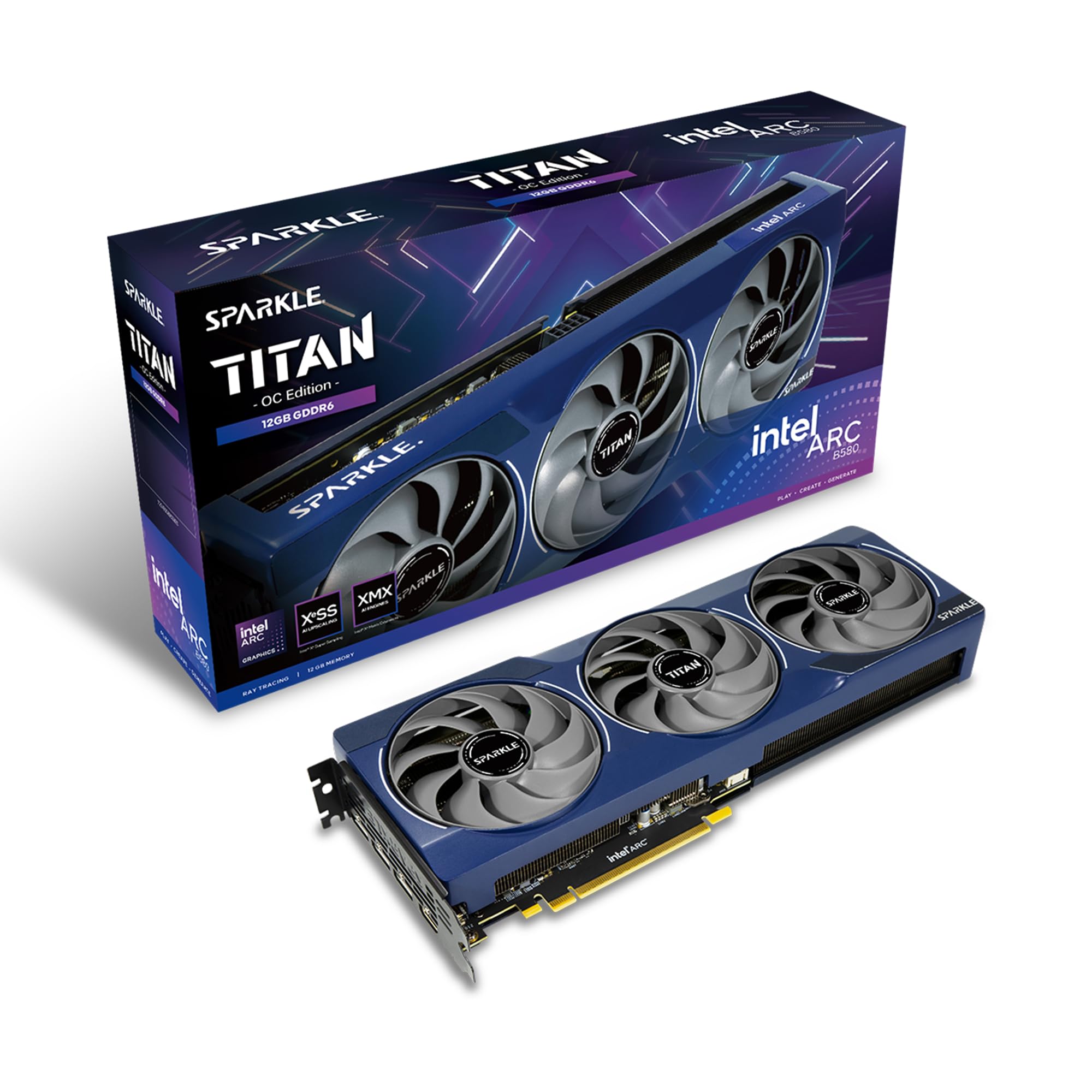


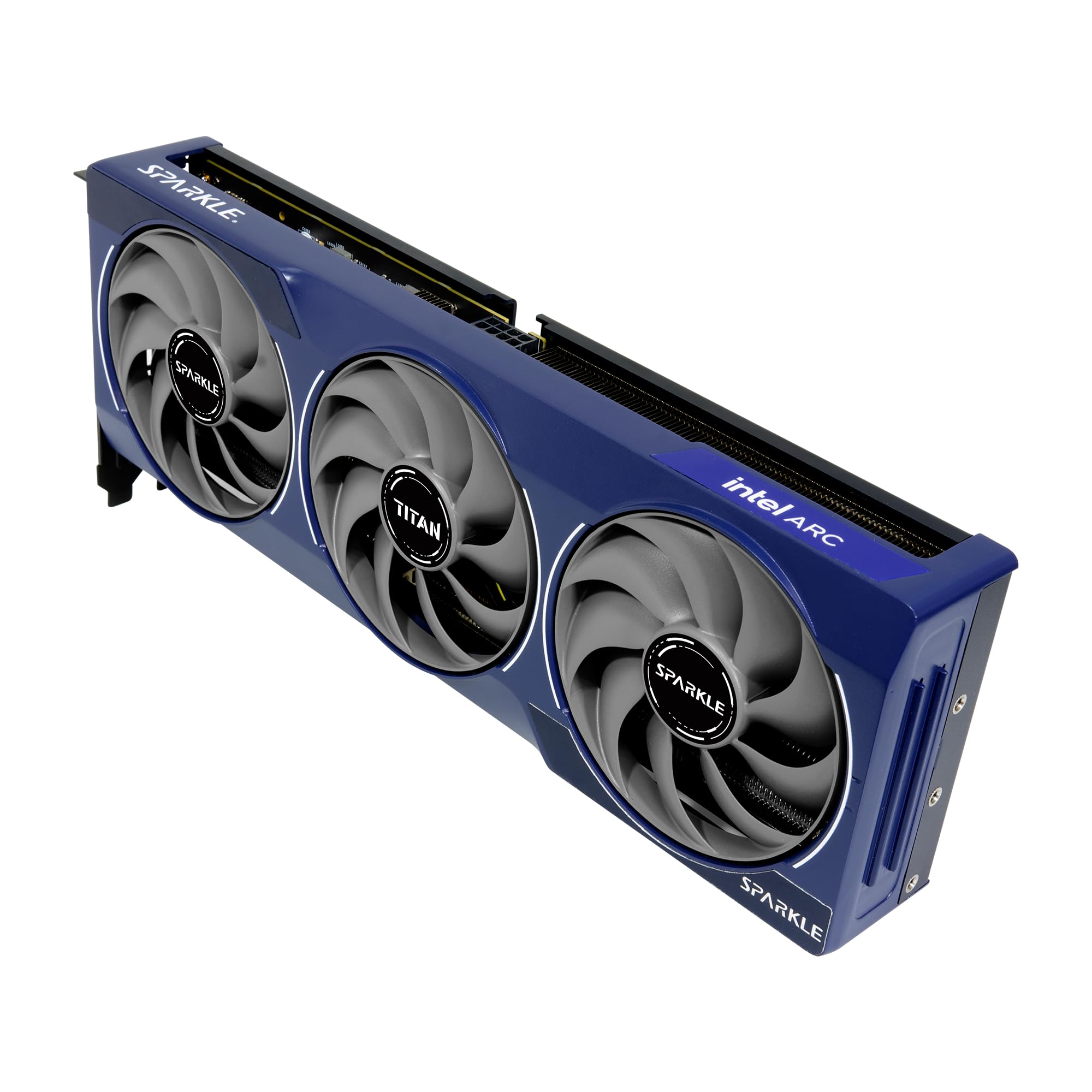
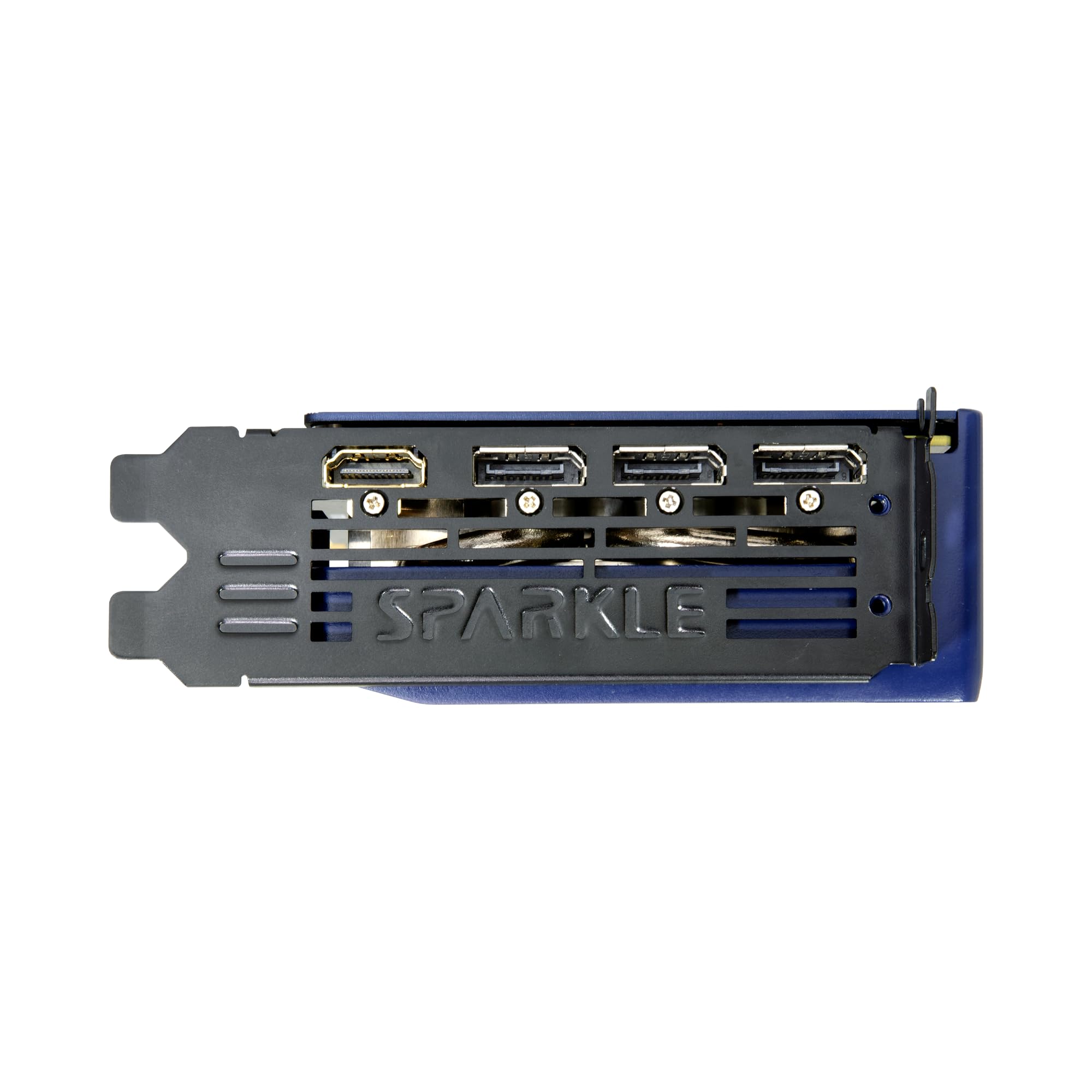
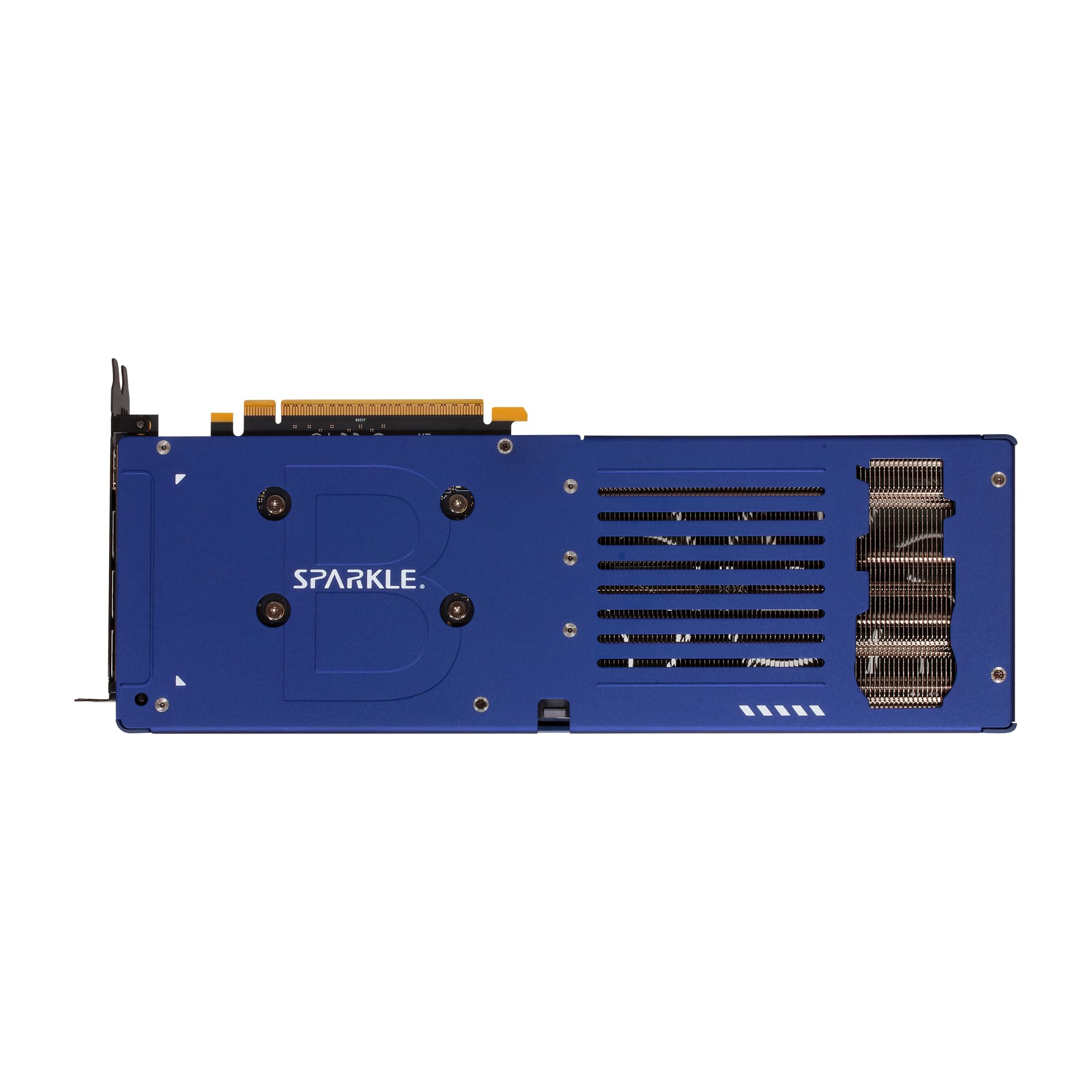
🎮 Stream, game, and create with power and style — the Titan of compact GPUs!
The Sparkle Intel Arc B580 Titan OC is a compact, power-efficient GPU featuring a 2760MHz OC boost clock, 12GB of fast GDDR6 memory, and advanced TORN Cooling 2.0 technology. Designed for media servers, streaming, and light gaming, it combines high-res 4K support with a sleek metal backplate and customizable breathing blue light. Its half-slot form factor fits perfectly in small builds, making it ideal for professionals seeking a stylish, versatile graphics solution.


| ASIN | B0DNMH4KQM |
| Best Sellers Rank | #24 in Computer Graphics Cards |
| Brand | Sparkle Computer |
| Card Description | Arc B580 |
| Chipset Brand | Intel |
| Color | Blue |
| Customer Reviews | 4.4 4.4 out of 5 stars (828) |
| Date First Available | December 13, 2024 |
| Graphics Card Ram Size | 12 GB |
| Graphics Coprocessor | Intel Arc B580 |
| Item Dimensions LxWxH | 12.4 x 4.61 x 0.1 inches |
| Item Weight | 2.1 pounds |
| Item model number | SB580T-12GOC |
| Manufacturer | Sparkle Computer |
| Max Screen Resolution | 3840x2160 |
| Memory Speed | 19 GHz |
| Product Dimensions | 12.4 x 4.61 x 0.1 inches |
| Series | SB580T-12GOC |
E**N
Great for specific tasks.
This is a great little GPU. Want a power efficient system that will still let you game a little bit? Extremely portable pc with a dedicated GPU? Server and you just need to see the screen sometimes? A bit overkill, but this will do it. Where this card really shines is for media servers or a dedicated streaming pc. My machine is both, and usd two of these for a time! You generally want low power use and low price, and the encoding capabilities of this little gpu are absolutely stellar. I have used it to game, I have used it to stream, and now I am building an incredibly small itx HTPC which I also intend to also use for some easy-to-run games to play with my family on or TV (stuff like golf with friends, the lego games, etc.) I have two of the a310 models, and there have been so many situations and builds which these have been very helpful with. Noise levels were a concern when reading the reviews of others, and they aren't as good as they could be, but honestly it is just not that bad IMO. I noticed it after opening the case up and trying to run some stress tests and heavier (for this gpu) games and what not. When I put the class panel back on my case, I completely forget about the noise. TLDR; This is not a gaming card, but it'll generally work on low settings in a pinch, and is great for trouble shooting and experimenting. This is a god tier little media server GPU though. Not the quietest when under heavy load, but could be worse.
J**N
works great, looks great, fits great. would recommend
Small, compact, looks great, and works great. its a 1/2 slot size so it was perfect for my jellyfin server. it transcodes pretty well and fast and at 4k. have had many different streamers off its hardware transcode and it does good. its quiet, and doesnt run hot even under load. 10/10 would recommend for any workstation or home work station.
R**N
Great for 4K HEVC Transcoding on Linux
I purchased this card primarily as a 4K HEVC media transcoding accelerator for jellyfin on Arch Linux. The card is simultaneously tasked with providing a 4K KDE desktop for use as a media PC, mostly for web video playback in Chrome. The card works flawlessly in both roles at once using the well supported i915 driver. Transcoding is being done through VA-API. Installation was click it in and screw it down. Setup was plug and play, with basically no configuration past installing the driver packages and pointing jellyfin at it. Highly capable product for this use case at a very attractive price (I paid $110US on December 29th, 2025).
M**K
But it don't wait works great as encoder
Needed video encoder and AI machine learning for my server . Found this gpu its very small fits perfectly in tiny case. Low power consumption. Very good value for money. Quality of bulid is grate but fan noise levels whining is very high . I ended up 3d mode third party fan and its amazing now
A**S
Very good upgrade for those with older card and don't want to pay super bad prices
Nothing bad about it a good upgrade if you are updating from the Nvidia 1000 and 2000 series card I upgrade from a 1080 ti and it 100x better performance and i can play almost every game at high setting and it does a good job with Ai and Intel Ai playground work great as well I also noticed it well built and easy to install and work with my gpu holder even better than the 1080 ti
A**W
Niche but good product
(Review written in late 2025) If you’re new to PC building and trying to find a good graphics card, this is not for you. If you are looking for a good entry-level gaming GPU, you should check out the Arc B580 instead. So why did I buy an Arc A310? The Arc A310 is about the cheapest modern dedicated graphics card you can buy. AMD and Nvidia don’t offer new GPUs in the $100 range, so your only option is to buy used GPUs which are almost at their end of support. By comparison, Intel Arc graphics drivers offer much better long-term support than similarly priced competitors. The Arc A310 makes sense for my use case, as I was rebuilding a used PC without integrated graphics on the CPU. Purchasing this was cheaper than buying a new CPU, and results in greater performance than using integrated graphics. I can playback 4K media without issue. Another niche use case where this product may be practical is a secondary GPU dedicated to encoding live streams in a system with a high-end GPU for gaming. But don’t be fooled, the performance is not good enough for gaming. You can maybe play some lower end games like Minecraft and Counter Strike 2 at 1080p, but this GPU will struggle to run games with modern high-end graphics. If you want cheap gaming performance, the Arc B580 is the far better choice. This product is relatively easy to install. Its low power consumption means it can be powered directly through the PCIe slot on your motherboard without need for external power connectors from the PSU. It’s as close to plug-and-play as it gets. The 4 full-size HDMI ports on the back also offer convenience for multi-display configurations, and was my primary reason for buying the A310 Omni over the A310 Eco. Overall, I am happy with this product and I hope Intel continues to invest in their dedicated Arc graphics. The A310 is not the GPU for everyone, but it occupies its niche market quite well.
B**K
Works well with Linux. Low power.
I wanted a low power graphics card for a Dell desktop, to drive a 4K monitor, also Dell. The computer comes with a weak power supply, less than 300W, so the card needed to be low power too. I don't game, but a watch videos so I wanted decent graphics performance. I couldn't find any configuration tools for the card for my Linux system. Out of the box, there was a lot of tearing not only watching videos but also just scrolling web pages. Horrible. Then I found out that the monitor refresh rate must match the graphics card frame rate (which I didn't know how to find out). I tried setting the monitor refresh rate to 120 Hz, and the tearing went away! I'm happy, I got what I was looking for. What else? Totally quiet. Affordable. Very compatible with Linux (it's the product line Linus Torvalds uses).
S**N
Single slot, low power, quiet. Does AV1 encoding in JellyFin. Exactly what I needed.
L**Z
Muy buena gráfica , potente y con 12gb
A**A
La scheda è ottima, ben costruita silenziosa. Testata su Windows va una bomba mentre su Debian e Linux Mint ho trovato problemi di performance per cui l'ho dovuta rendere. Al netto di tutto per giocare su Windows un fullhd è ottima. Quantitativo di RAM adeguato e per 200€ è la porta di accesso a nuove tech un tempo esclusiva di Nvidia e AMD. A breve recensisco anche la b580 che ho preso per il pc da gioco
A**ー
最近いろんなPCパーツが爆上がりして性能と値段のバランスが難しかったですが、この値段でこのスペックなら満足です
M**O
Works for my needs. Handles the indie games I throw at it just fine. Note for anyone running linux and deciding to buy this card: you have to manually update the firmware using "Intel Graphics System Firmware Update Library (IGSC FUL)" since the firmware isn't being propagated through LVFS (Linux Vendor Firmware Service).
Trustpilot
1 maand geleden
1 week geleden