We remain fully operational. Our teams are working around the clock to ensure your deliveries continue safely.

DOWNLOAD DE APP


Klantenservice
Copyright © 2025 Desertcart Holdings Limited
DOWNLOAD DE APP
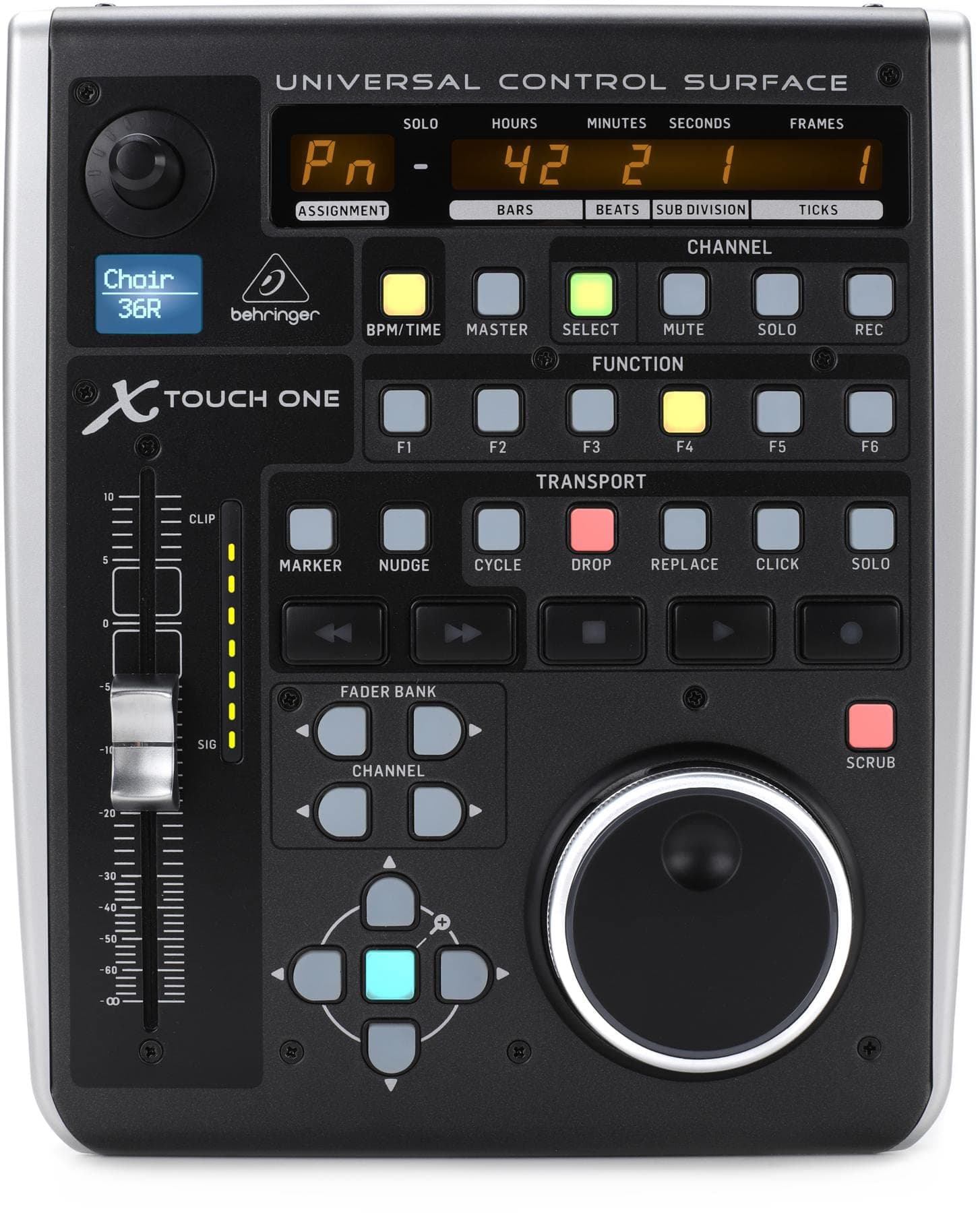
🎛️ Elevate your mix game—control your sound like a pro, anywhere, anytime!
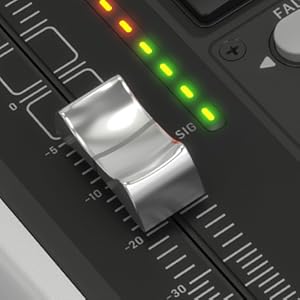
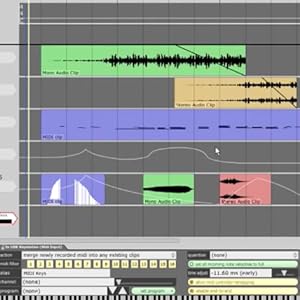
The Behringer X-TOUCH ONE is a compact, USB-powered DAW controller featuring a 100mm touch-sensitive motorized fader, a dynamic LCD scribble strip for real-time track info, and 34 illuminated buttons. Pre-mapped for instant compatibility with major DAWs like Ableton Live, Logic Pro, Cubase, and Pro Tools, it supports Mackie Control and HUI protocols for broad software integration. Weighing just 1.5kg, it’s designed for professional-grade control in home studios or mobile setups, delivering tactile precision and streamlined workflow in a sleek, durable package.





| ASIN | B07F6F7VZ3 |
| Best Sellers Rank | 3,151 in Musical Instruments & DJ ( See Top 100 in Musical Instruments & DJ ) 27 in MIDI Controller |
| Brand | Behringer |
| Brand Name | Behringer |
| Colour | Black |
| Compatible Devices | PC (Windows 10, Windows 7), USB |
| Connectivity Technology | USB |
| Connectivity technology | USB |
| Connector Type | USB |
| Control Method | Remote |
| Control Type | DAW Controller |
| Country of Origin | China |
| Customer Reviews | 4.4 out of 5 stars 1,371 Reviews |
| Global Trade Identification Number | 00653341304834, 04033653130714 |
| Hardware Interface | USB |
| Hardware Platform | PC |
| Human Interface Input | Touch Pad |
| Included Components | Universal Control Surface Unit, USB Cable, Quick Start Guide |
| Included components | Universal Control Surface Unit, USB Cable, Quick Start Guide |
| Instrument | Digital Audio Workstation |
| Instrument Key | Any |
| Item Type Name | Universal Control Surface with Touch-Sensitive Motor Fader and LCD Scribble Strip |
| Item Weight | 1.5 Kilograms |
| Keyboard Description | No Keyboard Included |
| Manufacturer | Behringer |
| Model Name | XTOUCHONE |
| Model Number | XTOUCHONE |
| Model name | XTOUCHONE |
| Platform | Windows 10 |
| Product Style | X-TOUCH ONE |
| Product Warranty | Community. Musictribe. Com. Support. |
| Size | misura individuale |
| Special Features | Portable, Motorised Fader, LCD Display |
| Special feature | Portable, Motorised Fader, LCD Display |
| Supported Software | Ableton Live, Logic Pro, Cubase, Pro Tools |
| UPC | 653341304834 |
S**Y
X-Touch & Logic Pro X. Works brilliantly.
I have to admit I was very wary of this initially. I've always thought Behringer audio gear was a bit cheap and toylike - I'm used to professional equipment that's built like a tank. Now I work for myself I can't justify the prices that Avid/Pro Tools want for a control surface. So after a lot of research (a big thanks to the Gearslutz website) I changed to Logic Pro X DAW and bought this control surface. And I'm staggered by what £ 450 buys you. This thing works so smoothly with Logic Pro. And it's more solid than it looks in the pictures. At the price I can live with the niggles some people mention like... 1) You can't see the backlit LCD scribble strips when the desk is flat - an easy solution is to tilt it 2) The faders are a little bit noisy/juddery. At the level I monitor at I don't hear them and they track accurately, which is the big concern. Just some of the things I love.. 1) Solidly built and a small footprint. Just right for a small studio. 2) When you touch a fader, Logic jumps to that channel. 3) Works reliably all day without locking up. 4) When nudging a piece of audio, each encoder has a different step value. So handy for moving cues around quickly. 5) Although Behringer don't publish a user's manual, there's a series of brilliant tutorials on Youtube. 6) Intuitive - you get up and running very quickly. Edit: Just bought a footswitch and am finding it very useful . For the sockets at the rear of the surface, Footswitch 1 operates the transport start/stop. Footswitch 2 toggles the record punch in and out - great for working on your own. Both pedals need to be a momentary footswitch with NO (Normally open contacts) terminated in 1/4" mono jack.
C**M
Perfect for a home studio with space limitations.
The benefit of home studios these days is that you can near enough have everything you need on a PC. The downside is that it loses that hands-on tactile feel that a professional studio offers. If like me, you’re a bit old school and like to physically push buttons but are also limited with space, this lovely little midi controller is perfect. Using USB it plugs straight into your PC and the buttons and knobs are fully assignable to actions within your DAW. The price point is spot on and it’s super easy to set up. Definitely gives you a semi-pro fee in your home studio.
G**E
Nice to have but not essential
I assume someone somewhere knows how to use this to control every aspect of their DAW, but I've yet to figure out the basics and I've been persevering for some months now. On the surface of it, it's fairly straightforward. But once you start doing anything more complicated than simple fader moves and panning, behaviour is unpredictable and buggy. I have a Mac Mini M1 with the latest version of Logic and I've yet to work out how to get it to behave with any predictably. Some times the Plug in shortcut opens the plug in assigned to the currently selected fader, and sometimes it doesn't. Sometimes it works as expected, sometimes it crashes for no fathomable reason. Sometimes it let's you adjust the parameters of the currently in focus plug in window, sometimes it doesn't. Terrible documentation. Terrible support. No support for colour assignable scribble strips. The Expression controller appears to have SysEx disabled but documentation makes no mention of how to enable it. Apart from that, fader automation works brilliantly and the ability to quickly mix drums and control sends is genuinely something I couldn't go back to doing with just a mouse. But for the money it should be more intuitive to use and configure and the lack of proper easy to follow set up documentation is shocking for such a well established brand. Build quality is excellent. Fader caps feel a little plasticy. Jog shuttle wheel is a great time saver. 6 out of 10.
M**Z
lightning fast video editing! programable midi controller for editing with Premiere Pro...
So, let's talk about the Behringer X-TOUCH MINI MIDI USB Interface and how it's been rocking my Premiere Pro video editing world. First off, the best feature of this controller is the customization. I can assign all my go-to shortcut commands to the buttons and knobs, making my editing process way smoother and SO FAST. But firstly lets get the biggest catch out of the way – programming these shortcuts isn't exactly plug-and-play. You'll need some third-party software to make it happen. Once you're set up, though, it's pretty straightforward, and software and tutorials are easy to find. once that is done, assigning shortcuts is a breeze and the settings can be found in the preferences tab. What's cool is that it doesn't stop there. combined with some simple midi editing software, this allows you to store multiple banks of shortcuts, which is handy for different phases of editing. Whether I'm trimming clips or adding effects, everything's just a button press away. The ergonomic design is another plus. I can edit for hours without feeling like my hand's gonna fall off. It's surprisingly comfy, and I am much less inclined to be hunched over the whole time. the buttons are large, clicky and responsive, and the layout is very easy to remember. O.K, onto the cons. Well, besides needing that extra software, there's not much to complain about. It's not the flashiest tool, but it gets the job done so well. Overall, if you're serious about really speeding up your editing process in Premiere Pro, the MIDI Interface is defiantly worth checking out. it has made a night and day difference to my editing workflow for me, and I'm pretty sure the Behringer X-TOUCH MINI will make your editing life a whole lot easier and faster too.
J**S
Fantastic control surface.
Just like a proper hands on mixing desk. This contol surface feels very responsive with a sturdy metal design and coloured strips which is a bonus. Will buy the extender too. Seamlessdly integrates with my Daw. Proper controls which feels productive rather than scratching around the screen with the mouse. Proper faders for a professional touch. Great delivery too.
M**K
Very good device
This can make a professional-sounding mix very easy because you can record multiple fader movements at once. Way less fatiguing than using a mouse, and better than using a tablet app as you get physical controls meaning you don’t have to be constantly looking at your screen to see what you’re controlling - you can go by feel and close your eyes and really listen. I pair it with Reaper. While you can’t get all the Behringer controls to affect things in Reaper, the main thing I use it for is automated mixing for tweaking multitrack mixes. The faders were very “jittery” at first (faint ozone smell from the brushes in the fader motors) but if you update the control frequency to 30Hz it works better. If you need a control surface it’s a very good option.
D**.
BUYER BEWARE: Not an authorised dealer, so no warranty - waste of money
It's great when it works, but doesn't even have an on/off switch, so the power connection rapidly wears out. If that's later than 28 day, there is no warranty, and you're just bounced around between unauthorised dealer and Behringer, with nobody taking responsibility or being particularly helpful.
D**D
Great controller
This unit instantly transforms your workflow and reduces all those tedious mouse clicks! One fader is good enough for the compact setup. The scrub wheel was quite stiff on my unit when it first arrived to the point that I was going to send it back but it seems to have loosened up with use.
Trustpilot
2 maanden geleden
1 week geleden