We remain fully operational. Our teams are working around the clock to ensure your deliveries continue safely.

DOWNLOAD DE APP


Klantenservice
Copyright © 2025 Desertcart Holdings Limited
DOWNLOAD DE APP

🔧 Diagnose smarter, not harder—gear up with GEARWRENCH!
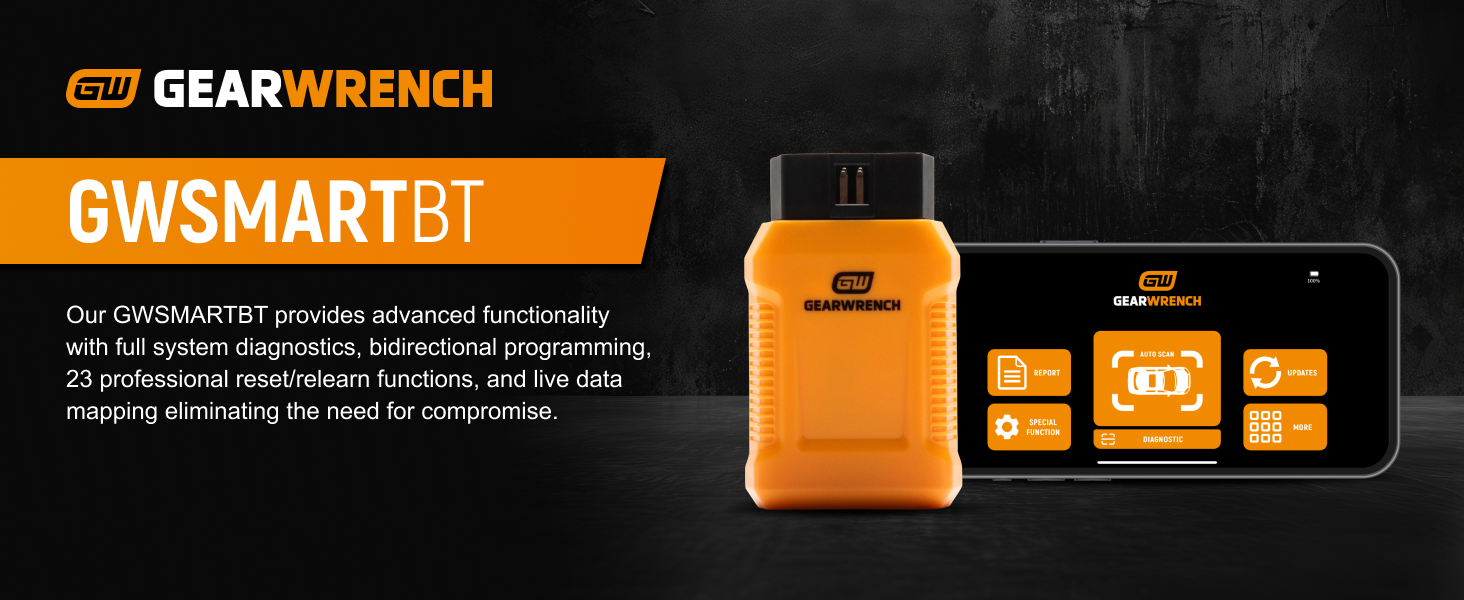
The GEARWRENCH Professional Bi-Directional Diagnostic Scan Tool (GWSMARTBT) delivers dealer-level diagnostics directly to your Android device. Featuring full bi-directional control, support for 23 vehicle reset and relearn functions, and lifetime free software updates with no subscription fees, it empowers automotive professionals to perform comprehensive diagnostics across 85+ vehicle makes. Compact, lightweight, and backed by a 2-year warranty, it’s the ultimate value-driven tool for modern garages.



| ASIN | B0DBJGKGB7 |
| Automotive Fit Type | Universal Fit |
| Best Sellers Rank | #5,428 in Automotive ( See Top 100 in Automotive ) #39 in Code Readers & Scan Tools |
| Brand | GEARWRENCH |
| Customer Reviews | 4.0 4.0 out of 5 stars (465) |
| Date First Available | July 29, 2024 |
| Item Weight | 4.2 ounces |
| Item model number | GWSMARTBT |
| Manufacturer | Apex Tool Group |
| Manufacturer Part Number | GWSMARTBT |
| Model | GWSMARTBT |
| Operating System | Android 10.0 |
| Power Source | Battery Powered |
| Product Dimensions | 3.4 x 2.1 x 0.9 inches |
| UPC | 099575708282 |
J**E
Works great, easy to use, and has the functionality of a much more expensive scan tool.
I have been using this for about a year on my BMW, and tacoma and the wife's Mazda. So far it has worked great and provides me with nearly all the fuctionality that my much more expensive Autel scan tool does. I would say I get around 95% of what my Autel can do without the expense of having to purchase the Autel, then pay for the yearly updates that the Autel requires for bug fixes, and updates to the tool. The updates are just free on this, which is awesome! My autel tool requires I pay a yearly subscription that costs more than this tool just to keep getting its updates. This tool does near dealer level diagnostics and is able to read essentially all modules from the vehicle. I have had no issues reading or resetting codes from any car that I have used it on so far. Only issue I had was when I paired it to my older tablet, it didn't auto select the dongle from the bluetooth devices menu, I just had to to into its configuration and manually select the correct bluetooth device for the dongle. After that it worked great. I have actively recommended it in the car forums that I contribute to on a regular basis. I find it easier to use on my android tablet instead of my phone because the items are much more widely spread out so they are easier to read/tap, but defintiely super useful on just a phone.
R**T
Worth every penny!
I always wanted a bidirectional scan tool like this but was looking for one that had lifetime updates, without any catches and could handle a wide variety of vehicles. When I heard that GearWrench was offering this model at such an affordable price, I knew this was the one. I owned GearWrench tools in the past and I was very satisfied with them so I was hopeful that it would be the case here. They did not disappoint. But let's talk about my experience in chronological order. Delivery was quick and on time. I installed the app on my Android phone (a 2025 Motorola Moto G Power) and attempted to connect the device to my 2021 Mazda6. It would not connect. I changed phones (Samsung A12) but that did not connect either. I reinstalled the app on the Motorola - nothing. I called customer service - nothing. I was considering returning it but decided to poke around a bit first. After a few minutes I got a prompt from the phone saying that I was to grant the app permission to access Bluetooth. I allowed it and voila - it connected! It has been smooth sailing thereafter. Works like a charm - for the most part. The first need I had of it was with my daughter's 2013 Mazda6. It came to me with a flashing airbag light. BT identified the problem as a passenger airbag module, but did not specify further. I attempted to clear the code to no avail. I attempted to reset the module, to no avail. At that point, I reached for my laptop, connected FORScan (a third party dedicated Ford/Mazda software) to the car and it was able to give me more details and was able to reset the module. I was a little disappointed that BT couldn't handle it, though. My next use of it came with my JDM Nissan Note X DIG-S. I had just done a transmission fluid and engine oil change and noticed that the Auto Stop/Start light in the instrument cluster was flashing and the feature was disabled. I reached for BT and it told me that the electric transmission fluid pump was experiencing low pressure of 0.5 MPa. That's supposed to be normal for the car at idle (according to the Nissan workshop manual) but the car and BT were saying otherwise. I wanted to reset the transmission module but I decided to leave it alone for now. It eventually cured itself. My latest use of it came a few days ago when a coworker's JDM Toyota Voxy had the dashboard light up with warning lights - typical for Toyota. I connected BT and it said that the vehicle had a number of issues including the ABS and the valve control system. I cleared the codes and all has been well since. Very strange, but BT saved the day. I haven't used all the features so far, but I believe it has the ability to put you on the right path if you ever encounter an issue, though it may not be able to solve it. I'm giving it 5 marks in spite of the issue with the airbag module, though. This is so because that feature may actually be a Mazda-proprietary feature that just was not available to BT as yet. I have done several updates since then so perhaps it is now possible. Pros: Updates are free for life Customer service agents available via phone Handles makes not even sold in the North America Cons: Bluetooth connection is slower than wired devices Unable to automatically detect any vehicle that I have connected it to (Mazda, Toyota, Nissan, BMW) It must be registered to only one phone at a time (customer service has to be contacted if moving to another) May not be able to reset all modules
C**B
Zero stars!
Device caused thousands of dollars of damage to my Range Rover sport. Directions say you can leave this plugged into the OBDII port because of its low power technology and will put your vehicle in sleep mode within 3 mins; not true. This caused a parasitic drain on my no longer perfect battery and internal damage to the alternator and other components. I’m sick over this! And the company will not answer the phone and they don’t have a voice mail where i can leave a message. Now what do I do Amazon? Is Jeff Bezos buying me a new truck?
J**D
I cant begin to start with how good this little tool is. After set up it cleared some codes i couldnt with other scanners. It live data had very little lag and the few actuations i tried were working well.
A**O
Note que en 2 talleres de tres a los que llevé mi vehículo los escáneres eran incapaces de leer los códigos en mi auto, así que compré uno de la marca astro ai. Este tampoco pudo leer los códigos que están en el tablero. Así que compré este escáner, y resulta que sí es compatible con mi SUV. De hecho puedes descargar paquetes para trabajar con muchas marcas diferentes. Sí es algo lento, pero tampoco es algo que sientas que se te va la vida esperando. No he explorado sus funciones completamente pero tiene muchas funciones especiales, como TPMS, asientos, frenos, etc. A mí me sirve para resolver muchos problemas que ni en talleres profesionales me habían podido resolver, así que le doy 5 estrellas
M**L
It checks lots of systems. Also, it was able to change the TPMS IDs in my Lexus.
A**R
Works well Was able to retract e brakes on a Subaru
J**E
La verdad muy bueno superó mis espectativas, muy fácil de instalarlo y darlo de alta. Entra a muchas marcas automotrices áridos los sistemas y tiene muchas funciones especiales. 10 de 10
Trustpilot
2 weken geleden
1 maand geleden