
DOWNLOAD DE APP


Klantenservice
Copyright © 2025 Desertcart Holdings Limited
DOWNLOAD DE APP

🚀 Upgrade your switches to smart status—because your home deserves a glow-up!
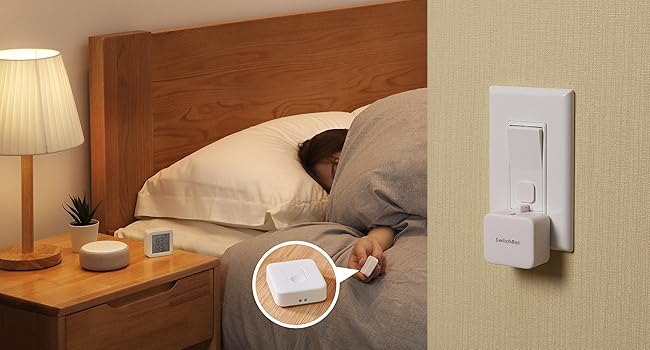
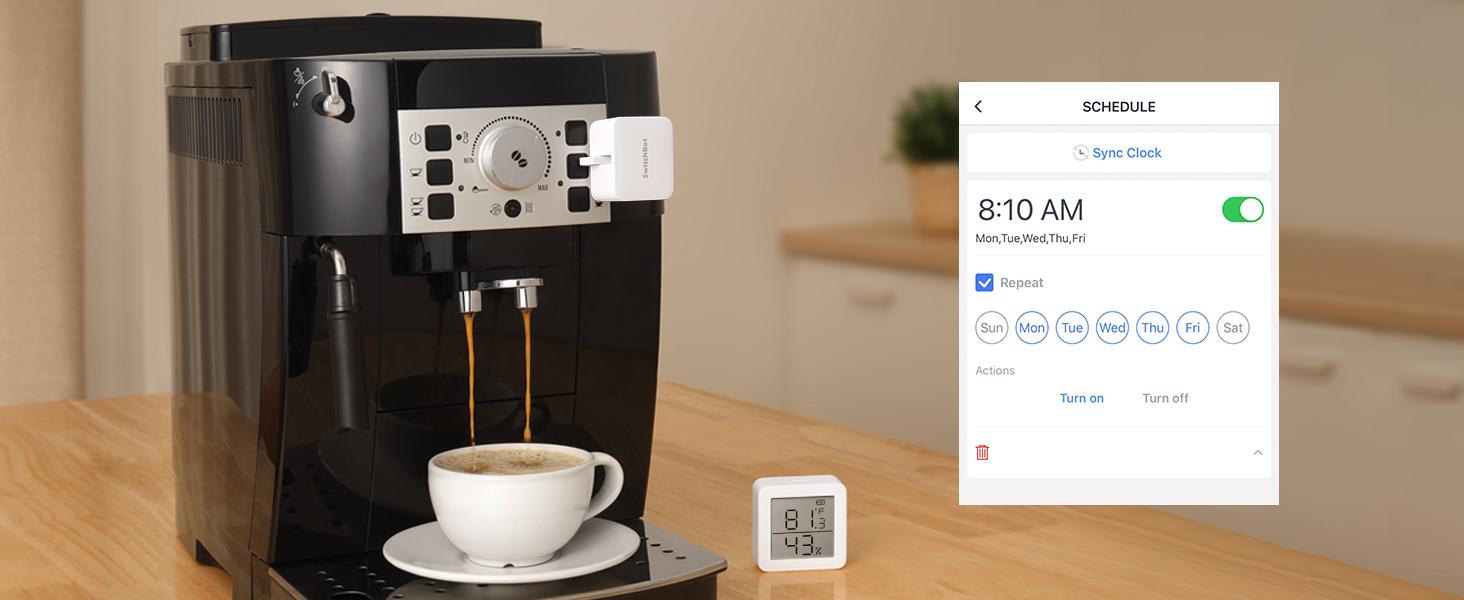
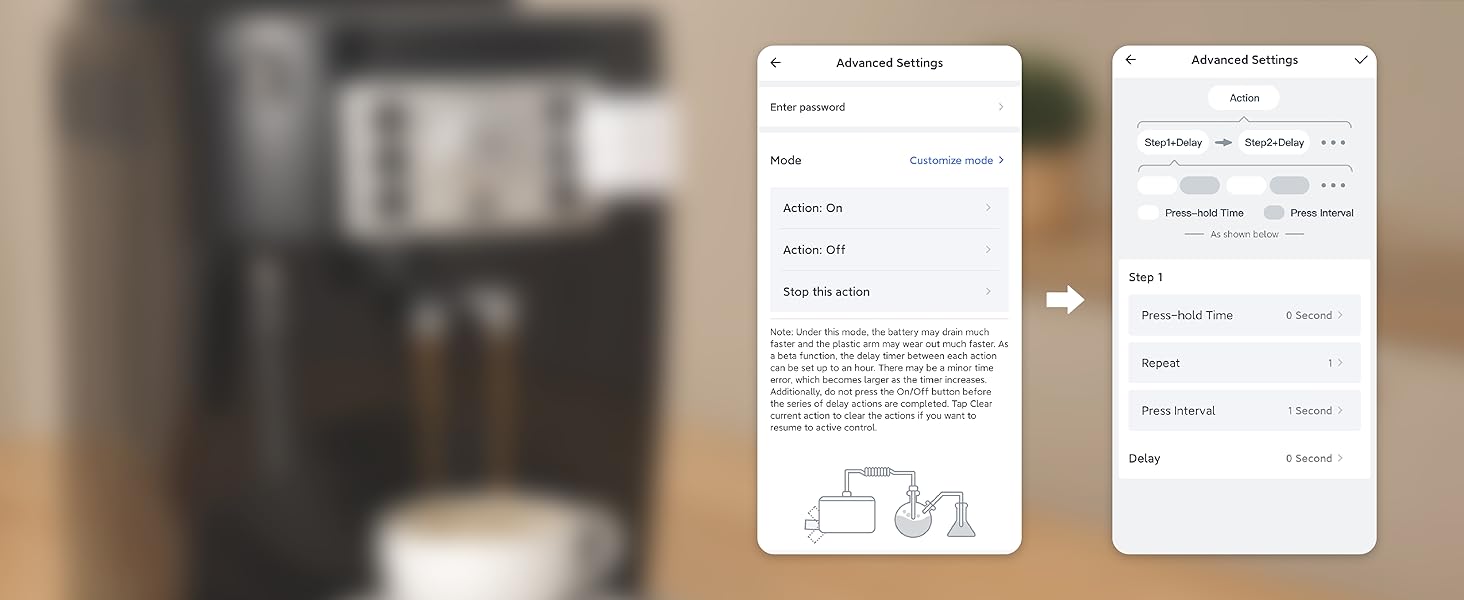
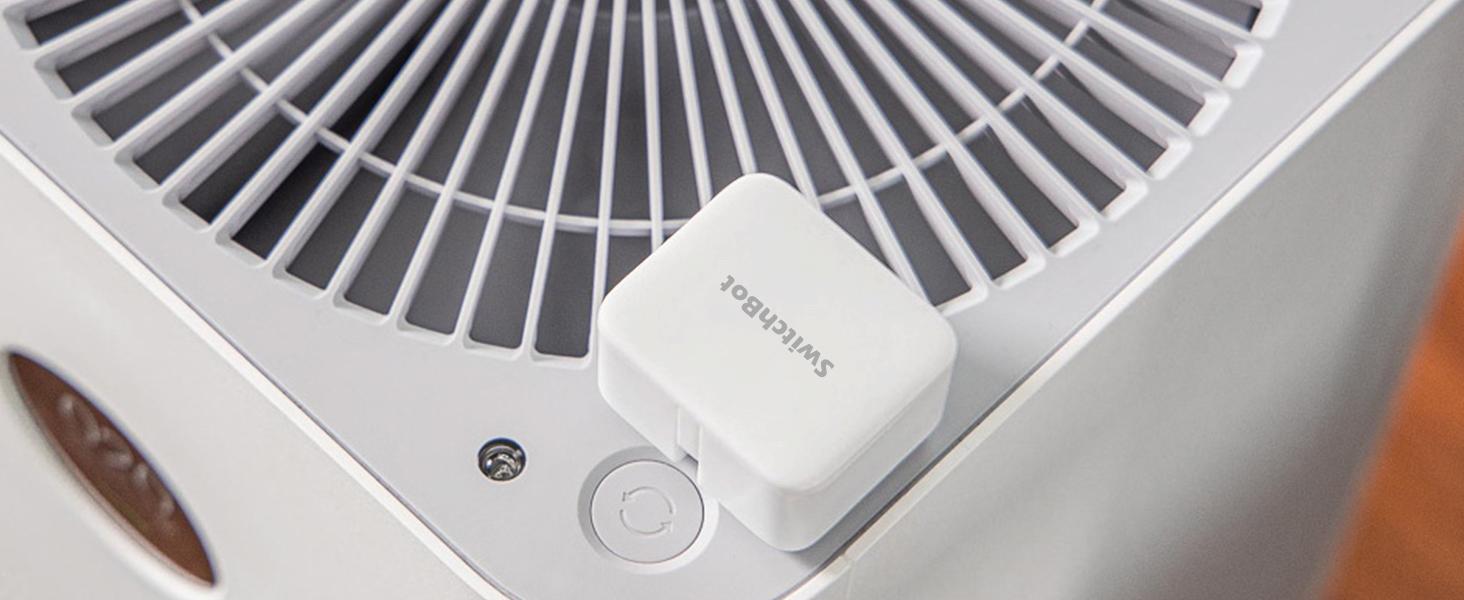
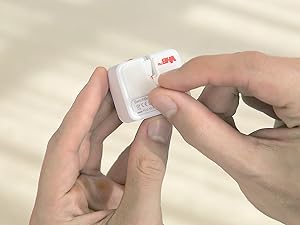
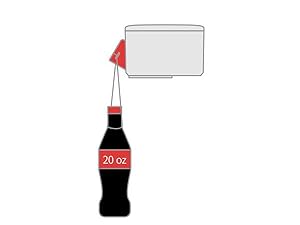
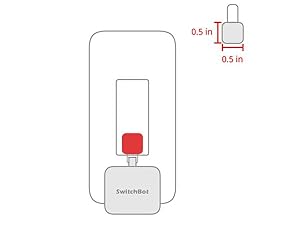
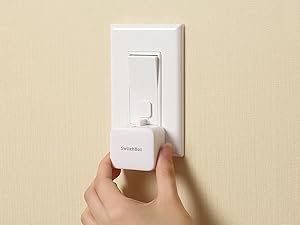
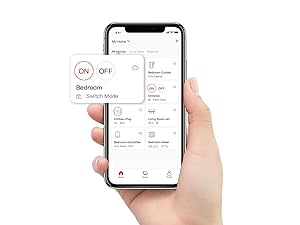
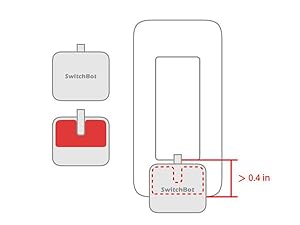
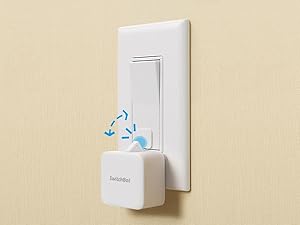
The SwitchBot Smart Switch Button Pusher is a compact Bluetooth-enabled device that converts traditional rocker switches and one-way buttons into smart, app-controlled gadgets. It features built-in timers for automated schedules, requires no wiring, and installs easily with adhesive. When paired with the optional SwitchBot Hub, it supports voice commands via Alexa, Google Assistant, and Siri, plus remote control and IFTTT integration. Ideal for automating lights, fans, coffee machines, and garage doors without invasive installation.





| ASIN | B07B7NXV4R |
| Actuator Type | Push Button |
| Batteries | 1 Lithium Metal batteries required. (included) |
| Best Sellers Rank | #2,786 in Tools & Home Improvement ( See Top 100 in Tools & Home Improvement ) #5 in Home Automation Hubs & Controllers |
| Brand | SwitchBot |
| Circuit Type | 1-way |
| Color | Pearl white |
| Compatible Devices | Rocker switches, one-way buttons, coffee machines, air conditioners, garage doors |
| Connectivity Protocol | Bluetooth |
| Connector Type | Crimp |
| Contact Material | Copper, Brass |
| Contact Type | Physical |
| Control Method | Voice |
| Control Type | Full |
| Controller Type | Amazon Alexa, Google Assistant, IFTTT |
| Current Rating | 50 Milliamps |
| Date First Available | March 7, 2018 |
| Global Trade Identification Number | 00860038001703 |
| International Protection Rating | Non-waterproof |
| Is Discontinued By Manufacturer | No |
| Item Weight | 1.38 ounces |
| Item dimensions L x W x H | 1.67 x 1.44 x 0.94 inches |
| Item model number | Switchbot S1 |
| Manufacturer | Wonderlabs |
| Mounting Type | Surface Mount |
| Number of Items | 1 |
| Number of Positions | 1 |
| Operating Voltage | 3 Volts |
| Operation Mode | ON-OFF-ON |
| Product Dimensions | 1.67 x 1.44 x 0.94 inches |
| Smart Home Compatibility | Smart Home Compatible |
| Terminal | Screw |
| UPC | 860038001703 |
| Unit Count | 1.0 Count |
| Wattage | 400 watts |
C**W
SwitchBot pressing buttons inside my R2D2
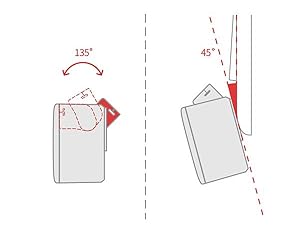
Bought two of these SwitchBot fingerbots - one of which was included in the combo pack with the SwitchBot Hub Mini required to make hey google or amazon alexa verbal commands via google or alexa smart devices. Got all of this because had two buttons - the main power button & an AC power button - that had to be pushed one after another on a Power Bank inside a starwars HD-R2D2 droid that I did not want to open up all the time when I wanted to turn it on and off. SwitchBot works great & presses quickly when you finally figure out how to get the results that you want. Great with bluetooth connecting to the switchbot app. But for full versatility, also get the SwitchBot Hub Mini to give audio verbal commands. Works great if you then connect to Google because could use my Google Nest Mini to verbally give commands to "Turn On R2D2" and later to "Turn Off R2D2" - where google solved the trick where had to issue two commands in a single command automation to have two separate SwitchBot fingerbots to each separately one after another to first press the power button & then second press the AC button to then power up the AC power adapter plugged into the power bank to "Turn On R2D2". However, when using Alexa on an Amazon Echo, could not combine commands for the two fingerbots to have each specifically press the two different separate buttons in a single alexa command routine because the routine would only activate only one fingerbot to do both presses on only one button. Oh well, gotta do two separate alexa audio commands if using Amazon Alexa. Another minor issue was I had to place each fingerbot at an angle because each button presser did not press deep enough on the buttons - but fortunately there were the extra double-sided 3M mounting tape pieces to help securely tilt/angle each fingerbot to be able to actually press each button. Nonetheless, this is a wonderful worthwhile solution to the problem of how to remotely press buttons inside an enclosed space that you do not want to always open up. Very much worth paying for. And fortunately the battery is replaceable. Thanks So Much to both SwitchBot & Amazon for this remote pushbutton technology.
A**.
There is Still No Better Alternative to Old Reliable
I purchased my first Switchbot Bot back in 2021 so that I could automate my garage door (I have a camera in the garage to verify if it is up or down, and use the bot on either the push button in the garage or a space remote). It worked perfectly for this function at all three of my rental houses since then, allowing me to automate something that is typically not included with the rental, while easily removing it when I leave. Since I have a two door garage setup now, I purchased an extra bot to automate both doors, since it was simply the most cost effective, reliable way to do this as compared to doing wiring, installing other apps, or some other invasive install that I would have to remove the next time I move (I am in the military, so frequent moves are a way of life). It's a no-brainer since I already have a Switchbot Hub.
E**D
I want to like it, I really do. You'll need the hub to really use these.
Ok, let's start with the first thing. These are cute little button pushers. There is something satisfying about the little "finger" popping out and pushing a button. That's about it. If you want to use this with any other smart home system, Google Home, SmartThings, etc., you'll need one of their hubs. Depending on how many "bots" you are using and how far apart they are, you may need multiple hubs. I purchased two of the switchbots and immediately was hit with, download the app, control them with Bluetooth. That's not what I wanted to do, as I have a fairly large investment in SmartThings. So, I sucked it up and ordered the hub. (just the plain square one, not the pretty cloud hub). Both hubs do the same thing, I needed function, not cutsie. I got the hub and tried to bring my two "bots" into my SmartThings universe. This was more painful than it should be. I would add one and then the next and the first would go offline. I don't know how many times it took me to get them both loaded and online at the same time, but it was quite a few. The SmartThings integration said beta or something, but I was able to get them integrated pretty easily. I setup a scene in SmartThings to control them. This is where things could be better. The scene runs just fine, but sometimes the "bots" are asleep or playing video games or who knows what. I get about a 95% of the time working, but there is no acknowledgement message that is sent back so SmartThings just tosses the ball to the "bot" and hopes everything works ok. The biggest issue is just that, if it doesn't work, you have to "sync" the bot back to the app manually. So, if it doesn't turn on the device, and SmartThings thinks it is on, then you have to turn the device on manually or the next command will do the opposite function. I have a pretty good success rate on the first action, it does ok turning the devices on, it's the off that I get about a 95% on one bot and 50% success rate on the other. This is ok for what it's doing, but if it was some mission critical device I was trying to control, 50% success is pretty low. Would I buy them again? Maybe. They do mostly work, but keep in mind that you'll need a hub to control these "bots" with anything other than your phone, and within Bluetooth range to do that. Since there is no positive or negative feed back (ACK/NAK) to your smart home, it's about as reliable as telling an 8 year old to wash the dishes. Now for more on the hub, I got the smaller square hub, but it has a really annoying bright white light that stays on all the time, I have this in my bedroom so I have to put something on top of the box to cover the light. You can still see the box "glowing" so I can tell it's on. Not the best thing I've added to my smart home, but it tries and sometimes works. I just wish there was someway to get an acknowledgement to my SmartThings universe, so I could reliably tell the status. I get that it's a digital world trying to interface with the analog world, but it could be just a bit better.
L**Y
Great value!
All I can say about these switch bots is WOW! When I changed security companies my Z wave light controls stop working. So, I had no way of automatically turning my lights on and off. I had to manually turn them on at night and off at daybreak. I was just about to hire an electrician to rewire my light switch and I saw the switch bots on Amazon. I had no idea that something like this was out there and boy! what a remarkable device. It turns my lights on and off through the free phone app. I highly recommend this device!
M**Y
Best little robot
Been wanting this little robot for a while I finally committed and no regrets. My ceiling fan is not smart and my house has old wiring. My ceiling fan comes with a remote and I stuck this little guy on it just right and now I can turn my ceiling fan on with my voice or my phone from anywhere. I will be getting more. The SwitchBot app makes setup quick and easy, the bot is quiet and going strong after a month of use. Best price I’ve found to make a switch or device smart. Highly recommend!
S**V
The product is very good and useful, but we need to have a flat surfaced special switch and socket panel to stick the bot, will not be useful for old Indian switch panels.
T**N
It wasn’t fun playing twister every time I wanted to get to the power switch it was a long reach and in a awkward position so I decided to use a switch bot and a hub so I can just get my speaker to turn it on and off for me. You set up a name For the switch in the app and connect it to the hub and whatever you name it for example “switchy” you say turn switch off or vice versa and within seconds the push button is pressed and bob’s ya uncle. When I can afford it I’ll add a physical button or two, one in the living room another in the hall and I can press the button more easily. The bot itself has a battery and is replaceable and is supposed to last a year but I’ve not that it that long yet but it’s easy enough to remove and install, the cover just pops off and away you go. No more reaching for annoying hard to get to buttons and when your half asleep at night you don’t want to wake up enough to hunt for the button and Then stretch really far. It saves time and effort.
ペ**ー
とても便利です。電気が自動でつくのはとても良いです。
Y**S
Produit très pratique pour automatiser un appareil ancien qui ne dispose pas de fonctions connectées. Je l’utilise avec un iRobot d’ancienne génération et cela fonctionne très bien pour appuyer automatiquement sur le bouton power. Dans mon cas, j’ai dû imprimer un petit réhausseur en impression 3D afin d’adapter correctement le poussoir au bouton d’allumage. Une fois cette adaptation faite, le SwitchBot remplit parfaitement son rôle et devient programmable via l’application. Il fonctionne uniquement en Bluetooth par défaut, sans connexion Wi-Fi. Pour un usage à distance ou avec Alexa, l’ajout du SwitchBot Hub est nécessaire. Cela reste à prendre en compte si on veux le wifi a tout pris. En résumé, très bonne solution pour rendre “intelligent” un appareil non connecté, à condition d’accepter les limites du Bluetooth et parfois une petite adaptation mécanique.
M**N
Väldigt nöjd!
Trustpilot
5 dagen geleden
2 weken geleden