
DOWNLOAD DE APP


Klantenservice
Copyright © 2025 Desertcart Holdings Limited
DOWNLOAD DE APP

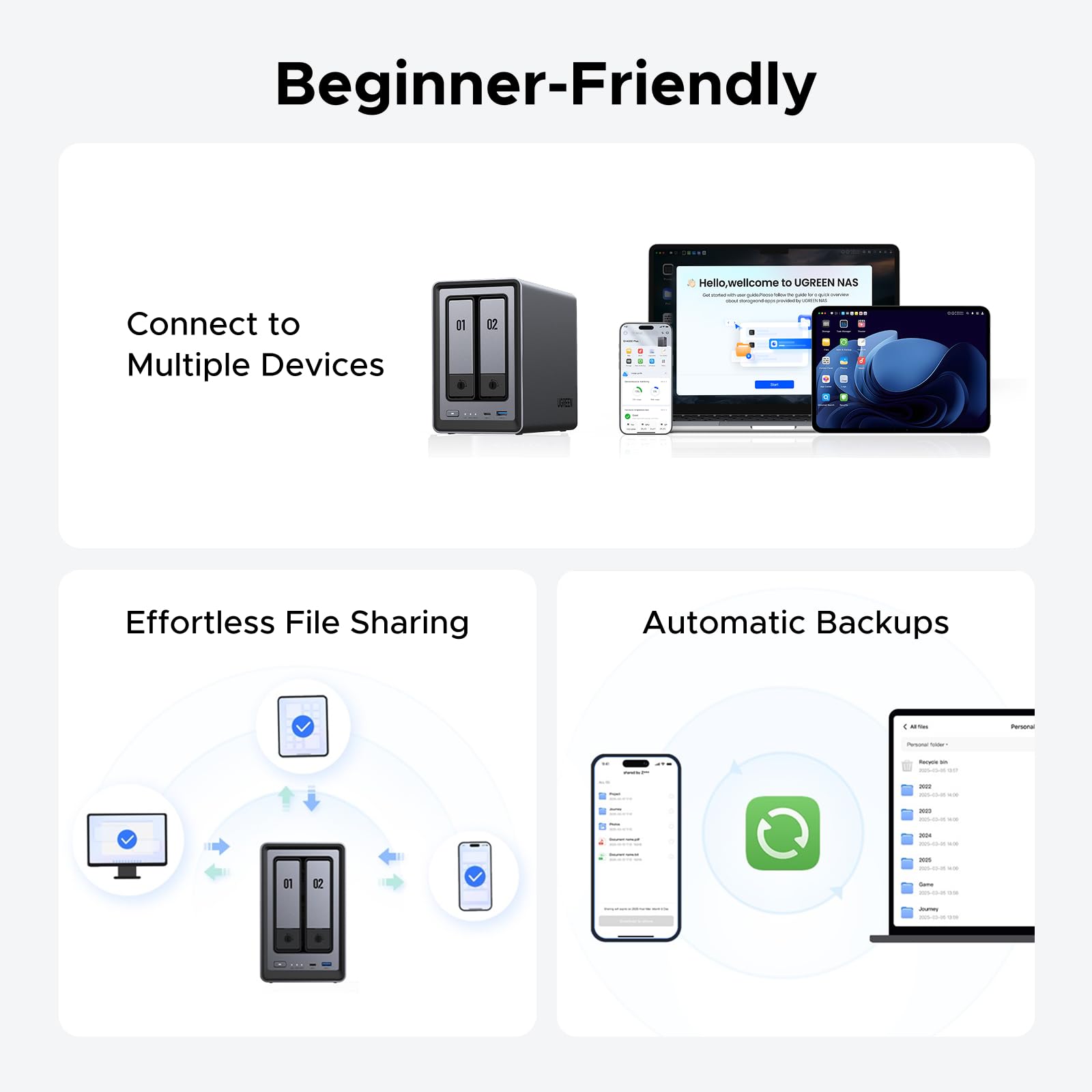




📦 Own Your Data, Stream Like a Pro!
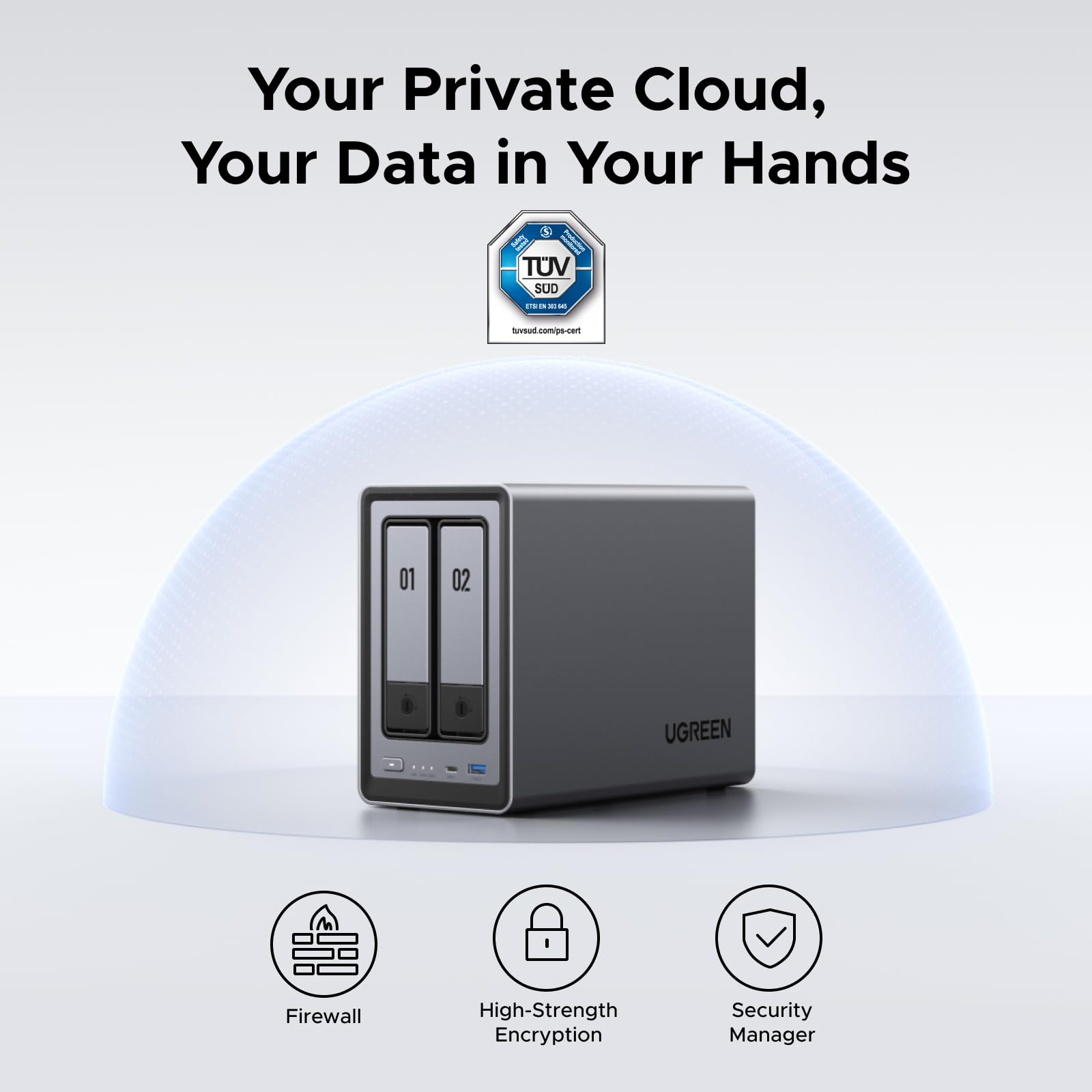
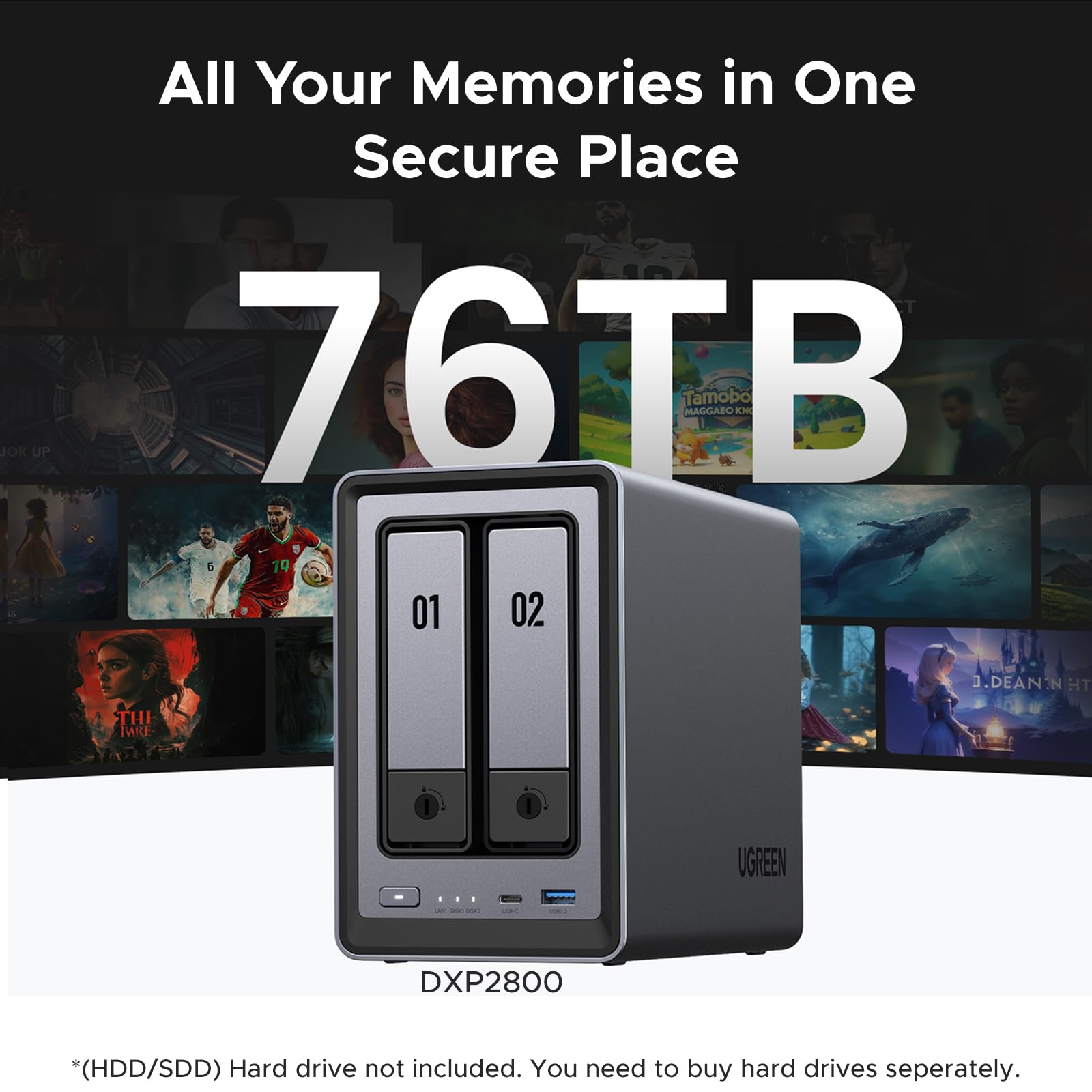
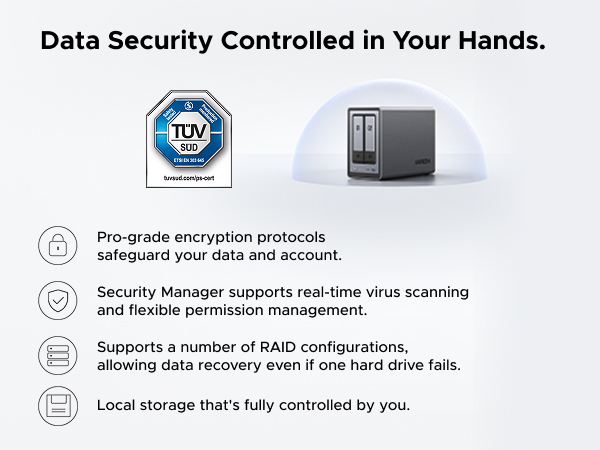
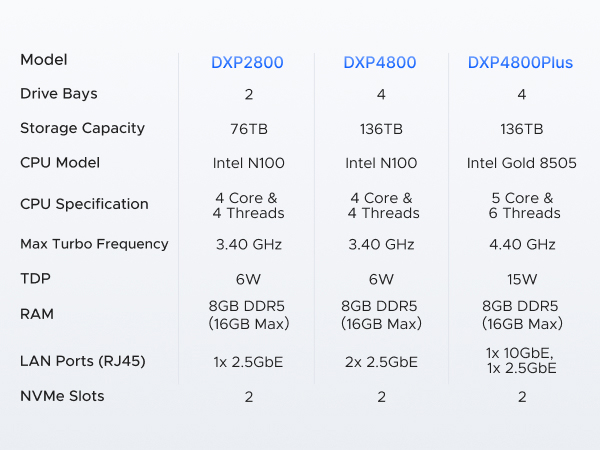
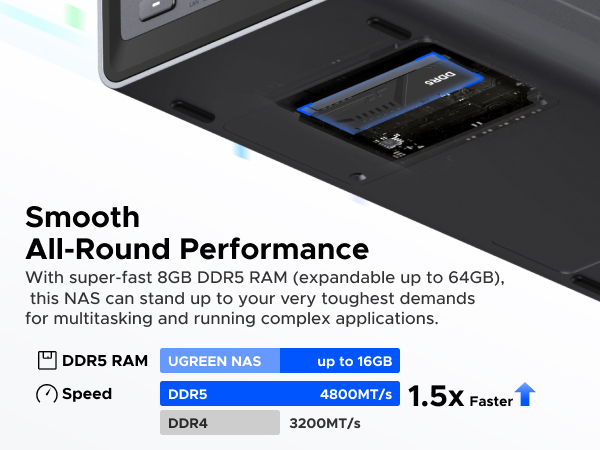
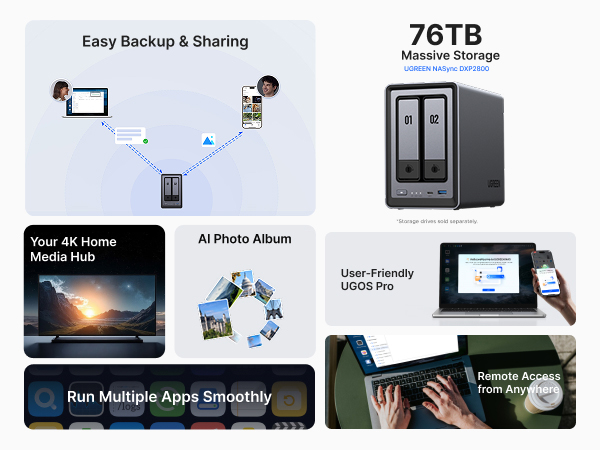
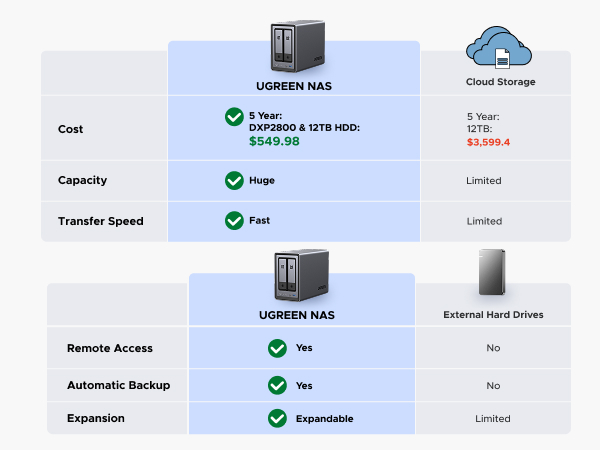
The UGREEN NAS DXP2800 is a premium 2-bay desktop NAS designed for small teams and tech enthusiasts. Powered by an Intel N100 quad-core CPU and 8GB DDR5 RAM, it offers robust 4K media transcoding and multitasking capabilities. Featuring a 2.5GbE port and dual M.2 NVMe slots, it delivers ultra-fast data transfers and flexible storage expansion up to 76TB. Its solid aluminum chassis, intuitive UGOS Pro software, and advanced security features make it an ideal private cloud solution to replace expensive subscriptions while centralizing and protecting your digital life.















| ASIN | B0D22HBFK1 |
| Best Sellers Rank | #2 in Network Attached Storage (NAS) Devices |
| Brand | UGREEN |
| Built-In Media | Power Adapter, Quick Start Guide, Screwdriver Kit, USB Cable |
| Color | Grey |
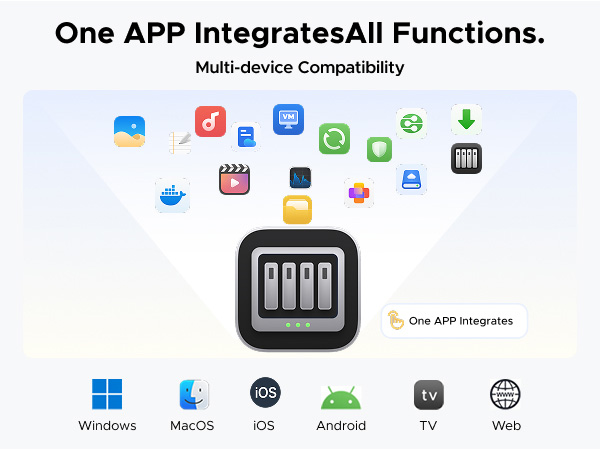
| Compatible Devices | Desktop, Laptop, Smartphone, Tablet, Television |
| Customer Reviews | 4.5 out of 5 stars 804 Reviews |
| Global Trade Identification Number | 06941876239641 |
| Is Assembly Required | No |
| Item Dimensions D x W x H | 4.29"D x 6.97"W x 9.33"H |
| Item Weight | 2.58 Kilograms |
| Manufacturer | UGREEN |
| Mounting Type | Tabletop |
| Product Dimensions | 4.29"D x 6.97"W x 9.33"H |
| Size | DXP2800 2-Bay |
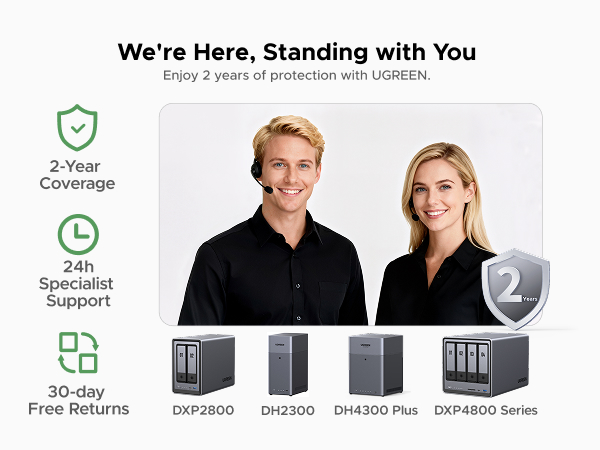
| Warranty Description | 2-year Warranty |
W**L
Great entry level NAS with advanced features to explore
VERY solidly constructed with a thick, HEAVY aluminum unibody, no sharp edges or unfinished surfaces. The design is well thought out and easy to access the M.2 drives and RAM. I thought there were 2 RAM slots but realized you can upgrade to a single 16 GB stick. It would be nice if there were 2 slots so I didn't have to keep a spare 8 GB stick, plus a 16 GB stick adds another big chunk of money to the total cost. Everything was easy to setup and works flawlessly with 2x12TB HDDs and 2x2TB M.2s. With an HDMI port this functions as a low cost HTPC and NAS in one box that doesn't require me to get too deep in the weeds managing things. I was considering the UGREEN mini PC with 4x M.2 drives but this one allows for much cheaper, larger capacity drives with the option for M.2 speed.
A**H
Ugreen NASync DXP2800: The Best Value for a Home Media Server
The DXP2800 is a powerhouse for families moving their data off expensive cloud subscriptions like I have done. For anyone running Plex for home media server and Immich to replace google photos, this 2-bay unit delivers incredible performance at a stellar price. Key Highlights: Plex & Immich Heaven: The Intel N100 CPU handles 4K transcoding and Immich’s AI-heavy tasks effortlessly. It’s perfect for creating your own private, fast, and secure media cloud. Massive & Fast Storage: Supports two large SATA drives (up to 30TB each) and includes two M.2 NVMe slots. Put your app metadata and database on the SSDs for instant responsiveness. Premium Build: The aluminum chassis feels solid and durable, far superior to competitors' plastic designs. Easy Setup: UGOS Pro software is user-friendly and makes setup a breeze, even if you’re new to NAS systems. Docker support expands functionality hugely. The Caveat (The Noise): The only real drawback for large media libraries (like my 16TB drives) is the chassis can amplify HDD vibrations during heavy writing. Quick Fix: Placing the unit on a silicone mat or adding some felt pads inside the bays silences this minor quirk immediately. Verdict: This NAS is an absolute winner. It has the hardware to crush any home media task and is easily the best self-hosting solution I've used. A must-buy if you want to take ownership of your digital life!
B**7
Great NAS, UGREEN is awesome
I'm an IT nerd by trade. Normally, i build my own NAS units out of old machines. This time i decided to bite it and just buy a NAS because i'm lazy in my older age. This NAS is easy to set up and get running. has a ton of options for anyone, completely user friendly, easy to upgrade. Flexible thatit supports most x86/x64 based operating systems. you'd just need to upgrade the primary boot drive internally which is a 128gb SSD i believe. Yes you can run windows server on this thing but the default UOS has everything you'd need with less overhead. You can run TrueNAS or UnRaid if you want. tons of videos online showing you what to expect. Note that if you do change / swap the OS, you should either image the default boot drive or pull the drive and replace it then store the original drive in a safe place because ugreen has said you cannot download the stock base OS and restore it. The image i included or attached is the desktop. this is the web interface. the unit has a physical HDMI port and does supply video but i have not used it. Do yourself a favor though. upgrade the ram. the 4 bay unit has 1 ram slot. uses DDR5 i have DDR5 5900 in it, a single 32GB module. The Ram module runs at 1.1v i believe too. it will speed up the transfers and help the unit do what it needs to. Also drop in a pair of 512gb NVME drives and assign them as cache drives. this will boost the overall throughput too. i dropped in a pair of 2tb nvme drives just because i have a couple of them laying around. My unit i stuffed in 4 24TB sata NAS drives. you can use desktop drives but just know this thing will hammer on those drives so desktop drives might suffer in longevity and might prematurely fail. NAS / Enterprise grade drives will last longer and they are built to suffer. I have NAS grade drives in my unit. All are 7200 RPM. i get anywhere from 240MB/s to about 290MB/s transfer speeds this is before i added the cache drives. now i usually get around 730MB/s the unit manages the cache automatically. it will fill the cache drives then shove the data from cache to long term storage as it goes. I have mine configured for RAID 0, BFS file system. it asks you how you want it configured when you plug drives in and do the initial setup.
P**B
Very high quality hardware, but instructions leave a LOT to be desired...
The UGreen 2800 NAS is an exceptionally well built, very high quality unit that comes well packaged with quality connectivity cables. However, even if you have been working with PCs the better part of your life do not be expecting a simple 'plug and play' setup. If you are not technologically adept or able to navigate your way through setting up devices to communicate with each other through your home or budiness network, I'd strongly suggest you don't attempt to set this up without the aid of someone who can. The connection of the unit itself is straight forward. Drives load easily and connecting instructions up to the formatting of the drives are fairly clear and easy to understand. But that is where 'easy to understand' takes a holiday for what I would guess is probably 65% of the people who buy this thinking it's going to be like plugging a USB cable in between your PC and a desktop storage drive. A NAS is a computer, not a simple data storage device. The instructions that come with it cover nothing about setting the unit up to properly communicate with your PC through your home network. You are going to have to find out how to do that through your own research. When you have finished familiarizing yourself with the formatting and setup process for the hard drives in your NAS (drives are a seperate purchase and you need to check for their compatibility with your NAS on UGreen's site) be prepared to take VERY careful notes the whole way through the setup process. All the passwords, network addresses, administrator info...write down everything about the setup in detail as you will be using that information to set things up later. I personally found the UGreen site somewhat difficult to navigate, but what you will need to do is go there initially for instructions and app downloads. Even then, you will want to have your AI equipped search engine handy to research the plethora of additional questions that will come up for everyone but a person who has worked with this technology at work or been exposed to it by an associate. UGreen needs to get a layman who is NOT an engineer to write a soup to nuts set up manual covering all aspects of both PC, Mac and mobile device setup and connection of everything to your network so all devices can find and communicate with the NAS and each other. That manual will also need to be written so a kid can understand it. UGreen (like all NAS manufacturers and most You Tube video producers) seems to be of the opinion that producing exhaustively detailed setup instructions on any mental level below that of an IT expert would somehow 'insult' the average user's intelligence. And as most of you will find out, nothing could be further from the truth. This review has already turned into War & Peace, so I will not attempt to leave such a set of instructions here (although I produced one for myself). Still, UGreen really needs to develop one and INCLUDE that manual with the purchase of the device or at the very least on a very obvious spot on their website. If such instructions exist, I was unable to locate them. The best advice I can give is for people new to NAS system technology is to download the UGreen NAS desktop app to your PC or MAC and their mobile app to your phone. Everything you will need to get the NAS to find your PC, Mac or phone through your network is in those apps. It is just a real pain to get all the details correct so it will function. The good news is, once you figure it out, it does practically run itself. The bad news is, unless you are very persistent and have a good AI model search engine to assist you, you may have a lot less hair left once you get to that point. Please note...the UGreen NAS product itself is five stars all the way...my four star rating is due solely to the lack of simplified instructions that anyone could follow.
K**A
⭐️⭐️⭐️⭐️⭐️ Beginner-Friendly, Blazing Fast, and Beautifully Built – UGREEN NASync DXP2800 Nails It
I’m a beginner when it comes to setting up my own NAS for business use, but the UGREEN NASync DXP2800 made the process incredibly simple. From unboxing to full setup, it took me just 20 minutes to figure out what needed to be done, install my WD 20TB hard drives, and configure the system. The only caveat: formatting the drives took a couple of hours—but that’s expected with high-capacity storage. 💾 Performance Upgrade: I paired the NAS with UGREEN’s Cat8 Ethernet cables (3ft and 10ft) to connect my router to my internet switch and then to the NAS. My system used to feel clunky with competitor cables and older hardware, but now it’s blazing fast and incredibly responsive. 🧠 Easy Setup for Beginners: The tool-free chassis and intuitive interface made setup a breeze. Even with zero prior NAS experience, I was up and running in no time. 🎯 Smart Features: Supports RAID, dual M.2 SSD slots for caching, and AI-driven photo management. It’s perfect for organizing client files and securely archiving business data. 📺 Connectivity & Design: The HDMI output and multiple USB ports offer great flexibility. The unit looks sharp, and paired with UGREEN’s blue and black braided Ethernet cables, my setup is both professional and stylish. Bonus: the braiding is resistant to love bites from my wife’s fur babies, which is a real win in our pet-friendly office. 🙌 Reliable Support: UGREEN’s customer service was excellent. I had a few setup questions, and their team was responsive and helpful.
L**D
Setup is easy but has a few quirks
Overall this product is great. It’s certainly beginner friendly. The sync feature is terrific; it keeps folders on the NAS and computer identical with no intervention from me after initial set up. Although it’s beginner friendly, I ran into more trouble setting it up than I was expecting. A browser couldn’t find the NAS on my network. I tried multiple browsers all on the same network and on different devices. I tried various other troubleshooting but in the end I could only set it up with the app. After it was up and running I tried a browser again out of curiosity but it still couldn’t locate the NAS. The app has worked perfectly though. I even had to go through the set up process twice. It timed out the first time and the NAS seemed to freeze. After the first failed attempt, the second try worked fine. Once it was up and running it didn’t give me any problems. I’ve had it up and running for a few weeks now and it continues to work very well. It comes with a few apps already installed and the ability to add more which has also been convenient. For items not available via an app directly you can use the docker, but that’s a bit more do it yourself.
D**C
Simple, Fast, Performant, Great Software. Buy now, don't look back.
This is the easiest, best 4 bay NAS money can buy. You will be up and running in _no_ time. Snapping in four drives of whatever size you choose takes moments. I unwrapped four Toshiba N300 Pro 18TB drives and snapped them into the chassis in about 4 minutes. Connected the NAS to my 2.5GB ports on my lan and had everything up and running and updated with the latest software in under 30 mins. Time to get going is important, but what's more important is how does it run over time? I am 9 weeks into owning the thing and I can tell you this: The software is easy. The system is complete... it's robust... it has features I'll never use--and that's cool if you're looking for a gimungous media server or whatever... I needed it for digital camera RAW storage in a RAID5 scenario. I couldn't say more good things about the product. Managing permissions for users on your LAN is easy, managing storage and basic drive management, etc. is easy. Updating the software routinely as patches and security updates are released is easy. Once upon a time Apple owned "easy" and now iOS has 1138 settings in the general tab and nobody can make it do anything--but this NAS is _easy_. And good. High performance reads and writes near theoretical limits... I literally can not say enough good things about it. Buy it and don't look back. Great value, great performance.
L**S
Great Entry-Level NAS with Room for Improvement
The Urgeen DXP2800 was easy to install and set up, and the overall system runs smoothly without any issues. The included fan is very quiet, which I appreciate; however, the cooling performance is not ideal. I am using a Seagate EXOS X1816TB hard drive, and the temperature consistently stays around 45–48°C. This is not optimal for long-term operation. To bring the temperatures down, you have to increase the fan speed in the system settings, which helps with cooling but results in significant noise. The exterior design is very attractive, and the aluminum alloy chassis feels premium to the touch. However, it seems to attract fingerprints very easily, and they are surprisingly difficult to wipe off—quite puzzling for a metal surface. This is definitely an area that needs improvement. Overall, it’s a solid NAS that performs well and is worth recommending for beginners looking for their first NAS.
Trustpilot
2 maanden geleden
1 dag geleden