We remain fully operational. Our teams are working around the clock to ensure your deliveries continue safely.

DOWNLOAD DE APP


Klantenservice
Copyright © 2025 Desertcart Holdings Limited
DOWNLOAD DE APP

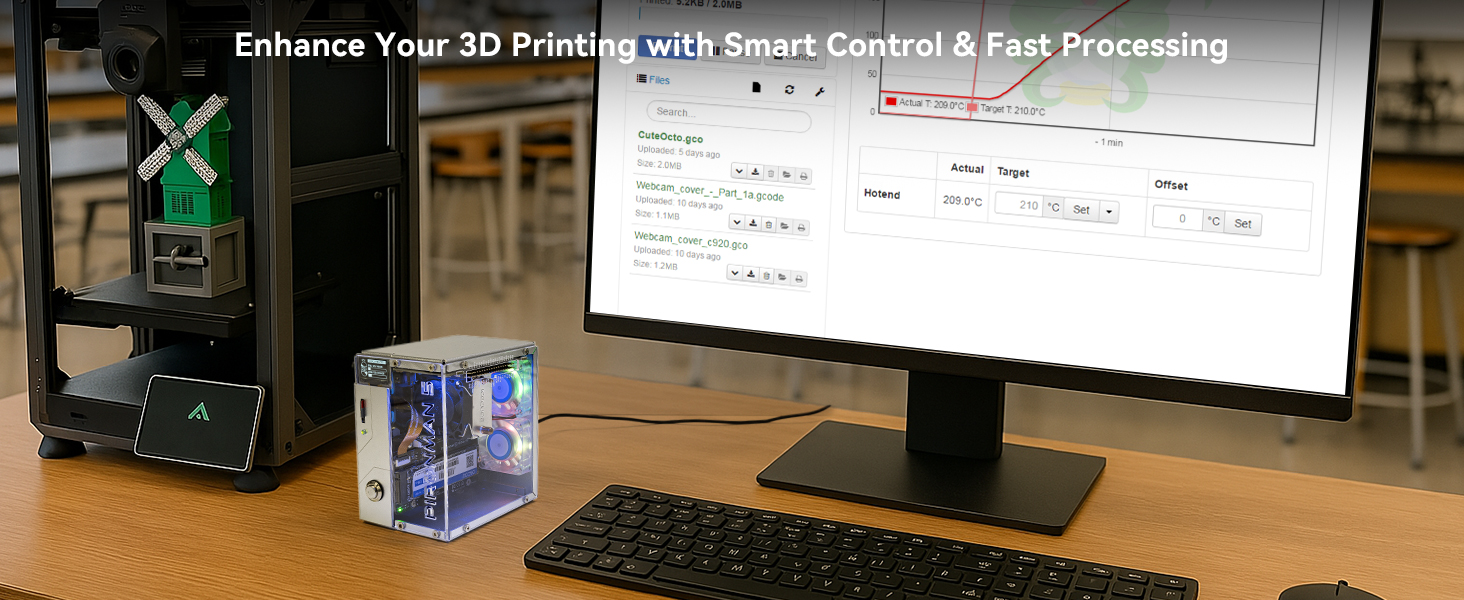
🚀 Transform your Raspberry Pi 5 into a sleek, powerhouse mini PC with style and smarts!
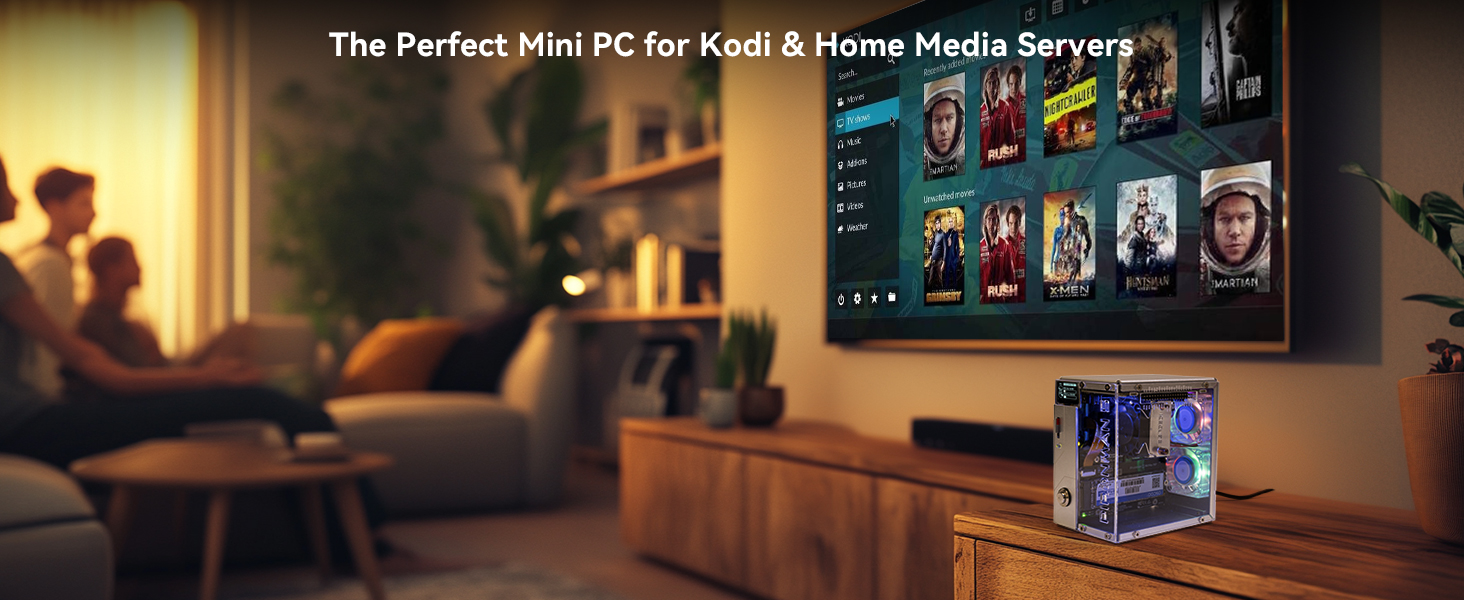
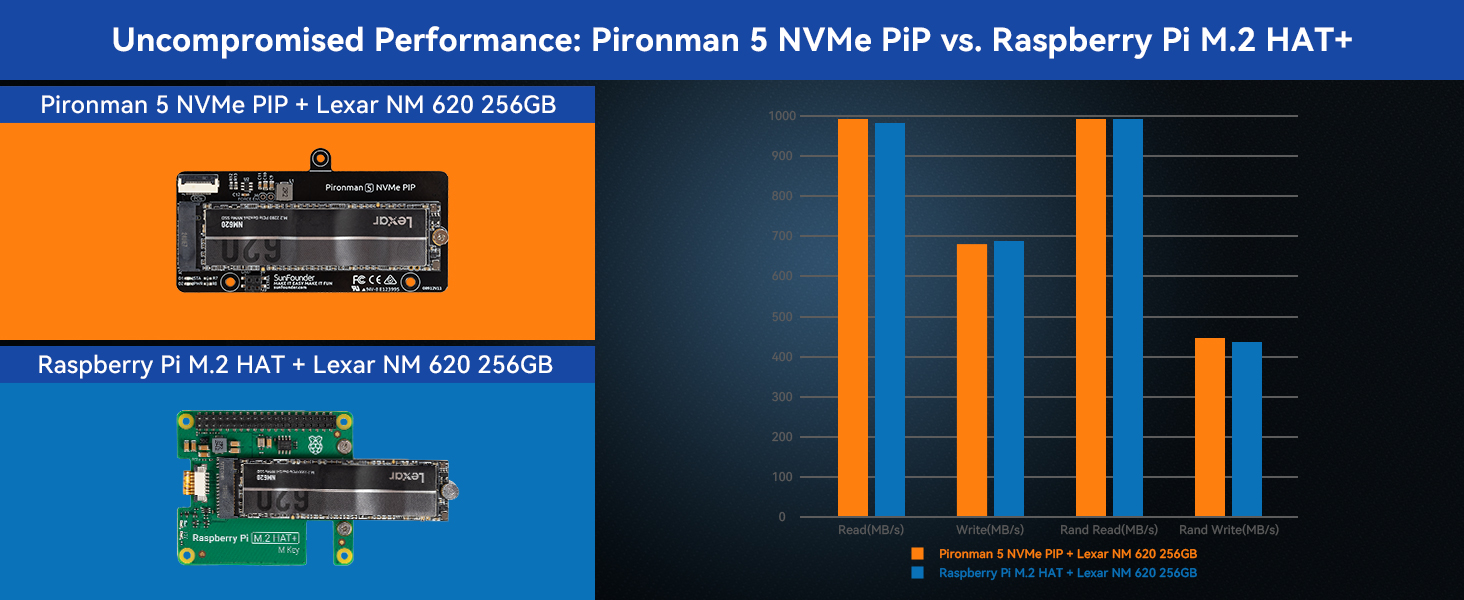
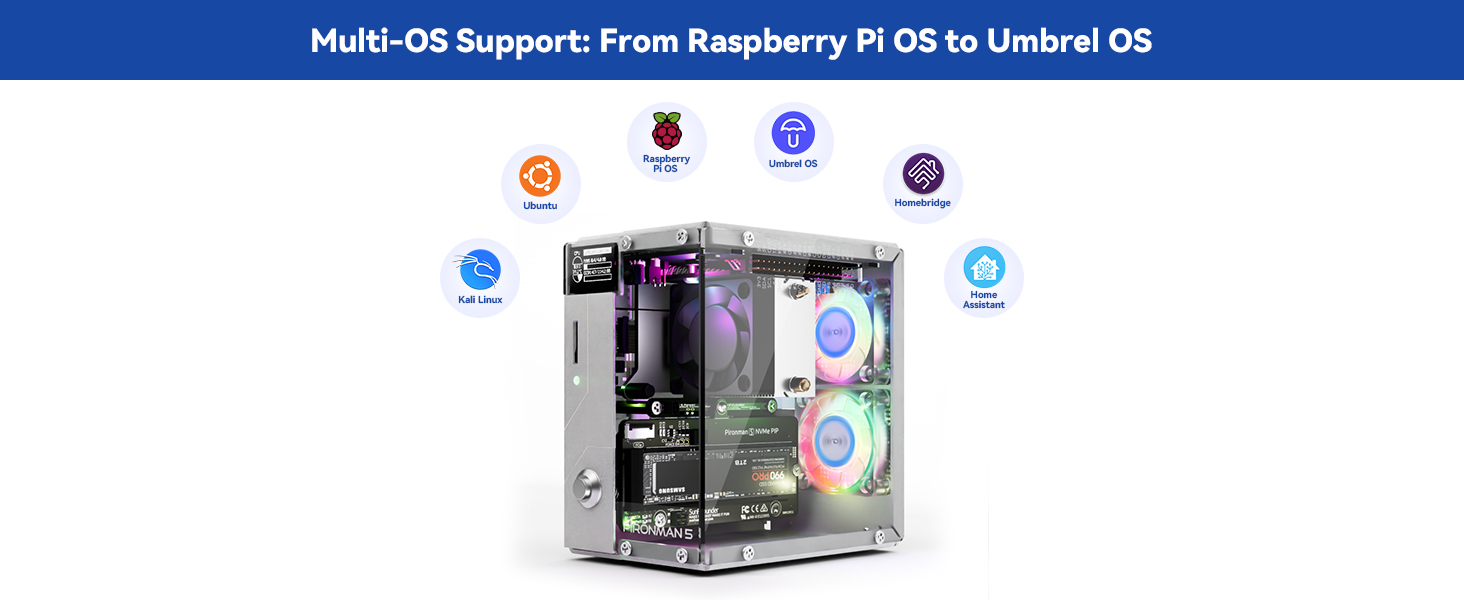
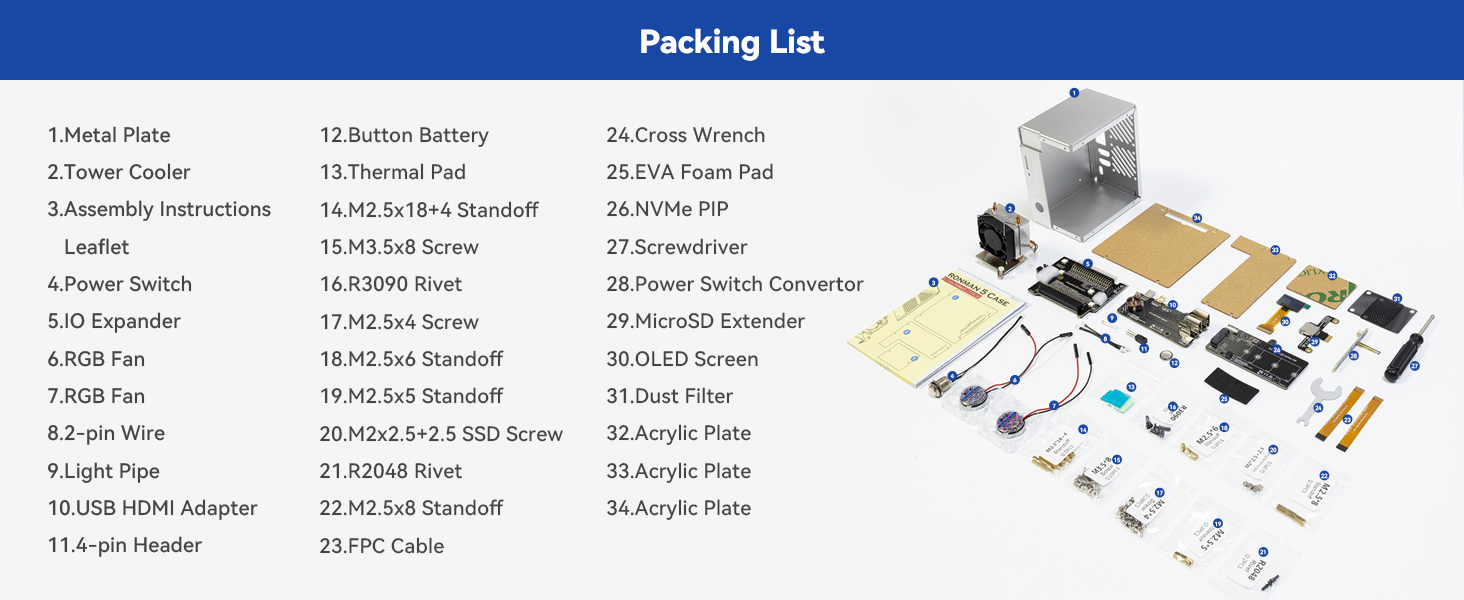
The Pironman 5 is a premium aluminum mini PC case designed exclusively for Raspberry Pi 5, featuring an expandable NVMe M.2 SSD slot (2230-2280), a high-performance Hailo-8L AI accelerator, and an advanced cooling system with a tower cooler and dual RGB fans. It includes a 0.96'' OLED display for real-time system monitoring, dual full-size HDMI ports, safe shutdown functionality, and customizable RGB lighting. Ideal for NAS, media centers, and AI edge applications, it combines robust build quality with quiet operation and enhanced connectivity, backed by detailed assembly guides and technical support.










| ASIN | B0D5CTRSQK |
| Batteries | 1 Lithium Metal batteries required. (included) |
| Best Sellers Rank | #109 in Computer Cases |
| Brand | SunFounder |
| Color | Black |
| Computer Memory Type | DDR3 SDRAM |
| Customer Reviews | 4.4 4.4 out of 5 stars (856) |
| Date First Available | May 28, 2024 |
| Item Dimensions LxWxH | 6.1 x 5.3 x 3.7 inches |
| Item Weight | 13.4 ounces |
| Item model number | DE-A-Pironman 5 |
| Manufacturer | SunFounder |
| Number of USB 2.0 Ports | 1 |
| Product Dimensions | 6.1 x 5.3 x 3.7 inches |
| RAM | 2 GB |
| Series | Pironman 5 |
M**B
An excellent case with features unmatched by any others on the market
I am absolutely thrilled with this case. The assembly instructions are quite clear. After reviewing the instructions online, I was a bit intimidated because of advanced Parkinson's and my tremors. But then I watched the Wagner Tech Talk video on the Amazon product page along with the product images, and thought I could still handle it. I did need use a magnetic screwdriver, and I have to still use two hands to insert a screw. But, the clean and well-engineered design and build always allowed room to do so. Also, I needed a vice to hold the acrylic plates and had to use a razor knife steady with both hands to get a little piece of the paper peeled away, but then it came off easily. I did use a #2 Phillips for the screws for the fans. The case comes with spare parts, including the various stand-offs, screws, 2-pin wire connector , FPC cables, rivets, SSD studs, shorting pins, etc. The cooling tower is very impressive for ARM Cortex A-76. I did change a setting for the fans from being their default of always on to performance. This keeps the fans off until the temperature reaches 50° C. After doing so, I had to run a stress test to check it out as otherwise the temperature sits around 43° C to 47° C. The acrylic panel to be laser cut and etched. The detail was noted when peeling away the paper covering. Another attention to detail was with the thermal pads, which were cut to the precise size for their placement. They were also a good quality and don't fall apart as some thermal pads tend to do. The manufacturing of this case is really impressive. All the holes aligned, with just one very slight pull to get one screw in step 24. I inserted the screw in the lower left of the instructions first, and then the one in the upper right. I had to adjusted it maybe 1/64 of an inch to make it perfectly aligned. That, though, is on me as I didn't have the two piece perfectly aligned when I slid them together. This case is machined perfectly. With the small pieces, and like with any other project such as hundreds of other computer builds and upgrades, I use a large micro-fiber cloth on which I performed this build. In addition to a safe surface, it keeps the small pieces, such as the little M2-5 x4 screws, from rolling away if drop them. In addition to protecting the pieces, it saved time looking for dropped screws. The instructions, as mentioned before, are quite clear. The detail of the instructions matches the detail of the materials. For example, on Step 7, for connecting the 2-pin Wire between the USB HDMI Adapter and the battery connection on the Pi 5, it also includes zoom-ins of each so it is virtually chimpanzee proof to make a misconnection. The same is true in all other steps where there are wire or cable connections. When installing the Power Switch Converter in Step 14, it even indicates to be certain the pogo rods are properly aligned on the J2 jumper on the Pi (between the battery connector and the edge of the board). The only place where the detail is not precise is on Step 21 for connecting the cables for the fans. On that image, is shows the OLED screen already attached to the case, which does not actually happen until Step 25. But, that was most likely done to safe space to allow for the zoom-in on how the fan cables should be connected. The only thing I might add to the assembly instructions is in Step 17, when connecting the NVMe PIP to be certain to first align the pins from the 4-pin Header installed in Step 6 with the connector on the NVMe PIP and not forcing the PIP down to the standoffs. So far as the build, the only thing I might possibly change is to somehow have a tab to start the peeling off of the paper from the acrylic panels. The laser cut makes it virtually impossible to have a tab between the acrylic and the paper. But, maybe a pull-up tab such as on some ketchup and mustard bottles could help. Regarding some comments on the build… As one claimed, I have no doubt whatsoever that the one copper pipe one the cooling tower did indeed come "crunched up." However, if you look at the image on the product page, you will see it is crimped. It also shows as crimped on the instruction page. Had the reviewer referred to the SunFounder website, it explains, with an image emphazing the crimp, "The U-shaped heat pipes at the top of the tower cooler are compressed to facilitate the copper pipes passing through the aluminum fins, which is part of the normal production process for copper pipes." Some mentioned fan noise. The fans are actually extremely quiet, rated 22 dB, which is barely audible. Mine tested at 20 dB. The volume doubles every 10 dB. So a whisper at 30 dB is twice as loud as the fans; a babbling brook at 40 dB is 4 times as loud as the fans. From past experience, the most likely cause of fan noise on a new build is not checking that the wiring was properly aligned, and a wire is interfering with the blades. Later, it may become things like dust build up, worn bearing, etc. But, on new builds, it is almost always a wire or something else interfering with the blades. Related, one mentioned being confused on the airflow, not finding an air intake, and thought the fans could perhaps be intended to suck air in rather than blow air out. However, the SunFounder website also covers this. The "cold aisle" air intake is through the GPIO, which is strategically placed just above the fins on the cooling tower (another nice engineering feature), and the two fans in back blow the air out into the "hot aisle". Regarding the Micro SD connector, one seeming claimed the whole world is having the same issue, and then provided a screenshot revealing misconfigured firmware dependency/ordering issue on the Pi itself. Some mentioned the NVMe PIP module as an issue. However, none seem bothered to look at a solution on the SunFounder website, or provided any analysis. There is most likely a solution provided on the SunFounder website: • If the PWR LED is on but the STA LED is not blinking, it indicates the NVMe SSD is not recognized by the Raspberry Pi. • If the PWR LED is off, short the “Force Enable” pins (J4) on the module. • If the PWR LED lights up, it could indicate a loose FPC cable or unsupported system configuration for NVMe. If it is the second issue, shorting pins are provided with the case. Wrapping up… The very small minority had any issues, and by the way the are "diagnosed" and written, had any of those who had any issues had gone to the SunFounder website, on on its product page, read through the FAQs (last menu item on the vertical menu on the left of the page), their issues would have been resolved. If you can follow instructions, this is a quite easy build. The number of steps name seem large at 27, but they are all baby-step, each taking from just a few seconds to maybe a minute to perform. For me the most difficult step was peeling the paper off the acrylic panels, which too is covered in the FAQs, and gave me the idea of using the razor knife. To put it in more simple terms, had this been an $80 meal, the waiter would have gotten an $80 tip.
D**S
Stylish, Functional Raspberry Pi 5 Case—Great Cooling & NVMe Support
What can I say about the Pironman 5 case by SunFounder: I absolutely love this case. It is definitely pricier than other alternatives, but I find the aesthetics and features more than make up for it. Once assembled, this resembles a mini gaming pc, giving it a unique look for the desktop. I enjoyed putting this together, and everything is nicely labeled and separated which makes building much easier. Just make sure to pay attention, as one of the first steps can easily be done incorrectly. This case also provides a few extra features. It converts the micro HDMI ports to full-sized HDMI, as well as gives a NVMe slot. Just make sure to read the documentation provided by SunFounder on which NMVe to purchase, as not everyone will work. I found that the TeamGroup MP33 works flawlessly. With the connected boards, it lines up all of the ports onto one side, making cable management much nicer. It also sports a small OLED display on the front (once the pironman software is installed and configured) that displays the device's IP address, the CPU usage and temperature, and RAM and storage usage. Once everything is built, installed, and configured properly, a dashboard can be accessed where you can control how the fans function as well as monitor system stats. Just a word of warning: If you don't install the pironman software, then the RGB fans will remain on and active, even after you shutdown the PC. Pros: + Transforms the Raspberry Pi 5 into a mini-tower PC with active cooling, NVMe SSD, and RGB + Great thermals and quiet operation thanks to PWM-controlled fans + Handy OLED screen displays real-time system info + Browser-based control panel makes customization easy Cons: - Assembly can be fiddly - the aluminum case was slightly bent, causing the final build to be a bit tougher to finish. Your milage may vary - Removing the Pi later is difficult. This case isn't meant for swapping the board in and out, so if you need constant access to the Pi itself, you may want to skip this case - Cost - At $80, it's about the same price as an 8GB Pi 5, doubling the total cost (not including an NVMe) - NVMe compatibility - not every NVMe is compatible, and once installed, it will run at Gen 2 speeds. There is a tutorial on YouTube on how to configure your Pi to run at Gen 3 speeds if you're interested Overall, I highly recommend this case for anyone who loves to assemble things like LEGOs and is absolutely obsessed with the Raspberry Pi environment. This is perfect for those who wants to use a Raspberry Pi as a PC and wants a visually appealing device on their desk.
P**R
muito bem embalado, ótima qualidade, manual muito claro.
W**D
This is an excellent product and my go to for testing or using any Raspberry Pi equipment as its fast. Excellent product with good instructions. Put together in about an hour and impressed. Well thought out design and all fits well. Support are excellent too when I contacted them. Extra software is easy to install and kicks in after a reboot. LED’s look amazing too. Finally, I am not connected to this company at all, just a very happy customer - Recommended!
D**S
Super content du produit, service clients réactif et compréhensif. J'ai cassé l'un des plexiglass durant le montage du boitier. Après discussion avec le service client, il m'a été renvoyé une pièce gratuitement. J'ai juste du payer 3 euros de frais de dédouanement. L'écran OLED ne fonctione pas sous Batocera V42 mais fonctionne sur l'os 64 bit de raspeberry. La notice de montage est bien expliquée, aucun soucis durant l'assemblage. Juste faire attention de bien mettre les nappes de raccord (écran OLED, raspeberry vers NVME) dans le bon sens.
J**N
El producto está en perfectas condiciones, el montaje es muy preciso y requiere habilidades técnicas, es importante saber que no está incluida la raspberry ni la ssd, por lo que es importante obtenerlas antes de el montaje. Una vez instalado se tiene que instalar el SO a la targeta micro SD y luego a la SSD. El software y los scripts de Piron man 5 son muy chulos te permiten controlar los ventiladores, leds y incluso la pantalla oled. Recomiendo este producto a todos los aficionados de Raspberry!
S**E
Ich habe lange nach einem Gehäuse gesucht, das meinen Ansprüchen an Design, Kühlung und Funktionalität für meinen Raspberry Pi 5 gerecht wird – mit dem Pironman 5 bin ich endlich fündig geworden! Top Features für mich: Absolut geiles Design: Das Gehäuse sieht aus wie ein Mini-Gaming-PC und ist auf jedem Schreibtisch ein Hingucker! Die Verarbeitung ist hochwertig, und die Optik ist wirklich außergewöhnlich für ein Pi-Gehäuse. All-in-One Lösung: Hier ist wirklich alles dabei, was man braucht – aktive Kühlung, Platz für eine NVMe-SSD, Netzschalter, Lüftersteuerung und sogar LEDs. Das Setup ist unkompliziert, alles passt perfekt zusammen und macht einen sehr wertigen Eindruck. NVMe ready: Ich habe eine 256GB NVMe-SSD verbaut, und es war wirklich einfach. Wer ein schnelles und stabiles System will, kommt um NVMe eigentlich nicht herum. Super Kühlung: Die Temperatursteuerung funktioniert hervorragend. Meine CPU-Temperatur liegt im Home Assistant-Betrieb mit AdGuard bei ca. 40 °C – und das sogar ohne, dass die Lüfter anspringen müssen! Erst wenn’s wirklich heiß wird, schalten sich die Lüfter temperaturgesteuert (über die Pironman 5 Software) zu. Für mich optimal gelöst. NVMe-Kühler: Ich habe zusätzlich einen NVMe-Kühler installiert, um die Lebensdauer der SSD zu verlängern. Auch hierfür ist im Gehäuse genug Platz vorhanden. Bausatz und Montage: Das Gehäuse wird als Bausatz geliefert und war in ca. 30 Minuten komplett aufgebaut. Die Anleitung ist verständlich, alle Teile sind sauber verarbeitet und passen perfekt – auch als Anfänger bekommt man das locker hin. Praxiseinsatz: Home Assistant läuft absolut stabil und schnell auf dem System, inklusive AdGuard. Keine Überhitzung, keine Probleme, und dazu noch ein echt schickes Gehäuse. Fazit: Das Pironman 5 ist für mich das perfekte Gehäuse für den Raspberry Pi 5 – kompromisslos bei Design, Ausstattung und Funktion. Eine klare Kaufempfehlung für alle, die mehr als nur eine „Plastikbox“ wollen und Wert auf Performance sowie Optik legen!
Trustpilot
2 weken geleden
1 week geleden