We remain fully operational. Our teams are working around the clock to ensure your deliveries continue safely.

DOWNLOAD DE APP


Klantenservice
Copyright © 2025 Desertcart Holdings Limited
DOWNLOAD DE APP
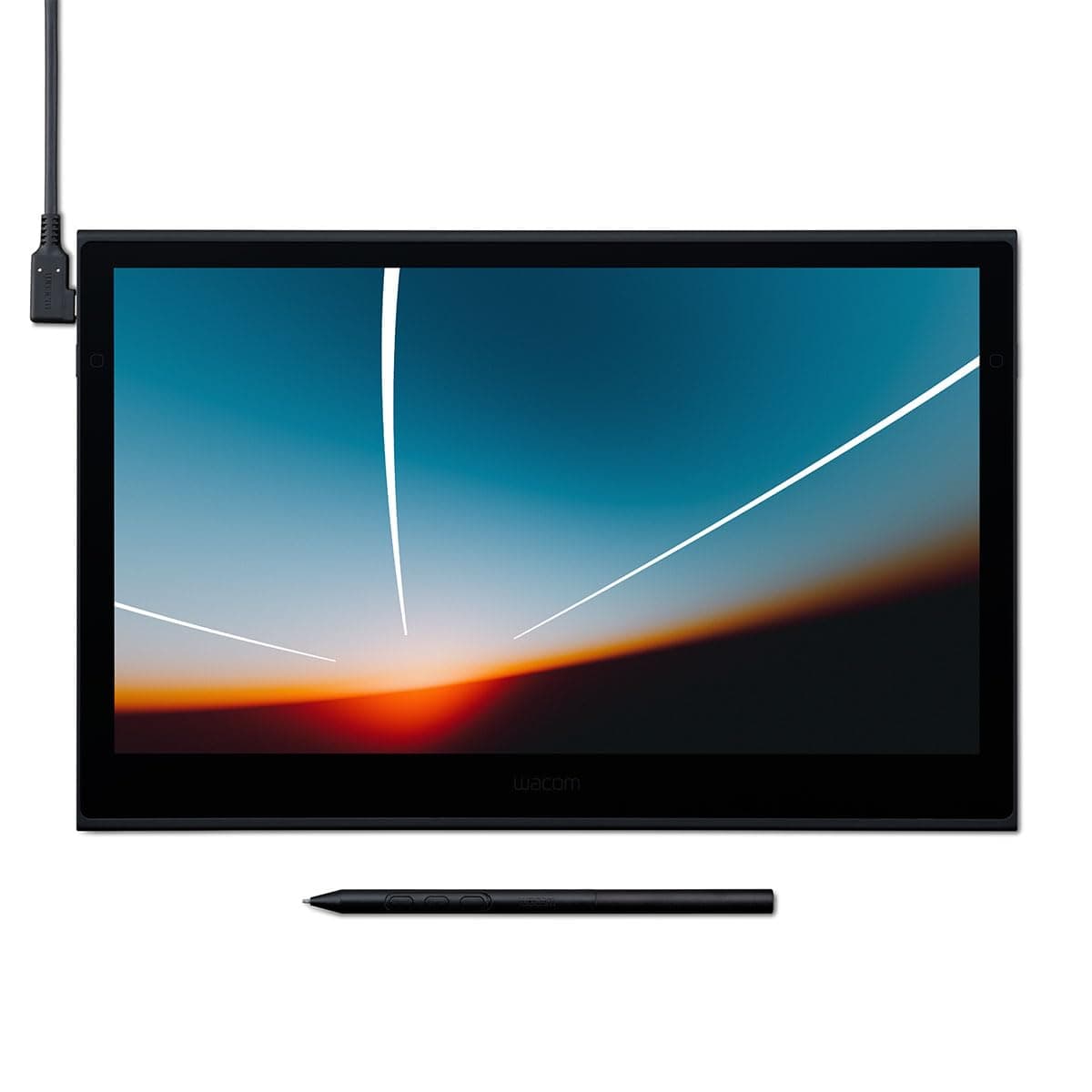
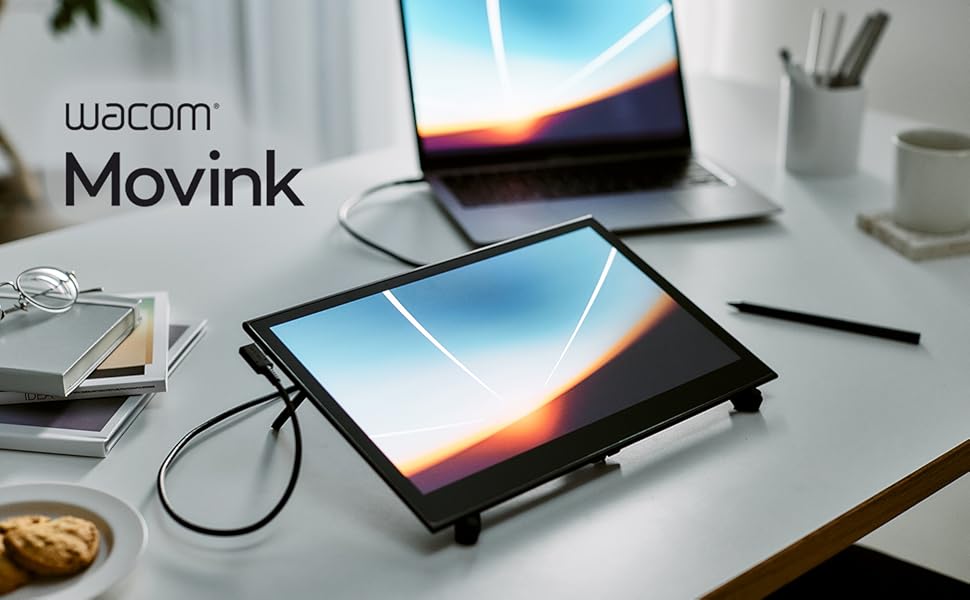
🎨 Elevate your art game with the Movink—where precision meets portability!
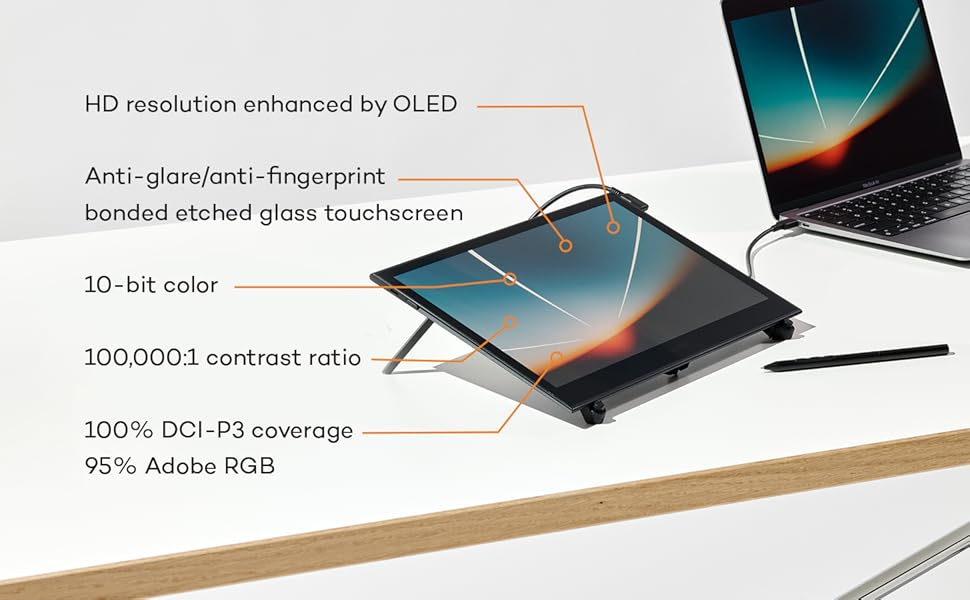
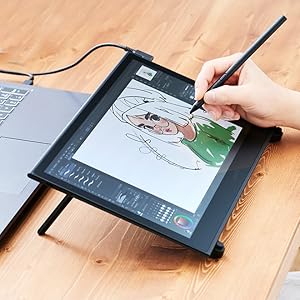
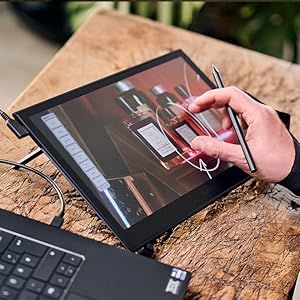
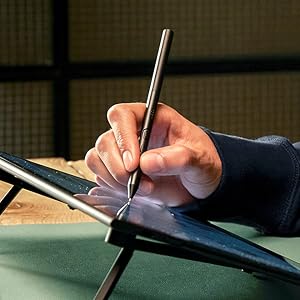
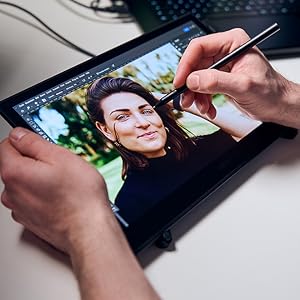
The Wacom Movink 13.3" OLED Drawing Tablet combines a vibrant 10-bit color touchscreen with an ultra-responsive Pro Pen 3 featuring 8192 pressure levels. Its lightweight, ultra-slim design makes it ideal for professionals seeking a portable, multi-platform creative tool compatible with Mac, Windows, ChromeOS, and Android. Enhanced by customizable ExpressKeys and touch gestures, it streamlines your workflow while delivering stunning color accuracy and seamless performance.



| ASIN | B0CS135LT8 |
| Active Surface Area | 11.6 x 6.5 in |
| Additional Features | 2 ExpressKeys, Anti-Glare Glass, Extra-Slim, Multi-Touch Screen, Shortcut Key |
| Best Sellers Rank | #12 in Computer Graphics Tablets |
| Brand | Wacom |
| Built-In Media | Quick Start Guide, Regulation Sheet, Replacement Nib, USB-C Cable, Wacom Pro Pen 3 |
| Color | Black |
| Compatible Devices | Desktop, Laptop, Smartphone |
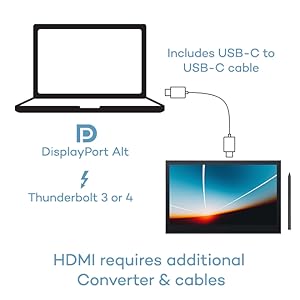
| Connectivity Technology | DisplayPortl Alt Mode, USB-C / Thunderbolt 3 or 4 |
| Customer Reviews | 4.2 out of 5 stars 58 Reviews |
| External Testing Certification | Não aplicável |
| Item Dimensions L x W | 12.6"L x 0.26"W |
| Item Weight | 14.8 Ounces |
| Manufacturer | Wacom Technology Corporation |
| Model Name | Movink 13 for Windows/Mac computers |
| Model Number | Movink 13 for Windows/Mac computers |
| Native Resolution | 1920x1080 |
| Operating System | macOS, Windows, ChromeOS, Android |
| Pressure Sensitivity | 8192 Levels |
| Screen Size | 13.3 Inches |
| Special Feature | 2 ExpressKeys, Anti-Glare Glass , Extra-Slim, Multi-Touch Screen, Shortcut Key |
| Specific Uses For Product | 3D Modelling, Animation, Designing |
| Target Audience | Teacher |
| UPC | 753218984135 |
| Warranty Description | 2 year manufacturer |
D**R
A game changer
I just got my Wacom Movink 13 and I'm blown away with it! I've been a long time Wacom user from back in the 90's and have had many tablets over the years, but this one takes the cake because it's so thin, yet feels robust and is bright and sensitive! I'm using it primarily for photo retouching and the combo of using your fingers to pinch and zoom, make the adjustment and then zoom back is intuitive and effortless. I boosted the brightness and the monitor looks identical to my Macbook Air. It has a nice matte finish that I actually prefer to my MacBbook's glossy screen. I was showing the Movink off to a friend and discovered that as a second monitor it works quite well for educational purposes. I have a private workshop next week and instead of bringing a second monitor to the table, I'm going to just set this up against my mac book and use it as the class monitor. The screen is that good and so easy to handle and pass around the table it will make an impression (it's a two-person class). Set up was easy and seamless. First thing to do once set up is up the resolution to 1920. The package is bare bones (a nice right angle USB cord and the pen) but you get what you need and the Movink is easy to travel with. The pen is the best I've used yet, super thin and easy to hold. You'll have three buttons on the pen to customize. I'm using an older wacom pen holder I had laying around. I'm giving it Five Stars and really can't find anything negative to say about it. I guess I'm spoiled with wireless so maybe the only thing that could use improvement is if blue tooth or some wireless solution was available, but that's just a dream, because all monitors are wired. Regardless of that, the tablet feels very good in the hands and it's easy to hold and work on. It does what it's supposed to do and it does it elegantly. It's one of those pieces of tech that works so well it's a joy to use.
K**R
This is the one for me!
This drawing tablet has become an everyday use item and it's awesome. I often carried around my old iPad as a second monitor and used the apple pencil for drawing and designs and it worked fine. This feels like a dedicated upgrade and it's exactly what I need. My biggest drawback with the iPad was the lag and feel of pulling different windows onto it as a second monitor to work from or work on. The Movink feels absolutely seamless. I've heard some people have had issues with needing a connection to a usb-c port and I didn't have any issues connecting to my 2021 M1 MacBook. I drag windows and use this as a second monitor, improving my workflow tenfold. The tablet's palm rejection technology works well, preventing accidental touches from my hand while I'm holding the pencil. Also, the touch screen is great, sometimes a little sensitive but that's likely just me. I put it on a moveable arm mount and it gets thrown around as this is a very light tablet, which makes it portable as well. The pro pen 3 is so nice, I've tried a couple of the nibs provided and can't really land on a succinct difference, but the pen itself is super comfortable for me. And the button placement fits my hands great. I've messed around with the settings and you can really fine tune the pen to the tablet which has been nice. I do wish the pen was just a bit heavier, it's pretty light, would like to feel like I'm holding something. Though I have gotten used to it and it doesn't bother me much any more. I think the pen really shines in it's latency with the tablet, it is super responsive. I haven't felt or experienced any lag when drawing with it like I was with the iPad. I'm super happy with this tablet.
H**H
A really portable drawing tablet! (You just need to bring your laptop with you as well)
It's a very nice, very thin monitor. I measured it to be about 12.5" x 8", with the active area to be a little less than that (11.5" x 6.5"). I was pretty surprised about the weight (you read about it, but it's different just feeling it). I usually just expect a bit of heft with expensive electronics, even if they just put a weight in it to make it feel more expensive, but this is fairly ideal for portability. It does feel really fragile, so I'm trying to be extra careful. To put it succinctly, it's a fancy touch-screen monitor with a very sensitive stylus. I did try to sketch on it and I do feel it's fairly nice. It's a bit uncomfortable drawing flat, so I'm inclined to buy a tablet stand for it, and there are generally MUCH cheaper ones than the one Wacom offers. (Update: I did buy an alternative stand, which I do like better. I think there's just a general issue with ergonomics hunching over a tablet screen on your desk, though, instead of facing forward at your main monitor). I docked a star because I just feel like with this price point, and with more and more competition to Wacom, you'd get more bang to your buck. What you get is pretty barebones, just the monitor, the cable, the pen (the extra nibs/nib holder are part of the pen). Wacom should at least give us a stand, or even a pen holder/attachment. As it is now, I feel like there's no dedicate space for the Pen. Not even something like iPad's magnetic attachment for the Apple Pen. (Update: I still feel this way. I lose my pen somewhere on my desk every time I put it down). Said Pen, as shown in images with a random pen as comparison, is different from the usual chunky stylus. It's thin like the common Bic pens you find in dollar stores, which I personally don't mind and feels comfortable enough in my hand. As the other reviewer mentioned, this does require a USB-C port on your computer to run, the ones for displays. I have two on my laptop, which is fine for me, although I would have far more appreciated having more options. I'm still trying to figure out all the Movink's features, though I'll note there are two USB-C ports on it, for what I assume is to allow us to choose which side we want to plug the cable in to. (The wallpaper art is by apofiss, not mine. Please excuse my ugly little doodle video, I couldn't think of anything to draw.)
G**I
Excellent quality and extremely portable. Love it!
I got this because I travel a lot and need a portable drawing tablet to use for professional animation. This tablet is shockingly thin and light compared to the competition. It fits very easily into my laptop bag along with my 14" laptop (Lenovo Slim 7 ProX). Initially, I used it with a stand because that's how I've used other drawing tablets. But this tablet is so dang thin, I've simply started laying it flat on the desk and using it more like paper. Color response is excellent, the screen is also bright and easy to see from an angle. Surface texture is good for drawing. It supports a wide variety of pens from both Wacom and third parties. I tend to use the Staedler Jumbo pen because it feels the most like a pencil. For those complaining about the need for a robust USB-C port on the computer, think about it for a second. If you want to use the tablet as a display, then your USB-C port also needs to support a display. Duh. Same goes for power. So, before buying, make sure your computer supports these features. Personally, the one thin USB-C cable is a big feature of this device. It lets me position the tablet however I want, without bulky breakout cables getting in the way. Sure, it's expensive and maybe a bit of a splurge. But, for me, it's hands-down the best portable drawing tablet on the market. If you travel and earn a living making digital art, this is well worth the investment.
I**S
Deserves negative start
I really wanted to like this tablet. The size, lightweight, portability, OLED touch screen were all major positives. However, all the youtube reviews connected via USB C to their laptops. I could not find a single review that connected the tablet to a desktop PC. I have a very well featured desktop with an NVIDIA 4090. Am I missing something or does Wacom assume that the majority of graphic designers work on laptops? It did work when connected to my Surface Pro but the drawing lag was horrible. Also, almost no reviewer complains about the glass-like drawing experience. I wish I could give this Wacom tablet a negative star for all cables and adapters I bought and all the hours wasted trying to get it to work. And for misleading reviews and advertising. The fact that you need a USB converter that costs an additional $79 on an overpriced tablet is hidden in the FAQ. All the competing tablets I looked up include all the cables that are needed to connect to pretty much any modern PC at a significantly lower price.
Z**H
The editing tablet I've been waiting for!
The Wacom Movink tablet is the ultimate upgrade. I intended to use the Movink primarily for Photoshop and Lightroom work, coming from an Intuos tablet where the learning curve was moderately challenging. Switching to this Movink was seamless, and I gained an extra OLED monitor that also functions as a touchscreen. It has increased my editing efficiency and overall quality. There is little to no lag on-screen, even as I switch between windows and applications. The Pro Pen 3 is a nice additional upgrade; it feels comfortable in your hand, is lightweight, and I love that it stores extra nibs. I switch between my PC and MacBook without issues, requiring at most a restart of my PC. I haven't had any problems with the USB-C connection, whether running directly to the laptop or through a powered USB hub. For the past week, I've been bringing it into the office to try on my CAD computer. It’s thin and light, so I hardly notice it in my bag. My experience has been mixed, mainly because I'm still figuring out how to integrate it into my workflow for 3D modeling, but it’s fantastic for marking up and annotating 2D drawings. I understand the hesitation in making this purchase—the upfront price had me questioning if it was worth it, especially since I already had an Intuos. However, the features drew me in, and after using it for a couple of weeks, I can confidently say it is worth it! Could I make do without it? Yes, but why would I want to? This is the right tool for the right job, especially for those in computer graphics, editing and for me.
S**L
Great for ZBrush...this is SO LIGHT and convenient for travel
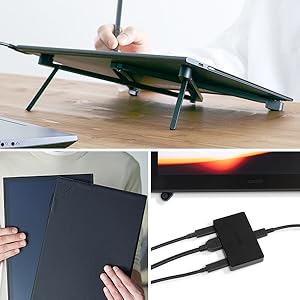
I have a Cintiq Pro 24 and a a 16" Cintiq Pro, but after going on vacation last year and forgetting the massive hunk of cables for the 16", I had to replace them all for around $100. That was the final straw. Anyway, I took a chance on the Movink, and I'm loving it. It's a little small, but definitely an upgrade from my little Intuos for ZBrush. I wish that Wacom would have just charged a little more and included the protective sleeve and stand...that's a $120 upgrade that you WILL need. Also, I just got down to the Texas coast and again, I thought I'd left the cable for the Movink. KNOW THAT A REGULAR USB-C CABLE WILL NOT WORK. The special cable that comes with this provides power AND data, so it's not a standard cable. At this point, it can only be purchased from the Wacom site...$14.95 plus shipping. Thankfully, I found mine, so I'm up and running again.
T**H
first impressions are great.
after 1 year of using this device, the tablet is alright, it's held up perfectly fine. the usb c cable is getting a little loose, but otherwise no issues. i'm a bit annoyed they released a much better version shortly after i bought it that fixes many of the issues with the original design, that would be the new model you see listed everywhere now. The main issue with this device is the pen that comes bundled with it. mine broke after less than a year of use. many report theirs breaking after only a few weeks, it didn't come with replacement parts, there's nowhere you can buy replacement parts. they expect you to buy an entirely new $100+ dollar pen. the pen is cheap plastic, it doesnt come with the full suite of parts that you'd get if you bought it on it's own. and that is the ONLY way to get more buttons that will inevitably break for it. First review: i was a bit skeptical after the last Wacom tablet I had, but so far after unboxing and using it for a while, I've been pleasantly surprised. the screen texture Is a bit glossier than what wacom is known for, but that's something that can easily be fixed with a screen protector. it's more thin than expected, I'm a bit worried but it feels sufficiently solid. the OLED is great, the only thing you can do to make it better is make it 4k, with the size you'll only get a slight improvement from this, but for an artist it would be worth it. the fact that this all runs off 1 USB c is the real main feature though, there is no other display tablet that is this portable on the market, with the price and portability, this is pretty much the best option for studio professionals, hobbyists, and traveling artists alike.
Trustpilot
3 dagen geleden
3 weken geleden