We remain fully operational. Our teams are working around the clock to ensure your deliveries continue safely.

DOWNLOAD DE APP


Klantenservice
Copyright © 2025 Desertcart Holdings Limited
DOWNLOAD DE APP

🖥️ Elevate your workspace with clarity and speed — don’t get left behind!
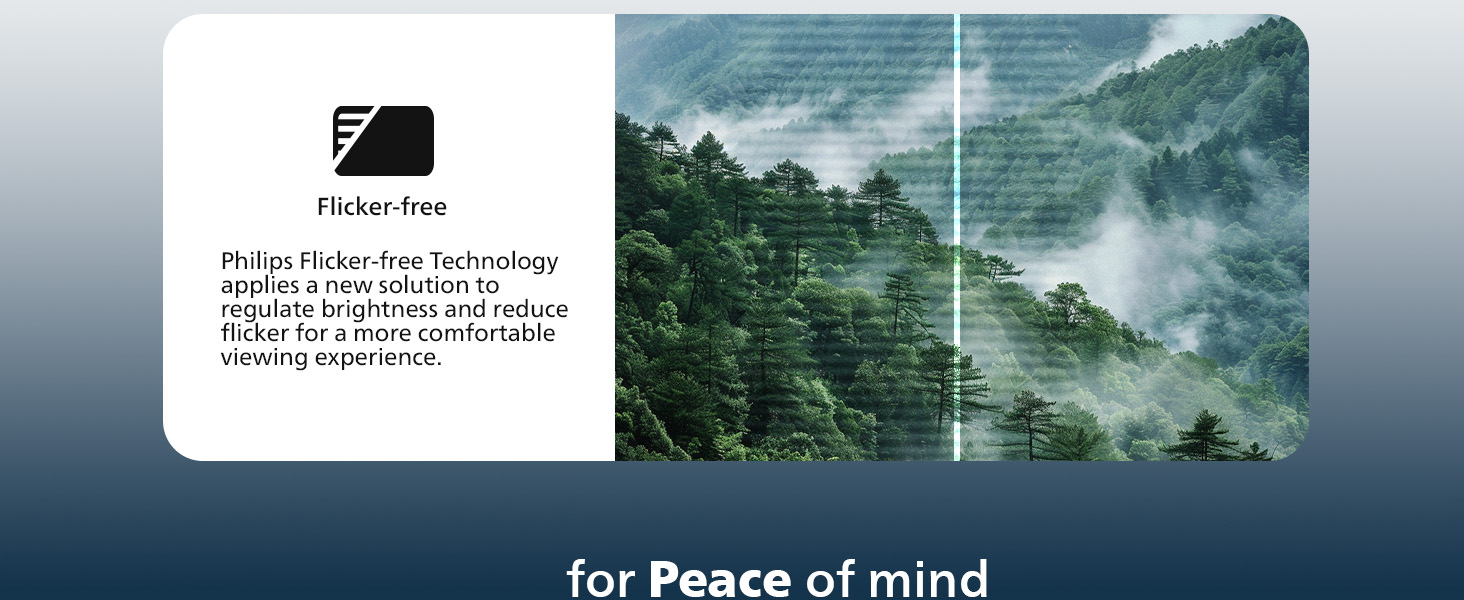
The Philips 221V8LB is a 22-inch Full HD monitor featuring a 100Hz refresh rate and Adaptive-Sync technology for smooth visuals. Its VA panel delivers deep contrast and wide 178° viewing angles, while LowBlue Mode and flicker-free tech protect your eyes during long work sessions. Perfect for multitasking professionals seeking crisp detail and fluid performance, backed by a 4-year advance replacement warranty.






| ASIN | B0CVM2GJCN |
| Best Sellers Rank | #245 in Electronics ( See Top 100 in Electronics ) #5 in Computer Monitors |
| Brand | Philips |
| Color | Black |
| Customer Reviews | 4.6 4.6 out of 5 stars (3,075) |
| Date First Available | February 13, 2024 |
| Item Dimensions LxWxH | 8.6 x 19.4 x 14.5 inches |
| Item Weight | 9.27 pounds |
| Item model number | 221V8LB |
| Manufacturer | Philips |
| Max Screen Resolution | 1920 x 1080 Pixels |
| Product Dimensions | 8.6 x 19.4 x 14.5 inches |
| Screen Resolution | 1920x1080 |
| Series | 221V8LB |
| Standing screen display size | 21.5 Inches |
| Voltage | 12 Volts |
T**G
Great Little Monitor—Perfect as a Second Screen.
Does exactly what I need it to. I needed a smaller second monitor for my MacBook Air. Screen quality is good. It functions as intended and connections are easy to use. Love that it has an on/off button. I haven’t noticed any color issues. I would not recommend this monitor for a designer, but as a copywriter, it gets the job done. I generally need a second screen to research what I’m writing and this has been wonderful for that. It’s a great value for what you get. No complaints other than I wish I had a bigger space to have a bigger screen size, but that’s more of a me problem. LOL I would def buy this brand again. I don’t even remember assembling it which tells me it must have been very easy.
N**R
Excellent Value Monitors!
These monitors are excellent! They are crystal clear, easy to set up, and they have a very sleek look too! I have two of them and I am impressed!
H**Y
Terrific second monitor and easy to set up
Terrific monitor that was easy to set up and works very well as a second monitor. It looks great and is perfect for day-to-day office activities. No issues with flickering either. I'm extremely please and think it's a great value for the money. I'd definitely buy another one.
C**G
Great picture and features—just a few compromises
I’ve been using this Philips 22" Full HD monitor for a few weeks now and overall I’m impressed. It has a sleek, nearly bezel‑free design and supports VESA mounting—ideal for a multi‑monitor setup or tidy desk layout . What I LOVE: Crisp Full HD (1920×1080) resolution on a 21.5″ VA panel delivers excellent clarity and contrast—deep blacks and vivid whites really stand out . 100 Hz refresh rate & Adaptive‑Sync (FreeSync) make basic gaming and video playback noticeably smoother at a budget price . Eye‑friendly features like LowBlue Mode and flicker‑free tech reduce eye strain during long writing or screen time sessions . Excellent value—Tom’s Hardware praised it for class‑leading contrast and surprisingly accurate color for just ~$70‑80 . What COULD BE BETTER: The stand has no height adjustment, only tilt, so ergonomics might be limited unless you use a monitor arm . No built‑in speakers or USB ports, so you’ll need external audio or hubs for full connectivity. The color gamut is decent but not ideal for color‑critical work—photo or video professionals may want something with wider gamut and calibration support . At 22″, the screen is compact—fine for desktop use, but it may feel small if you’re used to larger displays or want more screen real estate . In Use: I use it for office productivity, streaming, and light gaming via HDMI—no lag, screen tearing or stutter. Color shifts at wide angles are minimal. After a day of work I notice less eye fatigue with LowBlue and EasyRead modes enabled. Final Verdict: This Philips monitor strikes a smart balance of price, image quality, and performance. If you need a secondary display or value smooth visuals and eye care features, it’s a solid pick. Just be prepared to add accessories if you want adjustability or audio built in. 4 out of 5 stars—it’s a great budget pick with a few minor trade‑offs.
M**R
Very happy customer!
Great picture and took a couple minutes to set up without looking at manual. Came with the proper connections. Very satisfied. Great price for a good quality monitor.
J**S
Really nice for the price!
Very nice monitor! Clean, clear, sharp, everything you want from a display. It wouldn’t hurt my feelings if was a LITTLE bigger, but for the price it’s okay, I’ll live. Lol It would also be nice if it would tilt, but again, not a big deal, I put it on a box and it’s the perfect height now anyway. I expect it will probably last years too, time will tell but it seems to be a very good quality product. Very happy.
L**T
Various observations
This review provides a list of my observations about the 21.4 inch (call it 22) Philips VA monitor 221V8LB. (Note: monitor sizes are measured *diagonally*, width and height are smaller.) But first let me explain why I got this monitor to replace my almost ten year old 27 inch HP IPS monitor 27wm. While the HP monitor was still fine, it had some superficial surface damage, visible under certain light, that annoyed me. And I decided I really wanted a smaller monitor to replace it. Cataract surgery, combined with one particularly problematic eye, has left me unable to focus at different distances. And progressive glasses are fine for driving a car or other vehicle, but not for much else. So I wear my reading glasses to view my monitor. And if the center of my 27 inch monitor was in maximum focus at about 12 inch, the corners really started getting far enough to get a bit fuzzy. In addition my eyes are very long, reducing my peripheral vision, so having the corners at a very large angle was awkward. A smaller size monitor, but of the same full HD resolution, like my laptop, seemed a good idea. And 22 inch seemed to be about the smallest they sell nowadays. (Also, while my laptop screen is a lot smaller at 13.25 inch, when I am traveling I do find that really too small to see easily.) The Philips was cheap, and worked out well in increasing my comfort. The list of my observations now follows. 1) Power cable. The monitor comes with a relatively short power cable of about 5 ft; too short for me to pull the monitor towards me when I am sitting back in my chair. For comparison, the HP power cord was a bit over 6 ft. In addition, you cannot simply switch power cords, because the Philips comes with a highly unusual monitor power connector. So, if 5 ft is too short, you may need some sort of extension cord. I had one handy, but if you do not, factor in another $5 or whatever and the hassle of getting one. (I do not know how many people return the monitor because the cord is not long enough, but I suspect the manufacturer might be penny-wise and dollar-foolish.) (I initially measured the length as 54 inch and was planning to subtract a star, but 5 ft vs 6 ft seems a bit too small for that, though the nonstandard cable does not help.) 2) Speakers. There are no speakers in this model, and the web page never claims there are. (But it also does not highlight that they are missing. Not smart, if you ask me. Think of all the hassle and expense of the user returning the product.) Apparently you need a model name ending in an A (for audio?) to get speakers. However, there *is* an aux port, unlike one review said. I found this aux port *very* convenient, as for unknown reasons the aux port on my docking station stopped working a long time ago. Now I could connect my aux stereo speakers plus woofer permanently to my monitor instead of awkwardly to my laptop itself. (Actually, I could do this also with my old monitor, but I never thought of it at all, and would have needed a HDMI cable instead of my VGA one. VGA does not do audio.) Note that analog aux is not going to be of the quality that digital HDMI could in principle provide. One reviewer complained that aux speakers are almost impossible to get nowadays. Well, as I write this, go to a big cheap department store near you and there they are for $13. I got these earlier for my spare old laptop and they work fine. 3) HDMI cable. The reviews AI claimed that some users complained of not getting a HDMI cable. Well, I went over the most recent reviews as of Oct 14, 2025, and I found 9 reviews explicitly stating that the HDMI cable was there and only 3 saying it was not. I suspect that these 3 may have bought used "like new" monitors, though only one of the 3 said so explicitly. Unlike the power cord, the HDMI cable turned out to be long enough for me to duct it through the cable guide of my MOUNTUP stand. It is hard for me to measure it accurately in its convoluted path, but it seems to be about 55 inch.
E**D
excelente hasta ahora muy buena compra advertencia Amazon no le pone un embalaje extra como lo indica conserva el que viene de el fabricante aún así excelente equipo.
A**S
Perfect for my desk setup and the perfect size! Might need to adjust my chair so the eye to screen ratio is fine BUT for the price I paid (on Black Friday), you can’t go wrong with it. I wished the height could be adjusted.
Y**L
se ve súper bien, la verdad estaba buscando algo a buen precio ya que por navidad ya ando en las últimas jajaa, y solo lo quiero para jugar xbox, se ve muy bien, eso si, no trae sonido pero nada que no se resuelva conectando unos audífonos a tu control, la verdad estuvo muy bien, lo recomiendo 🤭
H**O
Es un gran monitor calidad precio, la vdd lo compre esperando tener una pantalla más grande a la de mi laptop, para jugar y trabajar mucho más agusto, ya que antes batallaba en ver esos detalles mínimos, que al tener un monitor podía solucionar. Sin decir que es una gran pantalla con la que puedes trabajar sin fatigarte ya que cuenta con varios modos (Standard, Internet, Juego, Fácil Lectura y Protección a Luz Azul) que se pueden ajustar con unos simples clics para una experiencia más personalizada. LO ÚNICO que quizás tenga, es que es un monitor a imagen, es decir que no cuenta con altavoces integrados, por lo que necesitas altavoces externos, ya sea bocina o incluso unos audífonos pueden funcionar. Al menos yo al contar con una laptop, puedo transferir el audio hacia allá sin mucho problema, pero es un punto a considerar, si es que estás armando tú propia PC, tener esa salida de audio externa.
D**S
Belle qualité, fonctions faciles vision parfaite
Trustpilot
3 weken geleden
1 maand geleden