


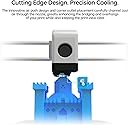


Panda Jet
Product ID: 618698329
Details
- BrandBIQU
- ManufacturerBIQU
- Number of Items1
🎯Omni-directional precise cooling
💨30%+ larger airflow
🛠️Seamless plug & play install
💨 Cool smarter, print sharper — don’t let your prints overheat!
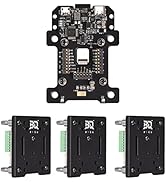
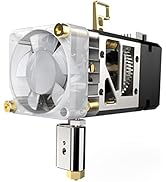
The BIQU Panda Jet Fan Duct is a high-performance cooling upgrade for Bambu Lab 3D printers, delivering 30%+ increased airflow through an omni-directional design that precisely cools prints. Made from durable MJF nylon, it ensures long-lasting, heat-resistant operation and seamless compatibility with stock and Panda Revo/Flow hotends, enhancing print quality and speed without complicated installation.










| ASIN | B0CY2RQBN7 |
| Best Sellers Rank | #90,509 in Industrial & Scientific ( See Top 100 in Industrial & Scientific ) #1,688 in 3D Printer Accessories |
| Brand Name | BIQU |
| Customer Reviews | 4.3 4.3 out of 5 stars (95) |
| Included Components | jet |
| Manufacturer | BIQU |
J**.
Helps a noticeable amount for overhangs
You won't see an insane improvement to part cooling, but it was VERY noticeable on silk PLA. Issues id usually have with certain overhangs on silk seemed to improve markedly between the stock cooling duct and the Panda Jet. The installation was a bit tedious because it wasnt as straight forward as the instructions showed. I did have to chip away some glue from the toolhead cover to be able to release the old duct, but installation of the Panda Jet was smooth and it's held up through 50 hours of printing since I received it. Overall a great product that is worth the investment to make the Bambu Lab X1C print just a little better.
E**Y
Does work!
I'll start by saying that you're not going to see crazy results swapping to the panda jet. I think it's necessary to set expectations for what a single fan is capable of even if changing the ducts. Now I will say if you're trying to get every ounce of performance from your machine this is 100% worth the upgrade. Now that I gave that little disclaimer let's talk numbers. I did three overhang test for each duct using the exact same print settings. Essentially I would print one of the test and then just press print again. After getting three samples on the stock duct I quickly swapped in the panda and click print again that way the only difference in this test was just the duct. Fan was running at 100% and essentially here are the results: The stock duct gave me a clean 40° overhang with the 50° marker being about halfway decent but not quite perfect. Not bad The Panda duct gave me a clean 50° overhang with a 60° being about halfway decent. A 10° performance boost in overhangs isn't crazy but definitely not bad if you're trying to get the max performance. Like stated it's not a crazy difference but to be honest even the rest of the overhangs look a lot better using the panda than the stock one did. I uploaded a picture of the results from the best samples.
A**T
Improve X1C print quality a bit
It was a a decent product that help with print quality to a certain extend. Particularly related to overhang.
M**0
Works great fixed some of the over hang issues I was having!
Update! I upgraded to the hotend cover!!! Man it cut all of the rattling noise out from the stock cover! It did also show a little improvement in print quality as well not much but I did notice a difference! No more curling or drooping overhangs! I can finally print at the standard speed and not have to slow everything down afyer the first 30mins or hoir of printing! You can just tell by looking at it that it's a better design! Don't let the haters talk you out of this one! You need it just get it!
C**N
Great upgrade
Husband bought 2 of these. 1 for his Bambu P1P and 1 for his Bambu P1S. Both were super easy to install while following the instruction. He says he has noticed a better print quality after installing them with better over-hang quality.
G**2
Works great
Purchased this after a few youtube videos. Be aware when purchasing to make sure all air paths are clear, there are issues with some of these coming with dirt inside of air path. I used compressed air to just verify clear air way. Install was easy and does seem to help.
T**R
It helps but bulky
I guess this makes a difference I really can’t tell other than the hassle I go through getting it off if my print head is over the poo shoot
M**J
Lackluster
Went through this replacement and the jetpack integrated solution on my X1C. Until using this (several thousand hours), I had not experienced a nozzle glob (where filament sticks to nozzle and gums upward) on the X1. Thanks to this and it's replacement, I experienced it twice. The second time the nozzle glob got stuck in each of the 4 fan holes and I had to break the jet duct off to remove the glob. Would not recommend for X1C use.
R**N
We've replaced the stock ducts with these on all 5 of our machines and would do it again in a heartbeat. They definitely improve overhangs and unlike the stock fan, it doesn't matter how parts are oriented on the bed. They are not the easiest to install and do require picking away at the resin that holds the stock fans on,
A**W
I had to replace my stock cooling duct and decided to try this one instead of going back to the original part. It ended up being both an upgrade and cheaper than OEM, which made it an easy choice. Performance-wise, it’s been excellent. Cooling is noticeably improved, and bridging performance has been very consistent. I’ve attached a video of it printing a Benchy at 100% speed on my P1S, and the results speak for themselves. Layers are clean, and overhangs look great. The only downside was that the first unit I received arrived broken and had to be returned. That part was frustrating, but the replacement arrived quickly and in perfect condition. Once installed, everything fit well and worked exactly as expected. Overall, solid upgrade, improved performance, and better value than stock. Even with the initial hiccup, I’m giving it five stars because the final product delivered exactly what I was hoping for.
A**R
Works well, can be slightly problematic to remove the front of the print head when its in the home position though. Did notice a pretty decent increase in print quality after installation. Remember to be careful when removing the original cooling duct as the adhesive Bambu uses is quite strong.
J**H
I’m now able to complete almost perfect bridges. I’ve tested up to 20cm long with no issues which is amazing. At times there is maybe too much cooling which has led to one issue and the magnets aren’t the strongest so if an issue does occur the printer will complain the front came off. Still think it’s worth it though for the price I paid on sale.
J**.
Purchased on sale for my Bambu P1S. No other mods added to it. Very impressed with the cooling, Overhangs on the Bambu studio test have improved roughly 10-15%. Very happy with this purchase.
Trustpilot
3 dagen geleden
4 dagen geleden