
DOWNLOAD DE APP


Klantenservice
Copyright © 2025 Desertcart Holdings Limited
DOWNLOAD DE APP
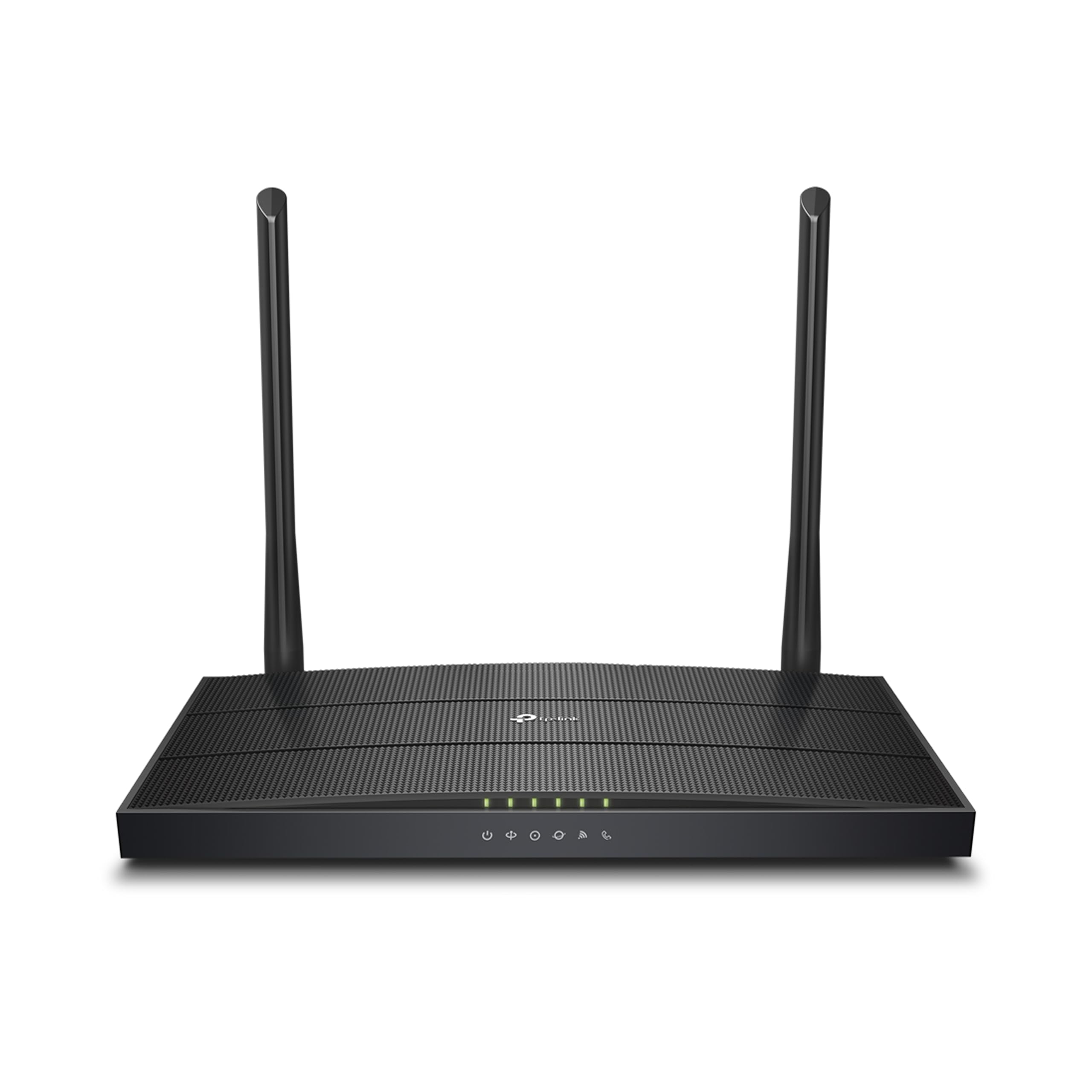
🚀 Elevate Your Home Network to Pro-Level Speed & Control
The TP-Link XC220-G3V is a sleek, black AC1200 dual-band wireless fiber router designed for professional-grade home and small office use. Featuring 4 gigabit Ethernet ports and a dedicated VOIP port, it delivers up to 1.2Gbps Wi-Fi speeds with stable coverage across 2500 sq ft. Its dual external antennas ensure strong signal strength, while advanced features like remote management, VLAN support, and QoS optimize connectivity for gaming, IPTV, and VoIP calls. Backed by a 3-year warranty, this router is a top choice for millennial professionals seeking fast, reliable, and easy-to-manage internet solutions.


| ASIN | B0BKC6PTTZ |
| Antenna Location | Business, Gaming, Home |
| Antenna Type | Fixed |
| Best Sellers Rank | #1,006 in Computers & Accessories ( See Top 100 in Computers & Accessories ) #21 in Routers (Computers & Accessories) |
| Box Contents | AC1200 Wireless VoIP XPON Router, RJ45 Ethernet Cable |
| Brand | TP-Link |
| Brand Name | TP-Link |
| Colour | Black |
| Compatible Devices | IPv3, IPv4 |
| Connectivity Technology | Optical Fiber Port, Wi-Fi |
| Control Method | Remote |
| Country of Origin | India |
| Coverage | 2500 square feet |
| Customer Reviews | 4.2 out of 5 stars 609 Reviews |
| Data Transfer Rate | 1000 Megabits Per Second |
| Frequency | 5 GHz |
| Frequency Band Class | Dual-Band |
| Importer Contact Information | TP-LINK India Private Limited, Green Industrial Park, Dongri Pada, Poman, Kaman-Bhiwandi Road, Vasai East, Palghar, Maharashtra – 401208, Contact: Toll Free 1800 2094 168, [email protected] |
| Is Modem Compatible | Yes |
| Item Dimensions L x W x H | 11.7L x 21.5W x 3.2H Centimeters |
| Item Height | 28 Centimeters |
| Item Type Name | VoIP Router |
| Item Weight Unit of Measure | 560 Grams |
| LAN Port Bandwidth | 10/100/1000 Mbps |
| Manufacturer | TP Link, TP-LINK CORPORATION LIMITED,Room 901,9/F., New East Ocean Centre, 9 Science Museum Road, Tsim Sha Tsui, Kowloon, Hong Kong |
| Manufacturer Contact Information | TP-LINK CORPORATION LIMITED,Room 901,9/F., New East Ocean Centre, 9 Science Museum Road, Tsim Sha Tsui, Kowloon, Hong Kong |
| Maximum Upstream Data Transfer Rate | 1167 Megabits Per Second |
| Model Name | XC220-G3v |
| Model Number | XC220-G3V |
| Number of Antennas | 2 |
| Number of Ports | 6 |
| Operating System | Microsoft Windows 98SE, NT, 2000, XP, Vista or Windows 7, 8, 8.1, 10, MAC OS, NetWare, UNIX or Linux |
| Other Special Features of the Product | Parental Control, QoS, Remote Access, Supports VOIP Calls, WPS |
| Packer Contact Information | TP-LINK CORPORATION LIMITED, Room 901,9/F., New East Ocean Centre, 9 Science Museum Road, Tsim Sha Tsui, Kowloon, Hong Kong. |
| RAM Memory Installed | 64 MB |
| Security Protocol | WPA/WPA2, WPA-PSK/WPA-PSK2 encryptions |
| Special Feature | Parental Control, QoS, Remote Access, Supports VOIP Calls, WPS |
| Unit Count | 1 Count |
| Voltage | 28 Volts |
| Warranty Description | 3 Year Manufacturer Warranty |
| Wireless Communication Standard | 802.11a, 802.11ac, 802.11b, 802.11g, 802.11n |
| Wireless Compability | 802.11a, 802.11ac, 802.11b, 802.11g, 802.11n |
H**A
Nice router
It is GPON router. Works nice. Range is decent. Works fine for 2 bedroom house.
A**Y
Great Product for BSNL FTTH
I am using this router with BSNL FTTH in Tamil Nadu, and it’s compatible and works great. I used to have a DBS router and always complained about BSNL’s terrible service. However, when I switched to this router, the difference is remarkable. The range with the 2.4GHz band is perfectly adequate, and the connectivity is stable. The ping with the previous DBS router was consistently around 15-30ms and unstable. This router, on the other hand, provides a ping of about 7-14ms, which is ideal for gaming.
P**R
Excellent and works wonderful for Fiber Network
Excellent with lot of ventilation. Signal and connectivity is normal. Speed and setup are easy.
P**P
TPLINK XC220-G3v v2.0 XPON Router is Working as expected with my BSNL Fiber EPON
This TPLINK XC220-G3v v2.0 XPON Router is Working as expected with my BSNL Fiber internet connection using EPON. But this is not easy to configure by end Customer. I tried configuring myself with help of my old Modem config details but did not work at all. To all those who are facing issues with BSNL Fiber Internet connection. Please reach out to your BSNL service provider. TP LINK Support team is there but they wont provide solution instead they will just fwd the email to next person and no solution was provided. I just gave this Router to my ISP (local cable operator).. they configured it for me and now im able to connect to Internet successfully without upgrading the firmware. There is no need to downgrade or upgrade the firmware.. just with factory firmware it works good.. just the configuration has to be done by BSNL team. (I dont use telephone landline so only Internet is configured) This can be controlled by TPLINK AGINET mobile Application, same link Tether APP. It has 3 yr warranty as well. Overall i am giving 5 star because it satisfied my need. Rather than buying Local brands like syrothech/optilink/netlink/etc, you can buy this but contact bsnl for configuration.
B**N
GPON router that also works on airtel fiber. Got both internet and VOIP working.
Hi Shoppers, The router is light in weight and slim. Has only 5 indicators which are not bright enough and not very helpful. Coming to the range, this router too disappoints me. This is no better than the airtel provided one. It doesn't cover even 10 mtrs range. Infact airtel provided one seems a bit better than this in terms of range. Since I can't return the product i am using this. The only consolation for me to use this router is that this router separates 5Ghz and 2.4Ghz signals like Nokia router. The GX router combines both the signals even with bandsteering disabled. When the 5G signal falls to average it automatically switches to 2.4Ghz signals. This feature is an upside to some and downside to some. There is no wireless access point mode in this router. It would act as a range extender it was made available. All in all the router disappointed me. But on a positive note airtel's control on my router is a bit limited now. I'm using airtel fiber for more than 5 years now. When my connection was upgraded to fiber from copper cable I was given Nokia router free of cost. It was a very good router and worked for 5 years without any issues with a decent range that would cover my entire home. But one fine day the power switch went bad all of a sudden even without me not using the switch very often. I called airtel to complain, they were reluctant to replace the router as they again had to do it free of cost after a lot of persuasion and threatening to cancel the connection, they replaced it with some unheard brand GX. This is a decent router with very limited 5Ghz signal range it gives a good coverage with 2.4Gig signals. I am using it since a year now but it started rebooting randomly during work hours. Airtel's response to the complaint was as usual irresponsible. Airtel can see all of your settings and control the router remotely. So I asked if i can use open market ONT router. They said no it is not supported and I cannot use any router other than their's. I started searching for an ONT that supports airtel, but the results were not encouraging. The options are very limited. I could only see Syrotech and couple other unknown brands. So I started searching amazon. Everytime this TPlink router showed up. It nowhere mentions it supports airtel. The reviews were also saying it doesn't work with airtel except 2 users who were successful in getting it to work with airtel. After a lot of searching and no encouraging results i took a risk and bought this with a lot of apprehension. It was like gambling to me. The router was delivered within 12 hours Kudos to amazon for that. They brought it without additional packaging. But handling was a bit careless as well, as the box seemed to have been dropped several times. Anyways, no damage, so accepted. With a scepticism started configuring. Searched for guides on how to configure. Found only one video that was helpful. Followed the steps and Voila! it worked. Both internet and voice works without any issues. Its been 3 days and is working without interruption. To configure the router for airtel you need. Your airtel router's GPON serial num which you will find on the bottom of the router. Your DSL username and pwd(which usually is your airtel account num). VLAN ID which is 100. Connection type should be PPPoE, priority set to 0. with these info you can configure internet. VOIP is a bit tricky. you need your telephone number, registrar address, authentication ID and password, outbound proxy IP, VLAN ID, IP address, subnet mask and default gateway IP to configure telephony. I suggest this router only if your airtel router is not really upto the mark and you wish to limit airtel's control on your router. If you just want to extend the coverage. I suggest you add wireless range extenders with airtel router. No point in buying this router just to extend range.
G**G
Works good
Works good ! EPON ALSO WORKS GOOD. Wifi 6 is good.
S**I
Reliable, fast and featureful.
One of the best fiber routers. Can be linked with Tether app for management of all TP Link routers together.
P**A
TP-Link XC220-G3 AC1200 Wireless XPON Fiber Router
Super product and easy to install.
Trustpilot
2 weken geleden
1 week geleden