We remain fully operational. Our teams are working around the clock to ensure your deliveries continue safely.

DOWNLOAD DE APP


Klantenservice
Copyright © 2025 Desertcart Holdings Limited
DOWNLOAD DE APP
Buy anything from 5,000+ international stores. One checkout price. No surprise fees. Join 2M+ shoppers on Desertcart.
Desertcart purchases this item on your behalf and handles shipping, customs, and support to Netherlands.
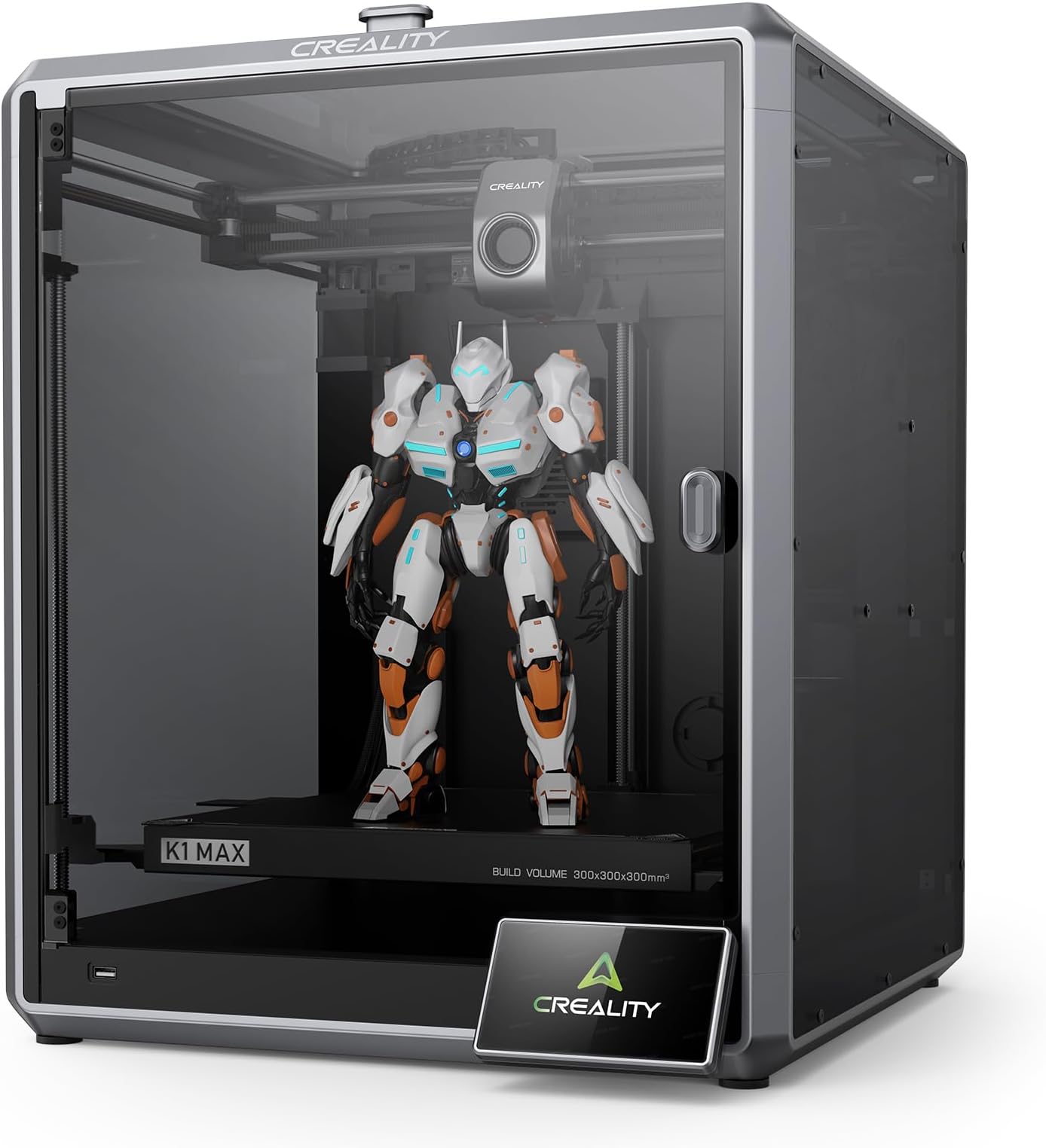
🚀 Print Fast, Print Smart, Print Big — Own the Future of 3D!
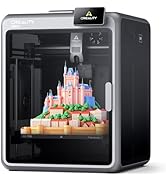
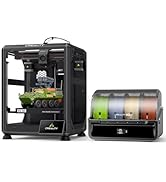
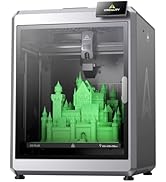
The Creality K1 Max is a high-speed Core XY 3D printer boasting a massive 300x300x300mm build volume and lightning-fast 600mm/s print speeds. Equipped with dual cooling fans, a 32mm³/s high-flow hotend, and AI-powered LiDAR for auto-leveling and error detection, it delivers professional-grade prints with minimal setup. Its robust aluminum frame and advanced sensors ensure precision and reliability, making it ideal for managers and creators who demand speed, quality, and smart automation right out of the box.















| ASIN | B0C4GGGGWB |
| Batteries Required? | No |
| Batteries included? | No |
| Best Sellers Rank | 3,703 in Business, Industry & Science ( See Top 100 in Business, Industry & Science ) 11 in 3D Printers |
| Colour | K1 Max |
| Customer Reviews | 3.8 3.8 out of 5 stars (178) |
| Date First Available | 3 Aug. 2023 |
| Included components | K1 Max 3D Printer kit; |
| Item Package Quantity | 1 |
| Item Weight | 12.5 kg |
| Item model number | K1 Max |
| Manufacturer | Creality |
| Material | Metal |
| Part number | Ender-5 S1 |
| Product Dimensions | 46 x 42.5 x 57 cm; 12.5 kg |
| Style | Smart AI LiDAR |
| Voltage | 240 Volts |
H**R
It's big, it's fast, it's good.
Rarely gets to it's full speed, few fast printers do. But it definitely races along at a fair whack and makes a bed slinging ender 3 look and feel ancient. 8 hair prints on an ender 3 are down to around an hour. Stuff I would never print on an ender 3 is within reach on the k1 max. Good print quality, built in bed levelling via a lidar, inbuilt camera is OK, not stellar but usable. Filament runout sensor built in. It does timelapse on every print, though I haven't worked out how to delete them. Prints over local WiFi, so a bit octoprint like as you can send your files over WiFi instead of using a USB stick, though that USB option is still there if required. Using a USB stick you can also pull timelapse videos direct to the USB stick. Biggest downsides of the k1? No cura profiles at the time of purchase so stuck with creality slicer. Creality slicer works fine but is limited with only 3 profiles, basically high quality slow, medium still slow, and average quality fast. Options are intuitive in creality slicer. Considering it is basically cura they make things difficult when they shouldn't be. You can monitor prints over WiFi, but for me it can't be done from the program itself on the pc, I have to copy the ip address (there is a copy ip option on the print screen so they obviously planned for this issue) to then paste in a browser window which then works fine. If you use a trackball or mouse without a scroll wheel you are in for a miserable time adding custom supports as I cannot find an option to zoom in on the model without that wheel. The only thing to truly HATE with this printer? The phone app. It is full of ads. Ads on ads, ads everywhere. The app is basically an ad app with the printer options you want to access hidden in amongst all the ad misery. Simply put, do not use the phone app if you value your sanity.
A**R
Pretty much print straight out of the box, minimal set up
Needed this printer as I need to print some fairly large parts for a project so wanted high speed and 300x300mm. Also it’s going to be in an unheated and often dusty garage so an enclosure was fairly essential. Also required was higher temperature printing as PLA might be pushing it a bit with regard to structural components on a hot day in summer. First off, packaging is excellent and printer arrived with zero damage. There’s a printed quick start brochure which is adequate but YouTube videos are better. Assembly is basically: unbox, remove protective films of glass panels, fix magnet handle onto door, remove three transit screws from the print bed (big yellow arrows point to these), plug in and mount the screen, mount the supplied reel of filament on the spindle and push through into the print head and switch on. It’s really that simple. Once powered up set up is as easy as it gets. It painlessly connected to wifi and updated the firmware. Levelling etc is fully automated- you do nothing👏👍. It takes about 15 minutes to calibrate itself and sort itself out before you can print your own jobs. I also installed Creality print (slicing software) on a pc and it connected straight away to the printer over wifi. All in, was ready for 1st print well within an hour of opening the box. My first print was a tooling jig I designed myself in CAD. I found the slicing software intuitive and the auto placement and auto supports was fine. I used the default settings for the filament (supplied Creality hyper PLA) and sent the file to the printer and started it going remotely from the pc. Built in webcam shows you the print in progress and status with regard temperatures, time gone and time remaining. Software estimated just over 1.5 hours to print this tooling jig and it was pretty accurate. Printing is fast, very fast and the printer shakes about like some demented lunatic. That said, the print quality was plenty good enough for me and removal of the supports was easy. Oh, did I say this was the 1st time in my life I’ve ever used a 3D printer? It’s quite noisy with the fans and print head traverse motors screaming. And that’s with the door shut and (removable) lid on. In no way is it ear defender territory but you wouldn’t want it in the living room when you’re watching tv. It saves a Timelapse video of the print - remember to turn the interior light on and remove the protective film off the camera lens (not in the instructions). Adhesion. What can I say. I did precisely nothing with regard to prepping the print bed and all 4 prints I’ve done have stuck just fine. They’re also easy to remove by taking off the magnetic metal print bed and flexing it. Size wise, it’s a bit of a beast, you need about 600mm height and depth and about 500mm width space for it. It’s just about small and light enough to wrap your arms around it and carry it if you need to move it. Too early to say about quality and longevity, only done four prints on it so far. I haven’t bothered setting up a Creality cloud account nor putting the app on my phone. Summary. It works, set up is a breeze and you get good quality prints from the get go on default settings. And this is coming from a complete noob. A bit noisy but haven’t tried dialling down the speed to see if that quietens it. Ps. Gave tech support 3 star as I have to put something down even though I haven’t needed to use tech support.
A**A
Nothing but problems with it
Nothing but problems loading the filament since purchasing it. A nightmare! The machine seems faulty, but can’t get through to anyone to sort it out. Update: We now get videos sent to us from support, but it’s one issue after another. It’s never worked properly, unlike the much cheaper Creality Hi which just does what it says on the box. I just wish I’d bought multiple of those instead of this albatross!
M**R
Top notch printer.
Started my printing many years ago on an old wooden framed Anet A8(taught me everything) then I discovered the Creality Ender series and they served me well for a long time and then to this K1 Max, wow what a machine. Simple to set up, then tap a button and it levels itself and checks everything is good and away you go. It's been printing away every day since I purchased it 3 1/2 months ago and I've had 1 failed print. The thing is brilliant.
E**A
La k1 max è una stampante 3d coreXY, raggiunge velocità impressionanti con un ottima qualità, ho realizzato circa cento stampe prima di scrivere la recensione, cosa mi piace del prodotto: -Velocità 300 mm/s -volume di stampa 300*300*300 mm -adesione del primo strato sempre perfetta -controllo in remoto di più stampanti da pc con visualizzazione di cosa si stampa tramite telecamera. Cosa non mi è piaciuto: -Sostituzione del filamento macchinosa. -il tubo in PTFE che porta il filamento é posto troppo vicino al pannello superiore, questo potrebbe portare a inceppare la stampa, ho risolto questo problema con questo progetto su thingverse: https://www.thingiverse.com/thing:6157655 Ricordatevi di impostare correttamente la temperatura di estrusione del filamento, di default é di 240 gradi per il PLA e mi ha fatto sciogliere il filamento dentro l’estrusore danneggiando gli ingranaggi del motore, l’assistenza mi ha immediatamente riparato il danno da me causato. Si deve usare per forza lo slicer della Creality Print, che oltre a fare da slicer gestisce in remoto anche le stampanti (ne ho due) sono soddisfatto di questo software che è molto simile al Cura, ma il mio preferito rimane il Prusa slicer. Per chi cerca un volume di stampa più grande della norma questa è la scelta giusta.
B**H
Zur Lieferung kam pünktlich und unbeschädigt an. Der Drucker ist jetzt mein 3ter FDM Drucker (CR-10 5S (2017) und Dremel 3D40 mein erster (2016)) und ich bin von der geschwindigkeit in kombination mit der Druckqualität begeistert und werde wenn er wieder im Angebot ist einen 2 ten holen, habe mir noch 2x die B Druckplatte geholt und da ich schon lange denn 3D lack verwende ist die haftung nun damit Mega die Standard Platte ist in Ordnung aber für ABS ist die B Platte mit Struktur zu empfehlen, was ich nicht gut finde war der Abstand zwischen dem Druckkopf mit Anbauten zur oberen Glasplatte da hat er hin und wieder gestreift aber das lässt sich mit einer erhöhung die man natürlich auch drucken kann wie ich es gemacht habe lösen. zweiter punkt schmieren ein 0815 Fett wird mitgeliefert aber obwohl ich es genutzt hatte hat er nach einer weile (1-2 Wochen) angefangen komische geräusche zu machen was aber mit ein paar tropfen öl an denn richtigen stellen wieder weg war. Der Drucker sollte eine W-LAN oder LAN Verbindung bekommen zumindest so lange das man ihn software technisch auf dem aktuellen stand hat, ich habe ihn sofort nach dem Aufbau upgedatet was er auch gleich mit der einrichtung fragt, mit der installierten sofware ohne update kann ich kein fazit geben. Trotz allem bin ich nur begeistert von dem Drucker.
P**A
Overall this is been one of my worst shopping experiences on Amazon. First when I purchased the item it was not showing is out of stock, and yet it took several days, if not weeks, to finally ship. Then it stopped printing in the middle of the third print, and nothing I did could get it to print again. I tried all tricks youtubers have mentioned. Then I requested a return but the address that was given to me had the street in one country and the country designation somewhere completely different. I then shipped it to the address that Amazon gave me instead, but now I'm being told that the RMA# will not apply because I had only one day to ship. So now I'm stuck waiting, hoping that someone will open the box and properly credit me back. It looks like I might have to wait 30 days.
S**W
Je suis absolument impressionné par les performances de la Creality K1 Max. Cette imprimante 3D allie une qualité exceptionnelle d'impression à une vitesse remarquable, faisant d'elle un choix de premier ordre pour les passionnés d'impression 3D avancés. La caractéristique qui se démarque le plus est la vitesse ultra-rapide de 600 mm/s. Cela a considérablement réduit le temps d'impression, tout en maintenant une précision et une qualité de détail exceptionnelles. Les résultats sont époustouflants, avec des objets imprimés rapidement et avec une finition haut de gamme. L'intégration de la caméra IA est une fonctionnalité innovante qui a ajouté une nouvelle dimension à mon expérience d'impression 3D. La surveillance en temps réel de l'impression à distance via l'application dédiée offre une tranquillité d'esprit et permet de détecter d'éventuels problèmes dès qu'ils surviennent. Cela contribue grandement à minimiser les échecs d'impression et à optimiser le processus global. La conception de la Creality K1 Max est également à saluer. Son cadre solide et bien construit, associé à des composants de haute qualité, assure une stabilité pendant l'impression, réduisant ainsi les vibrations indésirables et améliorant la précision des impressions. Bien que cette imprimante 3D puisse sembler avancée, son interface conviviale et son installation relativement facile en font un choix accessible même pour les utilisateurs moins expérimentés. Les fonctionnalités avancées sont là pour satisfaire les professionnels, tandis que la facilité d'utilisation la rend accessible à un large public.
A**.
Estrusore con ingranaggi in plastica, rotto dopo 10 stampe.. Che buffonata.. Ora sento cosa mi dicono, vi aggiornerò.
Trustpilot
2 maanden geleden
3 dagen geleden