Some deliveries may take a little longer than usual due to regional shipping conditions.

DOWNLOAD DE APP


Klantenservice
Copyright © 2025 Desertcart Holdings Limited
DOWNLOAD DE APP
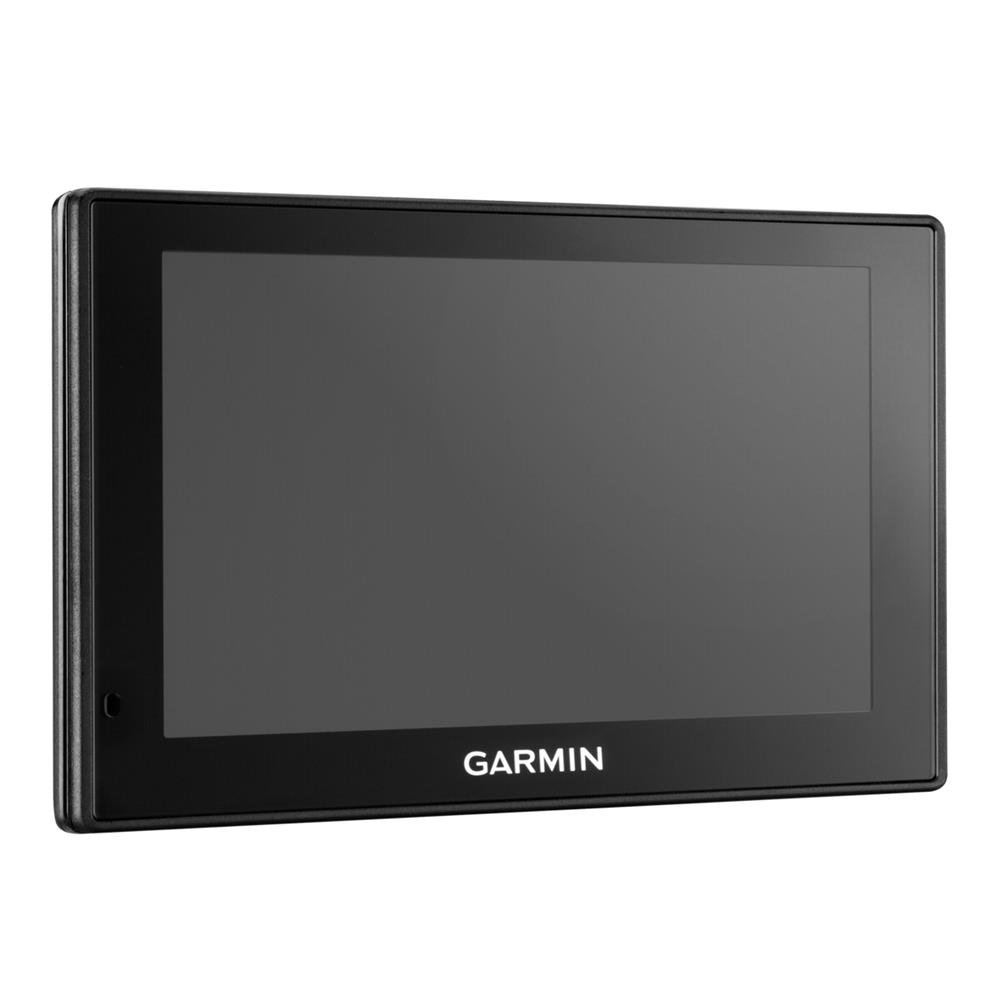
🛣️ Drive Smart, Arrive Smarter – Your Ultimate European Road Companion
The Garmin DriveSmart 50LMT-D is a premium 5-inch satellite navigation system designed for UK, Ireland, and full Europe coverage. Featuring lifetime free map updates and real-time digital traffic alerts, it combines advanced driver safety alerts with Bluetooth hands-free calling and smart notifications. Its intuitive pinch-to-zoom display and voice-activated navigation empower professionals to stay connected and in control, making every journey safer and more efficient.


| ASIN | B01AY5CA6W |
| Best Sellers Rank | 93,099 in Electronics & Photo ( See Top 100 in Electronics & Photo ) 4,469 in GPS, Finders & Accessories |
| Guaranteed software updates until | unknown |
| Item model number | 010-01539-10 |
| Manufacturer | Garmin |
| Product Dimensions | 8.4 x 1.8 x 14 cm; 174 g |
C**S
Works well-be sure to set up properly before using
Great product, gift from my dad before a European road trip. Advice with the benefit of hindsight: Do a map update before using Do your settings before using Not doing so led to it routing me on a ferry across a Swiss lake - only it was 11:30pm, there were no ferries and I ended up with a 2hr drive retracing steps to then take an alternate more sensible route. Forgot to reset “ferry” option after driving from UK-Italy this summer, then ended up with it again routing me across Lake Maggiore by ferry. Fortunately this time ferry was running, but the ETA was out by an hour & journey much slower & more expensive than an alternate driving route would be.
J**L
Brilliant once you get over the hurdles.
Once you get to grips with this, it's a nice piece of kit for the price. Lifetime updates, traffic info (via your phone ap, free) and hands-free calls and texts. Also voice activation for the Satnav, which is pretty nifty as long as you've switched off your radio! But there are pitfalls along the way and, as along-term Garmin user, I feel there should be much better troubleshooting info along the way. Instead you have to find your way through it yourself. This led to me returning one and probably to some of the negative reviews on here. Issue 1 - Garmin appears dead/poor battery life - despite charging the unit up on a long drive it can die or appear dead when you first try to update or just after. The root of this is, unlike previous models, there is a sleep by just pressing the off button. It appears this is more like a 'gently dozing button', because your power will soon go out the window. Far better to hold the on/off button in for 5 seconds and then it will ask you if you want to switch off Issue 2 - Update problems - there was a thing that 'you must restart your Garmin after updating if it doesn't happen automatically'. This seems to cause no end of problems and rarely works. I couldn't transfer my old favourites and the advice from Garmin was far too complicated (going into files by PC). I thought I had it fully updated when we went away early June, but now I think it's just finished previous updates, as well as the new one I did yesterday - I note the restart nonsense is no longer necessary and it just happens - thank the lord. I could probably transfer favourites now but I've already re-entered everything. Issue 3 - jams up. Really tricky and once again no advice from Garmin. After one of the aforementioned updates it just remained on the plug-in screen to PC whatever you did or whatever you connected it to - just a screen picture of a PC and USB cable! By going online and finding a review a a Garmin fitness device I was able to see that the common solution for everything Garmin is to hold in the on/off button for 10-15 seconds, which has the effect like re-starting a jammed PC used to be. So 4 stars for the excellent device if you get through the minefield. Would have been 5 if me, and every other buyer, had the information above given to us on purchase!!
A**N
Replacement SatNav
We've used Garmin and TomTom for years now. Happy with the purchase as we knew what we were buying and as a gift to replace an old model for a daughter. Mostly 5 stars - but Garmin mapping occasionally decides on a funky route so local knowledge can be a bonus. Tried to take us up a mountain in Germany which we knew was not going to happen. However, software is only as good as the data that is provided. Excellent voice commands and that has been brilliant. Connecting to the Garmin online update service has not been without its frustrations though - hence until they sort out a more reliable interface for updating especially on Windows, it only warrants three stars on "Easy to Use". Apart from that, it is a good piece of kit.
P**S
An OK satnav and compared directly with TomTom Go 5100 for a long transeuropean drive
This is my third Garmin, the previous two both became faulty after two years or less and with the rate that this technology is evolving, it simply wasn't worth paying around 75% of the original price for Garmin to fix them. My wife had recently bought a TomTom Go 5100 and I used that for a while whilst considering what to do next. I was reluctant to buy another Garmin, their customer service is a joke, and I think that this sort of consumer electronic device should last more than 2 years; either that or reduce the price to say £50 and then you'd get what you paid for. Having used Garmin for so long I just couldn't get on with the TomTom, despite the fact that its on board SIM powered traffic seemed to be better than the Garmin DAB/FM offering. There seemed to be some doubt about whether I would have to pay for using data via SmartLink to my phone and Garmin sales couldn't answer that question. I was about to drive across Europe to Crete for the winter so this was quite important for me. The setup seemed to go OK although the update of the maps etc, as usual despite my 40Mb internet connection, it took ages; I do wish that Garmin would do something about this!! I was able to transfer all my favourites from my 2595 easily once I had found out how, which was not very intuitive. There is only a paper quick start guide, the rest of the manual is online, although you can download it. One of my gripes about the Garmin web site is the fact that it keeps sending you to the US site and a lot of the information on that site is incorrect for UK devices. In use it is very similar to the LM2595LMT that it replaced. The traffic worked right across Europe which surprised me as Garmin themselves didn't know whether it would when I asked their sales dept. It relies on DAB radio transmissions, which are not available everywhere, in France I found that there was no reception on long stretches of motorway between towns. We ran my wife's TomTom at the same time to compare the performance. Generally speaking the TomTom seemed to report traffic and roadworks more quickly, but didn't work of course in the areas with no mobile phone signal; this is a much smaller problem in Europe than in th UK. Route changes due to traffic or roadworks can be either automatic or manual, The Garmin sometimes changes your route only to find that the traffic or roadworks on the alternative route are little better and if you are out on a bank holiday these constant changes can result in huge detours that don't save you any time. It never seems to get to the point where it re evaluates the route to your destination and picks the best compromise, it just keeps adding local detours. The TomToms avoidance algorithm seems to work better as it does display roadworks or traffic nearby rather than just the route you are on. The maps and detail are good, one thing I did notice was that if you select "avoid un-paved roads" for instance it also removes those roads from the map display. I've not checked whether if you select "avoid motorways" it also removes them from the display!! The trip planning app is great, I was able to plan the various phases of my trip across Europe in advance, so I knew well in advance distances and times. The choice between fastest time and shortest distance can be very frustrating, in Italy for instance the fastest time on one route was deemed to be the shortest which took me on some very narrow twisty roads used by Italian wanna be rally drivers, in comparison with the other option which was some 15% further but in real time much faster and safer. My original LM265 seemed to have a much more sensible algorithm for this. Both the 50LMT-D and the 2595 have this annoying habit of indicating that driving 4 or 5 miles down a twisty single track side road to save maybe a mile or so over the main road route is a good trade off, which of course it isn't all things being equal, and this is when the navigation preference is set to "faster time" rather than "shorter distance". I have always found these algorithms questionable, try using a satnav to drive a local route you know well and you'll see what I mean. The TomTom was marginally better than this at times, but also suffered with some baffling route options. Which brings us to the DriveSmart part of the device. The speed limit warnings are useful when you have a lot to think about on a drive, and by and large they worked well, but they are of course solely dependant on the map updates. This particular feature is way off in Crete, frequently having me trundling along at 50KPH when then limit is actually 90KPH. I know that speed limits are maximums and not targets but with hidden speed cameras it's important not to get caught out. The bend warning is just a gimmick. Having descended some 20 hairpin bends on a road in Italy, I finally got a warning of a gentle 45˚ bend at the bottom of the hill!! You can turn the audible warning off but not the daft banner that flashes up at the top of the display. The animal crossing warning is scarily accurate, almost everytime a warning flashed up we passed a roadside warning sign soon after. There is no reverse route facilty on this, or many other Satnavs either as far as I can tell, but on my 2595 there was a facility to show where you had been, so reversing a route was easy enough, just follow the line on the map, no directions mind you but at least you had some idea. On the 50LMTD this facility only exists as an app and appears not to autoscroll as you drive, so it is basically useless. The other change for the worse from the 2595 is the Dashboard, as you can only display 2 pieces of data, one I always have set to speed whilst I'm abroad as the KPH markings on my speedo are very small, the other piece of data can display time to arrival, arrival time, distance to destination, time of day, elevation or one or two other variations on this; but you can only see one of these items whereas the 2595 you could show 5 of those pieces of data, why? Oh and by the way the elevation function seems to be off on mine by around 11 meters irrespective of which map datum I chose in the preferences. The older 2595 could be very accurate if you stopped in one place for a few moments. The speed of the data processing still leaves the display behind where you are, ok 90% of the time, but navigating through the twisty streets of smaller villages when the direction of the main road is not obvious, results in mistakes being made by me, even going slowly. The touch screen is much better than the resistive screen on my old model and it responds to gestures in much the same way as a smart phone. Will it last, I'll keep you posted. One weak point just as in the 2595 is the mini usb connector for power. These connectors were never designed to be constantly plugged and unplugged and I'm pretty sure that this was the problem with my old 2595. The TomTom solution of having the power go to the mount with a substantial connector for the device is likely to be more reliable long term, on the other hand at the time I bought the 50LMTD there was no air vent mount for the TomTom, which is my preferred location. On reading this back I wonder why I bought the Garmin, an almost £100 price difference was one reason, throwing away a £130 device is bad enough but a £250 device like the TomTom would be even worse, and from what other reviewers have observed, there is little to choose between them in terms of reliability. A an aside my Focus bought secondhand has a built in Satnav, which is actually not bad, but the last map update available for it is 2012, no speed camera warnings and ridiculously expensive updates anyway (as well as no coverage in Greece) mean that the really obvious solution is not much good at the moment. Why do car infotainment systems have such poor and expensive Satnavs? (The update for the maps on my mate's 55 plate BMW X5 are some £2k..... Yeah I know who'd want an X5 anyway :-) ) Would I recommend this product? for long term Garmin users it's a good mid price choice, I doubt wether it will appeal to TomTom afficiondos. Garmin has the ability to use custom POIs, my work takes me all over the UK and having both Travis Perkin's and Screwfix's depots is useful. The directions given are clear and in good time. The voice control is like most other car based voice control systems, flakey. I have not used the bluetooth connection for my phone as that is routed via my car Bluetooth. So a mixed bag really, on reflection I might have been better just getting used to TomTom's way of doing things. Neither the TomTom Go nor the Garmin 50LMTD are particularly spectacular, the newer style touch screens being the biggest benefit. It does feel as if both companies are looking for something new to attract buyers and upgraders, but the reality is they are in danger of losing sight of the prime purpose of a SatNav, namely to get you to your destination in a timely fashion and be easy to operate. 15/4/2017 OK so here's an update after 6 months in Crete. First off if you are searching for a particular destination even if you enter it in English the way it is spelt on the device the search often fails, so you wind up moving around the map screen to find your destination. OK if you know roughly where you are going but for unknown ones, useless. Next that routing algorithmn, still very annoying. The roads in Crete have improved immeasureably since I first came here in the 70s but this device still manages to take me down unpaved roads even with that option disabled. The major problem though as ever with Garmin devices is the updates. As I've been here 6 months now and am just about to head for home, Like a fool I decided to update the maps before I left. For once everything seemed to go OK, just for a change I didn't have to update the Garmin Express app before it started the update, after 3.5 hours it said it was complete and to eject it from my laptop and restart it. This I did, it even told me what had been updated, but...... Once it had acquired the satellites the map of Crete was just a rough outline and the only road showing was the main E65. I thought OK maybe it had forgotten which country it was in, so I tried to change country only to find that the only country beginning with G was Germany...... So here I am faced with a drive across Greece with no map, fortunately we still have the TomTom with us, so once again Garmin has dropped me in it, this I think is the final nail in the coffin for me with Garmin, I'll just have to get used to the way the TomTom works.
A**N
Would not buy again for Europe. Only has avfew main countries, then you have to buy adfitional one as needed. Pain in the ass to down load them. Cant but chips to just plug in. Used my cell phone most of the time.
D**N
Acheter en remplacement de mon ancien Garmin +- 11 ans et toujours fonctionnel, en espérant que la qualité Garmin sera encore au rendez-vous.
K**B
Ich habe dieses Gerät als Ersatz für das ziemliche alte Navi gewählt. Eigentlich wollte ich anfangs nur TomToms, jedoch muss ich nun feststellen, dass dieses Navi für mich deutlich ansprechender ist, als ein vergleichbares Modell von TomTom. Ich nutze das Navi bei weitem nicht jeden Tag! Eher bei Fahrten ins Unbekannte in der Stadt und Umalnd, oder halt auf Reisen durch Europa. Ich weiß nicht ob das für jmd relevant zu wissen ist. Hier meine Erfahrung: Positiv: + Das Navi reagiert sehr, sehr SCHNELL! Man spürt, dass hier ein entsprechend starker Prozessor arbeitet. Das ist auch einer der Hauptgründe, warum ich kein 250EUR TomTom wollte, welches so lahm reagiert, wie ein 80EUR Smartphone von vorgestern. Ich hatte jetzt nach ungefähr 3000 km durch Europa kein einziges Versagen oder einen Aufhänger oder sonstiges. + Das Installieren von Updates per Garmin Software klappte bis jetzt mehrmals ohne Probleme. Wirklich. Und ich bemühe mich auch nicht irgendwie speziell. Die Software bietet darüber hinaus sinnvolle Erweiterungen, wie weitere Sprachen für die Ausgabe (meiner Meinung nach genauso viele Sprachen, wie bei anderen Herstellern). Aber auch Gimmicks wie individuelle Symbole für das Fahrzeug auf der Karte sind vorhanden. (+ Die Stimmen sind sehr angenehm (was mir persönlich sehr wichtig ist)) ==> absolute Geschmacksfrage, ich weiß + Kartenfarben sind individuell einstellbar. War bei der Konkurrenz nicht unbedingt der Fall. + Die Menüführung ist einleuchtend. Auch wenn man ein bisschen Eingwöhnungszeit braucht. + Wie genau die Karte sein soll kann man einstellen. Und bis jetzt wusste das Gerät nur bei anscheinend neuen Baustellen in der Pampa in Österreich nicht ganz, auf welcher Straße wir fuhren (wir fuhren quasi durch Wildnis). + Achso ja, Navigation an sich ist prima. Es muss einem jedoch immer bewusst sein, dass das nur eine Maschine ist! Manchmal ist für sie ein deutlich kürzerer Weg über nen rutschigen Hügel im Winter die bessere Wahl als den Hügel zu umfahren. Der Fahrer ist immer noch derjenige der entscheidet. Das Navi ist nur einer Hilfe, kein Autopilot! + Sprachsteuerung funktioniert auf Deutsch wunderbar. Man darf aber nicht erwarten, dass das Navi leises murmeln versteht. Laut und deutlich funktionerte bis jetzt wirklich immer. + Blitzerwarnung. Hat mir in Tschechien unzählige Male ein Ticket gespart. Bei mobilen Radar Bereichen wird dann die Strecke über ein Hinweis gezeigt, dass hier wohl mal öfters geblitzt wird (dann lässt sich das kurze Piepen bei zu schneller Geschwindigkeit nicht ausstellen. Ergibt aber schon Sinn). Wirklich alle Blitzer kennt das Gerät natürlich auch nicht. Neutral: o Man kann sich die Stimmen bei der Auswahl im Menü nicht zum testen anhören (Wie gesagt, die Stimme war und ist für mich einfach entscheidend... :D). o Staumelder (siehe Negativ) Negativ: - Der Staumelder..... Er ist nicht wirklich negativ zu bewerten, sodass ich sagen würde, dass er einfach Mist ist... Allerdings gibt es schon was auszusetzen. An sich funktioniert der Staumelder. Mit etwas Vorlaufzeit von 5-15min kommen immer aktuellere und genauere Meldungen. Stau wird als rote Linie auf der Karte dargestellt und gemeldet. Ich würde sagen bei Staus auf Autobahnen ist die Meldung recht rasch und die Umleitung bis jetzt immer sinnvoll. Bei Staus in der Stadt sieht es anders aus. Das Gerät erkennt bei weitem nicht alle Verkehrslagen der Stadt. Zudem werden tendenziell eher Staus in der Stadt registriert, die schon gewisse Ausmaße haben. Und dann auch nach ca.15min, wenn der Stau nicht schon ewtas länger da ist oder sich chronisch an der Stelle bildet. Dann ist die Meldung rechtzeitig. Gut, man steht dann etwas im Stau, wenn das Navi jedoch davon Wind bekommt, wird eine sinnvolle Umleitung berechnet. Insgesamt ist die Staumelder Funktion wohl bei TomTom Geräten deutlich besser. Schneller und viel detaillierter. Aber auch deutlich teurer (wenn man nicht das Datenvolumen seines Smartphones nutzen will ==> siehe TomTom Go 5100 usw). Muss jeder selbst abwägen. Garmin nutzt den Rundfunk (DAB+) TomTom soweit ich weiß die mobilen Netze. Ich glaube, dass der Rundfunk im Ausland verlässlicher ist (wenn auch langsamer) als die Verbindung zum Internet und den entsprechend Servern bei TomTom,(die wohl öfters mal ausfallen) ==> War mal ne Anmerkung von nem Freund. Also nur am Rande mal erwähnt. Für mich ist das der einzige wirkliche Mangel an Garmin LMT. - Achso ja, das Display spiegelt tatsächlich. Man erkennt was drauf ist, aber bei Sonne spiegelt es trotzdem. Als Rückspiegel konnte ich das Ding noch nicht verwenden (wie irdgwo in den Rezensionen mal geschrieben wurde...). Vielleicht liegt es daran, dass das Navi leicht schräg auf mich gerichtet ist... Ich sehe jedenfalls immer alles, auch wenns spiegelt. - Warum Garmin so penibel bei Geschwindigkeiten ist, ist rätselhaft. Das Navi warnt tatsächlich schon bei einer Überschreitung von 1km/h. Meiner Meinung nach nervig. Der Pieps lässt sich aber ausstellen, die Warnung im Display stört nicht (Die aktuelle km/h Anzeige wird einfach röter). Zusammenfassend kann ich sagen: Das Garmin 50 LMT ist ein sehr gutes Navi. Es reagiert sehr schnell auf Eingaben (im Gegensatz zu TomTom, deren Prozessoren anscheinend einfach viel zu schwach sind) und arbeitet entsprechend flott. Es navigiert einen gut durch Europa und warnt fast immer rechtzeitig vor Staus und Blitzern. In der Stadt ist der Staumelder so lala, aber nicht grottenschlecht. Es bietet einem viele Individualisierungsmöglichkeiten und ist RELATIV günstig, wenn man bedenkt, dass Staumelder usw. lifetime sind. Bei TomTom muss man für ein Navi mit Lifetime Staumelder usw. deutlich mehr bezahlen, hat dafür aber den genaueren Melder. Individualisierbarkeit ist bei TomTom momentan allerdings ein Witz (Ignoriert es, wenns falsch ist. Ich habe beim Testen jedoch keine Möglichkeit gefunden, Symbole, Kartendichte oder Kartenfarbe zu verändern, gefunden. Es wirkte alles sehr beschränkt.) Jeder entscheidet letzendlich selbst. Und TomTom ist trotzdem auch eine gute Marke (Ich hatte bis jetzt immer nur TomToms). Wenn deren Geräte nicht so träge wären, der Preis etwas niedriger und die Einstellungsmöglichkeiten etwas umfangreicher wären, hätte ich wohl zu deren Navi gegriffen. Mit den Garmin bin ich aber vollstens zufrieden :)
L**O
IL GPS Il venditore è rivenditore autorizzato Garmin. La spedizione è stata perfetta nella tempistica e nel contenuto. Io ho iniziato a usare il navigatore con TomTom. Poi, alcuni anni fa, ho comprato un Garmin nuvi150 che, alla fine del 2015, mi hanno rubato con l'auto. Ho saputo che se ti rubano il navigatore e hai la denuncia del furto allora è possibile avvisare Garmin per eventuali azioni. Il cavetto usb con connettore grosso (non è quello tradizionale che si usa per i telefonini) e lungo 40-50 cm (troppo corto?) e serve per connetterlo al PC o pe rcaricare la batteria tramite una comune presa di corrente per USB (non fornita). Consiglio una presa di corrente per USB da 1 ampere che è l'amperaggio fornito dall'altro cavetto che si connette all'accendisigari dell'auto. Il cavo che si inserisce nel caricabatterie è lungissimo: bene. Oltre questi due cavetti nello scatolo c'è il kit per attaccarlo al parabrezza: ventosa + attacco a sfera. L'attacco a ventosa è facile da montare. Il GPS si toglie facilmente con un semplice click, lasciando attaccata la ventosa al parabrezza. Si rimette in un secondo sull'attacco della ventosa con un semplice click (naturalmente prima si mette il cavo di alimentazione). Aggiungo scheda microSDHC da 32 Gb (esagerato! forse 8 Gb è più che sufficiente) facile da inserire a da togliere senza aprire il GPS . E' completamente scarico e non parte e quindi lo metto in carica per 10 minuti con l'usb del PC ... per accelerare metto in carica connettendo alla rete elettrica con una presa USB da 1 ampere. Dopo 10 minuti si può accendere, prima non da proprio segni di vita (visualizza la barra/batteria con colore rosso, cioè scarica). Lo lascio selezionato "Evita corsie Carpool". Per default corsie carpool è selezionato. In Italia è ininfluente perché non esistono (credo!). Ho scelto "Calclota percorso per il minor tempo" e di evitare gli sterrati. "Evita Zone a Traffico Limitato (ZTL) è disattivato (se non ricordo male): io ho impostato il GPS in modo da evitarle. La prima volta che l'ho acceso ha impiegato 10 minuti per trovare i satelliti GPS. Avrebbe potuto anche impiegare 20 minuti: questo è normale. Lo stesso potrebbe succedere se lo spengo e lo riaccendo in Germania. Se spegni e riaccendi anche a parecchi chilometri di distanza il segnale viene invece preso in pochi secondi. Garmin è veramente rapido nell'accensione ed è sempre pronto per la navigazione. Il punsante on/off posto sul retro mette a riposo il GPS e si riattiva istantaneamete ripremendo il pulsante. Per spegnerlo definitivamnete si preme il punsante on/off posto sul retro per un per alcuni secondi finchè non dice "Spegnere il dispositivo?". La riaccensione dura solo 25 secondi. Ad ogni accensione bisogna accettare l'avvertenza: è un semplice click. Ho personalizzato l'interfaccia e invece di mettere la direzione (che a me interessa poco se mi indica nord o sud!) ho messo la quota (altezza sul livello del mare) che mi diverte di più ed è più utile da sapere. L'altezza è molto precisa. In basso, oltre la quota, è scritta la strada che si sta percorrendo e la velocità del veicolo. In alto ci sono tutte le indicazioni di percosro: la prossima svolta, il cambio di velocità imposto, gli Autovelox, ecc. E' possibile fare zoom + o - conun semplice tocco. Per memorizzare una posizione si clicca sulla freccetta che indica il veicolo. Se si fa click in qualsiasi punto della mappa allora vengono presentate sulla mappa 3 bottoni. Il primo bottone è la visualizzazione aerea della posizione attuale, per rendersi conto di dove siamo esattamente e dei POI dell'area che si attraversa. Il secondo bottone è la visualizzazione del percorso rimanente per rendersi conto della strada rimanente. Il terzo bottone è la visualizzazione del percorso e serve per cliccare su un punto della mappa dal quale si vorrebbe passare: è la scelta della deviazione. La deviazione è possibile col comando vocale e, in questo caso, il GPS sceglieil tragitto alternativo: comodo negli ingorghi. Ho scaricato sul mio Asus Zenfone 2 l'applicativo 'smartphone link' (meno di 8 Mb) e l'ho connesso a GPS tramite bluetooth. Ho controllato pure il meteo ed il traffico in tempo reale. Il meteo è molto preciso ed è possibile visualizzare anche dati a livello settimanale. Queste funzioni sono molto buone e sono attive finché lo smartphone è collegato al GPS tramite il bluetooth. Ci sono tante altre funzioni legate al telefono. Le funzionalità di 'smartphone link' le potete trovare su Internet. I comandi vocali sono utilissimi. E' meglio dettare prima la via col numero civico e poi la città. I comandi vocali possono essere disabilitati ma consiglio di usarli facendo un po' di pratica. I comandi vocali si attivano dicendo "Comando vocale" ... conviene fare un po' di esercitazioni per apprezzarne le potenzialità Ho trovato comodo la gestione del traffico e del meteo, entrambi legati all'utilizza con lo smartphone (il problema potrebbe essere il roaming all'estero. Le mappe europee, per i posti che ho visto, e sono tanti, sono molto ben dettagliate. Prima di utilizzarlo ho fatto l'aggiornamento. Per l'esperienza col GPS precedente ho preferito scaricare con Garmin Express le mappe (7Gb) sul PC e poi ho fatto l'installazione nel GPS con MapInstall. Tra scaricamento e aggiornamento ci voglio almeno 2 ore. Erroneamente ho chiuso al 55% il programma MapInstall. Ho riavviato MapInstall e tutto è proceduto a buon fine. Le mappe hanno occcupato una bella porzione di scheda SD. La memoria del dispositivo adesso è piena al 53%: ottimo (il nuvi150 non ce la faceva più!). Dopo l'aggiornamento delle mappe il GPS si riavvia per completare 'installazione: altri 5 minuti. Ho utilizzato il programma di Garmin POILoader che mi da la possibilità di salvare i miei POI nel GPS: o sulla scheda SD o sulla memoria interna. Scelgo la SD. Installo i miei POI divisi per categoria: alcune migliaia di POI. Quando riavvio il Garmin c'è un messaggio: "Sulla SD ci sono dei POI, li installo nella memoria del dispositivo per renderli disponibili sempre anche estraendo la SD?". Ci penso un po e scelgo: 'SI'. Adesso i POI stanno sul dispositivo. Ho oltre 9.000 POI: il GPS non ne risente, mentre il precedente mi ha rallentato parecchio: 9.000 POI sono tantissimi. LA GUIDA. Alla guida il GPS è molto preciso e dice le cose corrette senza "strafare". Avvisa di pericoli propri del percorso: curve pericolose, pericolo attraversamento animali, Autovelox, semafori che diventano rossi se si superano i limiti, ecc. Ottima l'indicazione delle corsie da prendere per cambiare direzione e che sono molto utili negli incroci tra molte strade. Aiuta molto la presentazione a destra dell'immagine di come effettivamente è l'uscita (come se fosse una foto). Avvisa dei cambiamenti dei limiti di velocità con giusto anticipo. E' possibile scegliere percorsi alternativi, passare per punti desiderati, programmare un viaggio, memorizzare il tracciato, ecc. Usare il percorso più veloce, come faccio io, è la soluzione credo migliore. Il GPS tiene conto delle velocità massime delle strade. La navigazione è migliorata di parecchio ed è orientata alla sicurezza. Considerato il prezzo dei GPS che si sono in giro e quello che fanno ho valutato per benino questo GPS considerando il prezzo e quello che fa. Si, è un buon acquisto e ne sono soddisfatto. La spesa vale la candela. Sono qui anche per eventuali chiarimenti :)
S**R
Great online support.
Trustpilot
1 week geleden
3 weken geleden