We remain fully operational. Our teams are working around the clock to ensure your deliveries continue safely.

DOWNLOAD DE APP


Klantenservice
Copyright © 2025 Desertcart Holdings Limited
DOWNLOAD DE APP
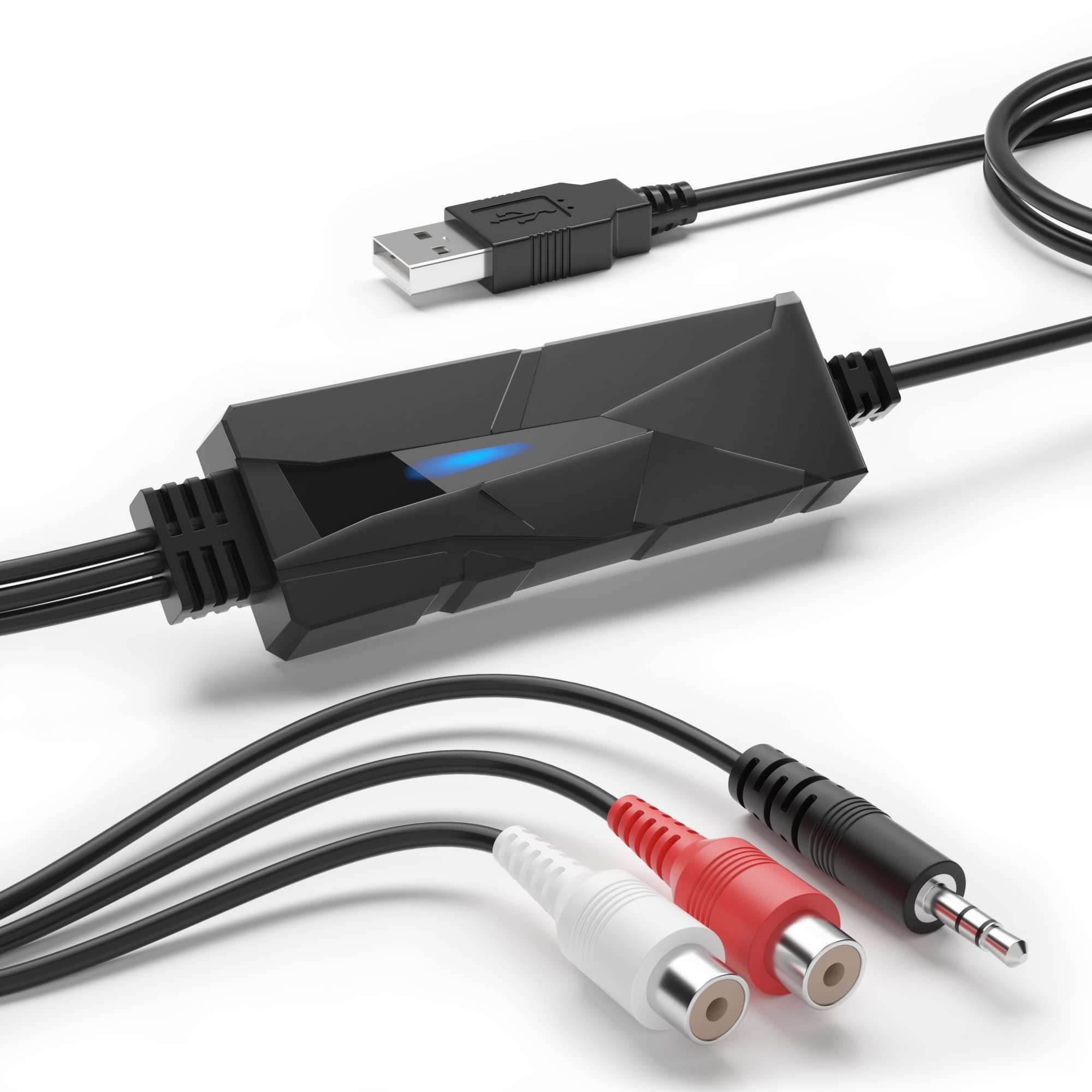
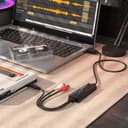
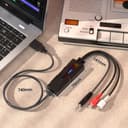
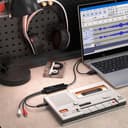
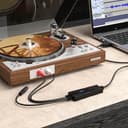
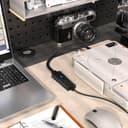
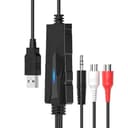
🎧 Digitize your past, amplify your future!
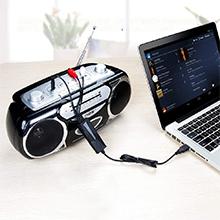
The DriverGenius AudioXfer AV202-B is a compact, USB-powered audio capture device designed to convert analog audio from cassette tapes, vinyl, and MiniDiscs into high-quality digital files. Supporting 44.1kHz and 48kHz sample rates with 16-bit depth, it offers dual input options (3.5mm stereo and RCA) for broad compatibility. Plug-and-play with Windows, macOS, and Linux, it integrates seamlessly with popular audio software like Audacity. Ideal for music lovers, podcasters, and archivists, it comes with 24/5 support and a 2-year warranty for reliable, long-term use.






| ASIN | B00XU4NT6K |
| Best Sellers Rank | 19,700 in Computers & Accessories ( See Top 100 in Computers & Accessories ) 26 in External Sound Cards |
| Box Contents | AudioXfer USB Audio Grabber |
| Brand Name | DriverGenius |
| Colour | Audio Grabber (Black) |
| Compatible Devices | Headphone, PC, Radio |
| Connector Type | Auxiliary, RCA |
| Country of Origin | China |
| Current Rating | 500 Milliamps |
| Customer Reviews | 4.3 4.3 out of 5 stars (1,052) |
| Input Voltage | 5 Volts |
| Item Dimensions | 8 x 3 x 1 centimetres |
| Item Type Name | AudioXfer AV202 |
| Item Weight | 57 Grams |
| Manufacturer | DriverGenius |
| Model Number | AudioXfer - 1 Pcs (A) |
| Nominal Power | 0.25 Watts |
| Number of Items | 1 |
| Number of Ports | 2 |
| Package Quantity | 1 |
| Power Plug Type | No Plug |
| Product Finish Type | Matte |
| Product Warranty | 2-year limited warranty. |
| Specific Uses For Product | Music Collection Digitization, Old Recording Restoration, Radio Broadcast Recording |
| Unit Count | 1.0 count |
| Warranty Type | Limited |
S**M
Smashing kit ,what I wanted
Great for recording my vinyl collection ,easy plug in and play ,using windows 11 so does work on windows systems as some saying wasn't,great sound quality recording too from my vinyl player
M**S
Decent USB capture supporting 48khz@16 bits, works on MacOS Catalina
I was looking for something that I could plug into an old MacBook Pro to sample some of my vinyl. Although it is a bit hard to find out the actual specs of the DAC but it supports sampling rate of 48khz at 16 bit. This is perfectly adequate for my use but if you wanted something with a higher rate and better hardware you would need to look elsewhere. I connected this to my MacBook Pro running the latest Catalina release and it was detected and worked without any issues. I haven't plugged it into any of my Windows machines but if imagine it will be the same. I connected the device to the RCA phono outputs from my amp which gave a more than adequate signal. The box also contains a female to female adapter for the 3.5" Jack connection. I didn't use the supplied software but rather downloaded and updated to the latest version (v3.0.4 at the time of writing) of Audacity from their website (it's a free open source program). I used an earlier version a number of years back to perform the same task so am already familiar with it, however there are a number of tutorials on the Audacity site and the web in general on how to use it and it's relatively straight forward. I mentioned the hardware sample rate above as that is what you can ultimately get from the device you can however use the software to down sample this if desired e.g. to the CD standard 44.1khz@16 bits.
C**.
Works perfectly, an inexpensive way to digitise cassettes or vinyl
I was looking for a gizmo to allow me to digitise a couple of old cassettes, as I already own a good Nakamichi cassette-player: There are a lot of USB devices which will only take a mono microphone input, so it took a while to find that this was exactly what I needed to do the job: Stereo signal from cassette-player to USB input on laptop. The research proved useful: Apparently, the optimum signal is via the line-out sockets on the rear of the machine, but to save having to dig around the back of my hifi, I chose to try the headphone-out on the front-panel. This has a level-slider, so I could adjust it to get the optimum level for recording in Audacity. So, I ended up with a full-size to mini-headphone adapter, a 5m headphone extension lead (so I could work comfortably on the sofa), and a USB-C adapter to connect with my M1 MacBook Pro. All of these are things a geek such as myself has laying around in various boxes! The USB-C adapter will, of course, go either way in the laptop, but the standard USB end of the gizmo has to be correctly oriented in order to fit into it. That means that the USB-C adapter now also has a correct orientation, in order to work correctly with left and right channels on the appropriate sides. All was hooked up, and a little carefully pushing of connectors employed, used as I was only getting one channel through to monitor on Audacity. Probably from the cassette-deck, which has never head headphones plugged in before. I also took time to ensure it was set to give the best sound-output: It has a couple of filters for tape-hiss, so I experimented with these, set the appropriate tape-type and Dolby, then played the cassette form the beginning and hit 'record' on Audacity. I left it recording whilst I turned the cassette over, to give me one long track to work with. I applied no filters to digital track, having gone through the above process. Also, the previous research had given me some useful tips with regard to the new software: Select a part of the recording that I wanted to be a single track, and then add a label (which will become the track title) to it, and repeat for each track. Then export as multiple tracks based on these labels, select a format for the audio files, add some artist and album details, choose the desired output format, and a few seconds later, I had a complete album of individual, digital tracks to copy to music player, SD card for car, etc. Great stuff! Just a note that if you want WMA file-format exports, then it requires an additional download of codecs from Audacity. Since these are only available under Windows, I saved the single, long track as an Audacity project on the Mac, and did the track, splitting on my Windows PC, where it was easier to see and hear what I was doing (larger monitor, better speakers). All this took a while: Obviously, the recording is in real-time, and this was my first time using Audacity, but I was impressed with both the quality of the original cassette on my Nakamichi, and the finished digital files which I created. If a CD had been available, I would have bought that to rip instead, but for the few times I need to do this, the device is extremely good value, works as expected, and gave me a fun morning messing around on a rainy Sunday.
T**T
Brilliant little device.
As a Mac user, I was apprehensive about this working since the blurb said that you required Audology software which doesn’t work on later versions of MacOS. However …. It works beautifully with QuickTime, which is built into the Mac. Simply connect the phone plug to the headphone socket on your old stereo, and the USB to the Mac, then fire up QuickTime and record your music.the only faff is slitting the recording into individual tracks, and typing in the names. QuickTime editor will let you do this, but it’s a bit clunky. However, once done, you have really good audio quality digitized tracks. An excellent product.
L**S
Very simple to use to capture analogue sound
I have not yet used all the functions of this device, so this is a partial review, but the thing I have done - played the output from an analogue player (in my case a cassette player) into an Apple MacBook Pro via USB - it appears to work perfectly, with no apparent reduction in sound quality. The device comes with a small CD containing PC and Mac software which helps the conversion of the input to MP3 on one's computer, but in the case of the Mac this is not needed, since the device immediately appears as a sound input named "USB PnP Audio Device". Because of this, I used software I was already familiar with, Audio Hijack, to input the sound and convert it to MP3. After this, I used other software to edit the sound. So it all turned out to be very easy to use. This was not the cheapest device but I thought the price very reasonable and the results met my expectations.
B**G
Awful yet great.
Windows 10 - Zero Stars. Tried on three different computers- desktop and laptop, but could not get Audacity to recognise V-Top. Windows device manager said it needed 'further installation'. Unplugged, replugged, rebooted, Audacity parameters changed - no result. Ubuntu - 5 Stars. Worked immediately on plugging in. Audacity is of course the real star, just read the tutorials in the manual before you leap in.
A**R
Lumin M1 envoyer analog to usb
ト**郎
ちゃんとWin11で認識してくれるのか不安でしたが、 何も問題もなく繋げました。付属のソフトは使ってないので その評価はわかりません。クロストークも少ないので、L-R分離の解像度も 良いほうだと思います。耐久性はこれからですね。
C**N
Es increíble pasar los cassettes a mp3. Se consigue una calidad de sonido mejor que la de la cinta. Cierto es,que lo grabo desde un equipo por módulos, y dependiendo el sonido de la grabación ( cinta),ecualizo. También parto de cintas muy cuidadas. Nota: tuve que borrar unos programas del ordenador y descargar unos nuevos para poder ejecutar el cd. Esa información la encontráis en youtube, es sencillo. Merece la pena
T**O
Ottimo prodotto funziona in maniera adeguata io lo uso principalmente collegato al mixer della consolle per registrare i miei dj set, si connette automaticamente tramite usb e viene riconosciuto come ingresso microfono dal programma Audacity in dotazione nel dischetto che trovate nella confezione,ricordo di impostare nelle preferenze del programma la frequenza di campionamento a 16 bit ,molto versatile funziona bene con Win 10 istruzioni anche in in italiano garanzia 24 mesi supporto tecnico impeccabile lo consiglio vivamente. Excellent product works properly, I use it mainly connected to the console mixer to record my dj sets, it connects automatically via Usb and is recognized as a recording microphone input by the Audacity program supplied on the disk that you find in the package, remember to set in the program preferences 16 bit sampling rate, very versatile works well with Win10 instructions in Italian 24 months warranty impeccable technical support I highly recommend it.
J**Y
I just received this last night and my initial use attempt could not have been easier. I have a fairly large collection of vinyl LPs and singles and I'm finally getting to work with them again after many years. I'm using vintage gear I've kept over the years (Technics SL-D1 turntable, Sony TA-F40 integrated amp). I have a number of vinyl albums that are out-of-print, hard to find or not available on streaming services. I wanted to use the gear I had to rip the music from the vinyl to digital files. I decided to give this Driver Genius device a go, based on the positive reviews. I have a MacBook, but I really hoped it would work with my preferred Kubuntu-based Linux docked laptop system. I was not disappointed. I used the "Tape Monitor" output on the Sony amp as the source. The Technics turntable connects to the Sony's photo pre-amp input. I connected two RCA male plugs from the amp to the female RCA plugs on the Driver Genius device, and the USB connector into a USB port on the Linux laptop system. Audacity, the open source recording software, detected the device as a "USB PnP Audio Device. " I queued up an LP on the turntable, lowered the stylus, hit the record button on Audacity and the software immediately registered a waveform as the recording was made. Users can choose to save completed recordings to WAV or MP3 files (I chose WAV so they can be converted to FLAC). I only created a few files with this, but the sound of the resulting music is really great. Audacity provides a number of tools for improving and fixing your files. That's it. This is about as simple and easy as it gets from a user perspective, and this little device does everything I expected without a burp.
Trustpilot
1 dag geleden
5 dagen geleden