
DOWNLOAD DE APP


Klantenservice
Copyright © 2025 Desertcart Holdings Limited
DOWNLOAD DE APP
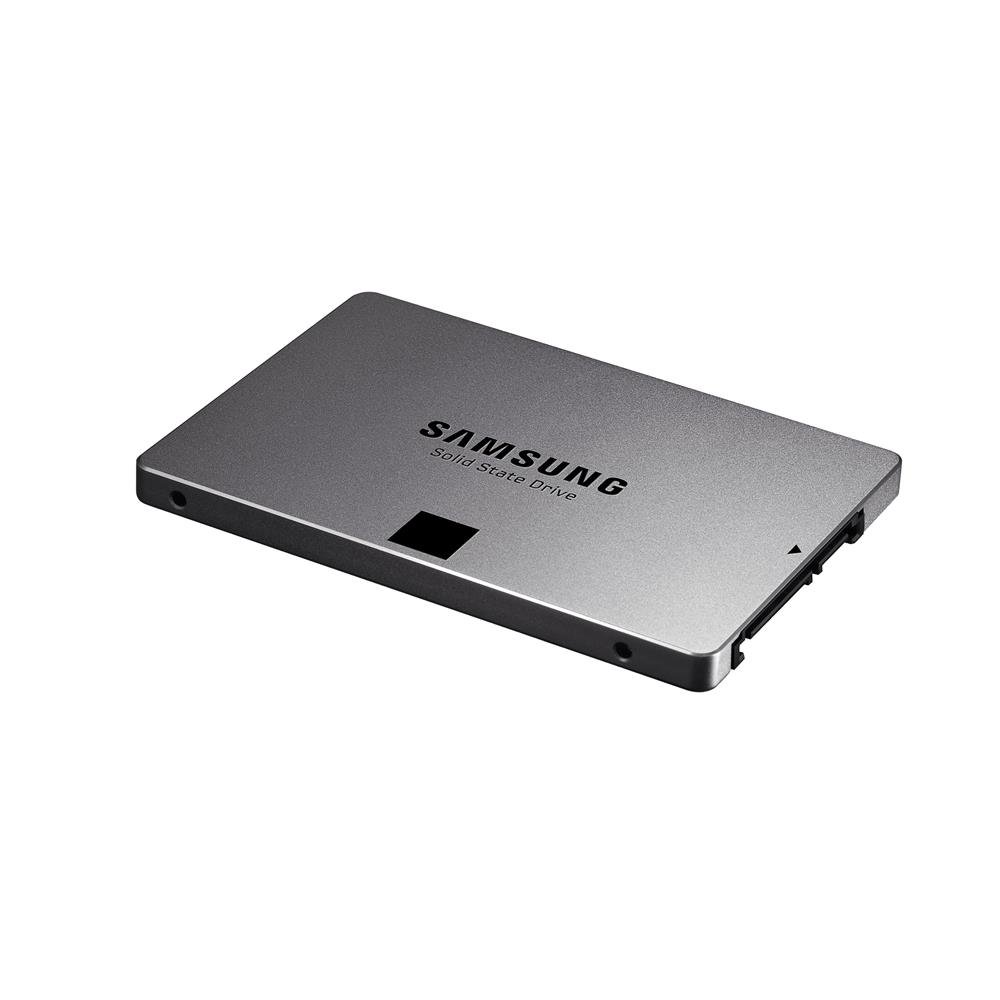
🚀 Upgrade your workflow — speed, security, and silence in one sleek SSD!
The Samsung 840 EVO 120GB SATA III SSD delivers a high-performance storage upgrade with fast read/write speeds, AES 256-bit encryption for data security, and a durable, silent design with no moving parts. Perfect for professionals seeking to extend the life of their PC or laptop with a reliable, lightweight, and easy-to-install solid state drive.
| ASIN | B00E3W15P0 |
| Best Sellers Rank | #2,304 in Internal Solid State Drives #41,140 in Computer Internal Components |
| Brand | Samsung |
| Color | Black |
| Computer Memory Type | SDRAM |
| Customer Reviews | 4.6 4.6 out of 5 stars (2,800) |
| Date First Available | August 12, 2013 |
| Department | hdd |
| Flash Memory Size | 120 |
| Hard Drive | 120 GB Solid State Drive |
| Hard Drive Interface | Serial ATA-150 |
| Hardware Platform | PC |
| Is Discontinued By Manufacturer | No |
| Item Dimensions LxWxH | 2.75 x 3.94 x 0.28 inches |
| Item Weight | 2.4 ounces |
| Item model number | MZ-7TE120BW |
| Manufacturer | Samsung Electronics |
| Product Dimensions | 2.75 x 3.94 x 0.28 inches |
| Series | 840 EVO |
| Standing screen display size | 2.5 Inches |
R**D
A real review on a SOLID budget drive on the market
since all of the other reviews read as if they were advertisements, and this is a relatively new item, I decided to write a review for you guys. Just a heads up, I didn't know this when buying, but yeah, i ordered the single unit which only includes the drive. luckily for me, i had an extra sata cable laying around so no biggie. Installed windows 7 ultimate fresh on this drive and was fairly impressed at the bootup time, but also satisfied at the overall performance of applications and programs being executed right after starting the computer. I was worried about the lifespan of SSD's as this is the first one i've ever bought. I looked up a couple benchmarks and found this relatively comprehensive test which concluded that the drive could last around 23 years: [...] . Which is a massive improvement from the western digital hard drive that lasted me 4 years. They mentioned that although the results are synthetic, the results probably don't range far from real world examples. As other reviews stated, this hard drive was a breeze to install, as are every other standard hard drive. One important thing to mention is that the single unit does not come with the 2.5-3.5 inch adapter, so if you are planning on putting this inside a desktop, make sure you buy an adapter so it can fit in the hard drive bay. This drive really does live up to its expectations and the numbers that it puts up. One important thing to mention is the devices/softwares RAPID mode. which is a really interesting technology that takes up to a gig of your system memory, and turns it into cache for the drive. After a little bit of research, i found a lot of articles that have mixed reviews on the technology: [...] I personally keep RAPID mode off, as it seems only to improve the numbers synthetically and looks like it has no reflection in real world situations. One thing that was cool was the magician software is really usable and simplistic. If you want to enable RAPID mode, then you can click a button, if not, then click it again. you can also use the magician software to update firmware for your SSD. It gives you the option to use TRIM commands easily and simply. One thing i didn't like about the software was that the OS optimization tab. I accidentally clicked maximum performance and didn't realize the difference, i later found out that my processor was constantly running at the maximum 125 watts. Which is weird because it should be able to step down when in idle. I checked my Windows plan settings and found out that Samsung had added its own power setting which put the minimum processor state at 100 percent, which should have been at 1 percent. other than that though, it's a good little piece of software. There are already a lot of reviews out there on this drive, as this is the budget SSD that really can do it all. [...] as you can tell, the drive is incredibly high up there, for a very decent price. This may very well be the best bang for your buck drive out on the market today. one other thing i thought was cool: when you search in the start menu any application you're looking for, the result is INSTANT. Anyways, tl;dr: This is an amazing drive. i like: that it lives up to the numbers that samsung has given us, and its supposed life span dislike: nothing, it's a standard drive that does its job.
A**N
End game: AWESOME
UPDATE: Sunday, April 5, 2015. FINALLY got around to doing a computer rebuild and installed this new solid state hard drive, a fresh install of Win7Pro, and am in the process of reinstalling all of my software programs. After working through the many bugs of getting a new system up and running, this thing is SMOKIN'!!!! Wow, I mean this thing will do a complete shutdown/reboot and be back up and running in about 10 seconds.....Windows updates are screaming fast.....program installs are going super fast.....and I'm finally a happy camper. Wish I wouldn't have bothered with the Sabrent hard drive enclosure, which is now just collecting dust, but I'm wishing I would have switched to SS hard drives as soon as they came out. I'll never go back. Thank you, Samsung.....with the seemingly endless list of tech horrors I've dealt with in the last six months, it's nice to finally have a purchase that just works. ---------------------------------------------------------------------------------- UPDATE: Wednesday, July 9.....received my Sabrent USB 3.0 To 2.5-Inch SATA Aluminum Hard Drive Enclosure a few days ago, and after easily installing the drive into the enclosure, the next hurdle was maneuvering the nearly microscopic screws into the sides of the enclosure (you do NOT want to drop one of these!) following the hard drive installation. I plugged it into a USB port on my PC, turned it on, and saw a brief Windows message pop up from the task bar saying something about the driver being installed. According to the manual, "At this point, the hard drive is completely installed." Evidently not. It says the new hard drive should show up in Device Manager under the Universal Serial Bus Controllers as "USB Mass Storage." I have four "USB Mass Storage" devices showing, and clicking on "Properties" on each one yields no discernable identifying information to anyone but a Microsoft programmer. The manual also says I may need to format the drive if it's new, and sends me to MY COMPUTER / MANAGE / DISK MANAGEMENT to accomplish this. At this point, I'm supposed to go the "drive information in the right column and right-click on the drive" to initialize the format. Alas, I have no drive showing in the right column. After clicking on Disk Management in the left column, a message at the bottom of the right column seems to be perpetually stuck on "Connecting to Virtual Disk Service..." That's as far as I've gotten. I guess I can install the Samsung in my PC, start from scratch with a fresh install of Windows and all my stuff, and either return the Sabrent enclosure or keep it for some future use. Will update again if and when I get the Samsung SSD up and going. :( --------------------- Sunday, July 6, 2014......just received my new Samsung SSD in the mail yesterday and was all excited about getting it up and going today, but won't be able to - I inadvertently bought the Single Unit Version that only includes the hard drive and NOT the necessary adapter cable(s). You can get the full Desktop Kit (model MZ-7TE120KW) that includes the bracket, screws, SATA cable, power cable, USB to SATA cable, and drive spacer. I ordered the Sabrent USB 3.0 To 2.5-Inch SATA Aluminum Hard Drive Enclosure to hook up my new Samsung SSD, so stay tuned...
S**E
I bought this SSD after reading several reviews from internet. All hardware and firmware is manufactured by Samsung unlike other branded SSDs in which most of the parts are sourced from different vendors (in China and Taiwan) which reduces reliability. Other brands have higher failure rates and Samsung has lowest (almost NIL) and thus I selected to go with Samsung. This particular 840 EVO is faster and better than previous 840 series and also not as expensive as 840 Pro. I am using Windows XP SP2 and I had no problems in detecting the disk and using it. I am not using any additional softwares provided by Samsung like "Samsung Magician" software and RAPID software which further claims to improve the speed. The disk is fine without that. In fact I don't want to make my disk dependent on these softwares. I am having SATA 2 (not SATA 3) motherboard and the disk is fine and running with very high speed even with SATA 2 (3 Gb/s). So I doubt if SATA 3 (6 Gb/s) would provide any added advantage. The booting time of Windows XP was improved from previous 1 minute 30 seconds (with HDD) to 28 seconds (with SSD). So this is a huge improvement. Also all programs like MS-Office, Firefox etc. open under 1 second. Previous used to take 5-6 seconds to open. Random read/write speed are excellent as compared to HDD. Benchmarking tool shows 240 MB/S and 220 MB/S as Read/Write rates which is very good. I don't even have AHCI on my motherboard but still the disk is extremely fast. So purchase it even if your motherboard is 5-6 years old and just supporting SATA 2. It doesn't come with any SSD adapter for installing in desktop but it can be safely placed anywhere in cabinet with just one screw as it is very light. It doesn't get hot even after hours of usage. So overall a must have upgrade for old (or even new) computer.
N**7
Really sweet drive. Super fast, Data migration software was a breeze to use. Reboot time is almost instant with. price was right and adds some much needed bang to older rigs. Would buy another no questions asked
S**N
Samsung does not kid around when it comes to SSDs. Reformatted my PC just as this baby arrived, threw it into the case, and next thing I know this beast's making my PC boot up in 10 seconds flat. From a hindsight perspective, this is the single best decision I've made in terms of boosting performance. Agreed, 250GB's the sweet spot at the moment, but if you want a taste of what SSDs can really do, this is the best place to start. Samsung also offers its Magician software online and on a disc in the package, and helps you set up the SSD for optimum performance. Did I mention that its' RAPID software is over the top? Make sure you have at least 4 GB RAM if you do try and make use of the feature though. The rewards are worth it. If you found this information helpful, please hit "Yes" below to encourage me to write more reviews! :D
T**S
I bought this SSD to replace a noisy one terabyte drive in my front room, SFF media centre computer. Much faster than the old drive and because it's an SSD it produces no sound or heat which is ideal for my use. I have one more hard drive in that box to replace and I'll be purchasing another Samsung SSD.
S**D
A major factor in choosing this SSD was the overwhelming number of reviewers and critics recommending this for people on a tight budget. And it does justify all the hype around it. As promised, it gives me speeds as high as 420 MB/s on sequential read/write. My earlier 7200RPM HDD gave me a boot time to desktop of 18s: this one totally thrashes it with a boot time to desktop of 6s (Windows 8.1 Pro). Shut down times have reduced too, but not as much. Heavier software such as MATLAB and Photoshop do open significantly quicker.. The case looks great (not that anyone will see it daily anyway). The three-year warranty is on the lower side when it comes to SSDs - but the low price more than compensates for it.
Trustpilot
1 dag geleden
3 weken geleden