We remain fully operational. Our teams are working around the clock to ensure your deliveries continue safely.

DOWNLOAD DE APP


Klantenservice
Copyright © 2025 Desertcart Holdings Limited
DOWNLOAD DE APP
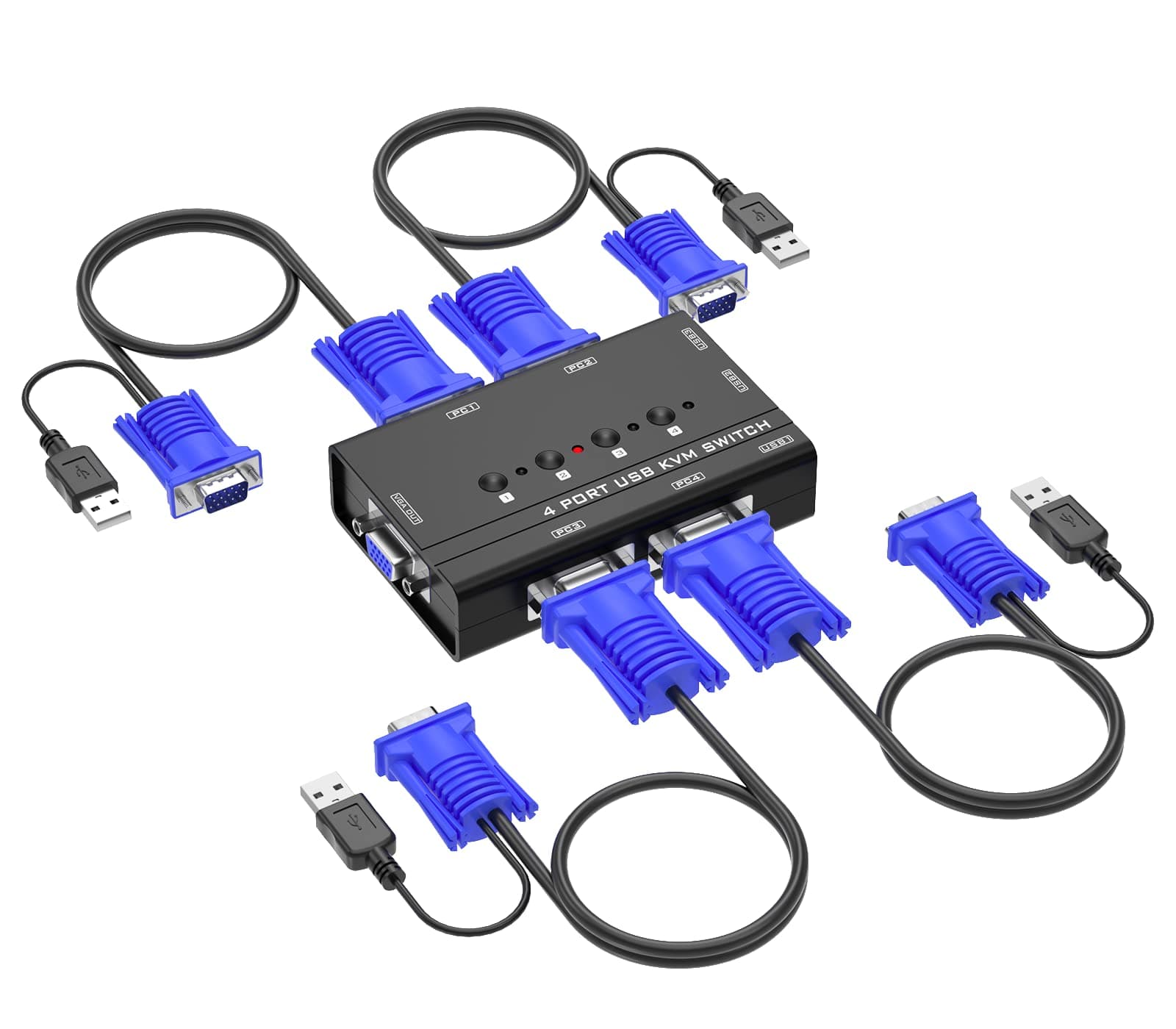
🔀 One switch to rule your multi-PC kingdom!
The Yinker 4 Port USB VGA KVM Switch lets professionals streamline their workspace by controlling up to four computers with a single keyboard, mouse, and VGA monitor. Featuring plug-and-play setup, support for high-resolution VGA output (1920x1440), and broad OS compatibility, it includes 4 KVM cables and 3 USB hubs for seamless peripheral sharing—perfect for multitasking managers who demand efficiency and clarity.


| ASIN | B097YB6533 |
| Actuator Type | Push Button |
| Best Sellers Rank | #175 in KVM Switches |
| Brand Name | Yinker |
| Circuit Type | 1-way |
| Color | black |
| Connectivity Protocol | Usb |
| Connector Type | Vga |
| Contact Material | Copper, Brass |
| Contact Type | Normally Open |
| Control Method | Touch |
| Controller Type | Push Button |
| Current Rating | 2 Amps |
| Customer Reviews | 4.1 4.1 out of 5 stars (160) |
| International Protection Rating | IP53 |
| Item Dimensions | 4.02 x 2.56 x 1.02 inches |
| Item Weight | 16 ounces |
| Manufacturer | Yinker |
| Material Type | Plastic |
| Model | 460KL |
| Mounting Type | Plug-In Mount |
| Number of Items | 1 |
| Number of Positions | 4 |
| Operating Voltage | 120 Volts |
| Operation Mode | Automatic |
| Specification Met | Ip54, Automatic |
| Switch Type | Push Button |
| Terminal | Button |
| UPC | 796042176826 |
| Unit Count | 1.0 Count |
S**.
Good KVM Switch for VGA PCs
Connection was very easy and straightforward. KVM Switch works very well. Good video quality through the switch. The only thing that I noticed is that the switch resets itself to "PC1" once you turn off both PCs. Therefore, if you go back to use the PCs the next day and you decide to use "PC2" only, you will need to select "PC2" manually via the switch before you can start. Not an issue, just a little tidbit of info. All-in-all, good price and works as intended.
S**Y
For 2 computers need to remember which to switch click
Working perfectly 👌
M**R
Great product
Allows me to control 2 systems through one keyboard and mouse. Easy-to-use, great price and great quality product
A**R
KVM switch does not work
The switch does not work! We spent hours trying to debug what was wrong. The VGA connections do not switch Frustrating
T**G
Good product
Nice and simple design. Work well and easy to use.
D**N
Yinker switch
The switch was easy to set up and works great for one monitor and two desktops.
C**S
Use 1 keyboard 1 mouse on 4 computers
For many years I used a switch that allowed me to use 1 keyboard and 1 mouse to operate 2 computers. But this is far better doing the same thing on 4 computers. A big plus is that is comes with the VGA cables and the cables that control each computer. There are 4 butten switches to select the computer you need. Installation took 10 minutes.
M**T
Functional 4 port KVM switch if you don't mind a wire mess
Works as expected, just questionable designs. Port 1 and 2 are on the back, port 3 and 4 are on the front?, VGA out to the monitor is on the left side, and 3 USB 2.0 ports on the right side. There is no remote or hotkey, so you will have to have this hot mess of wires within reach. For the money it works fine and is probably the cheapest 4 port KVM switch you'll find. I just wish they either made it a little wider to have no ports on the front, or included a remote. One glitch I encountered (which the 2 port which I also have does)...if you start a computer, but aren't on that channel as the computer starts - you will be stuck at a strange resolution. 2 work-arounds - 1. unplug and plug the VGA cable to that PC, or restart the computer and let it fully boot before switching channels. Besides the above, it works great. The cables are about 4' long which I prefer (generally you have the PCs next to each other when you use one of these anyways).' I rand into an issue that is annoying enough to drop a star. If only one PC is connected to the KVM, and it isn't on channel one...you will have to switch with to that one PC if USB power gets lost or you are starting it up. You'd think that since the USB is powering it that it would know which channel to switch to. In my case I had a PC on channel 4, and every time it would restart, I'd have to re-select channel 4. Really a PItA when you are trying to hit F12 trying to catch the startup menu before the slow hard drive starts to load windows.
A**X
Nyttig
P**K
Ok
R**E
Gute Ware
伊**昇
正常に動作して使える。
O**R
Works well. I like it.
Trustpilot
3 weken geleden
5 dagen geleden