We remain fully operational. Our teams are working around the clock to ensure your deliveries continue safely.

DOWNLOAD DE APP


Klantenservice
Copyright © 2025 Desertcart Holdings Limited
DOWNLOAD DE APP


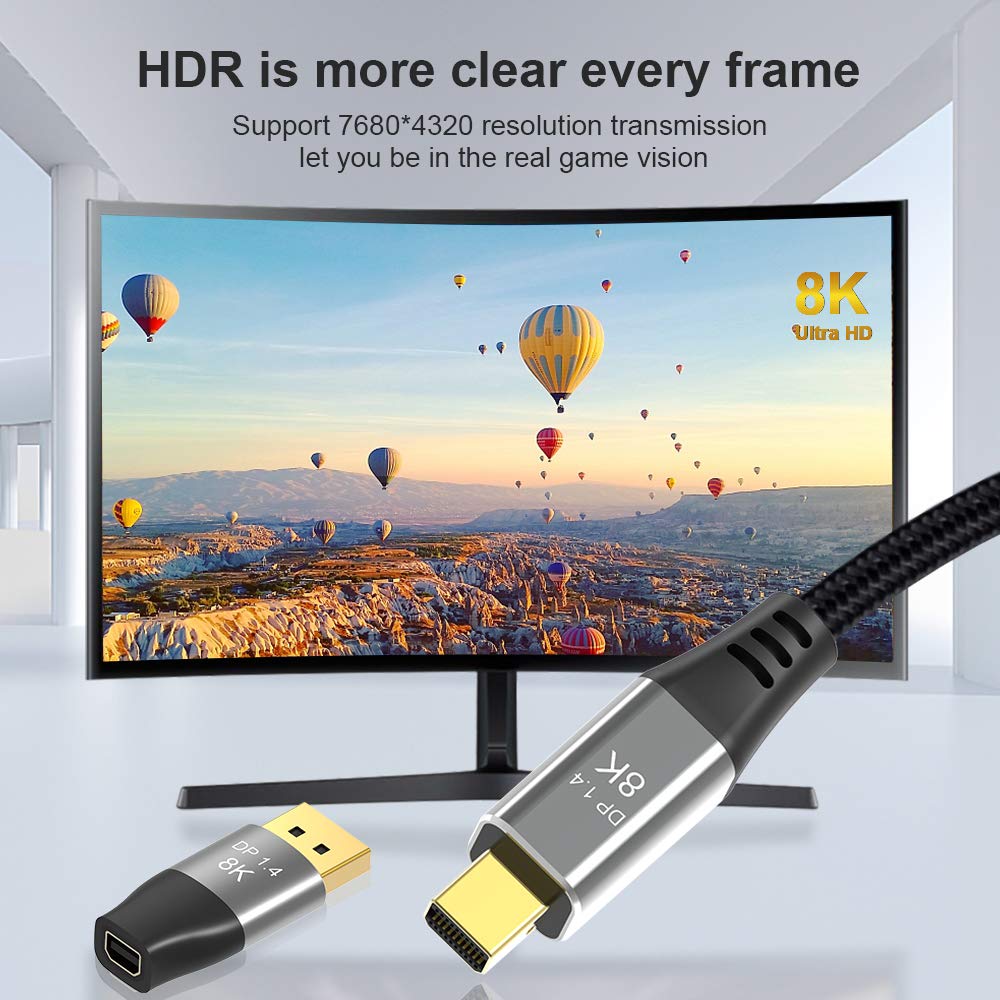

🚀 Elevate your display game with 8K clarity and zero compromise!
The CABLEDECONN Mini DP to DisplayPort cable is a premium 5cm bi-directional converter supporting up to 8K@60Hz and 4K@144Hz resolutions. With DisplayPort 1.4 technology and 32.4Gbps bandwidth, it delivers ultra-high-definition visuals and smooth refresh rates for gaming, professional, and entertainment setups. Compatible with a wide range of Mini DP-equipped laptops and DisplayPort monitors, it offers plug-and-play convenience and is backed by an 18-month warranty and lifetime technical support.




| ASIN | B00VI3OB26 |
| Best Sellers Rank | #330 in Thunderbolt Cables |
| Brand | CABLEDECONN |
| Brand Name | CABLEDECONN |
| Cable Type | Display Port |
| Color | mini dp female to dp male 8k Connector |
| Compatible Devices | Laptop, Monitor, PC, Projector, Television |
| Compatible Phone Models | No Compatible Phone Models |
| Connectivity Technology | DisplayPort, HDMI, Thunderbolt |
| Connector Gender | Male-to-Female |
| Connector Type | DisplayPort |
| Customer Reviews | 4.3 out of 5 stars 364 Reviews |
| Data Transfer Rate | 32.4 Gigabits Per Second |
| Frequency | 144 Hz |
| Indoor Outdoor Usage | Indoor, Outdoor |
| Item Shape | Round |
| Item Weight | 0.01 Kilograms |
| Manufacturer | CABLEDECONN |
| Model | B0305 |
| Number of Items | 1 |
| Number of Pins | 20 |
| Other Special Features of the Product | Data Transfer |
| Recommended Uses For Product | Connecting laptops/desktops to external monitors, TVs, or projectors for video transmission, gaming, home theater, and other scenarios. |
| Special Feature | Data Transfer |
| UPC | 701385667528 |
| Unit Count | 1.0 Count |
J**E
The only way works for 3rd Apple LED Cinema Display 27"
I have three 27" monitors connected to macmini and I've been trying to find an adapter that could make my 3rd monitor, Apple LED Cinema Display 27", works as it should. I have tried so many different adapters, and only this one + CABLEDECONN Mini DP to DisplayPort 8K Cable 8K Adapter finally works on connection without having Image Retention aka burn-in effect at 2560 x1440 60hz setting. I specifically install "DisplayLink USB Graphics Software for macOS5.2.6-EXE" only it can make this setup works. But there is a downside to using this setup, the color will be slightly cooler than the direct Thunderbolt connection even I use color correctors a few times and ran a couple of different dates but still won't work. So designers need to be aware but other than that I'm very happy the solution.
D**S
Worked with zero issues
It worked right out of the bag; I’ve encountered no compatibility issues with Windows, Mac, or Linux systems thus far. I have several GPUs with DisplayPort out only, and only one monitor with DP in, so I pair this with a mini-DP adapter I already owned that outputs HDMI, DVI, and VGA. Everything’s been happy!
L**E
Been Great
Works great for our application. we use for our meetings. This has been great rather than having to buy a whole new 50 ft cable, we got this adapter and great savings and works great.
D**C
Works great on older Apple 27” cinema displays
Works great to convert mini DP to full size DP Does not work on Apple 27 thunderbolt displays but works fine on the older 27” Cinema Display.
J**R
Not for Thunderbolt displays
Arrived quickly, minimal packaging. Unfortunately, as I now see in another customer's review, this does not work with Apple Thunderbolt Displays. That reviewer stated that it does work for Apple Cinema Displays however. Alas, that isn’t what I have. Just happy it wasn’t expensive. Not worth returning.
P**G
Exactly as described, but doesn't work interfacing a new MacBook with an old Apple display.
Tried using this to drive an older Apple display from a new MacBook. Didn't work, although the converter from Apple works fine, doing the same job.
P**N
Could not plug in my mDP plug
Not sure if it’s a quality issue, but could not plug my Apple branded mDP into this adapter. It works fine with my older Mac and with another adapter I bought, but not this one. Glad I bought a backup.
M**A
Quality built and works as expected.
I successfully connected an apple cinema display with a lenovo docking station for thinkpad. It is necessary that the apple cinema display output correspond to Mini DisplayPort. Check your manuals or Google the model number shown back in the monitor.
Trustpilot
2 weken geleden
2 weken geleden