

Desert Online General Trading LLC
Dubai, United Arab Emirates
Desert Online General Trading LLC
Dubai, United Arab Emirates





Full description not available
T**O
A very clear and useful display
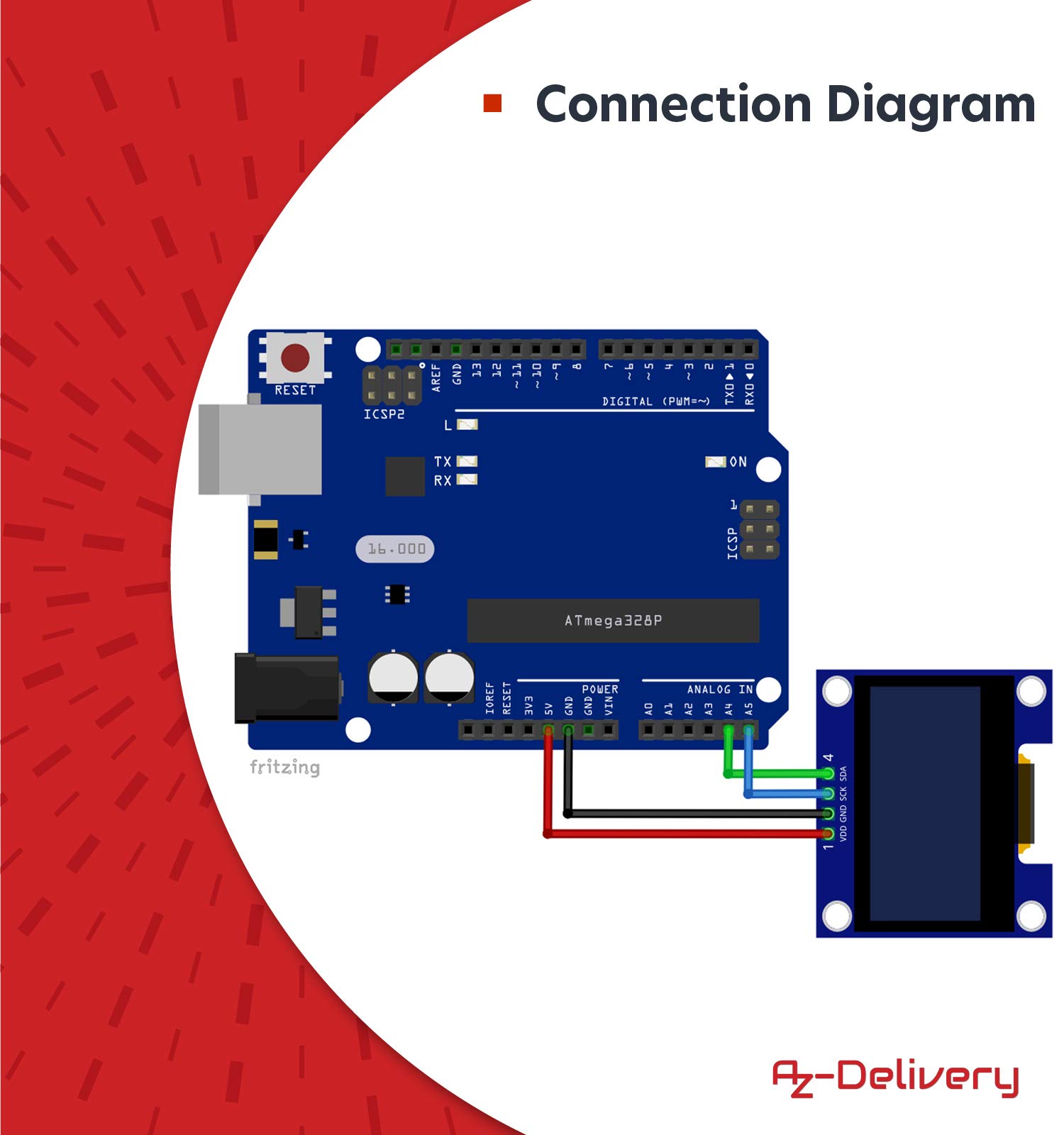
I’ve been using the smaller SSD1306 128x64 0.98” displays for some time. They are quick and easy to connect, very clear, easy to read and can be programmed, like many small displays – OLED and TFT, by Adafruit’s GFX library, which I now know very well. Time to try a slightly bigger version. Luckily AZ-Delivery supply a 38-page e-book guide, which I ordered from their site – free download. It covers connection to Arduino and Raspberry Pi boards. I tested it with an Arduino UNO.This larger display uses a different driver chip, an SH1106 rather than the SSD1306. Unfortunately, Adafruit do not supply a suitable driver library to link with their excellent GFX library, so the guide recommends using the U8g2 library by Oliver. This is simple to install into the Arduino IDE, with detailed instructions in the e-book. Using an UNO I linked SDA to A4, SCK to A5, GND to GND and VCC to 5V and copied/pasted the Arduino sketch from the guide into the Arduino IDE.When I tried to compile the sketch, it died with the message: stray '\342'.I commented out the four lines containing the weather symbols and tried again. The sketch compiled and ran but there was a narrow white vertical bar 2 pixels wide with random black pixels on the right edge of the screen and on the left edge there appeared to be two vertical rows not being displayed and cutting off the left edge of the first characters on each line. The display seemed to be shifted 2 pixels to the left of where it should be.I compared the simplified code from the e-book with the example supplied with the library. The latter provides many different constructor lines for various boards and setups. The e-book has picked the wrong one. The fourth line in the sketch reads: U8G2_SSD1306_128X64_NONAME_F_HW_I2C u8g2(U8G2_R0, U8X8_PIN_NONE);But this display uses a SH1106 not a SSD1306.Changing the fourth line to: U8G2_SH1106_128X64_NONAME_F_HW_I2C u8g2(U8G2_R0, U8X8_PIN_NONE);Fixes the problem.The display is fast, clear, and easier to read than the smaller 0.98” display. The library provides useful graphic elements: pixels, lines, triangles, rectangles, both outline and filled. Text may be rotated in steps of 90 degrees and can be scrolled but there is no textSize() command. If you want text of different sizes you have to load multiple fonts, which takes up valuable space. A large number of U8x8 fonts are included with the library as are several example sketches. Only let down to me by not being easily compatible with the GFX library.
S**K
Great little Screen For Projects
Great little Screen For ProjectsReally quick delivery and a well packaged parcel. This is always the way with all my past AZ-Delivery purchases, too.With SPI/i2c screen being so simple to set up, I didn't check if the AZ-Delivery guide was available and went right ahead and used the Adafruit 1306 example sketch. Once I had used an i2c scanner to obtain the screen address (0x3C), I transferred the example 1306 sketch to my Arduino and connected up (3v3, GND, SCK->A5, SDA->A4), altered the address and the screen came to life....Unfortunately, only the top part of the screen worked with random pixels all over the majority of the bottom of the screen. The first thing I checked was that "SCREEN_WIDTH 128" and "SCREEN_HEIGHT 64" were set correctly and they were.This leads me to my first word of caution - Don't assume that it's a 1309 (as the title says, SH1106!, my bad!) and check the excellent AZ-Guides! My second is that most of the guides on the web have the GND as pin 1 which isn’t the case on this screen. Be careful wiring up!The AZ-Delivery guides are usually pretty easy to follow but the one for the 1.3inch OLED display seems to have been updated and is even easier. It covers every step from from installing the Arduino IDE to setting up the sample sketch.Now that I had decided to follow the guide and with the right libraries installed (u8g2 fro Oliver) I achieved much better test results. Nice clear (almost) full screen display. Unfortunately, the line in the example from the instructions:U8G2_SSD1306_128X64_NONAME_F_HW_I2C u8g2(U8G2_R0, U8X8_PIN_NONE);Didn't quite work with the revision of the board I received and caused the pixels to be shifted maybe one or two to the left. It was an easy tweak to sort out by replacing the suggested constructor with:U8G2_SH1106_128X64_NONAME_F_HW_I2C u8g2(U8G2_R0, /* reset=*/ U8X8_PIN_NONE);as it looks like this one is a SH1106 (I should have read what I ordered!). With this slight modification to the instructions, everything worked perfectly.Plus points - Bright screen with seemingly fast refresh rate. Very easy to read despite the small size and lots of space for text / images due to the 128x64 resolution.Bad points - None!
D**R
I2C address fixed
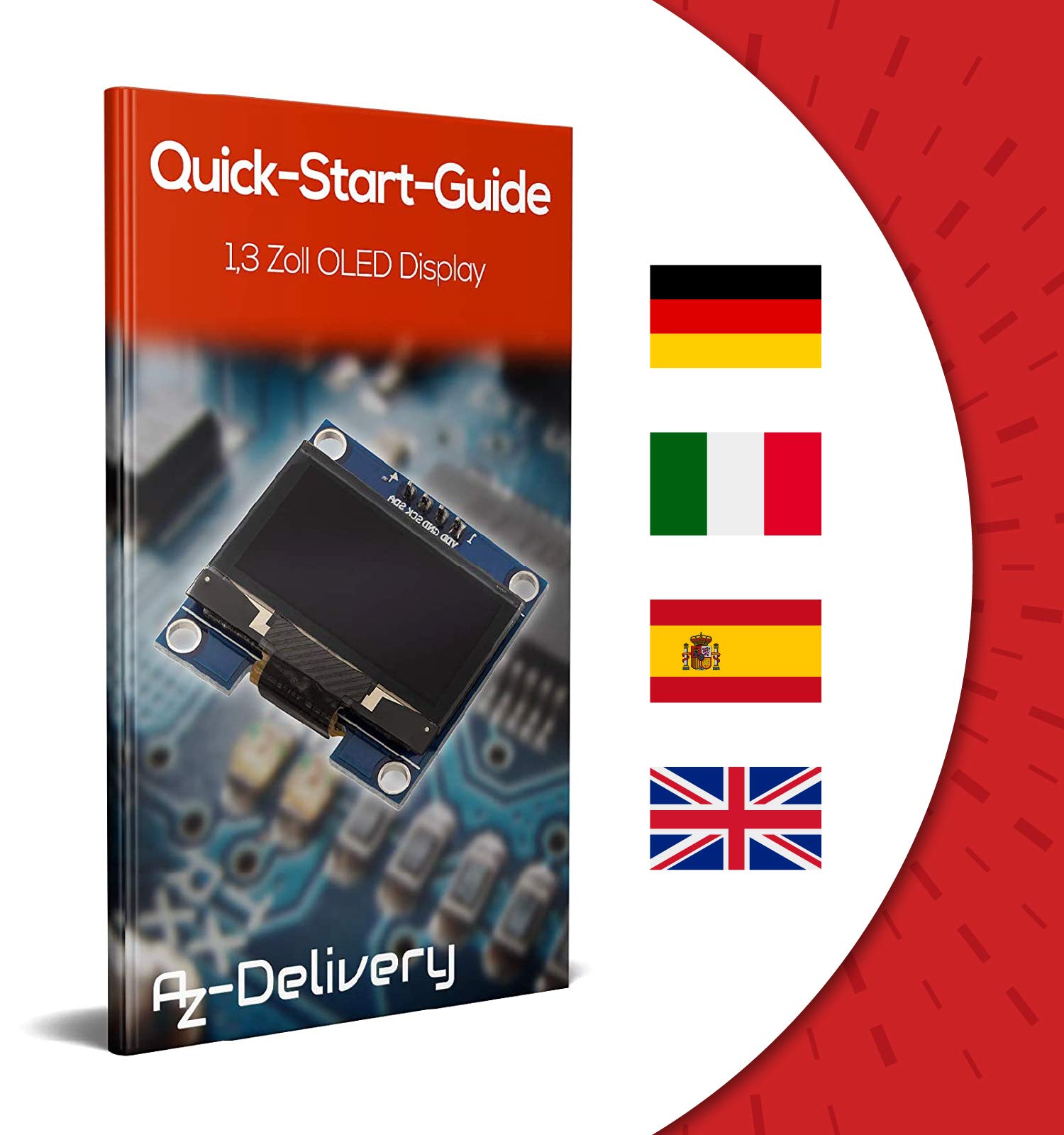
I wish I'd done more research into these 'cheap' displays regarding I2C addresses.Despite appearances from the photograph, it seems you cannot change the I2C address of the display by simply moving the SMD resistors on the pads labelled 1 and 2 (as you can with other displays at the same price or lower).It seems, from what I have gleaned on forums, that the address is tied to 0x3C only by a hidden trace on the PCB (under the display which is glued down). The 2nd I2C address (0x3D) should be available, but isn't.So if you want to run 2 of these displays on the same I2C bus and address them individually, you can't.Also the "Ebook" involves a card linking to the distributers website in German. No instructions - nothing of any use regarding help with this display. If it is there, I couldn't find it, I don't speak German.The displays work ok as you'd expect, but the inability to change to the second I2C address and lack of support in English is very poor.
Trustpilot
3 dagen geleden
5 dagen geleden