Some deliveries may take a little longer than usual due to regional shipping conditions.

DOWNLOAD DE APP


Klantenservice
Copyright © 2025 Desertcart Holdings Limited
DOWNLOAD DE APP
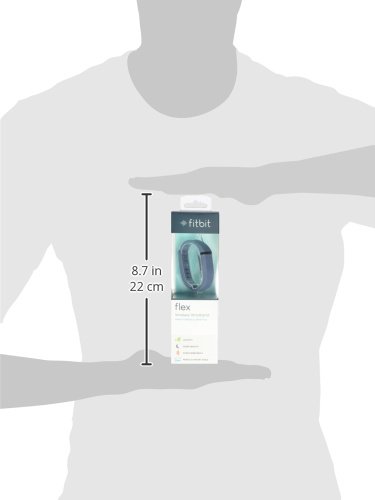


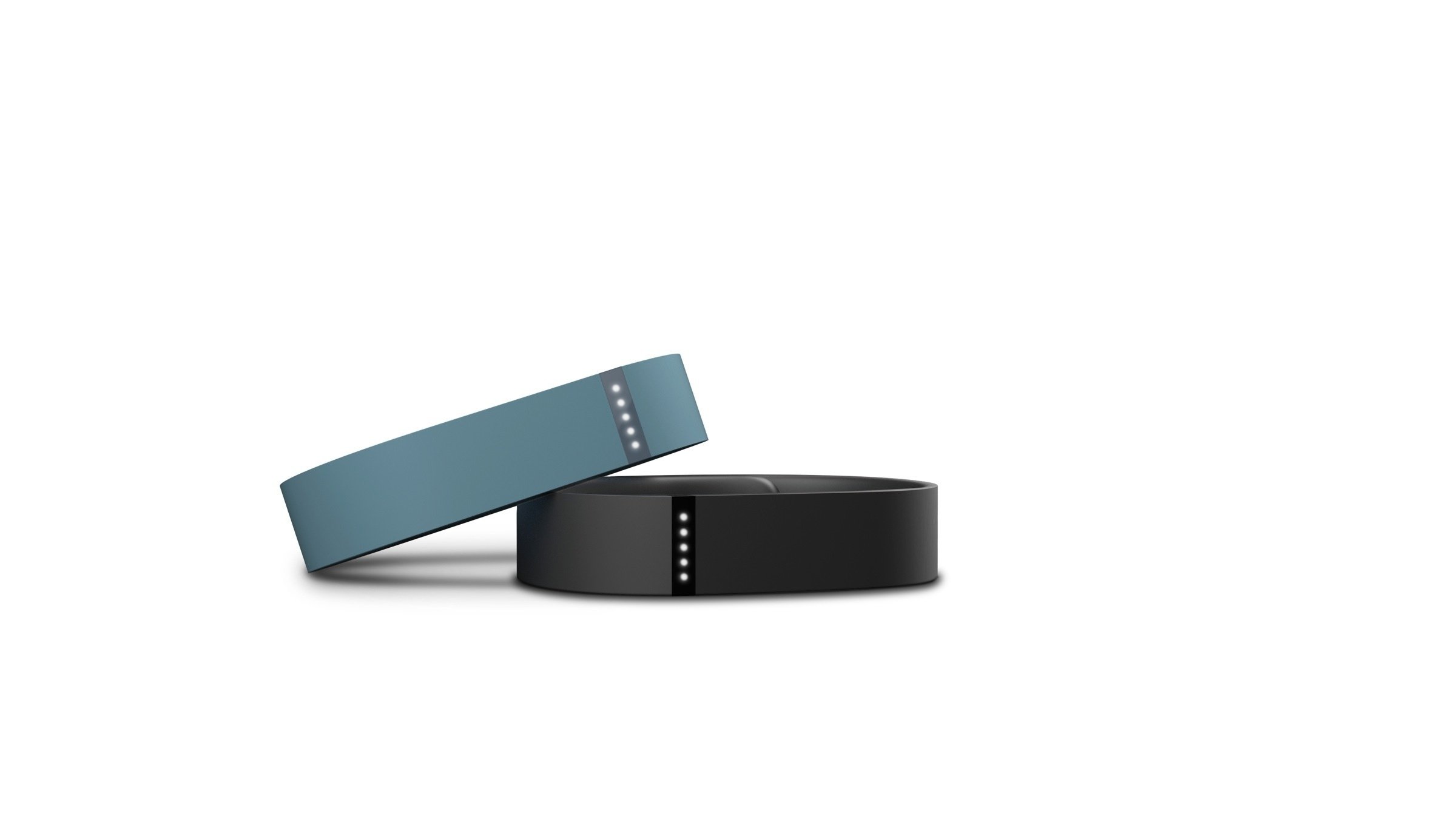

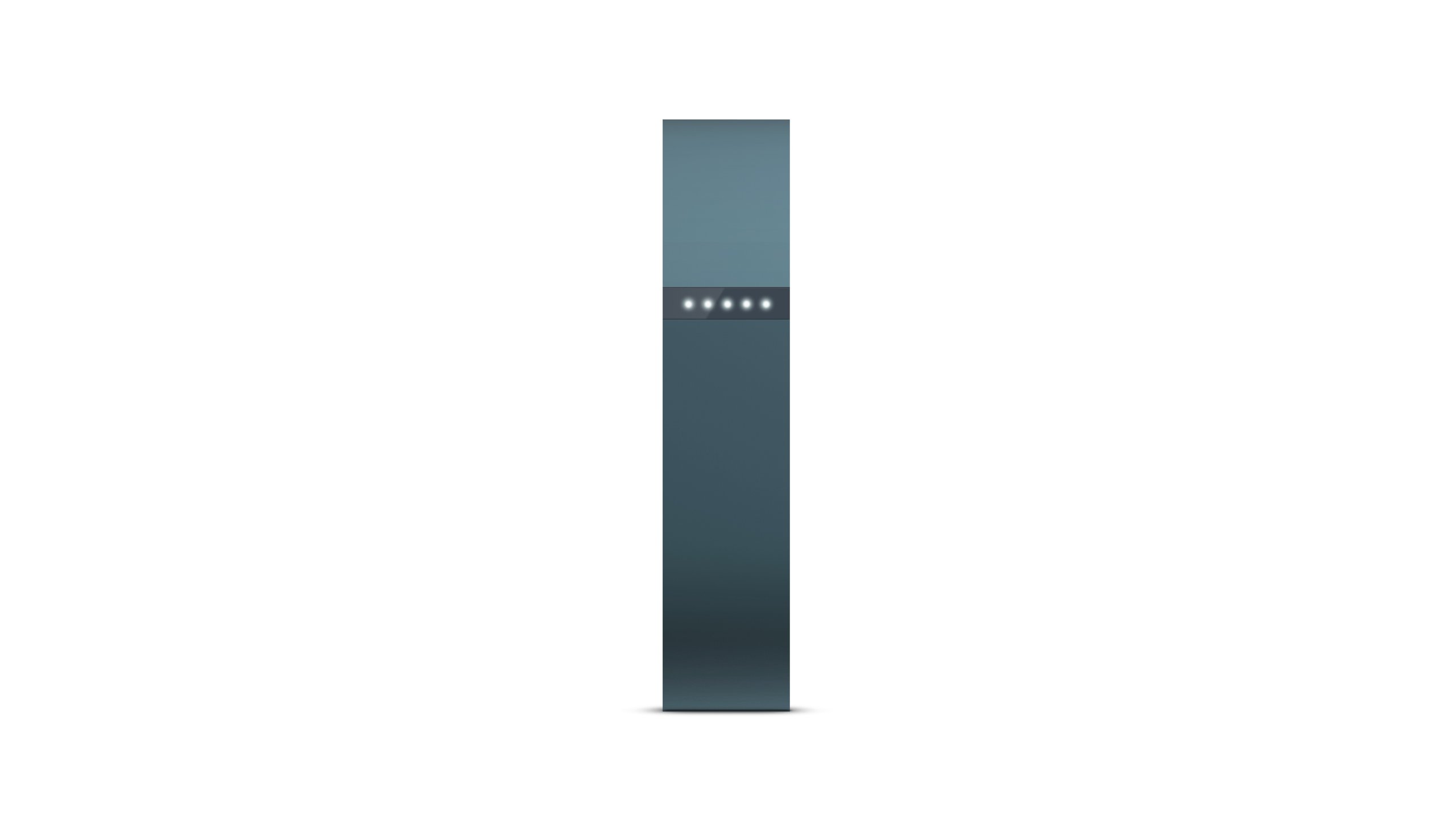


🚀 Elevate your hustle—track, sync, and conquer every step in style!
The Fitbit Flex Wireless Activity + Sleep Wristband is a sleek, lightweight fitness tracker that wirelessly syncs via Bluetooth 4.0 to over 150 smartphones and computers. It tracks daily steps, distance, calories burned, active minutes, and sleep quality, displaying progress through intuitive LED lights. Water-resistant up to 1 ATM, it withstands sweat and splashes, while its lithium-polymer battery delivers up to 10 days of use per charge. Designed for seamless integration into a busy lifestyle, it motivates users to meet fitness goals with silent alarms and social connectivity.


| ASIN | B00BGO0QEO |
| Batteries | 1 Lithium Ion batteries required. (included) |
| Best Sellers Rank | #325,772 in Electronics ( See Top 100 in Electronics ) #6,955 in Smart Arm & Wristband Accessories |
| Customer Reviews | 4.1 4.1 out of 5 stars (22,372) |
| Date First Available | March 11, 2013 |
| Department | womens |
| Is Discontinued By Manufacturer | No |
| Item model number | FB401SL |
| Manufacturer | Fitbit |
| Product Dimensions | 0.6 x 0.38 x 8.2 inches; 0.4 ounces |
P**R
I purchased three of these
Update 12/8/15 - Fitbit just added a new firmware update for the sleep timer feature. Once updated it's no longer necessary to tap the Fitbit before going to sleep or when waking it. It will now recognize when you're inactive and have gone to sleep. It also has some new goal setting software in the app relating to sleep to make it easier to focus on getting more (or less) sleep. The graphic interface is pretty nice. I'm looking forward to using this since I've become something of a night owl and could really stand to get on a better schedule. One more thing to like about my Fitbit. The update took about 5 minutes using my iPad and plugging my Fitbit into its charger while it updated. The whole thing was simple. A red arrow on the dashboard, in the sync area alerted me to the upgrade. I really like this new feature. I bought 3 of these fitbit flex devices, one for myself, my husband and my sister. Before purchasing I researched several wristband devices such as the Jawbone UP, the Nike Fuel and and the Polar Loop. I also looked at the fitbit force which is a newer version of this band. The lack of water resistance on the force was a deal breaker for me. I wanted to be able to wear this band 24/7 and to be able to wear it in the shower or when swimming. That was part of what made it attractive to me. Also, after reading reviews about the clasp problems on the force and how many people lost them, I wanted no part of that. They are also quite a bit bigger and look clunckier. The wristband on the UP looked like it would catch on everything and had no display at all. The Polar had lots of quality problems. I wasn't crazy about the looks of the Nike. The display is nice and I can see how people would like them, but not my style. The fitbit flex, to my tastes, had the coolest look. I also know a couple of people who own the fitbit flex and they were very enthusiastic about them so that influenced me as well. So here is what I like about the flex: I like the way it looks on my wrist. All of us got the slate color. You can also order bands in a few different colors, both here and on the Fitbit site. It is lightweight and even though I don't often wear a watch I don't notice this on my wrist at all. The clasp was VERY difficult to secure the first couple of times until the rubber softened up a bit and until I got the hang of it. I secured it off of my wrist a couple times when it was new. Making sure the band and clasps are lined up correctly and then placing one finger directly below the clasp and my thumb directly above and squeezing hard was the way to do it. I like that it's water resistant and that I can wear it swimming or in the shower. It is safe down to 10 meters or around 30 feet. I like that the wristband is made of TPU rubber, which according to Wikipedia is a type of rubber used in automotive instrument panels, caster wheels, power tools, sporting goods, medical devices, drive belts, footwear, inflatable rafts, and a variety of extruded film, sheet and profile applications. I think it should hold up for a very long time. I like that the display on the band gives me a rough idea by tapping on it of my progress throughout the day. I can also check my progress on my iPhone 4S and see number of steps so far, calories burned, how many hours of sleep I got last night and how often I woke up or was restless. So far it seems very accurate. I can also track the foods I've eaten and the calories, my weight goals and weight lost, check on the weekly number of steps friend's with Fitbits have taken and compare them with my own. I like that I can wear it 24/7 and only have to take it off to charge it once every 7 days. It takes about 3 hours to charge with a USB thingie that comes with it. I use a wall adapter to charge it but could also use a USB port on my desktop or laptop computer. I've lost too many pedometers in the past by dropping them out of my pockets or forgetting about them and sending them through the washing machine, so the wristband seems like a much better option for me. I also like that I can connect wirelessly with my smartphone and with the little dongle included that goes into my desktop or laptop, can connect with those wirelessly as well. Software downloads for all of these are free. I'm also able to connect on my first gen Kindle HD 8.9 although I can't see where it's shown as a supported device so far. But it works with the Android fitbit software in the app store. The step measurements seem reasonably accurate. Waving my hand slowly won't register as a step. Waving wildly will. Driving in the car won't register but reaching around quickly in the car sometimes will. Typing on the computer or Kindle won't register. I've heard that swimming doesn't register either but you can input the time and activity on your phone or tablet. When I first got the flex I started the iPhone app and watched my steps register on my screen as I walked around the house. That, and watching my steps on the treadmill have shown it to be pretty accurate for me, although not perfect. I think that all pedometers have some inaccuracies. What I'm looking for is a comparative trend where I can tell how much exercise I'm getting. The accuracy is good enough for me. So I wake up in the morning, tap the wristband quickly a few times to tell it I'm awake. Then if I tap it twice I see one tiny blinking light, telling me I'm working on my first 2,000 steps. Later, when I've hit that mark and tap to check again, I'll see one solid light and the second one blinking. There are 5 lights total and each represents 2,000 steps (or 20% of my goal. I could set it up differently on my computer, using a different number of steps as my daily goal if I wanted to.) So I can see my approximate progress any time during the day. When I hit my goal of 10,000 steps the band vibrates and all the lights flash. That means you done good! I can set up to 8 silent vibrating alarms on this fltbit. I have one to wake me up on weekdays (you can specify which days) and one at 8:00 each night to remind me stop eating for the day. The vibration gets my attention and is effective at waking me up. I set the alarms on my computer or phone. At night when I'm in bed and ready to go to sleep I tap the wristband rapidly a few times, it vibrates briefly, and goes into the sleep mode until I wake it again in the morning. So am I happy that I purchased the Fitbits for myself and my family members? Yes I am. It motivates me to walk or run more. I can connect to other friends and family with Fitbits to see everyone's weekly step progress but what really motivates me is just competing against myself. I'll find myself parking in the back of the parking lots at stores to log those extra steps or walking around the store longer because it's a good way to add even more. When I haven't reached my goal at night, I'll sometimes walk around the house several times just to hit a number. Now that can't be all bad, can it? Update 1/12/14 - I'll keep updating this review with comments and observations as I use this device. I noticed that walking at a rapid pace is counted as "active minutes". Someone on a message board suggested adding a touch of lotion to the clasp if you're having trouble getting it to clasp when it's new. Update 1/16/14 - A full charge is lasting just a bit over 7 days. It takes about 3 hours to recharge it fully. Update 1/21/14 - Some people have complained about this band coming undone and losing it. I haven't had any problems with it at all, even when pulling tight coat and shirt sleeves over it, brushing my arm against things or the dog pulling on it once or twice. (I'm sure the dog could have pulled it off if I didn't stop him.) The other day I had the dog's leash wrapped around the wrist with the Fitbit and even with the dog pulling against the leash the fitbit stayed on. We walked this way a couple of miles before I noticed it and unwrapped the leash from my wrist. But even with all that agitation my fitbit stayed put. It has stayed on through enough that I'm not very concerned about losing it. I've only taken it off to charge it. I have the band snug enough that I can only put one finger beneath the band but I can move it a couple of inches back and forth on my wrist. Update 7/3/14 - A new update that works with iPhones that use the Fitbit app was released a few days ago. I've used it with my iPhone 4S and really like the new upgrade. It adds a whole new dimension to my Fitbit app. With the upgrade, I just click on the exercise icon on the dashboard which takes me to a new screen showing the days of the week that I've exercised. (Meaning a walk, run or hike, something in addition to the regular walking in my daily activities.) This screen shows exercise frequency by day of the week, it puts a check on the days that you do some planned exercise. If I click the little stopwatch in the upper right-hand corner, it takes me to a screen where I can click Walk, Run, or Hike. I go back and can then click Cues which takes me to another screen where I can select whether or not I want to hear spoken cues. I can also tell it which cues I want including: Distance, Time, Average Pace, Split Pace, and Calories Burned. Then I go back again an can select the frequency of the cues from every .5 miles to every 5 miles. Or, I can make the cues time based ranging from every 2 minutes, 3, 4, 5, 10, 15, 20, 25, or 30 minutes. I can also select the volume of the cues. (Medium was perfect for me.) Then, back again to select a playlist from my iPhone's loaded tunes. Last, I allowed location services for Fitbit in my phone settings and I was ready to go. Now I see a big red circle with a Start arrow on the screen over a GPS map showing my location. I pop in my earphones, click Start and my music starts playing. As I walk, I can see a screen showing how far I've walked, rate per mile, time elapsed. Every half mile a voice interrupts my music telling me how far I've gone and all the other things I've specified in Cues that I wanted to know. Then it goes back to playing my music until it's time for my next designated Cue. How cool is that? It works seamlessly. At the end of my walk I tell it I'm finished (or I could also pause it if I stop to talk to a neighbor or something). When I'm finished (or even during the walk or run) I can see a little red line showing my route on the map. The steps from my walk are added to my steps count, just as they always are. I love these new features. They add a lot to the Fitbit experience. For those of you who track calories and foods eaten in the Fitbit app, the update now includes a bar code scanner. So far, the things I've scanned have been in their database. If you don't see the bar code symbol in the upper right-hand corner of the Log Food screen, log out of the Fitbit app and then log back in and it should be there. Update 11/28/14 - If something happened to ithis Fitbit today, what would I replace it with? Another one just like it. If one of the new Fitbit models was interchangeable with it on a daily basis I might get one of those too, just because I like new technology. But this one would be my main fitness band. I would like having a watch built in, but then it would look kind of silly wearing a conventional watch on the other arm. And I have a lot of nice watches. Update 12/12/14 - I just noticed today that the Fitbit Flex is the #1 Best Seller on Amazon this holiday season. It does seem like when I see people wearing fitness bracelets, this is the one they're most often wearing. A lot of the competitors have lowered prices significantly on their devices which is probably the best indicator of all. It's nice to know that I'm not the only Fitbit fan after wearing it for nearly a year. :) Update 12/26/14 - My Fitbit looks all new for the holidays. This replacement bracelet took over 20 days to arrive but for about $2 it was worth the wait. 1pc Small S Black with White Dots Spots Replacement Band With Clasp for Fitbit FLEX Only /No tracker/ Wireless Activity Bracelet Sport Wristband Fit Bit Flex Bracelet Sport Arm Band Armband A couple people have asked me how the bands hold up over time. I have to tell them that I don't know since I'm wearing different colored ones almost every day. They don't have much of a chance to show wear. After almost a year of wearing these 24/7, none of us have had one come off accidentally. Even the cheap knock-off bands seem sturdy and reliable like the original. And I'm not a very careful person about pulling tight sleeves over it or draping grocery bag handles over my arm. I have the steps across our back patio counted out by counting them myself. It is 60 steps back and forth once. (Yeah, I know, way too anal.) Oftentimes when I haven't hit my 10,000 steps for the day, I'll go out and walk back and forth with my iPad on the patio table to check my progress. I know from doing this that the Fitbit step count is dead-on accurate for counting steps when walking. Dancing will add steps which I think is fair since it's at least as good as walking for exercise. Update 1/30/15 - I can't believe I've had my Fitbit Flex for over a year already. I'm still wearing it 24/7 as a great motivator to keep moving. I've had several people email me with questions about the way it counts steps so I thought I'd share this with you. I tested another fitness band recently, wearing it on the same arm as the Fitbit. The other band recorded a lot more steps than the Fitbit. I've "manually" counted steps while walking around different areas around my house and compared them to the Fitbit and found them to be exactly the same. But I never did it for more than about 100 steps. Now I was curious because the readings on the two bands were so different. So I went for a walk and counted out 1,000 steps as I took them, counting in my head. (Mumbling under my breath, actually.) Before I started, I noted the starting number of steps on my iPhone for both bands using the apps for each. At the end, I checked the number of steps for both bands. The Fitbit recorded 1004 steps. The other band recorded 1,217. Only 4 extra steps on the Fitbit is pretty impressive and is close enough for me. I'm contacting the manufacturer of the other band to see why it's so far off. Several people didn't realize that you can adjust the stride for the Fitbit. Just log into the dashboard in your Fitbit app, click on the little gear thingy in the upper right hand corner and select "Settings". There's a field there for Stride Length and Running Stride Length. You can manually enter your personal stride length. If you leave these blank, the app will estimate the values based on your height and whether you are a man or woman. Click the "Update Profile" button to save your changes. Remember to sync to update your tracker with the new stride measurements. I didn't even realize I could do this until several months after I had my Fitbit. I guess it must have estimated correctly in my case because when I put it in manually I didn't notice a difference. Update 4/30/15 - Fitbit has an update that now allows you to track multiple Fitbit devices on your Fitbit app. I haven't tried this, but from what I understand this will allow you to go back and forth between other models and once registered it will recognize them automatically. It's tempting to try the Fitbit Charge or the Surge that can measure heart rate or pulse or have caller ID. They're bulkier than I would like to wear on an all-the-time basis, but would be nice for workouts. And new technology is always fun. The Flex is still my first love and I like the switchable bands, but I'll look at the new models now that it isn't an either/or decision. Here are their instructions for adding another Fitbit: Update your Fitbit app (if you haven’t already) ‘Set Up a New Fitbit Device’ from the Account tab in the Fitbit mobile app or Fitbit Connect Finish the setup instructions, and start swapping – we’ll take care of the rest! Update 5/7/15 - Has everyone seen the new Fitbit commercial? I usually fast forward through TV commercials on the DVR, but this one I recorded and kept until I could find it on youtube: https://www.youtube.com/watch?v=K0qVi_nF6y8 This makes me smile every time I watch it. Update 1/24/16 - When I purchased my Flex a little over 2 years ago it was advertised as being "Water resistant to 10 meters or 33 feet" which is 1 ATM. Their website now states: "Flex has been tested up to 1 ATM meaning it is sweat, rain and splash proof. However, the device is not swim proof. We also recommend taking Flex off before showering because, as with any wearable device, it’s best for your skin if the band stays dry and clean." The definition of 1 ATM, as I understand it is that it indicates that under static (nonmoving) conditions at 10 meters below the surface of the water the pressure of the water will not breach the seals on the device. But I can't take it into the shower? Perhaps even more confusing is the Fitbit Surge is rated at 5 ATM (50 meters) and has the same warning about not being swim proof and not to be worn in the shower. Are they just trying to ensure that users don't abuse the tracker? That said, I always shower with mine, I never dry it off afterward except the top when I'm drying my arms. I don't swim often but when I do, I leave it on. If I were going to spend a lot of time swimming on a regular basis I might take it off since it doesn't track swimming anyway. But for splashing around in a pool occasionally, I don't worry about it. My skin is somewhat sensitive to watch bands and I'm allergic to some metals and other materials. I couldn't be much LESS careful about the Fitbit and have never had a problem with the band and my skin. The underside is often damp from getting wet in the shower even half an hour later and it hasn't bothered my wrist. Being able to wear this 24/7 was a major selling point for me and it has worked just fine since January 2014.
S**N
MyFitnessPal integration works well
SUMMARY: This device will not do anything for you, but it will help you make good decisions about what you need to do yourself. Fitness is hard work. If I had to sum up what this device is doing for me, it is this. It is keeping me utterly honest about everything. I cannot lie to myself about how many calories I'm burning. It won't let me. Just knowing there is a record motivates me to make sure it is a good one. It's the same effect one gets if they know they are being graded. ****** THE LONG VERSION I have been using the fitbit flex for five days now and I have fewer pounds and great fitting pants already, so it would be hard to regret my purchase. I went ahead and set my fitbit up to integrate with MyFitnessPal as soon as I set it up, so I have no idea how it works without it. Setting it up was a breeze. Go here: http://www.myfitnesspal.com/apps/show/fitbit and follow the instructions. Once it is set up it gives you a warning that you should only enter your food on MFP to avoid double entries. I have entered everything I eat on MFP, and the info magically finds it's way to my fitbit dashboard, and there have been no problems whatsoever. Entering exercise is a little more complicated. Once you've done the integration, your MFP exercise entries will require one extra step--the start time of your exercise. My entries consist mostly of running and swimming. Technically, I don't need to enter the runs, since the pedometer takes care of them just fine, but when I do enter a run, the two apps manage it well. MFP gives the start time and duration of the run to fitbit, and fitbit takes that info and does some calculations that take the pedometer data into account, and comes up with a number of calories burned. I have run into one snag...if I edit the start time of my entry in MFP after I've already logged it, it causes the exercise to log twice on fitbit and I have to go into fitbit and manually remove the double entry. Sometimes I'm lazy and I don't enter the runs in MFP and I just let fitbit use the pedometer data exclusively....I've not taken a close enough look at the difference to comment on it, but it seems to work well either way as far as calorie counting. I just prefer knowing the speed and duration of specific intervals and that data is lost if I don't enter it into MFP. I take the flex off when I swim laps, since I have a watch that counts my laps and distances for me and wearing both would be cumbersome. I enter my swims manually into MFP, and fitbit automatically calculates it all. I've had no problems. You'll have a new thing in your MFP display too. Your exercise log will have a "fitbit calorie adjustment" entry. For whatever reason, fitbit lets me eat just a little less than fitness pal does, so the math is obviously a little different on the two programs. If you are tall and have abnormally long legs like me, you may have to adjust fitbit's default stride settings. Their website can tell you how. The biggest lifestyle change for me has been brought about by the in-your-face awareness of just how sedentary sitting at a computer is. On days when I work at my desk, 6PM rolls around and I've only got maybe 500 steps logged. I'll hit the gym to do my 3 mile jog, and still be no where near the 10 thousand step goal that is the default setting for the fitbit, so I end up walking on the treadmill until I get there. I find myself going on long walks after my swim too. Maybe I'm crazy, but I can't stand to go to bed without meeting my step goals first, even if I've logged a long swim, but whatever the reasons, it is working, and fast. I am losing weight again after stalling out for quite a while. I mentioned only having 500 steps after a day at my desk. Yesterday I had my first day away from my desk...shopping, a little yardwork, housework, just getting all the little things that need done around the house...at 5pm I had logged 8000 steps and was almost to my goal. I mention this because I think this is what makes the fitbit worthwhile. It quantifies how sedentary your life is on a given day and then tells you exactly what you need to do to make up for it. And I know, if you are a desk worker like me, that 10,000 steps is going to seem a bit ridiculous after a day at the office, but trust me, if you can make yourself make up for it, you will be blown away by the results. I hesitate to put the numbers down for my weight loss over the last 5 days, because I have frankly lost weight faster than I should and I don't want to invite trolls or create unrealistic expectations...everyone is different. I am eating more than 2000 calories a day (within the recommendations of the app set at medium plan intensity), I'm not starving myself, and yes, my legs were pretty tired the first few days, but I promise, I feel great. I'll be at my goal of 145 in a couple of weeks at this rate. The fitbit didn't lose that weight for me...I worked my butt off all by myself, but fitbit helped me figure out what I needed to be doing. **** I know this review is getting long, but I wanted to mention a couple of other things. I LOVE the sleep monitoring. I have random bouts of insomnia, and I sometimes wake up repeatedly all night, and this thing has done a brilliant job of measuring how much time I've actually spent sleeping vs. how much time I've been in bed. And that number of hours of actual sleep correlates almost perfectly to how I feel, mentally, through the day. The default sensitivity is perfect for me...though I have seen it isn't so much for other people. It is easy to turn it on for naps too. Just tap it five times when you lay down, and again when you get up. You can fix it manually in the website if you forget...it will still have the movement data regardless of whether you tap it or not, it just needs to know when you were sleeping to fix it all. It accidentally goes into sleep mode here and there...once when I was using a hammer drill, once when I was using a hammer, and once when I was shaking a bottle of cat antibiotics to mix it, but when that happens, you know because it vibrates, and if you tap it five times right away to bring it out of sleep mode, it won't mess up your data.
S**N
Nice product. Tracks everything. Wakes me up without disturbing my wife
K**N
I've been using my Fitbit (and the website program) for over two weeks now. It's not a ton of time, but I have to say that I am absolutely in love! While I had a bit of difficulty figuring out the ins and outs of the product (there's no user-manual in the package; you have to go to the website and click through the product to learn about how to go to Sleep Mode, how to charge, how to install, etc), once I did figure it all out it's been a breeze and surprisingly motivating. Just the fact that it's on my wrist reminds me (and encourages me) to get moving; I find I WANT to hit my 10,000 step goal, I'm DRIVEN to get there no matter how tired I might be, not to mention that the website is fantastic for tracking your calorie-intake and -outtake to really get a concrete understanding of your success in your weight-loss regiment. I love that the website charts my daily stats, from steps and distance to weight and progress towards my goal, and I have been religiously tracking myself, feeling great pride when I'm told I've reached my goal :D The Fitbit Flex also has a sleep mode. Before I bought it, a friend of mine told me it would wake me up before my next REM state so that I wouldn't wake up groggy. Fibit does not say this simply because it's not true; it was a misrepresentation by my friend. BUT! The Fitbit does track how long it takes to fall asleep and how many times you 'wake up' (or move about) during the night, and it gives you a 'sleep efficiency' percentage that is actually really helpful. I've been enjoying this feature more than I expected because it's showing me that my sleep efficiency is TERRIBLE!!! 55% on a good day! AH! But it makes sense to me because I'm always tired and usually need to be in bed for 10+ hours to feel rested... no wonder, considering an 8-hour sleep only gets me around 4 hours of ACTUAL sleep! So, now that I know this (thanks Fitbit! ^.^), I've been taking steps to try to get better sleep: no computer before bed, watching what I eat (no chocolate or caffeinated tea), etc. It's still early, but I'll continue to use Fitbit to see if it's working and compare to my past nights' sleeps :) A final thing I want to talk about it the Customer Service at Fitbit. In a word, it's WONDERFUL! For my experience, I bought the tangerine coloured Fitbit (I LOVE colour!) and simply adored the brightness of it! Until a week in when the orange started to turn black.... It's not a fault of the Fitbit, I know it was/is something of mine that the Fitbit is rubbing against when I wear it that is rubbing off onto the Fitbit and staining it (though for the life of me I can't figure out what! My coat? Sweater? Sweat pants? Jeans? Furniture???? What is it!!?!?). The pretty orange wristband is now completely black on the edges... it's OK for casual wear, but if I want to wear something nice and keep my Fitbit on, it just looks shabby, and it made me really sad :( So, I contacted Fitbit Customer Service. I sent an email with a picture showing the discolouration and explaining that my tracker was in perfect shape but that the discolouration of the orange wristband made me not even want to wear it anymore because it just looks aweful. Within two days, I received a message from Fitbit Customer Service saying they would be happy to replace my orange wristband with a black one instead (no discolouring! YAY!!!!). I have to say, I am THRILLED with their response! Not only with the speed and efficiency of it, but with the fact that they were so understanding, friendly, and respectful of me. The only questions they asked were my name and address so they could send the replacement, no suspicion or berating questions, and as a customer I super appreciate that :) There seem to be less and less companies with great Customer Service, but Fitbit is definitely one that has fantastic Customer Service :) I feel confident and comfortable buying from them and recommending the products now that I know that they truly put their customers first. Anyway, that's my experience with Fitbit. I absolutely recommend this product, specifically this company rather than another version of the same product (I know there are lots out there... Fitbit just outshines them imo). Hope this review is helpful! :)
L**T
Muy buena para ser tan sencilla
S**P
Hatte zuerst ein Armband einer anderen Firma gekauft, welches auf den ersten Blick auch sehr gut war, sich dann aber nicht synchronisieren lies. Mit dem Fitbit ist das alles total easy. Leider ist die Schlafanalyse nicht sooo genau dargestellt wie beispielsweise beim Garmin, aber die Daten, die es sammelt, stimmen im Großen uns Ganzen mit den Daten meines Atemgeräts überein und darauf kommt es mir an. Anhand der Dioden kann man so in etwa erkennen, wieviele Schritte man an dem Tag bereits gemacht hat - wenn mans genau wissen will synchronisiert man zwischendurch mal eben. Funktioniert einwandfrei über Bluetooth mit meinem Nokia Lumia 1020 Windows Phone und ebenso gut mit dem PC bzw. Laptop. Ist am Handy Bluetooth eingeschaltet, werden die Daten permanent übertragen, wenn Armband und Handy in entsprechendem Abstand zueinander sind. Das Armband selber ist sehr leicht, stört nicht wrklich im Alltag und auch der Verschluss ist sehr gut. Natürlich zeigt es keine Uhrzeit oder so an, weil ja halt nur die 5 kleinen Dioden da sind, aber als Einsteigermodell um mal zu testen, ob sowas überhaupt für einen geeignet ist, absolut in Ordnung. Über die Bluetooth-Verbindung bekommt man sogar eine Meldung auf's Handy bzw. PC wenn der Akku geladen werden muss. Die Gefahr, dass man das vergisst, ist also gering. Schade, dass der Akku nur 5 bis 6 Tage hält - beim Garmin zB muss nur nach etwa 12 Monaten die Batterie getauscht werden. Ausserdem schade, dass es zwar Spritzwassergeschützt ist - kann beim Duschen also dran bleiben - aber zum Schwimmen sollte man es abnehmen. Ich nehm es allerdings auch beim Duschen ab, da es unten - wo man den Tracker ins Armvabd steckt - "offen" ist und ich es einfach irgendwie auf Dauer wohl ein wenig ekelig finde, wenn sich da so ein Wasser-Schweiss-Duschgel-was-weiss-ich-was-Gemisch bildet, wenn man es beim Duschen umlässt und Feuchtigkeit reinkommt. Alles in allem empfehlenswert!
R**L
I ordered fitbit band in January 2016 and since then it has become an integral part of my daily routine. The band along with the mobile app are a one stop destination for me to track my water intake, my sleeping patterns, activities and calories burnt. The battery life is also good and once fully charged as advertised works for 4-5 days. It is also water-proof and therefore is on my wrist 24*7. Looking forward to upgrade to a higher model of fitbit.
Trustpilot
3 weken geleden
2 maanden geleden