
DOWNLOAD DE APP


Klantenservice
Copyright © 2025 Desertcart Holdings Limited
DOWNLOAD DE APP


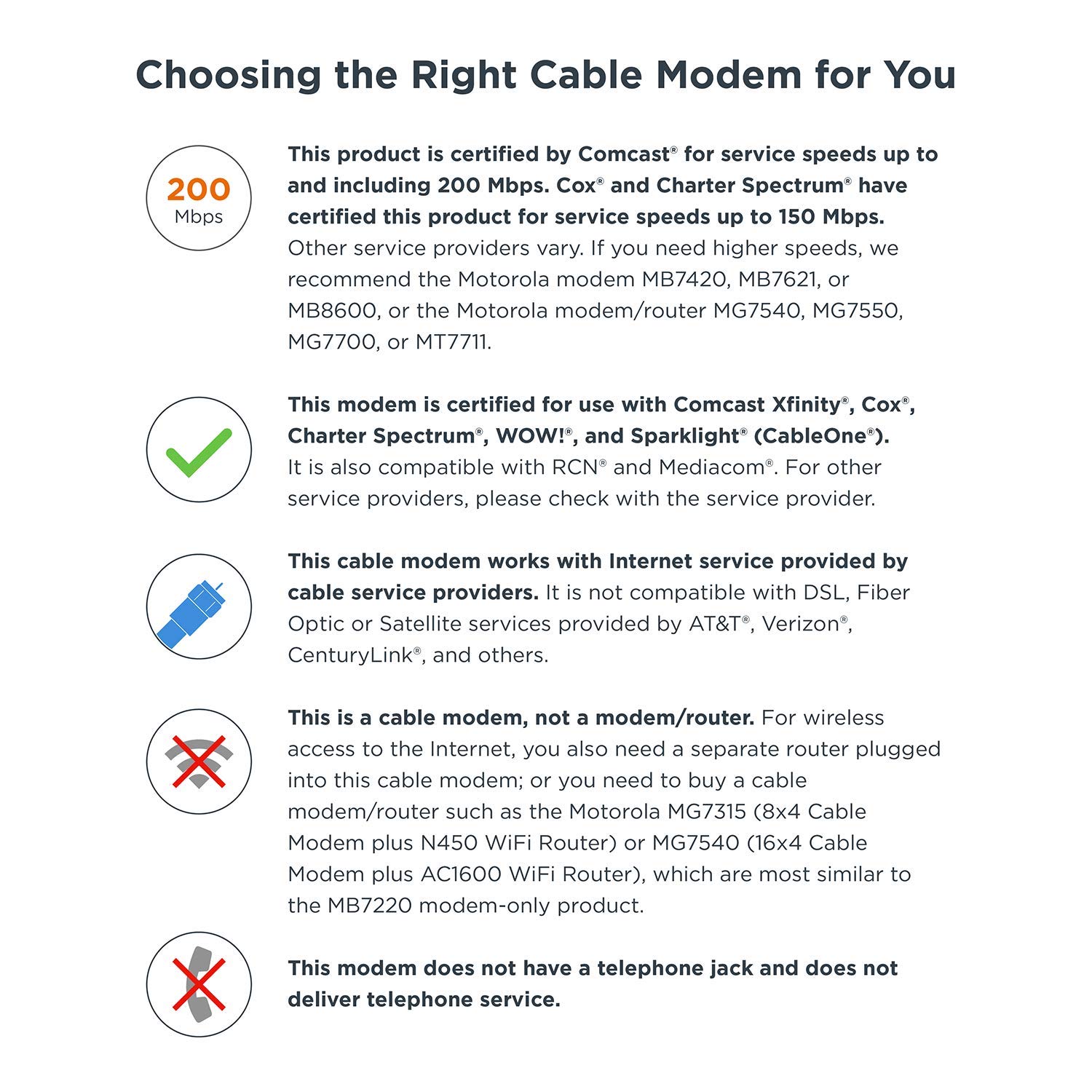
🚀 Own your speed, ditch the rental, and stay effortlessly connected!
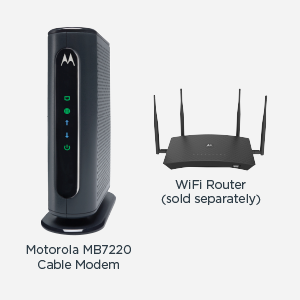
The Motorola MB7220 is a high-performance 8x4 DOCSIS 3.0 cable modem delivering up to 343 Mbps speeds, certified by major cable providers like Comcast XFINITY and Cox. Designed for professionals who demand reliable, fast internet without the clutter of built-in Wi-Fi, it features a compact design, surge protection, and a 2-year warranty. Save money by eliminating rental fees and enjoy hassle-free setup backed by USA-based customer support.


| ASIN | B019ZY1ZWS |
| Batteries | 1 Lithium Ion batteries required. |
| Best Sellers Rank | #33,277 in Computers & Accessories ( See Top 100 in Computers & Accessories ) #120 in Computer Networking Modems |
| Brand | Motorola |
| Color | Black |
| Customer Reviews | 4.3 4.3 out of 5 stars (4,290) |
| Date First Available | December 30, 2015 |
| Is Discontinued By Manufacturer | No |
| Item Dimensions LxWxH | 4.9 x 2 x 6.1 inches |
| Item Weight | 9.3 ounces |
| Item model number | MB7220-10 |
| Manufacturer | Motorola |
| Product Dimensions | 4.9 x 2 x 6.1 inches |
| Series | Motorola MB7220-10 |
W**S
Very good modem.
We've had this modem for about 2 years. Works great, plenty of range, has never given us any problems.
N**1
Works great for Comcast 100Mbs service
Bought this for my mom. She has Comcast and is on their 100Mbps plan, so no need for a more expensive modem that can do 300+Mbps. This one fits the bill perfectly, and saves her $13/month rental fee. Pays for itself in less than 4 months. Setup was super easy. Just screw in co-ax cable, plug it in, and then hook it up to your router (I did a direct wire to my laptop for setup). Go to the Comcast page and it let me set everything up online. In less than 30 minutes of me opening the box she was getting 100+Mbps download speeds. This MB7220 seems to be the replacement for the old SB6141 (which I have at home for the past 6 years without an issue). Hopefully the MB7220 last as long (or longer). Yes, this is an 8x4, DOCSIS 3.0 modem, a bit old by current standards (32x8 with DOCSIS 3.1 is the "top dog" now, with DOCSIS 4.0 being developed), but still works with most all cable providers, and should still be working for many years. It also provides the speeds needed for the average cable internet user, and still being inexpensive. If you have an internet plan that offers 150Mbps or faster, don't get this modem, it will be a bottleneck for you. It is not a modem issue, it is just this was not designed for those speeds and you need to look for a 16x4 or faster modem.
J**B
Modem shopping can be overwhelming, but this seems like a good choice at a good price.
I got this to replace a $100 netgear modem, which was giving me speeds wayyyy under what we were paying for - we’re on a 150 mb plan and I was getting maybe 2 mb download speeds. On a good day Netflix would only crash 3 times. I did some research and a lot of cheaper modem options have some kind of faulty chipset which gives users issues of poor connectivity, having to reset constantly all the time etc. This one seemed to be the only reasonably-priced modem with reliable electronics. I set it up with the cheapest modem I could find (I think it was like $15), and I’m blown away at the improvement. Streaming never crashes, a 24-hour download now takes a couple of hours, and I never have connectivity issues. I’m certainly no modem expert so I don’t have much of a frame of reference outside of my super problematic old modem, but I’ve had this one for a couple of months and it’s worked exactly as I expected. My needs are pretty modest as I live in a small house, so I’m sure your mileage may vary if you have more strenuous expectations, but I’m very pleased with this purchase.
P**H
Good modem, but issues finding clear channels
This is an affordable modem that is giving me good bandwidth over a wired connection. It was easy to set up and the various lights on the front are fairly clear. My only downside is that I had significant issues getting decent bandwidth over the wifi connection. I live in an apartment building and everyone has wireless routers, so I think there's a lot of interference from that. After researching the issue, it sounds like I need to get an app that will look for whatever clear channels may exist and then manual set this modem to broadcast on those channels. Honestly, I just haven't had the time to do that yet. Instead, I just ran a wired connection to my TV for streaming and that works great. And then I'm just using wifi for my phone and tablet, which don't need as much bandwidth. At some point I'll feel like a technical project for an afternoon and I'll get the channels set correctly, but it just hasn't happened yet.
R**E
Works great with our 200 Mbps internet package
We recently upgraded to 200 Mbps internet speed and my old Arris modem couldn't handle that speed. So I decided to try out Motorola for a change, based on its good reviews, plus it was several bucks less than a new comparable Arris. Turns out the Motorola works great. Easy to hook up, after which I just needed to call my cable company (Wide Open West a.k.a. WOW) for them to activate the modem. Once done, this thing flew! I consistently pull 200+ Mbps down on it. (Regardless of the box saying "343 Mbps maximum speed", really this modem is perfect for my 200 Mbps internet package. It's certified by Comcast for 200 and WOW in my area subleases Comcast's network. Looks like Charter and Cox certified it for 150 per the graphics in the product listing.) One last thing: Some cable modems get hot, but this one is just warm to the touch and not hot at all. I don't foresee it having an issue overheating. It has plenty of ventilation on the sides and top. If anything changes, I'll update my review, but for now, this modem seems like a solid purchase.
Trustpilot
2 weken geleden
4 dagen geleden