We remain fully operational. Our teams are working around the clock to ensure your deliveries continue safely.

DOWNLOAD DE APP


Klantenservice
Copyright © 2025 Desertcart Holdings Limited
DOWNLOAD DE APP

🎨 Elevate your art with precision and color that commands attention.
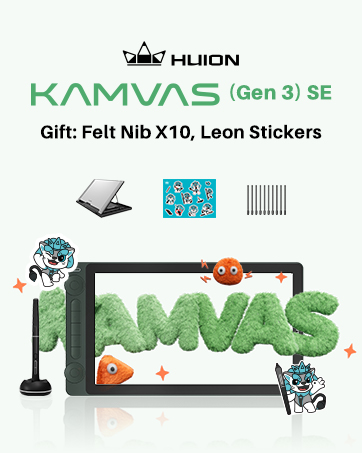
The HUION Kamvas 22 Plus is a 21.5-inch QLED drawing tablet featuring a full-laminated, etched anti-glare screen with 140% sRGB color gamut powered by Quantum Dot technology. It offers professional-grade pen performance with PenTech 3.0, dual USB-C connectivity for multi-OS compatibility, and an adjustable stand for ergonomic use. Designed for artists and designers seeking vibrant visuals and precise control, it supports Mac, Windows, Linux, and Android devices.










| ASIN | B08BZ897B4 |
| Best Sellers Rank | #128 in Computer Graphics Tablets |
| Customer Reviews | 4.4 4.4 out of 5 stars (1,105) |
| Date First Available | July 3, 2020 |
| Item Weight | 7.5 pounds |
| Item model number | GS2202-US |
| Manufacturer | Shenzhen Huion Animation Technology LTD. |
| Product Dimensions | 21.5 x 12.7 x 0.75 inches |
L**Z
Great bang for the buck, but a few caveats...
This is my second Huion Kamvas 22 Plus purchase. I bought my first one in June 2021 for around $650. This new one cost $461 (Feb 2026). A considerable drop in price since then. When I clicked on the original order link from 2021, it brought me right to this one. The original Kamvas 22 plus did not have a QLED display. I'm not sure if I'm clear on what the QLED technology brings to the table. I still have the original monitor and I don't see any real difference in image quality. Maybe my eyes just need time to adapt. Or I need a better video card lol. I'm sure there must be a difference, especially considering the price differential. Is it cheaper because it's not as good or are they just trying to clear out inventory. We may never know for sure lol There's a back story: I bought the first one because I wanted to try out digital drawing, and the Huion was considerably less expensive than a comparable Wacom display. I figured if the Huion disappointed for whatever reason, or it turned out I just wasn't a fan of digital art, at least it wouldn't be as big a financial loss as an expensive Wacom. I mean, I'm sure there are reasons to buy a Wacom, if you're a professional. I was just starting out. I wanted a sort of "entry-level" product but with the option that I might grow into it. All things considered, The Huion seemed like a great solution. It didn't take long for me to fall in love with the Huion, and the concept of digital drawing and painting in general. I chose Krita as my app of choice, mainly because it was free. Even that turned out to be a great choice. I recommend Krita to anyone just starting out. Especially if you have some computing chops and experience in the digital arts. You won't outgrow it any time soon. Or maybe you will. Who knows lol I've noticed with these various software products that they all have strengths and weaknesses. I guess u just try and decide based on your needs. I'm not a fan of annual subscriptions (although I don't begrudge a company from making a profit). One of the things I really appreciated with the Huion was that the pen doesn't need a battery. I'm not clear on how that works exactly, but it's nice to not have to worry about batteries. I love the adjustable stand that comes with the 22 Plus. It's sturdy, high quality, well-made. I don't adjust it much. I have a preferred angle setting for drawing. But it feels like it would last a lifetime. It's easy to adjust. Maybe this is a good place to mention the optional monitor desk arm. I bought one of those as well and it's also very high quality. Recommended, if you're using a dual monitor setup on a desk that supports it. Here's where it gets prickly: my original 22 Plus stopped working unexpectedly one day. It displayed windows just fine, but the pen didn't work. I checked the driver and it was giving me a communication error message. I spent a few hours trying everything I could think of, but nothing was working. I contacted Huion support. You need to know that you're dealing direct with China at this point. I get the impression that there's no US support option. I got a reply, but it took a couple days. The lag time in responses was a bit annoying, but I wasn't desperate. If I had been desperate we'd be having a different conversation. Keep this in mind while you're deciding where to invest your money. This could be one of the reasons to choose Wacom. Considering how expensive Wacom products are, support better be great and immediate lol. After a few days of back and forth, Huion suggested either replace the 3 in1 cable or they could also sell me a replacement printed circuit board. Neither option was expensive. But I decided to try the cable first. It wasn't the cable. My next option was a replacement board but after meditating on the subject, I decided to just buy a new pen display and use the original display as a second monitor. So my original 22 Plus lasted about 4.5 years. After a bit of research, I got the impression that was an expected life-span. 4.5-5 years. I used it for many many hours. Did I get my money's worth? I don't know. Maybe. My original expectation was "it'll be whatever it'll be". Maybe Wacom products last longer. Which would be a reason to consider them. I don't know. I don't expect this new one to outlast the old one. I can buy 3 or 4 of these Huion monitors for the price of one Wacom. Maybe that's the correct way to consider it. I've only had this new monitor a few days but it compares to the original one. As I mentioned before, I'm not sure what this QLED business means in comparison. I mean I read up on it. It seems like there should be an improvement (otherwise why even mention it in the first place lol). I'll be able to do a 1-1 comparison once I get the older Kamvas 22 up as a second monitor. I see no missing pixels or strange shadows along the sides of the new display. It uses all the same cables and such as the old display. It just dropped into place and worked perfectly. It'll be interesting to see how long the older display keeps working (just as a normal display). I can't think of anything else major to report. I gave this new one 5 stars because it's a perfect solution for me. Affordable. I like working on these 22" models. Huion is pushing larger screen sizes but it's really overkill for my needs. I also have a Huion mini keypad (Keydial). Not expensive, and so far has been working as expected. I don't use the actual dial thingy at all. Just the programmable keys. I have it permanently attached via USB cable to the PC but it can operate in Bluetooth mode as well. Good luck!
Z**H
Well worth the money!
Wow. I had Huion tablet for years, it was great. But this monitor? Superb. Firstly, the brightness and color clarity are exceptional. The resolution is 1440p which is incredible for the price, as other monitors on this price range are usually 1080p. The contrast ratio is actually higher than the W*com equivalent. The pressure sensitivity, tilt, settings and whatnot are all excellent and worked perfectly in all of my apps. (Affinity by Serif, Blender) Oh, setup was easy once I realized the cable really is all-in-one. The stand that comes with it is fantastic, has a great range of tilt (though I am excited to get the monitor arm from Huion tomorrow) and is very sturdy. You don’t need anything extra, it’s fantastic as is. If you’re looking to get a drawing monitor, Huion easily knocks it out of the park with this Kamvas 24 Plus. It’s packed super safely and has a handle to help carry about or for storage when you move with it, so keep your packaging. Can’t recommend this monitor enough. 10/10 Huion is superb.
M**G
A pretty big upgrade
I've been using the Huion GT191 for ....4 years? Maybe more. It was a risky buy for me because, who the heck was this? It's not Wacom or whatever. I was using Surface Pro's for a while since they HAD wacom tech before moving to ntrig where it was ...bumpy, but alright. Anyway, the 191 was impressive, especially for the price and what the competition had. I wanted an upgrade since I had some nitpicks with the 191 but never enough that I'd drop hundreds- watched tons of reviews on it and it seemed solid. So, cut to now and it was on sale, so I caved and here we are! I'm typing this up because it impressed me enough after over a week with it that I wanted to give 'em credit. It's, really impressive, the parallax (distance between the pen tip & the actual screen/the accuracy of the pen) is non-extent basically. Where the tip is, is where the pen draws, it's....SO nice to have. The color accuracy & range is much, much nicer on this vs the 191. While the 191 was alright, this is in another league, as is the response time so there's less image ghosting and what not. So if you wanted to use this for drawing but also watch a movie on it or game? It'd do well. The glass has some kinda light texture to it, which makes it feel more like paper & reduces glare a bit. I like this approach better than making the pen tip rubberized since that just makes strokes feeling like a drag. I really can't say enough about the actual monitor itself, it's solid. You will have to adjust some of the colors/brightness yourself but that's not too hard honestly. It's 1080p which might annoy some? I honestly used the nvidia control panel to super sample the resolution to 1440p and while it's obviously not TRUE 1440p, it helps make the interface much smaller on your software. (even if you don't have this tablet you might want to consider it if the display is big enough!) The pen feels much better, no battery (Finally!) and with a nice rubber grip to make it more comfortable. It's also nice and light which some people don't like because "it lacks a premium feel" which, IDK put a lead weight on it and call it a day- in my opinion: pens should be light so the weight doesn't become an issue over HOURS of drawing. I don't get this obsession people have with a weighty feel with some stuff. The pen draws really well with an excellent pressure curve that you can adjust in the driver, it's activation force is nice n' low and it's got tilt, "But how's the weight?" It has tilt which, I haven't been able to test becaaaaaause none of my brushes actually have that set up, so I can't comment there unfortunately. The activation force feels much lighter on this than my last tablet, you can be really, really light handed with drawing and it's super nice. Feels great to draw with. The set up is pretty easy, slap the stand on it or it to a monitor arm then hook up the HDMI & USB cable, plug in the power brick to their 3-in-1 cable- to the monitor. Install the drivers from the website, hit ctrl+alt+H to bring them up to bring up the tablet interface, make sure it's set to work on the right monitor, boom done. I absolutely recommend this tablet, it's far less expensive than the competition and it doesn't feel like your sacrificing anything.
A**O
Es sumamente cómodo trabajar en una pantalla de este tamaño, si bien es cierto que al dibujar con el soporte instalado (puntos a favor que venia incluido) la pantalla se puede deslizar un poco con el peso del brazo al principio, despues te acostumbras y aprendes a no necesitar recargarte tanto al punto de que la pantalla ya no se recorra hacia atras. -El tamaño de esta pantalla hace que no sea importante el que no incluya botones de shortcuts, ya que puedes acceder facilmente a las herramientas con tu mano. Sin embargo si recomiendo el uso de un teclado externo de macros para simplificar el uso de comandos como CtrlZ, CtrlY, etc. -La presicion de la plumilla no es perfecta (en ninguna tablet lo es) pero es bastante precisa, tanto que te acostumbras a la brevedad. El tacto que tiene no es identico pero es bastante similar a dibujar en papel, ya que la pantalla viene con cristal de proteccion contra rayones en vez del protector plastico que incluyen otros modelos (puntos a favor por que en otros modelos con mica plastica se notan muy rapido los rayones del uso) -El soporte puede posicionarse en diferentes angulos de inclinacion y una vez ajustado queda bastante fijo, por lo cual no tendras mucho problema con acomodarlo a la inclinacion que mas te convenga. -Viene con los cables necesarios ya sea para que lo puedas conectar a una computadora o a un celular (en ambos casos requiere conectarse a la toma de 110v).
M**N
Me llegó aproximadamente 20 días antes de lo estimado como máximo, nunca tuve idea de dónde estaba mi pedido fue virtualmente imposible seguir el envío, sin embargo me llegó todo bien. La tableta me llegó con conector de voltaje europeo pero y sin adaptador. Pero no es un problema mayor para mí. En general estoy muy satisfecho con la compra y recomiendo mucho tanto el producto como a la tienda.
M**E
Bought a used, and refurbished item. I was so excited to use it. I am coming form a Wacom 22hd touch. I also have 2 other smaller Huion tablets. Never had an issue before. Not sure how Huion missed the screen at the bottom of this tablet coming loose, (Or hoping the next buyer did not notice), Seems to be an issue with these 24 inch tablets. Worse on the bottom right side. Disapointed to say the least. Not worth the refurbished price, and certanly not worth the retail price. Guess I will look at another Wacom.
S**I
Really glad to have bought this. Its good quality and has improved my workflow. Definitely one of the best tablets out there at this cost.
Y**I
I had connectivity issue with Macbook Air M1. It was showing no signal most of the time. Issue is with Macbook. We need to connect Macbook to charger all the time or have high battery (higher than 85-87%) . It doesn't have enough power to transfer the pixels or what, I don't know. But connecting with charger seems to solve the issue. Video is attached as well.
Trustpilot
1 maand geleden
1 maand geleden