We remain fully operational. Our teams are working around the clock to ensure your deliveries continue safely.

DOWNLOAD DE APP


Klantenservice
Copyright © 2025 Desertcart Holdings Limited
DOWNLOAD DE APP
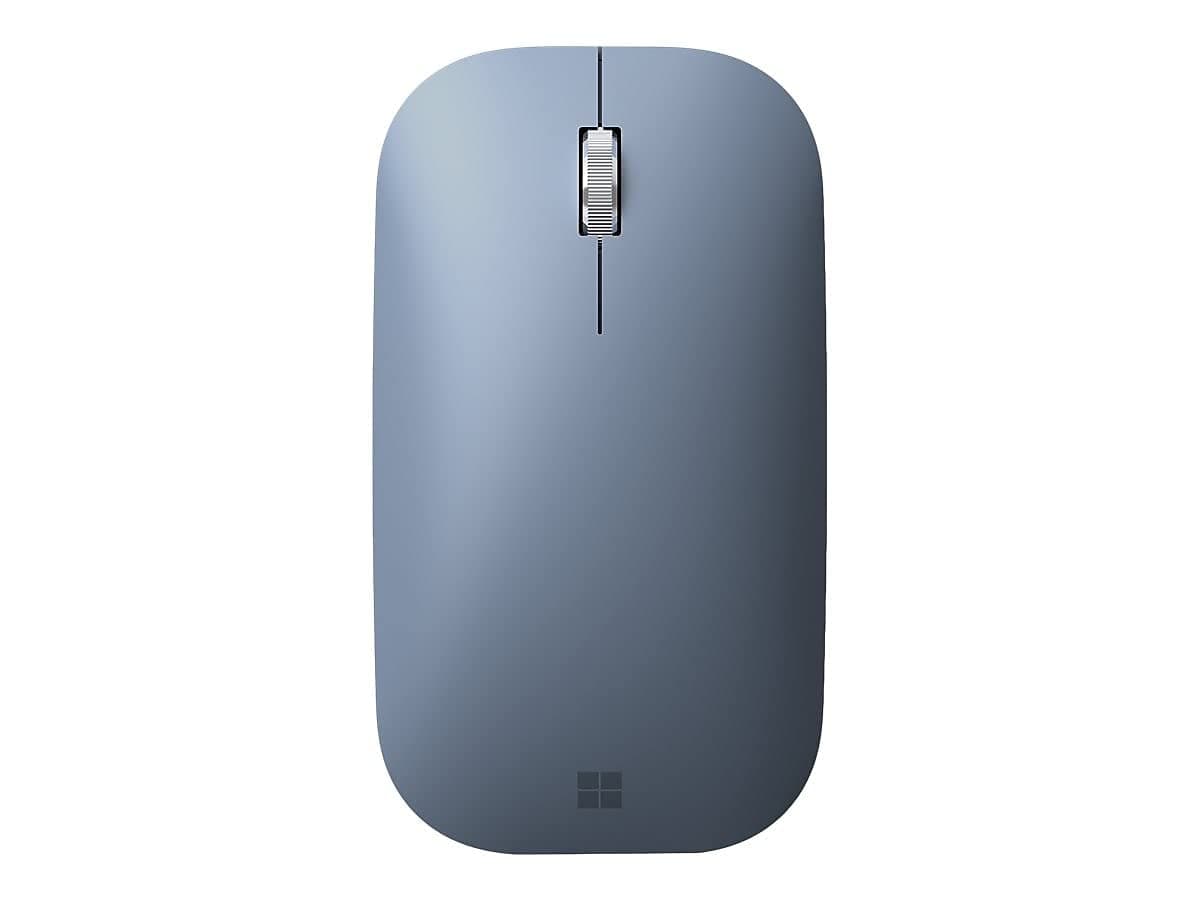
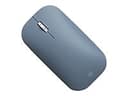
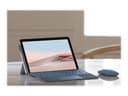
🖱️ Elevate your workflow with precision and style — because your desk deserves the best
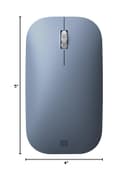
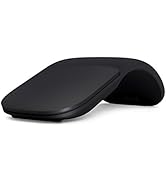
The Microsoft Surface Mobile Mouse in Ice Blue combines lightweight portability (5.6 oz) with advanced BlueTrack technology for precise tracking on virtually any surface. Featuring wireless Bluetooth connectivity without the need for a dongle, an enhanced scrolling wheel, and an ergonomic sculpted design, it’s engineered for professionals seeking comfort and reliability during long work sessions. Powered by 2 AAA batteries (included), this mouse is a stylish, durable companion for your Surface devices and beyond.





| ASIN | B086Q8KSFY |
| Additional Features | Ergonomic Design, Lightweight, Portable, Wireless |
| Antenna Location | Office |
| Are Batteries Included | Yes |
| Are Batteries Required | Yes |
| Best Sellers Rank | #143 in Computer Mice |
| Brand | Microsoft |
| Button Quantity | 3 |
| Color | Ice Blue |
| Compatible Devices | Personal Computer |
| Connectivity Technology | Bluetooth |
| Customer Reviews | 4.6 4.6 out of 5 stars (9,781) |
| Enclosure Material | Plastic |
| Hand Orientation | Ambidextrous |
| Item Dimensions L x W | 5"L x 4"W |
| Manufacturer | Microsoft |
| Model Name | Surface Mobile Mouse |
| Model Number | 1679/1679 C |
| Movement Detection | Optical |
| Number of Batteries | 2 AAA batteries required. (included) |
| Operating System | Windows 10 |
| Power Source | Battery Powered |
| Range | 10.0 meters |
| Style Name | Modern |
| UPC | 889842524697 |
| Unit Count | 1.0 Count |
| Warranty Description | 1-year limited hardware warranty |
R**O
Perfect mouse that works for years
I’ve had this mouse for years + I love it!!! I don’t think I’ve had to change the batteries since 2022 so it’s good to know it doesnt drain the batteries fast, I’ve used it for playing minecraft so I’d say it’s reaction time is great for casual gaming. It’s so worth the money I paid for it literally four years ago, I cannot believe how durable this little thing is, it’s taken a real beating and travelled with me and has not broken or chipped, even with a trip or two down some stairs. It works with my Mac laptop and my iPad. Plus it’s perfect for someone with smaller hands like myself!
K**Y
MS Surface Mobile Mouse - Bluetooth
Product deliver very quickly and as advertised. True Microsoft product - paired with Surface immediately and works fine.
E**N
THE BEST!
I bought this mouse in 2022, and it’s still working perfectly even with heavy daily use. The build quality and performance have been outstanding over the years. Honestly, it’s one of the BEST mouse I’ve ever owned. Extremely reliable and comfortable to use. I highly, highly recommend it.
S**E
A simple Bluetooth mouse with stepping scrolling wheel - just what I wanted
I was very skeptical at first regarding this mouse as I read in one of the reviews here that it does not have an ON / OFF switch, which can lead to quick draining of the batteries. But I was glad to find that the single button with the Bluetooth symbol at the bottom of the mouse actually IS an ON / OFF switch. :) It's very misleading when you're only familiar with moveable switches of other brands and consider any clickable button with a Bluetooth symbol as pairing button. Anyway, this mouse is very minimalist, simple and it works just fine. The main thing I really like about this mouse is that its scrolling wheel is a stepping wheel - meaning that you can feel the steps while you scroll. Some people don't like it and prefer "butter" smooth scrolling wheels, but I find those wheels inaccurate when you do precious work. So stepping wheel for me is a big plus. Just like the Surface Pen, this mouse runs on batteries. And I prefer it better over built-in Lithium batteries that need to be recharged every now and then, making you need to carry a charging cable with you all the time. In this case, when you're starting to feel lags during use you just go to the grocery store and buy a pair of batteries and you're good for the next couple of months. Now it terms of the color - I read in some places that just like me, others are spending a lot of time thinking what color to pick; let it be the Type Cover keyboard, The Pen or the mouse. I too spent a lot of time thinking about this, and eventually decided to go with the black one, and the reason was because I went with the black Type Cover keyboard, which also led me to pick a black Surface Pen. But in the bottom line it's just a color and it doesn't affect anything but your brain. ;) You can have the Surface accessories all in the same color, or a combination of them all. It's really a matter of taste.
3**D
Nice Little Mouse — Easy to Connect, Smooth to Use
This mouse is really nice — compact, stylish, and easy to use. I’m not sure if it’s a genuine Microsoft one, but it feels well-made. The battery compartment has a magnetic cover, which makes changing batteries a breeze. However, that same feature can be a downside — if you drop the mouse, the cover (and sometimes the batteries) go flying, and you’ll find yourself crawling on the floor looking for them every now and then! I like that it has a power button to turn it off while carrying it in your bag. The biggest disappointment for me is that after about a year of use, the scroll wheel stopped working properly, and I’m not sure if it can be fixed. Overall, it’s a good-quality, compact mouse with easy connectivity to both Windows and Mac, and I’ve never experienced any dropouts. I just wish the scroll wheel was a bit more durable.
L**P
INSTANT PAIRING/MACBOOK AIR M1
I needed a computer mouse for my new Macbook Air M1. First I purchased two other Amazon computer mouse and neither one connected to my Macbook Air...even after many attempts pairing just wouldn't connect. This Microsoft Modern Mobile Mouse connected instantly to my Macbook Air M1. These are the steps to pair your mouse to your computer-take off mouse battery door-secure batteries-put battery door back on-mouse will flash blue-go into settings on your computer or MacBook-click bluetooth-Microsoft Modern Mouse should pop up in the drop down window-click to connect and that's it. This mouse feels nice to touch, very smooth and quality. It comes with two preinstalled Duracell batteries which is great. The battery door is almost like a magnet..pops right on after securing batteries. The stroll wheel is aluminum which is smooth. Not a deal breaker for me but there is no on/off switch to turn the mouse off...I'm assuming the mouse sleeps when not in use to conserve battery life. It's lightweight, portable design, wireless and bluetooth. It's compatible with windows and Macbook Air M1. I highly recommend this Microsoft Mouse and it will connect with pairing to your computer, instantly.
S**T
Great computer 🐀
Just perfect 👌
M**M
good for exactly what i needed.
for me i wouldnt use this for gaming, its very flat and your hand will get more tired than anything unless you have tiny hands. i got it primarly because i needed something low profile that fit in my computer bag for school. it pairs instantly didnt even need to press a button. since it wasnt paird to anything previously. just pull the battery tab and turn it on and my surface pro asked to pair. its very responsive and works fine but i do find myself wishing it was a bit bigger for long term use... again i wouldnt use this as a gaming mouse. i have a gaming rig with a nice mouse that a good weight has buttons on the side for extra control changes etc... could it be good gaming i would say yes it functionally can do the job as any basic mouse would but for someone like me that likes a little extra wight and i like it to actually allow my hand to rest some weight on it thats the best option. as far as a on the the go mouse, its perfect and low profile. zero input lag, scrolls nice etc.. its worst feature is the whole reason i got it.. low profile.
P**L
In the past, I have found bluetooth mice have a lag which can be off-putting when gaming (flight simulation). So, a wired mouse has been used for many years. As an experiment, I brought out an old Microsoft wireless curved mouse (you bend it to switch it on - but instead of a mouse wheel, it has a pad). I found it worked well, but the pad was not accurate for scrolling. Then I saw there was a Microsoft mouse - bluetooth, scroll wheel, and powered by AA batteries. All those features spoke to me. (I use rechargeable batteries, in preference to the button batteries, or even the USB rechargeable type). So, I gambled on the £50 price tag and made a purchase. There have been no regrets whatsoever. There is absolutely no lag. The scroll wheel is so smooth - better than even the wired mice I have tried. There is no need for a mouse mat - it works perfectly on the wooden table top. There is even a choice of colour. Definitely NO regrets.
R**N
Best mouse in the world.
J**Z
Excelente calidad y precio
J**E
MUY BUEN PRODUCTO
H**O
Es muy cómodo, tiene buena precisión, utiliza batería AAA. ***La recomiendo***
Trustpilot
3 weken geleden
2 weken geleden