
DOWNLOAD DE APP


Klantenservice
Copyright © 2025 Desertcart Holdings Limited
DOWNLOAD DE APP

⚡ Power your network like a pro—fast, silent, and effortless!
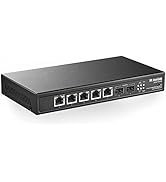
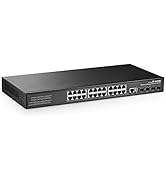
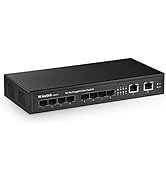
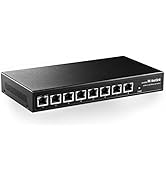
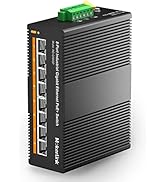
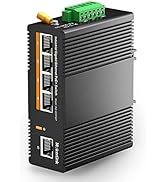
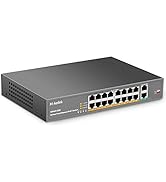
The MokerLink 8 Port Gigabit PoE Switch offers 8 high-speed 1000Mbps PoE+ ports with a total power budget of 120W, supporting IEEE 802.3af/at standards. Its fanless metal design ensures silent, durable operation, while unmanaged plug-and-play functionality allows instant setup without configuration. Ideal for powering IP cameras, wireless access points, and office networks, this compact switch combines performance and convenience for modern professional environments.













| ASIN | B082CYKHYH |
| Best Sellers Rank | #228 in Computer Networking Switches |
| Case Material | Metal |
| Customer Reviews | 4.0 4.0 out of 5 stars (488) |
| Data Transfer Rate | 1000 Megabits Per Second |
| Date First Available | December 5, 2019 |
| Global Trade Identification Number | 78611819975000 |
| Interface Type | PoE |
| Item Weight | 2.05 pounds |
| Item model number | 8 Gigabit PoE Unmanaged |
| Manufacturer | MokerLink |
| Maximum Power | 120 Watts |
| Product Dimensions | 7.87 x 4.65 x 1.73 inches |
| UPC | 786118199750 |
| Upper Temperature Rating | 55 Degrees Celsius |
| Voltage | 240 Volts |
A**R
Fantastic purchase
Works very well, with a fantastic price/performance. Allows me to have a 2.5GbE internal network with little to no issue, and the PoE gives me versatility for my APs
T**.
Great price
This works perfectly for my TIGERSECU camera system even though the company says it won’t.
S**N
Versatile homelab switch, but not great support
*WARNING* I think this *may* have shorted NICs on my ASUS mobos. They had previously been connecting at full gigabit speeds no problem, but after plugging them into the POE ports the nics suddenly couldn't get beyond 10 or 100 megabit on any switch. My understanding is that POE should be negotiated and plugging into one of those ports should be totally safe, but this happened with 2 separate ASUS mobos. May have been coincidence or something unrelated, but this is the only variable I can think of. I would *highly* recommend disabling POE on ports that you know you don't want/need and only enabling it on ports as needed. Since I can't 100% confirm this issue being solely related to this switch and I haven't had any issues on other non asus mobo NICs, I'm not going to take off too many stars Purchased the 8x2.5G POE, 2x10G Ethernet, 4x10G SFP+ model. It's worked well for me. I don't love having a no-name brand, but I don't see any other switches that offers 2.5GB POE and SFP+. All of the ports work with speeds as advertised. My access points are powered over POE and getting 2.5GB, SFP ports are hitting 10GB, and the 10GB RJ45 are also working great. Aside from the concern above about possibly shorting ports, the switch has worked well for me. Setup was easy enough (you'll need to manually assign yourself and IP to access the configuration). It's supposed to be an L3 switch which should mean you can do inter-vlan routing without having to go through a router, but I haven't managed to get this working. Not something I really needed, but if you're super indexed on the L3 aspect of this, I'd do a little more research to make sure it's going to actually work as expected for you. One last concern is the lack of support/documentation. The "manual" that came with this had almost no info aside from "Here's how to access the config UI". But no other information or documentation about the switch. As of the time of this review (December 2024) their website also has a blank list for "Downloads" on their support site, no firmware updates or any additional manuals or anything. So overall, this has been "fine". I'm currently contemplating if going the route of a more known brand like mikrotik would be a better idea. The lack of support and potential POE issues with my asus mobos concerns me, but I got everything working as needed for my homelab
G**Y
POE Dead on Arrival - Mokerlink POE-2G080110GS
MokerLink 8 Port 2.5G PoE Switch with 10G SFP+ Slot, 8 x 2.5G Base-T Ports Compatible with 10/100/1000Mbps, IEEE8023af/at PoE 135W, Metal Unmanaged Fanless Small Network Switch POE dead on arrival. standard LAN 2.5gb was still functional, but i tried several POE devices and couldn't get the device to power them. i have a standard 2.5gb Mokerlink managed switch, (2G080110GSM) and its been working great for a year, so i thought this would be a good POE hub. Device arrived appearing undamaged. when plugged in the "sys" light on the right side was blinking quickly and non-stop. my 2.4 uplink worked fine, i tried the SFP+ DAC uplink and that worked fine. the device just wouldn't pick up the POE devices. Mokerlink has a phone number, but it's international. After this, i am considering switching out my other mokerlink managed 2.5gb switch. i dont need that one failing and bring my network down.
T**S
Worth buying and is great
Excellent POE switch; the only complaint I have is that if you use DHCP Client on it, the switch will randomly lose DHCP until it is rebooted. It's best to use static with it. I saw some other reviewers claiming that you have to use VLAN1, but that is not the case. You can adjust the VID to be, for example, 20, and then it will reject all other traffic, so only VLAN20 will work on that port. You can even reject specific frame types—more functionality than most would expect at this price point.
D**Y
Lots of features and good value for the price
This switch packs a lot of features and provides a good value for the price. Once you get it configured the way you like it seems like a really good switch. I purchased it for home/home lab use and would probably only consider it for that or for a small business. I was a little hesitant to purchase because of the few reviews I saw but this switch seems like it came out recently. I was drawn to the large number of ports this switch has (14 when other models had 8-12). I like that it has a mix of 2.5G and 10G ports and even includes 2 copper 10G ports built in while still giving 4 SFP+ ports as well. The POE support was also a nice feature to have for a new switch and this combination of features was not common. The switch fits pretty well on the corner of my L-shaped desk and the fan noise does not seem to be an issue for me. Configuration was pretty easy via the built-in RJ45 console port. I guessed the baud rate (115200) after trying a few. There was an IP address (192.168.2.1) and default username and password (admin/admin) printed on a sticker on the bottom of the device. You could do the initial configuration via a web interface but I opted to do most of it with the console port. Make sure to save your changes when you're done! I found out the command was "copy running-config startup-config" on the console and the web interface should have a similar way to save the configuration. Some of the default settings were not very secure (telnet and http were the only protocols enabled by default). I opted to disable telnet and http and enabled ssh and https. The default configuration has the default management IP configured on VLAN 1 but you can remove the vlan1 interface and add a different VLAN and configure whatever IP you want on the new VLAN interface. I saw some reviews that stated it was only possible to manage the device on VLAN 1 and that wasn't the case for me. My switch came with KT-NOS firmware version 1.0.0.25 dated Mar 08 2024, which seems recent but I really wish they posted the firmware updates on their website. The switch appears to have the ability to update firmware but I guess you have to contact them if you want newer firmware. I would expect to get no updates and support for this switch which is why I only recommend it for home or small business use. I did encounter one issue possibly related to POE where my Dell OptiPlex 7080 with Intel I210-LM NIC seems to short out the entire switch causing the switch to lose power and go down until the connection to the OptiPlex 7080 is removed. I tried disabling POE on the switch port but that didn't help unfortunately so I had to use a USB C NIC instead with the OptiPlex 7080. I saw similar issues online with other switch vendors so I don't think the issue is necessarily the fault of the switch but it's crazy that a port can take down the entire switch. Unfortunately, I don't have any POE devices currently to test the functionality of the POE. Overall, once you get the switch setup how you like it, it seems like a great home/small business switch with a lot of features. I am able to connect multiple 2.5G and 10G devices and max out my 2G home Internet. The POE seems like a nice feature to have but I probably would consider their 8x10G Eth + 4x10G SFP Managed (10G08410GSM) model if it had more ports and was slightly cheaper.
S**R
Fonctionne très bien depuis plus d'un an sans intervention aucune de ma part (ce qu'on demande d'un switch donc!). Un petit bruit de grésillement électrique est tout de même à noter, que j'ai pu constater à l'installation. Pas gênant pour ma part car il est installé dans un grenier car la configuration de la maison ne permet pas de faire redescendre les cables dans une pièce pour y installer un rack. Que du positiif: - Débit - PoE, pas utilisé pour l'instant mais permettra dans le futur d'installer des équipements type points d'accés wifi etc proprement - Fonctionnement dans une large plage de températures [-10,+55]°C (donc convient bien à un grenier dans un milieu tempéré dans mon cas)
J**O
Muito Bom
E**E
Bello e funzionale
F**N
Funktioniert einwandfrei. Hat alle Features eines typischen enterprise Switches für einen Bruchteil des Preises von vergleichbaren Modellen von bekannten Anbietern. Die Web-GUI sieht optisch eher alt aus, aber sie tut was sie soll und nichts ist an irgendeine Cloud gebunden. Für mich ein wichtiger Punkt dass es keinen Cloudzwang gibt.
A**Y
One of the best options for the price on the market. Most of the required features for home lab users are there: Managed, POE+, VLANs, 2.5G / 10G. Compatible with Omada/TP-Link equipment. No problems with 2.5G speeds, ~ 2.36 Gbps according to iperf3. Built-in PSU is a nice bonus. I recommend.
Trustpilot
3 weken geleden
3 dagen geleden