
DOWNLOAD DE APP


Klantenservice
Copyright © 2025 Desertcart Holdings Limited
DOWNLOAD DE APP




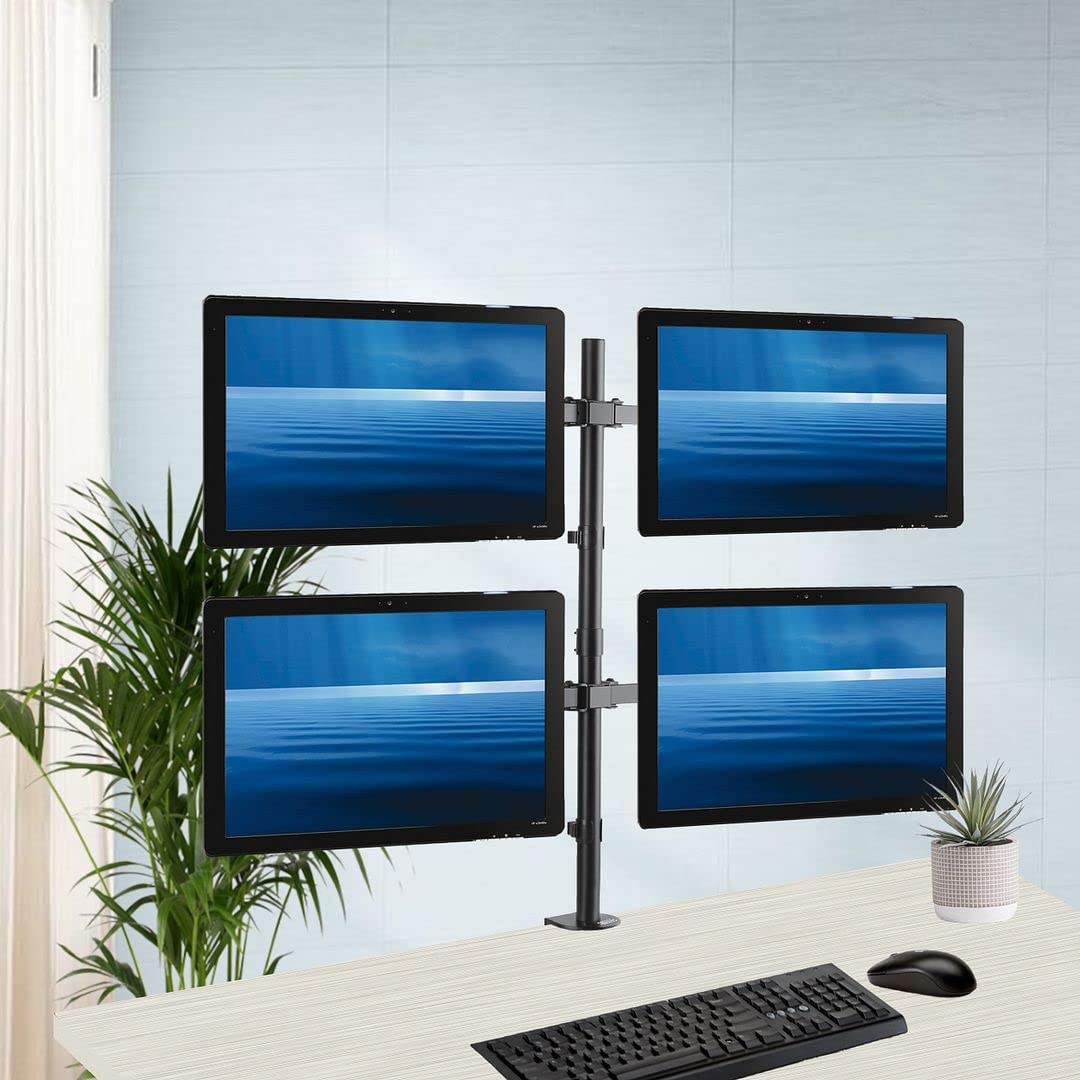
🚀 Elevate Your Productivity with Style!
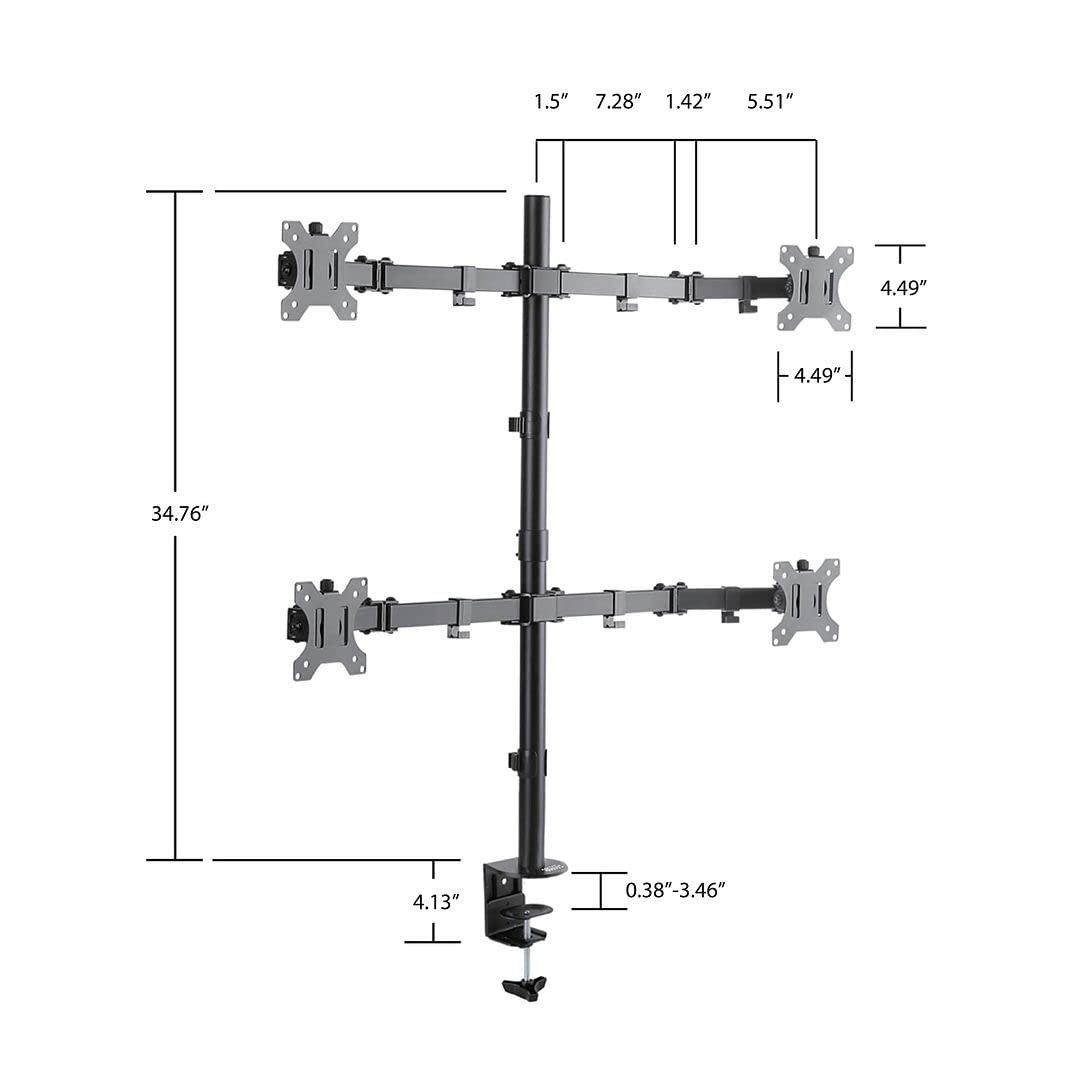
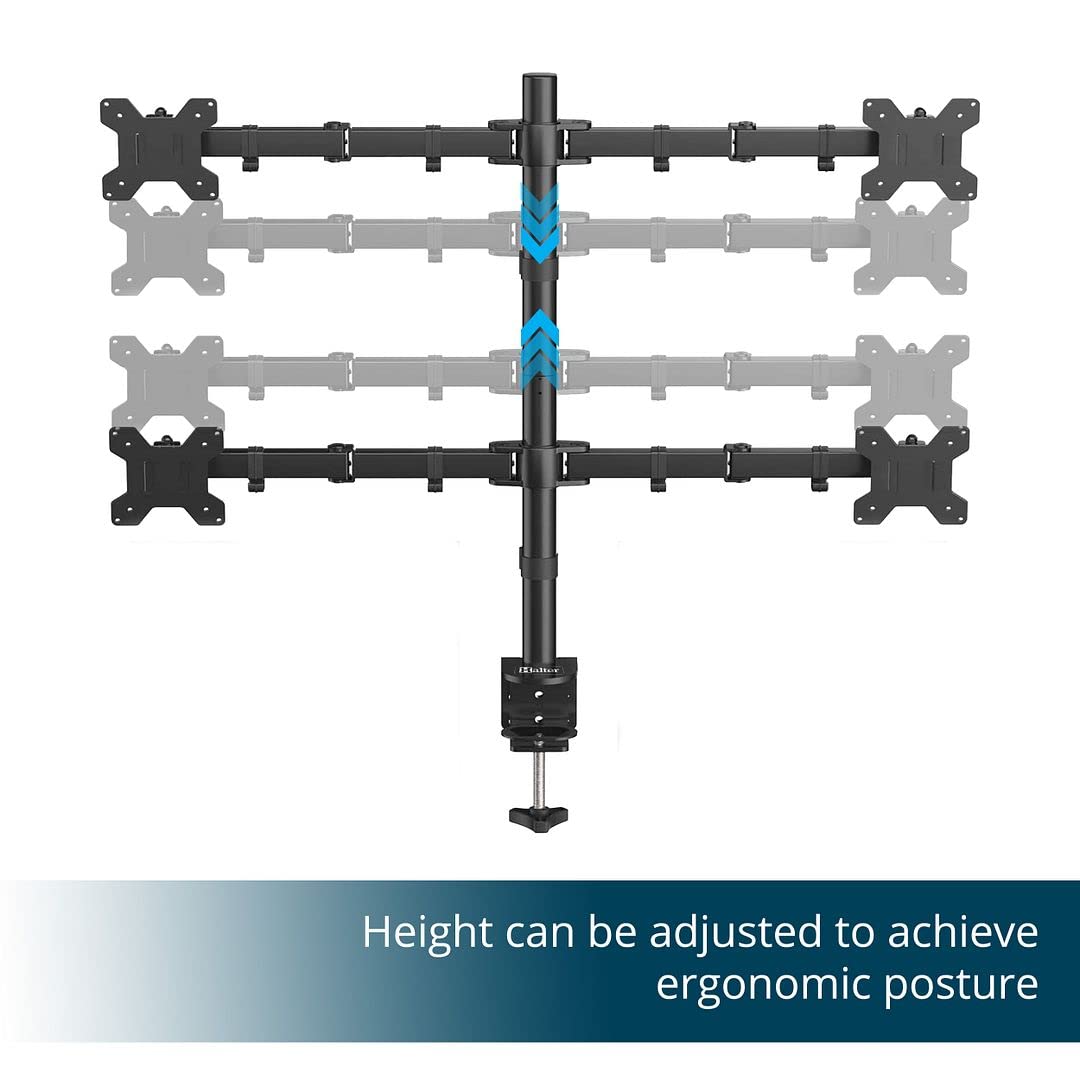
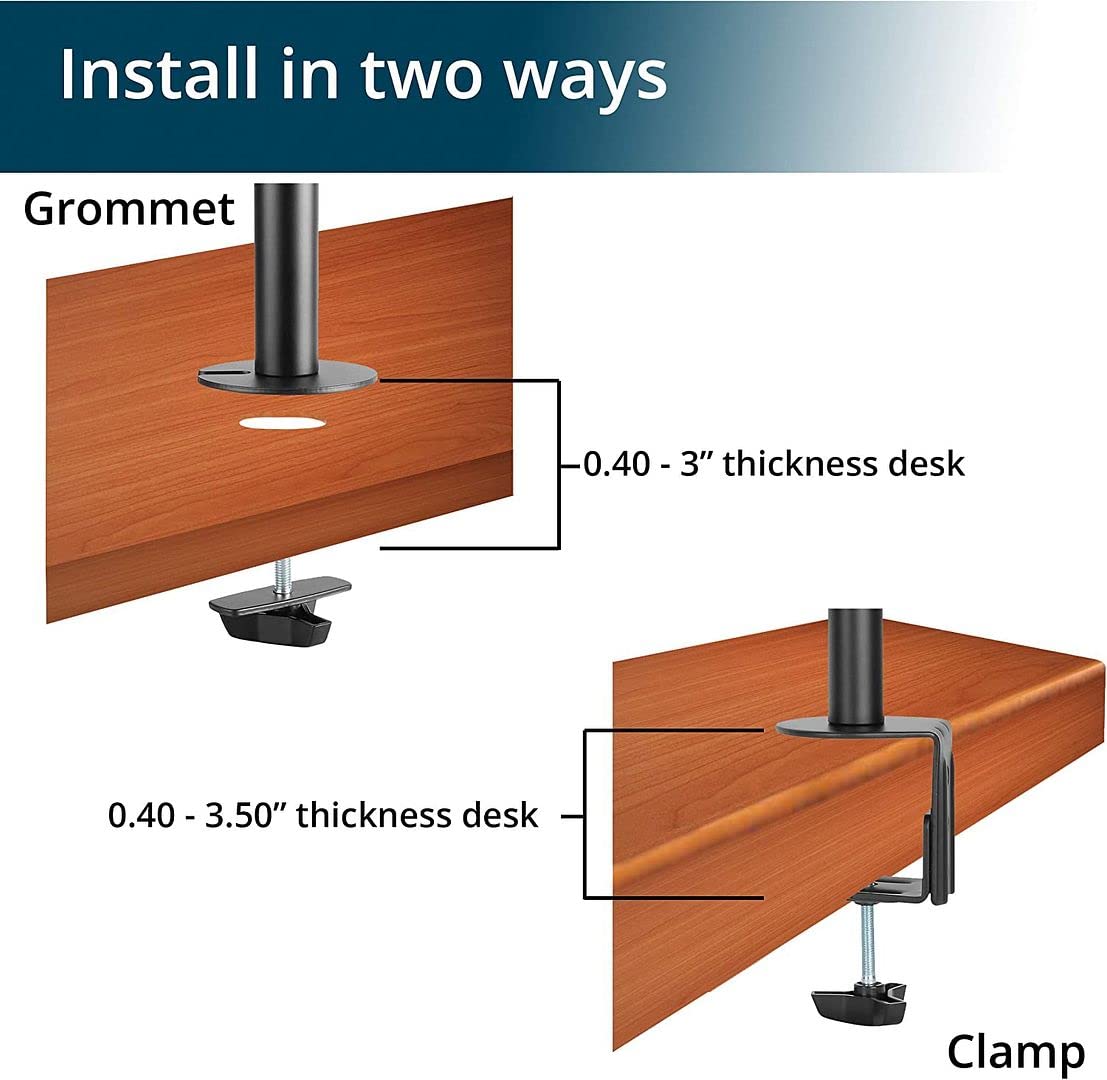
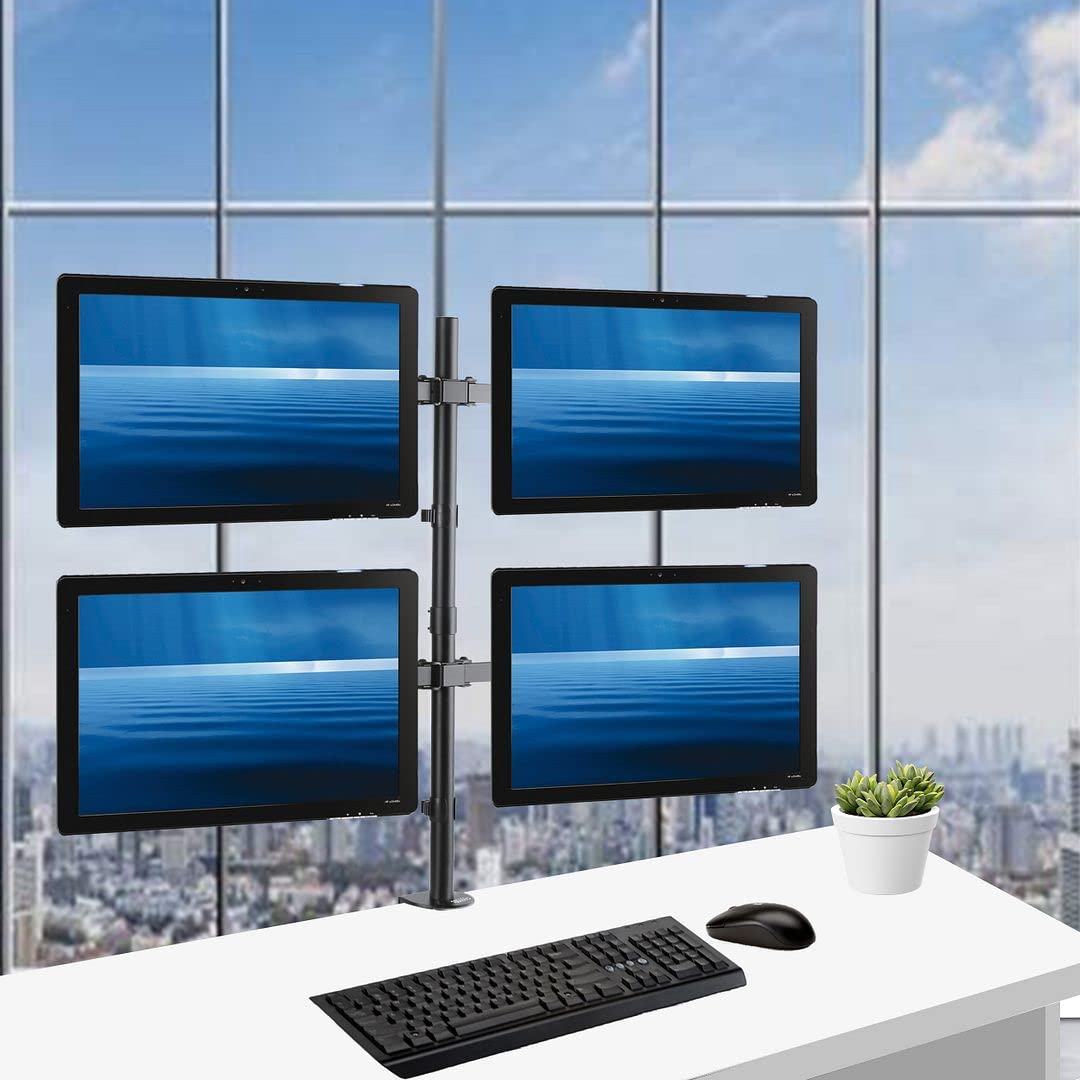
The Halter LCD Computer Monitor Desk Mount is a fully adjustable stand that securely holds up to four 27-inch LCD monitors. Designed for easy installation, it features an ultra heavy-duty 'C' clamp, integrated cable management, and offers a range of adjustments including height, swivel, and tilt for optimal viewing comfort.
T**N
Pretty good for the price
I'm using this for 2x25.5" and 2x20" (all 16:10) monitors with the large monitors on the bottom, of course. I have these setup on a corner table-top desk from IKEA. It is pushed into the corner, and it is appropriately sized for these monitors to be able to fit into the corner of a room and be at comfortable viewing angles.The monitor stand itself feels more than sturdy enough. However, I was worried about the clamp design that holds onto the table top. When I was first loading the monitors up, it was OK. But once I had all 4 on, I quickly realized I needed a second person to help me get a grip on it before it went through these cheap, crappy table tops of IKEA's. So, I had to find some good blocks of wood to spread out the weight more on these tables due to their hollow construction. Once I had that on the top and bottom of the table, it actually held up just fine without buckling into the desk too much. Definitely make sure you are clamping to a solid surface!Adjustment can be a pain. Not to mention, that about a week later I realized (after also peaking at the included broken-english instructions) that I had put the 2 monitors arms on upside down; they want the cable management clips on TOP of the arms when they are attached to the main shaft. (The Amazon picture is also wrong.) I realized quickly that this mattered because anytime that I would adjust the tilt of the monitor, it would loosen the bolt and the monitor would just fall limp top towards me. But when the arms are the other way around, these work more as intended.So, pro tip... it is important which direction the arms go when installed! Follow the instructions when assembling this stand!So, once I re-built my entire setup (a several hour ordeal), I am much more satisfied with the results. However, the adjustments can still be cumbersome. It'd be much nicer if each monitor could be adjusted with very minimal effort. It is also not easy to just adjust the height on the fly. Once everything is locked in, it's locked in unless you have easy access to the back side of the stand (which I don't).For the price, this is honestly a very good stand. I would recommend it for anyone looking to mount such a setup of monitors. I originally had these monitors in a 4x1 setup, but in a corner, it ended up being too much turning to utilize the side most monitors. I contemplated just getting the Hex stand and only using the outer arms for now, but decided that any upgrades I do will probably be with monitors larger than 20".As always, Amazon Prime got this to me very quickly, too, so of course no complaints there!
C**.
Sturdy, inexpensive, fantastic
I was initially a little worried that this used only a single post instead of two. My concerns were unnecessary, though.The monitors (I use 4 x Dell UltraSharp U2312HM 23" monitors) all fit snugly and the VESA mounts accept a variety of different mounting holes (I believe 60-100mm, but it should say in the specs). The articulating arms work well, but I did have to manually tighten the bolt on each one to keep the monitor from tipping forward under its own weight. Haven't had any problems since.Fairly easy to get all monitors tight against each other. They don't line up perfectly, but I've never seen that happen on a monitor mount at this price point. At 3-4x the cost of this, you might. But it's not noticeable and it definitely doesn't affect my work or annoy me. I do a lot of remote administration of servers, so I usually have things going on on 2-3 of the 4 monitors, and my email client open on the fourth, and I'm able to get a lot more done this way.I can't review how well it does with monitors of different brands and sizes, but I don't think they'd line up very well no matter how you paid for a monitor mount. This does an excellent job, the price is fantastic, and I would buy another one again. It isn't perfect, however, so it's 4/5 stars.
A**H
While I am very very happy with the look of my setup
While I am very very happy with the look of my setup, I wish that the vertical pole was slightly longer. I am using 2 27" on the bottom, and 2 23" on the top. While the stand does boast many ways to customize how the monitions are, the stand doesn't give me enough height to put even my 23" as readers. So, I am forced to keep them all in landscape orientation. Not a huge downer, as the rest of the stand makes up for that in being extremely stable and also flexible at the same time. Installation was straight forward but may take longer if you do it by yourself, as I did. It will also go much faster if you pull the desk away from the wall as you install the stand, as it will give you more room to work in. All in all, a great stand I've been using for months and finally a way to consolidate my monitors that used to be sprawled out horizontally on my desk space.
J**N
Works pretty good
A few of the plastic covers came in the packaging broken, but since they are on the backside of the desk, I left them alone. Currently only holding up 2 27" 2560x1440 Acer monitors, and the right one is about .5" lower than the left, but you can't really tell. Thought it would bother me. The stands that came with my monitors were tilt only, so I definitely wanted something a bit nicer (my old ones were height and tilt) so bought this. Had to rig my desk a little bit, but they are sturdy.Didn't want to preclude adding more monitors (have a few spare 24"s laying around) so bought the 4. Haven't added them yet, so far 2 is great though on it. It actually cleaned up under the monitors with no stands, and I have more room on my desk because of it.update: 5/23/2014No issues so far with it, still only have 2 monitors on the 4 rack. Right is still 1/4" to 1/2" difference in height from the left.
S**E
Very Sturdy
I was hesitant even though I read other reviews, but once I picked up the box, and felt the weight, I was much less worried. You may need a second person to help you set it up, and DEFINITELY need a second person if your placement is wrong and you need to loosen it to shift it on your desk. I currently have 3 monitors on it and will be placing a fourth in the next month. I have NO worries of it falling and definitely glad I took the chance. SO great for the price.
Trustpilot
1 maand geleden
1 maand geleden