
DOWNLOAD DE APP


Klantenservice
Copyright © 2025 Desertcart Holdings Limited
DOWNLOAD DE APP
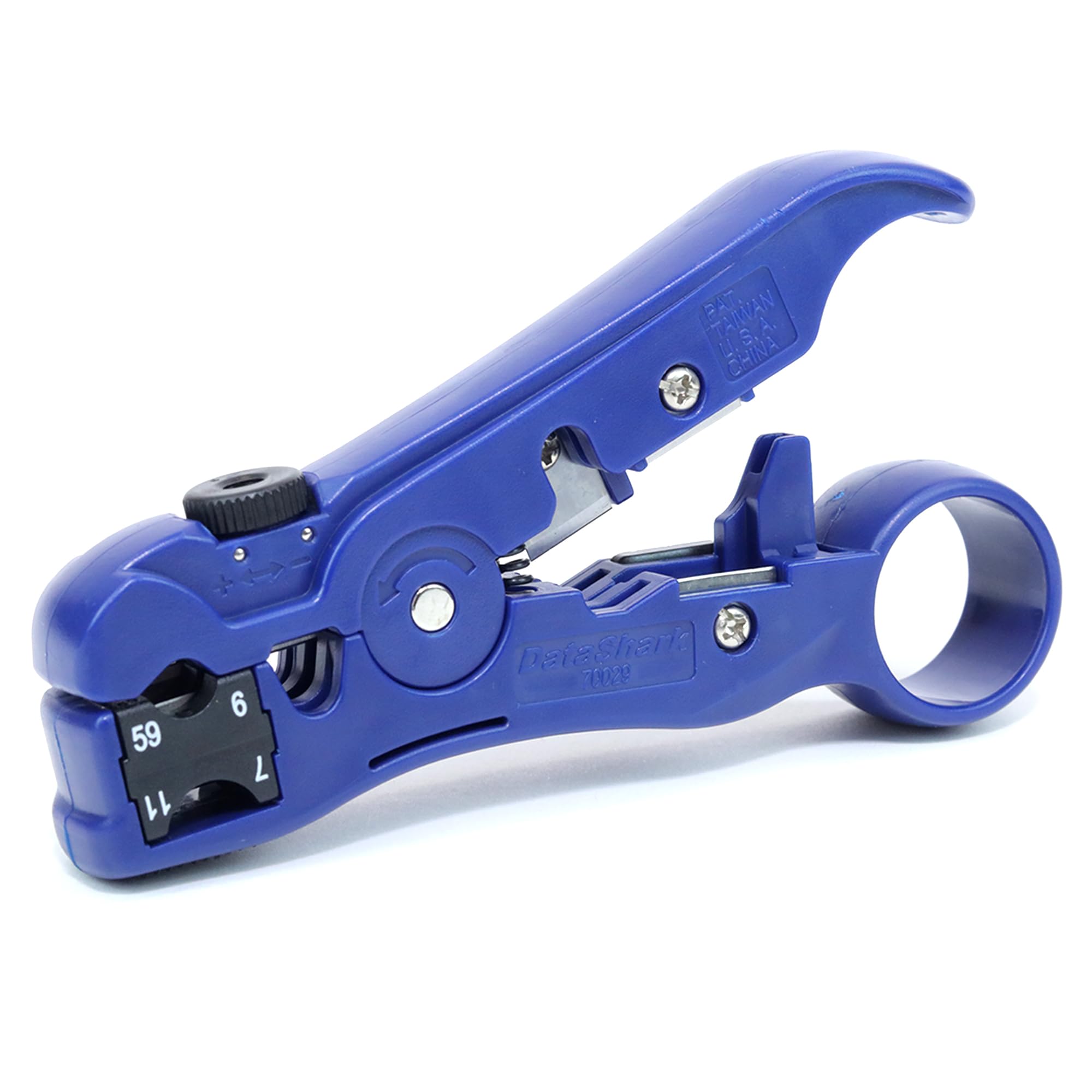
🔌 Cut, strip, and conquer your cable chaos like a pro!
The DataShark 70029 Universal Cutter-Stripper is a professional-grade, USA-made tool designed for precision cutting and stripping of a wide range of cables including Cat5, Cat6, RG6, and RG11. Featuring an adjustable cutting depth and ergonomic design, it delivers clean, reliable cable prep for smart home and AV installations, saving time and ensuring flawless connections with multiple connector types.


| ASIN | B000HRWOTQ |
| Batteries Included? | No |
| Batteries Required? | No |
| Best Sellers Rank | #85,829 in Tools & Home Improvement ( See Top 100 in Tools & Home Improvement ) #199 in Wire Strippers |
| Brand | TEMPO |
| Color | Blue |
| Customer Reviews | 4.5 4.5 out of 5 stars (636) |
| Date First Available | August 16, 2006 |
| Global Trade Identification Number | 00769328102581, 07693281025812 |
| Grip Type | Ergonomic |
| Handle Material | Plastic |
| Is Discontinued By Manufacturer | No |
| Item Package Quantity | 1 |
| Item Weight | 4 ounces |
| Item model number | PA70029 |
| Manufacturer | Tempo Communications |
| Material | Metal, Plastic, Rubber |
| Part Number | PA70029 |
| Product Dimensions | 5"L x 0.55"W |
| UPC | 680808347264 021112977172 031113018644 787721659617 012301045581 088021749924 787721659624 809396066580 769328102581 |
| Usage | personal |
| Warranty Description | 1 Year Warranty |
K**R
Excellent TV cable stripper tool
This is an excellent stripper tool; I use it to make up my personal RG-6 Tv cables, principally because most cables purchased are too long or too short for a neat installation of TV sets. The instruction sheet with this tool is inadequate for the inexperienced user, which I am. After running several test strippings of TV RG-6 cable and applying end connectors; after studying the tool and its features, and sleeping overnight with the issue of its proper use, I discovered that the pictures in the instructions sheet that came with the product was somewhat misleading. In looking carefully at the tool with the jaws open you will discover that at the very front end there is a set of two knife blades, one straight across to one side of the other with a central notch in the blade. This is where the RG-6 cable is to be inserted and the tool rotated around about four times to produce two cuts on the end of the cable. After cutting the cable, if you grasp the very front end of the cable insulation with pliers and rotate it while pulling out, the central copper wire of the cable will be exposed and of proper length most of the time; in addition there is a second cut of the outer skin of the cable; pull this off with your fingers and expose the grounding wire mesh and aluminum foil covering the central insulator of the center copper wire conductor. Skin back the mesh with fingers to cover the opposite end of the cable, leave the aluminum foil in place but inspect the very end and make sure that there are no mesh wire or aluminum foil debris touching the central copper conductor; then take your connector, slide it over the cable end until the central insulator meets the center shield cicle at the inner base of the connector's open end. You should be able to view when looking into the open end of the connector a central copper wire conductor with its insulation coat at the bottom of the connector. Now you are ready to crip the connector onto the TV cable. I would like to mention that the cutter in the center of the stripper can cut cable but due to the short leverage of the grip handles, cutting is difficult; you will need wire cutters most of the time to cut cable. The central cutting blade is a hazard if you are not careful in handling this tool and can easily cut your hand or finger. In between the central cable cutting blade and the very front cable stripping oriface, there is a port that will cut the cable as well and the depth desired to perform a circular cut is controlled with a rotating handle on top of the tool. I did not find too much use for this feature nor for the cable cutting feature of the exposed back blade on the tool. I can say that this tool performed quite well in making up about six cables for use in my home and halped me remove the redundency of excessively long cables laying loose or curled up behind TV consoles.
C**N
Great tool.....still going strong.
Completely rewired our home for OTA system as we converted away from cable/satellite. Ran hundreds of feet of coax and needed a study stripping tool. This tool is a MUST have in your belt or box! Worked excellent from the very first stripping/cutting application to the very last. DID NOT have one issue with this tool, excellent construction and does what it is designed to do time in and time out. Note: Using Quad RG6 coax, you need to peel back the first set of wire and shielding for compression fitting to work correctly. No issue with compression fitting or tool, part of the process working with RG6 Quad coax. This does NOT degrade the cable or shielding as this is all contained within the compression fitting once installed. Please go to youtube.com for more information and learn from expert videos. Here is what I ordered from Amazon for rewiring my home, NOT a weekend project and very happy this tool was in my hand! 1. Monoprice Professional Compression Crimping Tool 2. DataShark 70029 Universal Cutter/Stripper for Flat or Round TV/UTP Cable 3. PPC Ex6xl Rg-6 Snap & Seal Compression Connector 4. Southwire 56918445 500-Feet Quad Shields Type RG 6/U 18 AWG Coaxial Cable, Black 5. Audiovox ANT751R DGTL Outdoor or Outer Yagi Antenna 6. Winegard HD-6010 HD FM Radio Antenna 7. 10pcs High Frequency 3GHz F81 Barrel Connectors Couplers 8.Cables to Go 40669 Right Angle F-type Adapter (Silver), 10 pk
J**Y
Excellent Tool For the Price
After shopping and researching user rating comments on Amazon, and Ebay, and YouTube, I chose the DataShark for the reasonable price of $11.99 with free s/h with Amazon Prime. I see the same tool, in different colors, sold under other brand names were costing more. Recently, my cable company installed cable for my Internet service and I kept the excess piece of cable that was cut and meant to be tossed away. My 35+ year outdoor roof/chimney TV antenna is falling apart (plastic parts disintegrating)and I bought a replacement (also from Amazon) and will be hooking up additional TV's via the same type cable the cable company uses. With the piece of cable I retrieved from the cable guy, I practiced using the DataShark tool. Before doing so, I went on YouTube review a demo on a similar tool (different brand, but same tool). The tool came with instructions but wasn't clear when it said to spin the tool around the clamped a few times in a "clockwise" direction. What wasn't clear was "clockwise" could mean different directions depending if you are viewing from the line direction or the end tag direction. Read that spinning the cutting blades the wrong direction could ruin the blades. Anyway, after view the YouTube video demo, the issue was clarified for me. The DataShark.com website listed on the packaging is no help with instructions. It only lists other DataShark products with no video or other instructions on using their tools. The website is so poorly designed that where the tools are supposedly displayed, the photo links don't work. Because of the unclear instructions, I gave 4 stars instead of 5. The tool works good on stripping TV/Internet cable used by the cable company. It takes a bit of effort to to use the tool to actually cut totally through a length of cable. It took me a couple of tries after only making a partial cut through. Using a heavy duty cable cutter would be easier. I didn't do it, but it appears cutting through softer telephone wire would be easy but I purchased the tool to work on TV cable which is a lot tougher. I appreciated the comments by other raters warning of the potential hazard of the cut-off blades in the center of the tools. With a bit of inattention of where you place your finger when spinning the tool around the cable being stripped, one can easily stick the finger where the center blades are and get a bad injury to the finger. Either remove the blades or be very careful and pay attention stripping cable. AND, this is not a tool to leave around where young children can get their hands on or some youngster might loose a finger. Now, I have to buy compression type terminators (better for outdoors) and the tool for that. Oh yes, there are some pretty decent YouTube demos on those too.
J**G
Precio/calidad
M**R
Don't mess around with the wire stripper built into your network crimpers and get this instead. This thing is magic. Makes stripping cat cables to any length a breeze.
S**E
Simply a superb device, easy to use and always gives a great cut. Easily adjustable for many cables and at a sensible price. Having struggled with normal "cutters" for years, Im only dissapointed I didnt get one of these many years ago !
V**R
Very good tool.
P**I
Very nice and handy tool. Super easy to use and extremely useful.
Trustpilot
2 weken geleden
1 maand geleden