We remain fully operational. Our teams are working around the clock to ensure your deliveries continue safely.

DOWNLOAD DE APP


Klantenservice
Copyright © 2025 Desertcart Holdings Limited
DOWNLOAD DE APP
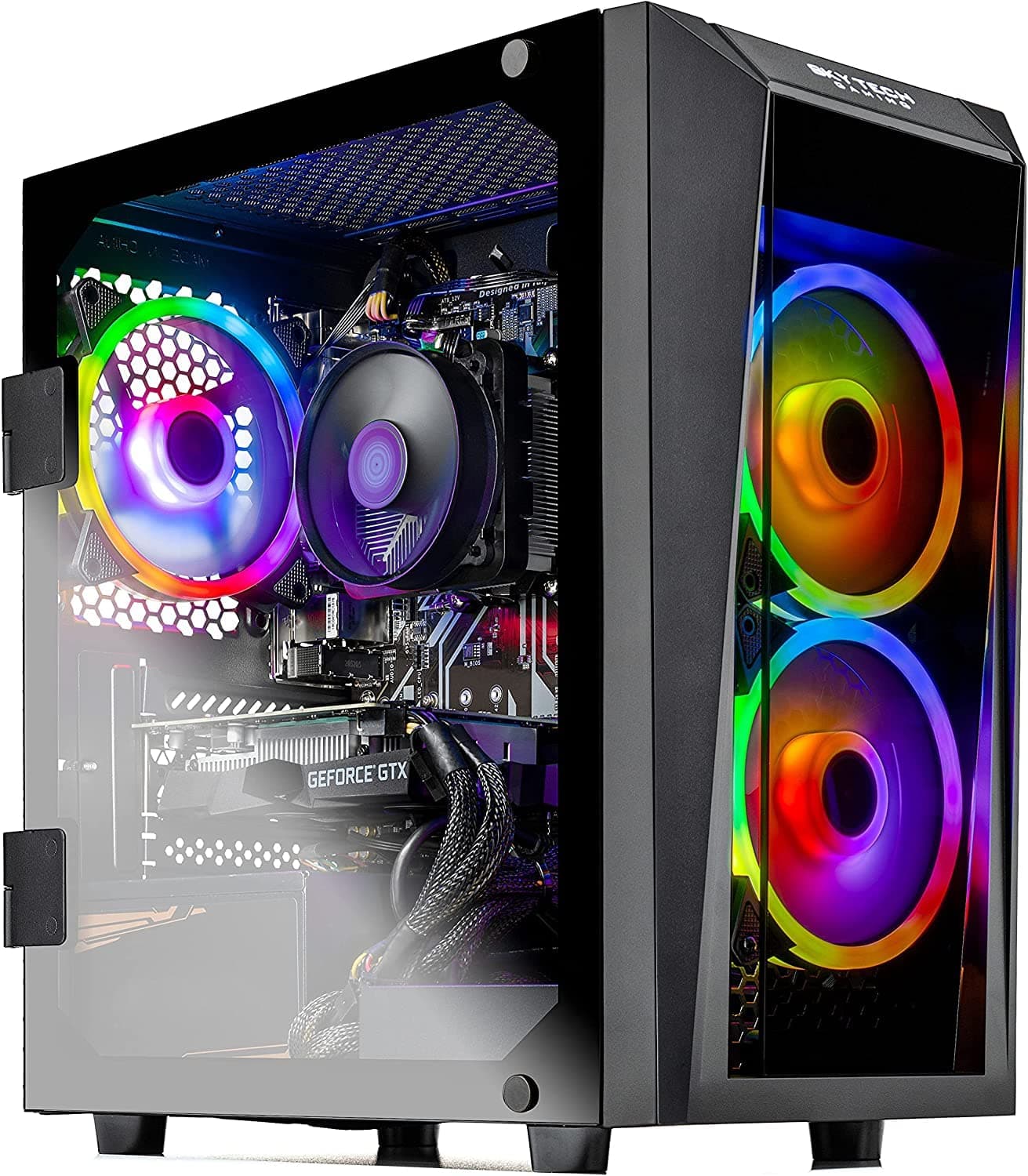
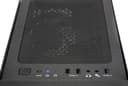
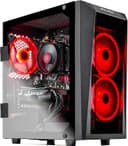
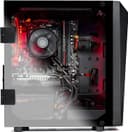
🔥 Blaze through games and work with style and speed!
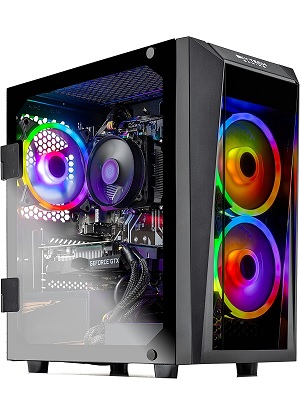
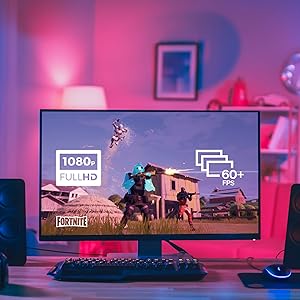
The SkyTech Blaze II is a compact, American-assembled gaming desktop featuring a Ryzen 5 2600 6-core processor with 3.9 GHz max boost, NVIDIA GeForce GTX 1660 6GB graphics, and a 500GB SSD for ultra-fast load times. Equipped with 8GB DDR4 RAM, customizable RGB lighting, PCIe AC Wi-Fi, and Windows 10 Home, it delivers smooth 1080p gaming at high to ultra settings with 60+ FPS on popular AAA titles. Designed for gamers and professionals alike, it offers reliable performance, sleek aesthetics, and lifetime technical support.









| ASIN | B07RHBLV7F |
| Additional Features | High-Performance Graphics, Customizable RGB Lighting, PCIe AC Wi-Fi, High-Speed SSD, American Built & Supported, Highest FPS Per Dollar, Expertly Designed |
| Aspect Ratio | 16:9 |
| Best Sellers Rank | #7,271 in Computers & Accessories ( See Top 100 in Computers & Accessories ) #173 in Tower Computers |
| Brand | Skytech Gaming |
| Built-In Media | Keyboard/Mouse/Power Cord/Dust cover bag, Maintenance Guide, Quick Start Guide, ST-Blaze-II-2600-1660-8G3-500G |
| CPU Model Number | Ryzen 5 2600 |
| CPU Model Speed Maximum | 3.9 GHz |
| Color | Black |
| Connectivity Technology | USB, Wi-Fi |
| Cooling Method | heat |
| Customer Reviews | 4.5 4.5 out of 5 stars (1,453) |
| Display Resolution Maximum | 1920x1080 |
| Display Type | LCD |
| Global Trade Identification Number | 00811698030893 |
| Graphics Card Interface | PCI Express |
| Graphics Card Ram | 6.00 |
| Graphics Coprocessor | GeForce GTX 1660 6G |
| Graphics Description | Dedicated |
| Graphics Ram Type | GDDR5 |
| Hard Disk Description | SSD |
| Hard Disk Interface | Serial ATA |
| Hardware Interface | HDMI, USB, USB 2.0 |
| Human-Interface Input | Keyboard, Mouse |
| Item Dimensions | 20.1 x 9.7 x 21 inches |
| Item Weight | 100 Grams |
| Keyboard Description | Gaming |
| Keyboard Layout | QWERTY |
| Manufacturer | Brainstrom Corporation |
| Memory Clock Speed | 3000 MHz |
| Memory Speed | 2400 MHz |
| Memory Storage Capacity | 500 GB |
| Model Name | Blaze II |
| Model Number | ST-Blaze-II-2600-1660-8G3-500G |
| Native Resolution | 1920 x 1080 |
| Number of Component Outputs | 5 |
| Operating System | Windows 10 |
| Personal Computer Design Type | Computer Tower |
| Processor Brand | AMD |
| Processor Count | 6 |
| Processor Series | AMD R Series |
| Processor Socket | Socket AM4 |
| Processor Speed | 3.4 GHz |
| RAM Memory Installed | 8 GB |
| RAM Memory Technology | DDR4 |
| RAM Type | DDR4 SDRAM |
| Ram Memory Maximum Size | 8 GB |
| Resolution | 1920 x 1080 |
| Screen Size | 1 |
| Specific Uses For Product | Business, Gaming, Personal |
| Style Name | 2600 | GTX 1660 |
| Total Expansion Slots Quantity | 4 |
| Total Number of HDMI Ports | 1 |
| Total Usb Ports | 6 |
| UPC | 811698030893 |
| Video Output | HDMI, DisplayPort |
| Video Output Interface | HDMI |
| Video Processor | NVIDIA |
| Warranty Description | 1 Year Warranty on Parts and Labor | Lifetime Free Technical Support |
| Wireless Compability | 802.11ac |
| Wireless Network Technology | Wi-Fi |
| Wireless Technology | Wi-Fi |
R**N
If you want an honest review from a good shopper
Update (4/2/2020): It's been 5 months now and this pc is still running strong. I've put tons of hours of gaming onto it already and haven't noticed any drops in performance. I have raised my review from 4 to 5 stars as it has met all of my expectations and even exceeded several. I dust it out once a week with the CompuCleaner 2.0 (which I highly recommend if you don't have one) Games I have played extensively and for several hours at a time on this machine at MAX settings: Call of Duty: MW Assassin's Creed: Odyssey Path of Exile Planetside 2 Grim Dawn Elite Dangerous Star Citizen - This game has one area that is ridiculously graphic intense. It's the only time this pc has shown any strain through all the games i've played on it. It's during a train ride through a very detailed city. It stutters at a certain point in the ride for about 5-10 seconds and then returns to normal. This is at MAX settings. if I turn the settings down a bit it does not have this issue. Original review (12/11/2019): Had this PC for 1 and a half months now and it's handled everything i've thrown at it. Games, Movies, Music, Work. Long story short for you lazy shoppers: This pc is a steal for the price. The CPU and GPU will get you to max settings on most AAA game titles. (will need to get more RAM for many games but RAM is cheap. I suggest you get some with this pc. It takes 8gb sticks with a max of 3200ghz speed.) The SSD will hold enough games to get you started. The PC is fast and sharp. IMPORTANT NOTE: This pc is ready to use out of the box but I highly.. HIGHLY suggest you do some reading on the CPU and the motherboard before trying to load up any high demand games. There are some component tools and tweaks that will help you bring this system to it's full potential. Im not a pc guru or anything. I was able to find and set these things up with relative ease. Upgrade the mouse and keyboard though they are cheap and worthless for gaming. For those of you who like to read more: Alright, so if you're like me you research hard before spending large chunks of money on your toys. I bounced around between pre-built systems for about 2 months before deciding on this one. I'll tell you this: I'm pretty smart when it comes to tech. I may not know how some things work up front but I can figure it out quickly. I used to use pc when I was younger (about 10 years ago) but i've been on console since then. I just recently decided to get back in to pc's for gaming. A lot has changed with them. So I kind of consider myself a newbie at it again. With that in mind, here is an honest review for the somewhat knowledgeable pc-shopper: First off, you're going to read horror stories about this pc in the negative reviews. READ THIS: ALL... again ALL technology you order online has the opportunity to arrive dead or broken or miss-boxed. They all have that chance to be missing components, have some components be dead or faulty. Or even have the wrong components put into them. It happens. It shouldn't, and it's inconvenient but the fact is it happens. Don't let those reviews be the thing that scares you off. I ordered this a month and a half ago and it's been nothing but good to me. GPU: The 1660 has put me through Path of Exile, Star Citizen, and CoD:MW at max settings. I get about 2 hours in CoD before the GPU gets up around 65 degrees(with the case open for more ventilation). I haven't tried any of the maximum strain games yet but I imagine it will handle them at high or at least med settings. CPU: It's fast and hasn't gotten to a heat that makes me nervous. Suitable so far for all gaming. Power Supply: Haven't had any issues. The plug in is very tight. Force it in there and make sure it's all the way in. RAM: 8gb. Good for lower end games but you'll need a total of 16-24gb to play the bigger titles. Ram is pretty cheap. WiFi: I can't really comment on this accurately as the wifi in our house is crap. Hardwired though is great. Mouse/keyboard: Burn them. They are useless. I use a CORSAIR K70 RGB MK.2 keyboard with a UtechSmart VENUS Pro RGB MMO Wireless Gaming Mouse. Overkill in my opinion but great upgrade options. The CASE: I love the case. It's modern and sleek. The lights are potent and can either be rave-like obnoxious or set to a single solid color. I prefer a cool blue glow. (you can also turn them off if you aren't a fun person.) Sound Pollution: The fans have two stock settings from the case switch: Silent mode and Heat Purge mode. Silent is very quiet. The heat purge mode is good for draining excess heat out of the case when playing games for long periods of time. Opening the case door while doing this will cool off everything in the case in 60 seconds. This mode is loud but isn't meant to be used constantly. Just to drain the heat out. This case mixed with a corsair rgb keyboard/mouse and some Monster lighting effects in the room... I feel like those youtube gamers. My friends aren't gamers but when they come over we usually end up in my room listening to jams in the cool vibe lighting. Chics dig it. Things to consider: This case is smaller than average. Fitting upgrades takes planning. RAM is limited to 4x 8gb sticks at a max of 3200mhz speed. (Enough for most games) there is only one ethernet port. The GPU only has 1 hdmi port. All in all this was a great purchase. I'm having so much fun with it and it's leaving me very happy with my choice to venture back in to pc gaming. I also use this pc for work. (I work remotely from home). It multi-tasks well. We're talking 50 open tabs with real-time spreadsheets and such while streaming spotify and running rainmeter and and... well you get the point. Just make sure you do your research on the components. Their compatibility with upgrades. Software to monitor and tweak (overclocking etc..). That way you get the full range of it's capabilities. ENJOY!
D**.
Does all I need and I’m even probably buying a second one.
To save some of you a long read, I recommend this computer for what most people need. I’ve played a bunch of steam games at ultra or high graphics settings without issue and edited and recorded some multitrack audio on it and I’m happy with every aspect of it, however did about $300 worth of upgrades to make it much more useful for me. I liked it just fine for gaming prior to the upgrades but needed the higher amount of ram for the multitrack recording and editing to keep everything running perfect as that is demanding on the ram and processor. Read on for more in depth review. I was mostly looking to get a computer for recording and editing multitrack audio and secondly for playing games on Steam. I find that if something is good for gaming then it will usually handle the recording just fine. I used the system for one day and was happy with it other than 2 things, mostly just preference and not totally necessary upgrades at all. The only thing I really noticed was that playing Just Cause 3 I got a warning that the 8GB of ram was half the recommendation for playing the game. I dismissed it and played with graphics on medium and didn’t really notice any slowdown or anything. The game was every bit as good as it played on my PS3 console. So before I upgraded anything it was already a great machine and did what I currently needed. Now for what I did. I replaced the 8GB stick and put 2 matching 16GB sticks in for about $140. I don’t need that much at all but figure I’d upgrade to the best I could justify spending now vs upgrading again later. I’d rather not have to do anything until the entire thing needs replacing due to becoming outdated (which I don’t think will be anytime soon at all). I also upgraded by adding another solid state drive that was 2TB for the total of the 500GB that it came with for Windows and the new drive as my D:/ to install programs to. There is another space for a second drive right above the installed drive which is not in the side of the case with the glass but mounted on the other side of the motherboard neatly hidden from view which keeps the inside looking clean and uncluttered. Both upgrades added a great deal to the overall specs and now I have what I consider to be a very good computer. It’s just about exactly what I wanted other than one thing which I still have not figured out the cause for but was easy to fix anyway at least for now. The only issue is that if I have my powered usb hub connected (which works perfectly fine on any of my other computers, both desktops and laptops) if the computer is reset it will not start up even far enough to get into the BIOS to do anything at all. Unplug the hub and everything is normal again. It’s disappointing but from researching isn’t a problem exclusive to me at all and others have dealt with it. Haven’t found a better solution than unplugging the hub until windows starts up and then plugging it in. It could be some setting in the BIOS which is a different version than I am used to so I really don’t know for sure. The suggestions people make online don’t help at all so I just don’t use the hub anymore which means I have to unplug something when I have to use more than the six available usb connection that the system has. I rarely print anything so when I do I have to plug the printer in. I thought about taking a star away for this but since I only am slightly inconvenienced by the problem and it’s not the fault of the manufacturer really in my opinion I still give five stars. My overall opinion is that this computer is great. Put it this way, I’m seriously considering buying another one as my sons computer is going on 4 years old now and will need to be upgraded soon anyway. I already have the extra 8GB stick of ram which will probably match what the second comes with so I can upgrade it to what should be plenty good for nothing at all. Normally I build my own computers as historically it saved a lot of money and you can build a much better system for the same cost. I’m getting older and wiser and with the price of a system like this I would barely save anything yet would need to do more work and wouldn’t have tech support to call if I needed to (I doubt I ever will but it’s nice to have some backup. If I can’t figure out the hub problem, which I probably will if I need one and can’t find one that works like an unpowered one should, I will call support). If I am considering buying another one you can bet I like the one I have a good bit. I’ve been building and using computers since 1986 when I first got an Apple Macintosh my dad brought home, so I know a bit about computers and such and am not just guessing at things. I’m sure this computer will still do what I need for at least a few years so long as nothing crazy happens like an overheat or whatever which sometimes happens no matter what computer you are talking about. Enough reviewing and time to get back to using the computer for what I bought it for.
Trustpilot
2 weken geleden
2 weken geleden