We remain fully operational. Our teams are working around the clock to ensure your deliveries continue safely.

DOWNLOAD DE APP


Klantenservice
Copyright © 2025 Desertcart Holdings Limited
DOWNLOAD DE APP



Buy anything from 5,000+ international stores. One checkout price. No surprise fees. Join 2M+ shoppers on Desertcart.
Desertcart purchases this item on your behalf and handles shipping, customs, and support to Netherlands.
⚡ Scan smarter, not harder — your desk’s new MVP!
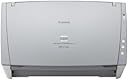
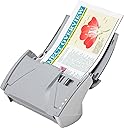
The Canon imageFORMULA DR-C130 is a high-speed, single-pass duplex document scanner delivering up to 30 pages per minute. Its compact design fits neatly into tight office spaces while reliably handling a wide range of document types, including oversized papers and embossed cards. Featuring an intuitive Full Auto mode, it streamlines workflows for busy professionals seeking efficient, high-quality digital conversion.
| ASIN | B00842MA72 |
| Best Sellers Rank | #900,328 in Office Products ( See Top 100 in Office Products ) #1,098 in Document Scanners |
| Brand | Canon |
| Color Depth | 24 bits_per_pixel |
| Connection Type | USB |
| Customer Reviews | 3.8 3.8 out of 5 stars (30) |
| Global Trade Identification Number | 00611101120124 |
| Item Weight | 3.97 Pounds |
| Manufacturer | Canon Scanners USA |
| Media Type | Embossed Card, Paper |
| Minimum System Requirements | Windows 7 |
| Model Name | imageFORMULA DR-C130 |
| Optical Sensor Technology | CIS |
| Paper Size | Legal |
| Resolution | 600 |
| Scanner Type | Document |
| Standard Sheet Capacity | 50 |
| UPC | 012302359458 013803151367 132017840215 012303829363 611101120124 |
| Wattage | 15 watts |
F**R
Latest generation just as good
I have several DR-2010C and DR2030C. This machine is compatible and like the other Canons of this style, good workhorses for a medical practice that uses them a lot. I started a number of years ago with $3000 Canons (that look a lot like this) but found this. 21 scanners later, I am still pleased. What's good: - works well with network or individual (best) - high speed - single sheet or several pages at a time. - feed & leave with no need to watch - capture-on-touch software really easy to use, inside or outside a program - easy to change color to black/white, size, dpi, or even output to print, save, attach to email. - automated straightening so it is easy to do receipts and odd shapes & sizes, even in groups. - good clarity whether or are saving or printing - folds up so it is out of the way when not in use - easy to clean - really easy to do the only repair I have ever known it to need: new rollers which cost about $30 and makes it perfect again. One tip: Be sure you remove all the packing material from the inside, including a little slip of paper on the edge of the roller. If the roller cannot grab, you will not get good result.
D**L
Amazing workhorse
This machine has made scanning at our office a snap. We have a small law firm and scan 250-500 pages per day. Easy set up out of the box and does a great job.
L**W
Pretty Solid Desktop Scanner
I work in a law office, and I needed to replace my old Canon DR-2580. Canon recently discontinued the 2580 scanner and replaced it with the C130. It is a solid scanner, and MUCH better than the Epson WorkForce GT-S50 I recently returned to Amazon. The Epson scanner boasts lightning fast scan speeds, but it is greatly hampered by super slow software. It is NOT a work force quality scanner. This Canon is true to the description. Scan speeds are not over-hyped. The software is awesome. In fully automatic mode, the pages process as fast as the scanner scans. You will NOT sit wasting time waiting for files to save and/or process. The Canon software does NOT force you to add silly dates, or automatic page numbering to the title. You name the document whatever you want. I've been using this scanner for about a month. I pretty much keep the settings to fully automatic, and have not had any imaging issues. The scan quality is pretty good. The only reason why I will not give this scanner 5 stars is because I feel like I am going to break it. It is a very light, very minimal, very small scanner. I don't want to say it is a cheaply made, but I do handle it with a lot more caution because it is SO light. I could see rough handling breaking the document feed tray. If you work in a small office setting, this is a great, reliable scanner. The Canon software is easy to use, and easy to customize to your needs. I will probably never venture away from Canon scanners again. They are just that reliable.
L**E
Problem - Will not scan a single sheet of paper
THE PROBLEM Apparently, this is a known problem that I found out about after having the scanner for a short period of time. You won't know about the problem until you get the error message: "No page in scanner, add page to the scanner?" You can try anything you want, the issue is that a single sheet of paper doesn't WEIGH enough to trigger the scanner. Therefore, you cannot scan a single sheet of paper. THE SOLUTION The solution? Also online. You have to add additional "blank sheets" of paper (I found it would work with 3 consistently, 2 occaisonally, and 1 never). So, you wind up with a scan of your 1 page document, plus 2 additional blank pages that need to be removed. *** This behavior did not start immediately. It took about 1 month. *** THE PROBLEM WITH THE SOLUTION The workaround is to use the Capture Perfect software that comes with it and create a profile to drop out the blank pages. Set your screen up to view thumnails in Capture Perfect. Seems like a simple solution, but what if you just want to scan 1 side of the paper because you don't care about the back side of the paper. Hmm ... this is a problem. The scanner will pick up all of the pages - 1 original + 2 blank - requiring you to manually delete the blank pages. Ridiculous, inefficient and time-consuming. THE SOFTWARE I had a prior DR-2510 that was a great scanner with great software. Unfortunately, some Windows update created an incompatibility with the Canon driver and it would no longer work. Naturally, Canon didn't both to post a fix because they have newer scanners that you need to buy. That scanner was about $300. The software was great. You created profiles, designated where you wanted the scans to go on your computer, and then initated the scan using buttons on the scanner. The files were autonamed. It was fast, intuitive, and worked flawlessly. I could scan 50-60 document sets in a very short period of time. Just drop pages into scanner, hit button on scanner, wait for it to finish, repeat. THIS SCANNER - ** HIGHLY ** NOT RECOMMENDED This scanner was $570. Not some cheap $100 scanner. It's ridiculous that this product was ever shipped by Canon.
G**R
Scanner don't feed
Sheet feed works about 5% of the time. Multiple sheets in the input work about 1% of the time. I like the software; but to get sheets to feed is immensely difficult. Will it get any easier? Sheet seems to need to be pushed into the feeder; or the feeder front door must be opened allowing the feed sheet to drop about 1/4 inch or maybe 3/8 into the scanner. I have been able to make very good quality scans but only with great determination. I make them 1 or 2 (backside) at a time.
T**Y
but the software Capture Perfect does NOT work at all in Windows 8 or ...
The scanner works, but the software Capture Perfect does NOT work at all in Windows 8 or Windows 8.1. The software will work with Windows 7 just fine.
I**V
Great scanner
Super fast and very lightweight. Clear and accurate scanning. We scan a lot in my office and this scanner is perfect for large scanning jobs as well as small ones.
J**H
Love it
Simple to use. Meets & exceeds all my expectations. That pretty well sums it up for me so live w/it
A**Y
Fast and user friendly
Trustpilot
2 weken geleden
2 weken geleden